
DOWNLOAD THE APP


Customer Services
Copyright © 2025 Desertcart Holdings Limited
DOWNLOAD THE APP
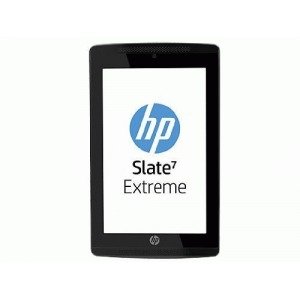
📱 Elevate Your Everyday with the HP Slate!
The Hewlett Packard F7V59UT-ABA 7 in. Slate combines a compact design with powerful performance, featuring a 7-inch display, A15 processor, and 16GB of storage, making it an ideal choice for professionals seeking portability without sacrificing functionality.
K**F
A great tablet with an incredible stylus.
So I got this tablet to replace my Asus Nexus 7 2012 tablet which was starting to run slow. (side note: you can speed it up with f2fs it works like a charm) Anyway, as I was exploring my options for a new tablet I wanted something I could bring to class to write notes on but didn't want to spend hundreds on an active pen or an expensive tablet such as the surface pro. I have awful hand writing and write fairly fast, I wasn't sure if the passive stylus could handle it but I am happy to say that the Slate 7 Extreme (S7E) does a fantastic job! I am honestly impressed by this thing and my ability to write on it. That said I recommend the Nvidia writing app that comes pre-installed it is great. So, gushing aside here is a quick and dirty list:Pros:Kick ass stylus and hand writing softwareMicro SD cardTegra 4 processorMicro HDMI adapterMagnets in the tablet (This bad boy will stick to stuff, I like to charge it on the side of my heater, I live in a dorm)Cons:The tablet seems somewhat fragile, although I have roughly handled it and it stood the test.I had some issues with the tablet properly detecting when the stylus was removed but it seems to have been temporaryOverheating (from what I read this is from the Tegra 4)1 GB of Ram (Seriously, this is my biggest complaint) I have some delay between apps and what not, why couldn't we get 2 GBSome other info:The screen is rather reflective which can be annoying at certain angles, however, it does get really dim which I find nice for night reading or taking notes in class. (This could be a negative for some people)There are horizontal lines across the tablet screen that can only been seen when held at a low angle. (Nothing I have ever noticed during use) I read that these are to help with the stylus and writing.I know that the tegra 4 has some promising power for gaming, I am not a heavy gamer but have run some emulators on the tablet and they seem to work fine. I am going to test out a PS1 and PSP emulator once I find a bluetooth controller for the tablet.On Bluetooth it works wonderfully with my keyboard or when connecting to other devices,I noticed a problem with the cast screen when miracasting to my fire TV stick, however, I suspect that has to do with the TV stick rather than the tablet.Battery Life:I think this needs to be mentioned: Amazon advertises that this tablet gets 10plus hours of battery life. I would love to see that result, sadly I only get between 6-8 hours of on screen time. I constantly use this guy for taking notes in class and marking up readings (pdfs). During a normal day, I have the screen on for ~7-8 hours before needing to charge it; for me, a normal day consist of 4-5 hours of class -> writing on the tablet, with another hour or 2 of reading and marking up a pdf and some light internet browsing and gaming. Note here, this is pretty much constant use with no "down time" for the tablet. If I leave the tablet in an idle state. with light browsing and minor gaming, it easily went 2 days without needs a charge.I got this tablet for $125 and the price seems to continuously be dropping, for the price this tablet is incredible. It has expandable memory, a great stylus, and the Tegra 4, it is only missing the 2GB of ram.
E**E
After a few weeks, my favorite portable drawing tool
Good budget tablet. I bought this for school after an cheaper tablet i got over the summer for media start being less responsive. The biggest draw to this was the fine point stylus , which I believed to be good for drawing, and it was. I sketch on it whenever I'm away from my PC, great for drawing on the go an it has replaced my bulky laptop/bamboo set up.Pros: although a bit hard to transition from pressure sensitive tablet on my PC to this , it works really great with sketch book xpress. It also has great speaker and a good display that is very responsive and has great features like palm detection and multi touch. I have yet to have this tablet freeze, and games work great on it! Also magnets on the back are cool Con's: the charger in the box didn't work since day 1, although that may be specific to me. It has the HDMI port too close to the charging port , I can't have them both plugged in. I find my self having to ease up on the stylus, although I'm heavy handed even when i try my hardest to press lightly the ruber tip still has a bit to much give and it slightly bends. The overall construction of the plastic is good, not great, it creeks at the edges and the buttons feel loose, also there's a burr on one edge.the plastic just feels cheaper than that of my old 40 tablet.
A**L
love it ,
Love this tablet.. Have a problem sometimes connecting to my wi-fi it knocks my internet off.. so i turn it off and started again.. xxxxalicia I couldnt connect to the wi-fi at the beginning and call HP support , was connected to someone in India.. and they told me that my computer was hack by someone in Mexico.. AND THEY COULD CLEAN IT FOR LIFE IF I WOULD PAY $500.00.. NOW THAT WAS A SCAM.. LOL
R**R
TECH SUPPORT NIGHTMARE!!!
HP does not seem to be able to fix the BREAKER BUGS found in their OTA KitKat 4.4.2 Update for this unit.a.It broke WiFi by making it Intermittent, possibly due to a user server that Google apparently uses for spying on its customers, whatever.DISABLE/ENABLE WiFI to TEMPORARILY 'fix' it is not a viable user scenario.b.KitKat BROKE the user's abilit to get to 'Recovery Kernel' where ths user COULD fix it back to Jellybean, IF IT DID NOT INIFINITELY HANG AT 'No Command' with the cute little Android bot under reapir on-screen.c.There's an annoying reboot bug that is difficult to get repro steps for.If you buy this unit, it appears to be okay to let OTA Update to Jellybean 4.3, BUT NOT KitKat 4.4.2!!!HP owns the replacement unit that came with the bugs AND my new one, which can only be fixed as New Box or Dev Tools Flash-Forcing.Since HP BROKE the thing, I cannot reasonably expect this vendor to support these MAJOR NIGHTMARE ISSUES with a return / replacement... :) Can I?THIS UNIT IS GREAT, HAS GREAT VIDEOJust Don't Let It Get Near KitKat OTA Update!!!a little 'touchy' on the touch pad things, but one gets used to it...
C**T
Terrible Stylus
Seems like a fine tablet, but I sure hope you're not buying it for the stylus. It's so poorly designed and executed that it's unusable. There are much better options out there. If you're just looking for a decent, affordable 7" tablet.. there are still better options out there, but this is fine.I've reached out to HP for support with other products and they're awful. They don't support their products with updated drivers and generally are one big cash grab as a company. Beware.
W**E
Very good for reading, browsing, shopping, etc.
Had it for a while. Very decent tablet. The stylus works so-so, but do not hope for any Wacom quality.In view of the price and HP quality, it was worth the money.Caveat; it gets hot occasionally. It did not bother me very much, but be warned.Very good for reading.
J**Y
Three Stars
it was okay but then it disconnected to the wifi and would not reconnect again so i returned it.
M**R
Tablet may be good but when I got the product it was wet ...
I would have given 0 if I had that option. Tablet may be good but when I got the product it was wet all over the screen and missing stylus and it was smelling real badAs if the package was dropped in mud
Trustpilot
2 months ago
1 week ago