
DOWNLOAD THE APP


Customer Services
Copyright © 2025 Desertcart Holdings Limited
DOWNLOAD THE APP
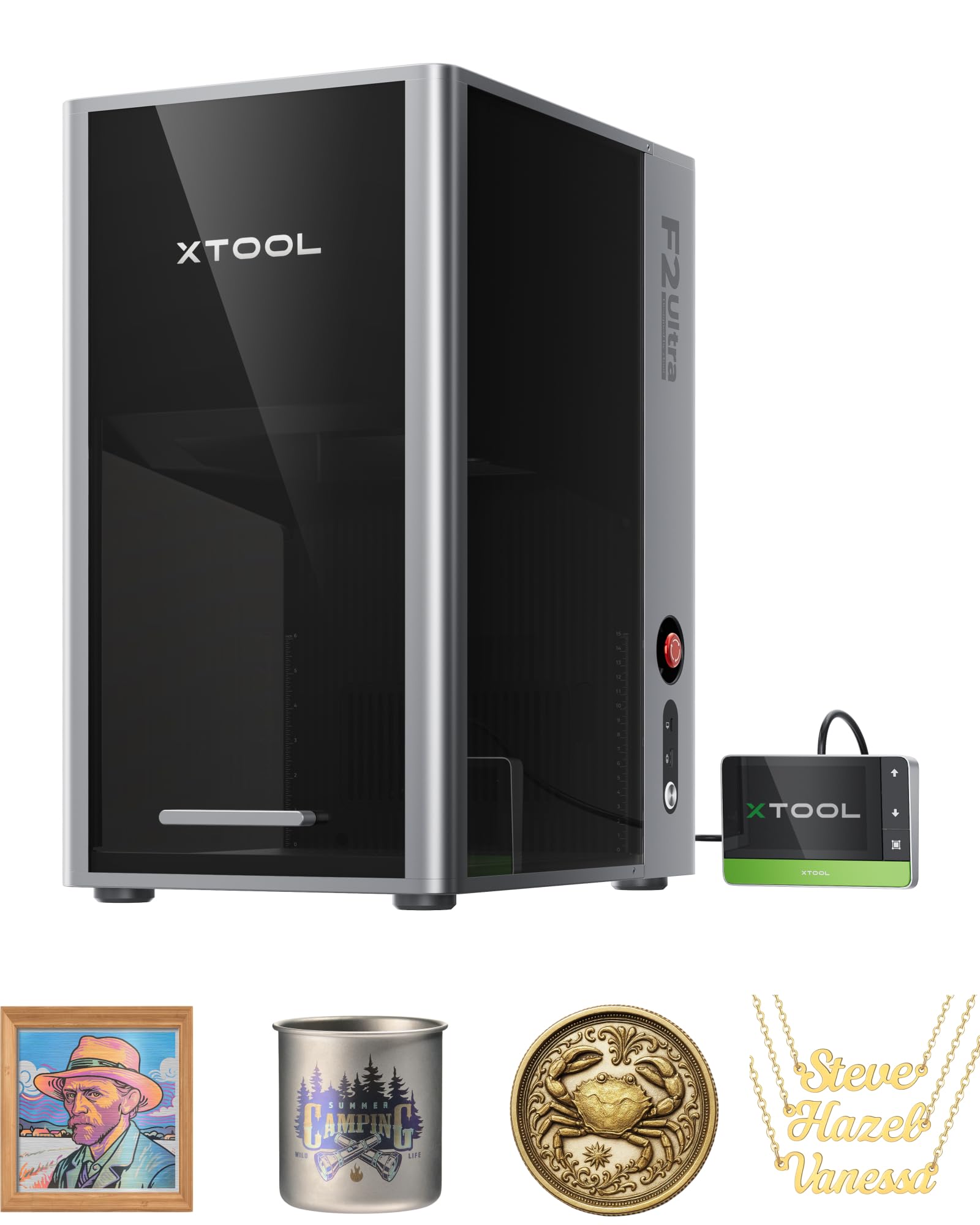
🚀 Elevate your engraving game with speed, color, and AI precision!
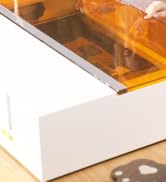
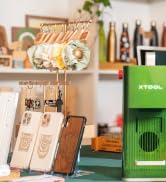
The xTool F2 Ultra Single 60W MOPA Fiber Laser Engraver is a professional-grade desktop machine designed for high-precision, multi-color metal engraving and cutting. Featuring a powerful 60W MOPA fiber laser, dual 48MP AI cameras for ultra-accurate positioning, and speeds up to 15,000mm/s, it enables rapid, detailed 3D embossing and vibrant color engraving on a wide range of metals. Its AI-powered software simplifies setup and material detection, making it ideal for makers, engineers, and small businesses seeking industrial-level results in a compact footprint.





























| ASIN | B0FHWT5DWW |
| Best Sellers Rank | #45,724 in Arts, Crafts & Sewing ( See Top 100 in Arts, Crafts & Sewing ) #106 in Jewelry Making Engraving Machines & Tools #1,090 in Craft Cutting Tools |
| Customer Reviews | 4.3 4.3 out of 5 stars (42) |
| Date First Available | August 6, 2025 |
| Item Weight | 66.6 pounds |
| Item model number | MXF-K003-002 |
| Manufacturer | Makeblock Co., Ltd. |
| Product Dimensions | 16.88 x 11.57 x 20.5 inches |
J**H
Powerful, fast, and super capable — but takes time to dial in
I’ve been using the xTool F2 Ultra for a bit now, and overall, I’m really impressed with what this thing can do. It’s a beast in a compact form factor. Between the 60 W MOPA fiber laser and the 40 W diode laser, you can handle pretty much any material you throw at it — metal, wood, leather, acrylic, anodized aluminum — all from the same machine. Setup was surprisingly smooth. It comes well-packed, software install was straightforward, and within an hour I was engraving test pieces. The build quality feels premium — solid enclosure, clean layout, fans that don’t sound like a jet engine, and everything fits together like a professional tool. The cameras are super high-res, and having two of them makes alignment easier in theory — but it’s not perfect yet. Here’s where things get a little tricky: actually getting the engraving to land exactly where you want can take a few tries. The camera preview isn’t always dead-on accurate, especially if your material isn’t perfectly flat or reflective. You learn quickly that it’s worth doing a test pass before committing to a real part. Once it’s aligned, though, it’s rock solid. Color engraving — that’s the big draw for the MOPA fiber side — looks amazing when it works. But I’ll be honest: getting consistent color results takes patience. It’s not just “pick a color and go.” You have to tune the frequency, power, speed, and spacing to hit the right oxidation effect on the metal. It can be a bit of trial and error, and even small tweaks change the outcome. I’ve had some beautiful rainbow anodized effects on stainless steel, but also some “what happened here?” moments along the way. It’s definitely part art, part science. The software (xTool Creative Space) is solid for the basics — great for aligning and setting up jobs — but for advanced stuff like color work or detailed raster engraving, there’s a bit of a learning curve. I’d love to see them add a few more presets or an easier way to save and share settings because once you find something that works, you don’t want to lose it. Performance-wise, this thing flies. The galvo head moves ridiculously fast — you can watch it zip across a piece and finish what would take a gantry-style diode laser several minutes to do. It handles fine detail beautifully, and the output quality on metals is top-notch once you’ve got your parameters dialed in. The diode laser side is equally great — nice clean cuts on wood and acrylic with very little burn. A few other things worth noting: • The work area is decent for small to medium projects, but not huge — think tags, tools, small plates, and panels, not big signage. • The safety features and enclosure are well-designed. You still want to use it in a ventilated space — the ozone and fumes can build up depending on what you’re engraving. • The machine’s portability is underrated. For what it can do, it’s surprisingly compact. All in all, this is a serious piece of hardware for makers, engineers, or small businesses who want pro-level engraving power in a desktop format. It’s not plug-and-play perfection — you have to learn it and experiment — but when you get it right, the results are incredible. If you enjoy tinkering, dialing in settings, and experimenting with materials, you’ll love this thing. If you want “press start and walk away” simplicity, it might frustrate you a bit at first. But once you get the hang of it, it’s hard not to be amazed at what it can do. I’m still learning the color engraving side, but even with the extra effort, it’s been totally worth it. The combination of speed, precision, and flexibility makes this one of the best tools I’ve added to my workshop in a long time.
P**U
One Machine That Delivers on Metal Coins and Drinkware ... with SPEED!
We use the xTool F2 Ultra in real production, not as a hobby machine, and it has exceeded expectations. The dual laser setup is exactly what we needed. The 60W MOPA fiber allows us to engrave metal challenge coins with true multi color markings that are clean, permanent, and professional looking. The color control and repeatability are outstanding. The 40W diode handles cups, coated metals, wood, and plastics without compromise, making it easy to produce high quality items for customers and friends on the same platform. Speed is a major win. Even at high speeds, accuracy stays tight, which matters when running batches of coins or drinkware. The dual 48MP cameras are not fluff. Auto streamline and visual alignment save real time and reduce mistakes, especially when placing designs on curved or pre made items like cups. Setup and workflow were straightforward. Calibration was painless and the software feels mature and stable. The AI assisted features actually help rather than getting in the way. Build quality is solid and confidence inspiring. Everything feels intentional and durable. This is a machine we trust to run consistently while producing gifts and customer items that need to look right every time. Bottom line. If you are serious about producing professional challenge coins, engraved cups, and other custom items, the xTool F2 Ultra delivers speed, precision, and repeatable results in one platform.
G**.
xTool F2 Ultra Single 60W MOPA Fiber Laser - 1 month review
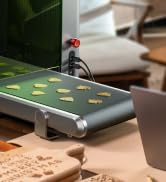
Really impressed with this laser ! Excellent build quality and performance. I chose the single 60w version over the dual version and am very pleased with the choice. I have 2 diode lasers that are used for different tasks, one that is set up for a rotary/roller and one large format for working on pieces up to 20" x 30". The nature of the two types of lasers is the main reason I went with the single MOPA version. When working on wood the diode lasers are best suited as the pieces i work with tend to be larger than the F2 ultra would support. When working on metal, the pieces tend to be smaller and the roughly 9" x 9" working area of the MOPA laser is usually about all I need. This size can be expanded to 8.7" x 19.7" for engraving by adding the auto conveyor, however it states you cannot cut with the conveyor as it would damage the belt. I do have the conveyor but have not installed it yet, so it remains to be seen if can I put a base piece to protect the belt and cut something larger. . If you're used to working in Lightburn you'll have a bit of a learning curve as xTool uses it's own software but I've found it to be perfectly adequate. There is a huge trial and error period for learning the nuances of a MOPA Fibre over a diode, there are many more parameter tweaks to learn and experiment with to achieve your desired results such as color engraving on metal. I'm very pleased with the laser. I'd waited for one that had a larger working area and substantial power and when the F2 Ultra came along I decided to buy in. Set up and getting it burning were quite easy, tweaking the settings to achieve color and proper cutting took a bit longer but progress was reasonably quick. I've successfully cut brass, colored stainless steel and embossed brass within a few working sessions. The F2 Ultra is fairly new so the tech forums aren't fully up to speed on discussions and tips yet, but there is enough information out there to get you pointed in the right direction to help you get your desired results. I'm very pleased with the laser, it's beautifully designed, powerful, accurate and works beyond expectations !
T**N
I've been using the xTool F1 Ultra for a few weeks now, and I’m beyond impressed. As a small business owner specializing in laser engraving, I needed a tool that could keep up with high demand and deliver consistent, quality results. This machine exceeded my expectations on every front. Pros: Precision: The F1 Ultra provides such fine detail that my customers are constantly amazed by the quality. Speed: It's significantly faster than my previous engraver, which allows me to fulfill more orders in less time. It's perfect for running a one-man operation like mine! Ease of Use: Setup was straightforward, and the software interface is user-friendly. I was up and running in no time. Versatility: I’ve been able to work with various materials like wood, leather, and stainless steel, and it handles each one like a pro. Overall, the xTool F1 Ultra has been a fantastic addition to my business. It’s definitely worth the investment for anyone serious about high-quality laser engraving. Highly recommend!
J**.
I’ve always wanted a laser that’s able to engrave a number of materials with good results so after a lot of research I decided that with its combined Fibre and Diode lasers the F1 Ultra could offer me the versatility I was looking for, so I took the leap and ordered the F1 ultra in September. Unboxing: The F1 Ultra was very well packaged, opening it was similar to opening an high end apple product, the boxes are well labelled and instructions clear to follow. Set-up: Upon setup I had to calibrate the machine, this took around five minutes following some on screen instructions and using some scratch paper that was included. After that the machine was ready to go. It was very simple. From unboxing to being ready for engraving. Pretty much a plug and play solution. First Project/Test: For my first project I decided to choose the beginner project suggested inside the box. It was a metal business card that was included inside the material pack, I used the template and preconfigured settings and was very pleased when it worked straight away. I then made another with an inverted image on the other side. Happy with those I then picked another piece out of the materials pack, a round jewellery pendant I engraved my daughters initials onto it. It was very quick however, it appeared more marked then deep engraved. I had read this machine was capable of doing deep engraving, so I stepped away to research the F1 ultra, materials and settings some more. Coming back to the machine I was able to deep engrave a heart pendant with her name, and went on to deep engrave jewellery, coins, and slate coasters. Although the software does have some recommended materials and setting I did find you do have a bit of searching and research and trial and error to find the correct settings for the results I was looking for. The camera and framing options assist perfect placement and the auto focus adjust the laser height for better results. If your first settings do not provide the best results if you keep the material in the same place you can adjust settings and process again. Testing on more materials: Once I used up the materials included in the material pack I was quite keen to test the capabilities and versatility of this machine. So far I have engraved, Stainless Steel Jewellery, metal lighters, wooden boxes, brass coins, PU Leather wallets, slate coasters and glass (using marking spray). I was able to achieve good results with all of these materials. Software: The Xtool Creative Space software, that comes with the Ultra is easy to use, you can create designs in the software or import from other sources/files. You can also access a xtool Community of shared designs called DesignFind where you can find other peoples projects and settings and download them into your project. I used this to engrave the slate coaster. Safety: The F1 Ultra has a protective shield that provides protection and will stop the laser causing damage to your eyes, when I was first looking for a laser not many had this feature. I vented the exhaust out of a window and the fan seems to be powerful enough to extract the fumes for the materials I have used so far. Conclusion: So far I am extremely happy with my purchase and I still think that I will discover a lot more of what it is capable of doing. I am confident that I chose the correct machine and I know there is a lot of settings and accessories I have not even used yet like the rotary, then conveyer for bulk producing and air purifier. I am still learning, but for the short amount of time I have used it, I am happy that it is the right machine for my business.
M**D
Very impressed with the quality of this machine. Very well packaged, which was easy to remove and innovative. I was up and running within an hour with no problems. For the price (there was a discount running) it is a sleek bit of kit with a small footprint, and well worth the cost. Everything to get started is included (test materials too) So far I've done the test project which was so easy to complete with the software (you will need to download this) and made my dog a tag with his photo & contact details on,.and the tag in the video. I can't wait to try out more projects, especially engraving (and cutting thin) metal items (I'm thinking jewellery for gifts) At the moment I'm venting out of the window, but I will be purchasing the smoke filter going forward (now winter is coming) 😅 All in all, I'm impressed with the whole purchase, and will update going forward 🙂
B**P
Super fast and includes an emboss feature for 2.5D images, and the dual fiber capability means a broader range of materials can be processed. Not powerful enough to do brass coins efficiently, but extremely accurate when you want to reprocess vs a diode that physically moves the laser head. As is the case with all Galvo style machines, you can get fading at the periphery of the workspace, but a great addition for anyone moving from beginner to intermediate work.
G**L
Perfect. Unit set up easy. With all of my xtool products this has been the most useful.
Trustpilot
1 month ago
5 days ago