We remain fully operational. Our teams are working around the clock to ensure your deliveries continue safely.

DOWNLOAD THE APP


Customer Services
Copyright © 2025 Desertcart Holdings Limited
DOWNLOAD THE APP

⚡ Unlock the future of home internet with 5G speed and Wi-Fi 6 power!
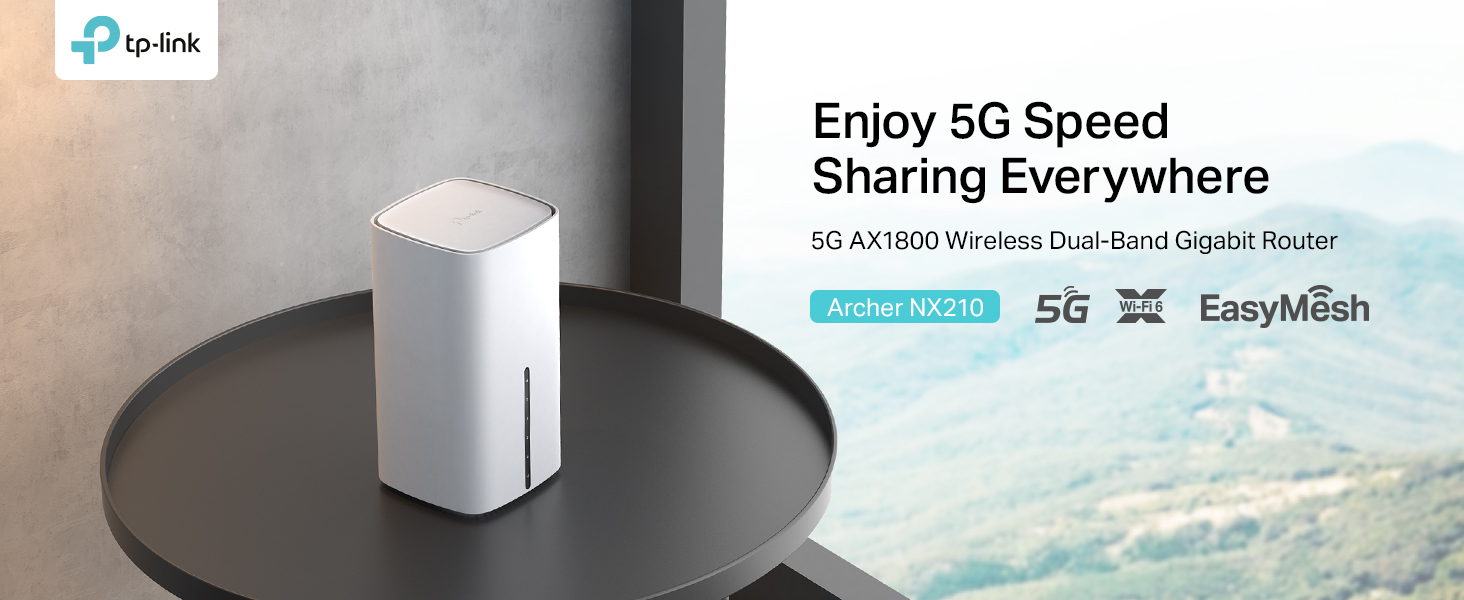
The TP-Link Archer NX210 is a cutting-edge AX1800 dual-band Wi-Fi 6 router featuring a built-in SIM slot for blazing 5G speeds up to 4.67 Gbps. Designed for professionals and tech-savvy millennials, it offers plug-and-play setup with a free SMARTY SIM, gigabit WAN/LAN ports for flexible networking, and EasyMesh compatibility for seamless whole-home coverage. Perfect for streaming, remote work, and smart home integration, this router transforms your internet experience with reliable, ultra-fast connectivity.




| ASIN | B0FD4CJ9WB |
| Are Batteries Included | No |
| Best Sellers Rank | 1,971 in Computers & Accessories ( See Top 100 in Computers & Accessories ) 22 in Whole Home & Mesh Wi-Fi Systems |
| Brand | TP-Link |
| Colour | White |
| Customer Reviews | 4.4 4.4 out of 5 stars (3,608) |
| Date First Available | 13 Jun. 2025 |
| Guaranteed software updates until | unknown |
| Item Weight | 610 g |
| Item model number | Archer NX210 |
| Manufacturer | TP-Link |
| Operating System | TendaOS |
| Product Dimensions | 9.9 x 9.9 x 19 cm; 610 g |
| Series | AX1800 Wireless Dual Band Gigabit Router |
| Voltage | 12 Volts |
| Wireless Type | 802.11ax |
G**Y
Excellent - so much better than BT!
This Archer MR600 V2 4G+ router has proved to be a real game changer for us and our internet access. We live in a rather underprivileged area as regards broadband. Despite being in London, we cannot yet get fibre broadband and BT "copper" broadband is limited to about 5mbps - and it's so unreliable, we are unable to reliably watch streaming films or sport. So, I decided to try mobile broadband with this router. While we are surrounded by masts, only one is in direct line of sight but is fairly distant. So, after some experiments, I opted for a Poynting external 'directional' antenna. Having further experimented with a few provider SIMs, surprisingly, I found O2 to give by far the best service (I had assumed it would EE). Then, some fine tuning of the antenna was necessary to get the best signal and speeds. I opted for a Tesco "SIM Only" unlimited data plan - being the most cost effective contract without hidden data limits (and it uses the O2 network). This router itself is easy to setup and provides fast and consistent service. We consistently get 4G+ downloads of 70+ mbps. Indeed, in the evenings we get over 100mbps. Signal quality is 75%. That is excellent - 4G+ really works for us! Another reason for getting this particular router is the capability of setting LTE bands manually. Given the number of masts in our area, there are unusual problems with reflected signals and, at certain times of the day, the router would automatically switch to another band. This not only slowed down downloads, it also interupted streaming viewing - particularly annoying during a football match..... By manually setting the LTE bands (we use 40, 40), this problem was eliminated and we are rather chuffed. With the 4x gigabit LAN ports, integration into our home network was easy. This allows access to our printers, home NAS, Blu-ray player, TVs and Humax YouView box. Connection to a DECO Mesh setup extends the router's fast 5GHz WiFi to everywhere in the house - including the all-important but distant kitchen! As such, this particular router is ideal for our requirements and we are very pleased. It did take some time and thought to get the home environment set up correctly but, it was well worth it. Goodbye BT, your high prices and poor service! NOTE. If you require a 4G+ router that allows manual LTE band selection for aggregation, there aren't many available choices. This, IMHO, is the best at a reasonable price. However, beware, the V1 version of this router does NOT feature this functionality unless you get a special Beta version of the firmware from TP-Link support. So, opt for the V2 device - which is also a few pounds cheaper. The V2 device also has the useful option for scheduled reboots. I set ours to reboot at 4am every other night. That can help in keeping things running smoothly. UPDATE November 2023 I have now purchased the newer MR500 V1 version of this router for my daughter's house - again coupled with a Poynting external antenna. This router has now run 3 months without any issues or need of a reset. We are both chuffed!
R**C
Great 5G router - be careful about choice and configuration of SIM
Excellent 5G router with strong WiFi and good configuration controls via web and app. One thing to watch out for is the SIM you use it with. Obviously you need a decent 5G signal in the area but I found some telephony services won’t work with routers (any routers). For example a LycaMobile Sim that works perfectly in a phone will not work in the router (I believe it is blocked by the telephony company) whereas a 1pMobile SIM works fine yet they both use the EE network. You might need to do a bit of experimenting to get the right settings but the configuration options are good and the device itself works really well
P**N
Works well
Decent router, easy to setup, speed is good for 4G. I am disappointed that the router has been out and returned at least once. I paid full price for a new product hence the 4 star rating. I am using this router with a Bingfu 4G LTE Antenna https://www.amazon.co.uk/dp/B095KCHW56/?coliid=I15MSOM3J7LFBI&colid=3BL84BGPW6XED A good combination, the antenna is very cheap. Beware, not all networks provide decent data speeds. I am with Smarty which runs on the 3 Network, the speeds in the screen shot are what I get on 3, others may be faster and others will be terrible. Its not always the hardware if your having problems. Check your local tower on Cellmapper.
P**D
Saved me from having to put my house on the market (seriously!)
This product was life changing for me and that's not an exaggeration... my only wish is that I had discovered this sooner. Moving to the countryside, as I did nearly 2 years ago, is of course fantastic in so many ways. However, internet connectivity can be a major problem when you are running an internet based business - as I found out the hard way. Fibre? Nope, not available. Mobile phone? No signal in most rooms, 1 bar in a couple of parts of the house, 2 if I was lucky. DSL via BT? Got that. It was unbelievably appalling. "This is why aliens won't talk to us" type of appalling. Dropped out over 100 times per day. Called their support. Waited on hold for eons. They confirmed it was dropping out over 100 times per day. Sent out their engineers. Said they had fixed it. It was not fixed. This process went on for 3 months, with countless phone calls, until finally in absolute exasperation I canceled their terrible service and ordered.... Satellite connection. Bigblu. Terrible. Expensive and s-l-o-w. Like 1MB download and 0.something upload. If I had a dollar for every time I shouted at my computer I would be retiring. Finally I discovered that in one spot in my attic got 2 or 3 bars of mobile phone signal. Unless it rained. I had a phone with an unlimited data package, perched on a tripod in my attic. That sort-of worked until I insulated my attic and those panels have a metallic layer...... game over..... no signal..... At this point I realized I was completely hosed. Literally. Time to sell the house because this lack of connectivity is destroying my business and I can't take it any more. Then I discovered that you can get one of these 4G routers. Why did NOBODY ever mention this to me?? Ordered this, together with a couple of "bingfu" SMA antennae - which arrived the next day and are now sitting on my roof, attached via magnet to a couple of metal strips that I hooked into the tiles...... WORKS BEAUTIFULLY. It worked right out of the box. Literally plug and play. They even included an adapter for a nano sim so I could take my sim right out of the iphone with the unlimited data plan, and plug it right in to this device using the sticker provided!! OMG. getting nearly 10MB d/l and about 5MB u/l, with a ping time of 22-30 ms. Now that might not sound like much... but pages are now loading within a second or 2, instead of sitting there spinning. AMAZING. Country life is restored to its former glory and life is good again!! Super grateful for this product. Thank you.
A**K
Easy to setup, great bit of kit!
Honestly this thing is absolutely brilliant, used to be getting around 2MBPS (I know absolutely shocking) however! Since using this paired with a Smarty sim I'm now averaging around 40-50MBPS which is absolutely huge for us!
M**.
Excelente modem, funciona muy bien con Claro Puerto Rico. Estable, excelente receptor de señal y sirve muy bien. Mucho mejor que con los Modems que brinda la compañía. La velocidad de Claro PR no es muy buena, pero este modem le ha dado una excelente estabilidad que hasta con alta resolución funciona. La instalación no es tan fácil como la describen, pero siguiendo las instrucciones lo tendrás funcionando en minutos.
L**P
Lo que más: Rendimiento y estabilidad Lo que menos: La instalación no es difícil, pero no tan fácil como se publicita. Si se utliliza un duplicado de tarjeta, hay que validarla antes con el operador con un movil. Una vez validada puede introducirse en el equipo y creará la red wifi. El nombre de la red y la clave de acceso vienen en la etiqueta situada en la base del equipo. Si se quiere personalizar el nombre de la red o la clave de acceso hay que conectar el equipo a un ordenador con el cable de red. Una vez hecho este proceso se puede desplazar el equipo a otra vivienda donde se pondrá en marcha automáticamente tras conectar la alimentación a la red
P**O
Bonne sensibilité radio. Capte bien mieux la 3/4G qu’un téléphone GSM. Permet de s’offrir un accès Internet avec un débit correct si le réseau GSM est accessible en pointillés avec un téléphone mobile. Tout cela sous réserve de bien choisir le placement de ce modem/routeur afin de bien capter le réseau GSM: face à une fenêtre bien orientée, en haut d’un placard au plus haut de votre habitation, etc. Il convient donc de commencer par rechercher avec votre téléphone là où vous captez le mieux le réseau GSM puis de retenir l’un des meilleurs endroits où vous pouvez placer le modem. Et là vous aurez vraiment plus de débit. De 2 à 6Mbps avec mon téléphone, j’ai maintenant 6 à 40Mbps. Prévoir une SIM avec forfait illimité si vous souhaitez faire du visionnage en streaming. Ce dernier mois j’ai dépassé 250 Go de consommation 3/4G pour plusieurs utilisateurs confinés.
Ş**U
Ürüne Turk Telekom Data Hattı Taktım Kurulum yapmaksızın 30 sn de kendi hattı tanımladı ve internete bağlandı 2 telefon 1 tv 1 de tablet olmak üzere 4 cihaz bağlı ve herhangi bir kopma sorunu yaşamadım 48 saat içerisinde hız olarakta oturduğum yer merkezi olması sebebiyle 40 mps ye kadar hız aldım benim için gayet başarılı bir cihaz köy mezra gibi yerlerde deneme şansım olmadı eğer evinizde alt yapınız yoksa yada sürekli seyahat eden biriyseniz bulunmaz bir fırsat teknoloji harikası diyebilirim. Aslında taşınabilir wifi modem almayı düşünüyordum fakat çoğu bataryalı olduğu için çabuk sürede bozulur ve yedek parça temini skıntısı olur. bu cihazı alsanız dahi hem hat olarak hem modem hem menzil arttırıcı olarak kullanmanız mümkün oluyor. Unutmamanız gereken bir husus ise eğer köye data hattınızı almayı düşünüyorsanız öncelikle hangi operatörün iyi çektiğine bakın ondan sonra data hattınızı ilgili firmaya göre alın aynı şekilde merkezde de oturuyorsanız çekim gücüne göre almanızda fayda var yoksa mağdur olabilirsiniz genel olarak cihaz telefonda ki hızın bire bir hızını veriyor.
M**D
الراوتر ممتاز والأفضل تاخذ معاه مقوي من نفس الشركة وتغطيته لابأس بها لكن اللي صدمني ان العنوان لايطابق صورة المنتج كنت اظن ان المنتج ٣٠٠٠ اي سي كما هو موضح بالصور لكن تفاجأت انه ١٣٠٠ اي سي فقط
Trustpilot
2 months ago
2 days ago