Some deliveries may take a little longer than usual due to regional shipping conditions.

DOWNLOAD THE APP


Customer Services
Copyright © 2025 Desertcart Holdings Limited
DOWNLOAD THE APP

🚀 Compact Powerhouse: Elevate Your Workspace with Next-Level Speed & Style
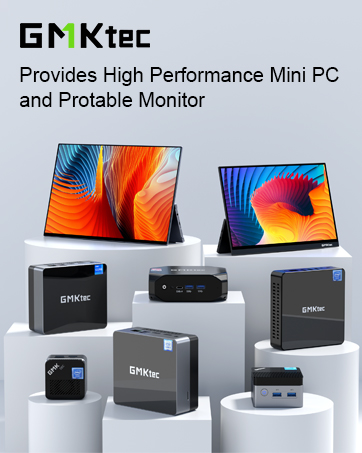
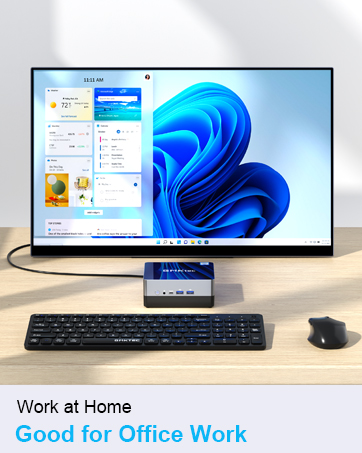
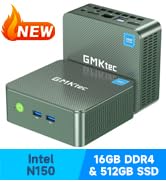
The GMKtec Mini PC G3 Plus features the cutting-edge Intel Twin Lake N150 quad-core processor with burst speeds up to 3.6GHz, paired with 16GB DDR4 RAM and a 512GB PCIe 3.0 NVMe SSD for rapid performance. It supports dual 4K@60Hz displays via HDMI 2.0 ports, WiFi 6, Bluetooth 5.2, and 2.5GbE Ethernet for ultra-fast connectivity. Designed for office and business use, it offers a whisper-quiet cooling system in a sleek, compact chassis, making it ideal for professionals seeking powerful computing in a minimalist footprint.














| ASIN | B0DN51KD9D |
| Best Sellers Rank | #469 in Computers & Accessories ( See Top 100 in Computers & Accessories ) #7 in Mini Computers |
| Brand | GMKtec |
| Card Description | Integrated |
| Chipset Brand | Intel |
| Color | Lush Green |
| Computer Memory Type | DDR4 SDRAM |
| Customer Reviews | 4.5 4.5 out of 5 stars (352) |
| Date First Available | November 15, 2024 |
| Flash Memory Size | 16 GB |
| Graphics Card Ram Size | 16 GB |
| Graphics Coprocessor | Intel Graphics 1000MHz |
| Hard Drive | 512 GB PCIe 3.0 M.2 2280 NVMe/ M.2 2242 SATA |
| Hard Drive Interface | PCIE x 16 |
| Hard Drive Rotational Speed | 7200 |
| Hardware Platform | PC |
| Item Dimensions LxWxH | 4.49 x 4.17 x 1.65 inches |
| Item Weight | 12.6 ounces |
| Item model number | G3 Plus |
| Max Screen Resolution | 3840x2160 Pixels |
| Memory Speed | 3200 MHz |
| Number of Processors | 4 |
| Number of USB 3.0 Ports | 4 |
| Operating System | 11 Pro |
| Processor | 3.6 GHz Intel_Mobile_CPU |
| Processor Brand | Intel |
| Product Dimensions | 4.49 x 4.17 x 1.65 inches |
| RAM | 16 GB DDR4 |
| Screen Resolution | 3840 x 2160 |
| Series | G3 PLUS |
| Standing screen display size | 75 Inches |
| Wireless Type | 2.4 GHz Radio Frequency, 5 GHz Radio Frequency, 802.11a/b/g/n/ac, Bluetooth |
T**E
It works as advertised
I have various Windows 10 devices that are not upgradeable to Windows 11 so I purchased this with the intention of making this my new anchor Windows PC (I'm primarily a Mac user) and I plan on only using it for basic word processing, web browsing, and activities better suited to the Windows world. This is a preliminary rating as I received this device just yesterday. Packaging was professional and set up/personalization straight forward using a USB wireless Logitech Key/Mouse. Bluetooth setup for my Harman Kardon speaker and other bluetooth devices failed (wouldn't recognize anything discoverable) so I next began the lengthy process of Windows updating (actually still happening) and the bluetooth issue resolved itself somewhere along the way. So, beyond the bluetooth issue, this mini PC has been flawless, speedy, quiet, and has gotten only mildly warm during operation. I ran 5 YouTubes videos simultaneously as a test without issues. The system says it is running Windows 11 Pro, it has 475GB of storage (512 was advertised), 16GB memory, and the N150 chip. I'm on Google Fiber and my speed check was something like 400+ down/300+ up from the opposite side of the house from the router. I have NOT yet checked the other ports (USBs/HDMI/LAN). I'm not a computer geek so I can only share my 'user' experience as I compare this with my other devices (Macs/Chromebooks/Windows) and there have been no discernible performance issues. Wrapping up, so far, and comparing price vs. performance, I am happy with my purchase.
J**S
This was a replacement for my older machine that was not upgradeable to win 11. It worked well
My GMKtec arrived on time and booted up into windows 11 pro without any problems. I used 2 monitors to test if it would run both simultaneously. I went to best buy to add a cable to go to my old monitor which did not have the correct connections. They both worked well together. I found one problem after a week or so that I could not solve. The secure boot showing in msinfo was off. I reset the setting in bios (which was off) and rebooted. That did not solve the problem. In addition there was a new driver that was not being identified in device monitor. I emailed GMKtec for help. He emailed the setting for secure boot (which I had already done) and to go to intel's webpage and check for drivers. I found one new video driver. I just downloaded all the drivers and had them reinstalled. That fixed the secure boot problem. In addition the screen was much improved due to the new video driver. I am very satisfied with the product. It is totally quiet. I have played movies on it with no problems. This small box is replacing my 8 year old dell xps that cannot be upgraded to windows 11. I was particularly happy that it was windows 11 pro as that meant you could use vm's thru hyper-V. I installed hyper-v and created 2 different windows 11 vm's. They both worked without slowing the computer. I also wanted something that didn't increase my electric bill. This was barely noticeable. The box is warm to the touch but not hot. I live in AZ and was concerned about heat. So far this has not been a problem. It is ideal for me as a home computer.
Z**Z
Size Does Not Matter In This Case
So far this tiny PC is working well. I purchased it as a low cost solution to my 2014/2015 Acer Chromebook that was very outdated. This product was very easy to set up. You just plug it in and attach your monitor, mouse, and keyboard. It is that simple. They recommend not updating it at first if you want to explore its functionality, but I went ahead with all the Windows updates, which took a while and there were a few download failures. After working through the updates, I began loading the software that I need on it. As a note, this product does not come with a bunch of Google products pre-installed, which is a bonus. Microsoft Edge does come with it. It is bare bones for any added software, which I also find refreshing in this era. So far it is humming right along for what I need it for. The cons: there are limited USB ports (4) and two HDMI ports. You may need to invest in a USB hub for the long run if you have multiple external drives or other needs that require USB connectivity. The product does not feel as rugged as I had hoped but it does come with a bracket so you can secure it to a wall or table. After about an hour I could feel the heat pumping out the sides of the PC so I grabbed my other laptop's dual fan USB platform just out of precaution. I would recommend giving it a little boost if you can. For the low investment cost, I am very happy that I purchased this item. I bought the two year protection plan so I know I am going to get at least two years out of it. I find that worth the investment.
A**R
small size high quality
L**S
Ótimo produto esta atendendo minha expectativas troquei meu pc antigo de 12 anos por este compacto e moderno
S**R
Good PC for work use.
Trustpilot
2 weeks ago
5 days ago