

Desert Online General Trading LLC
Dubai, United Arab Emirates
Desert Online General Trading LLC
Dubai, United Arab Emirates

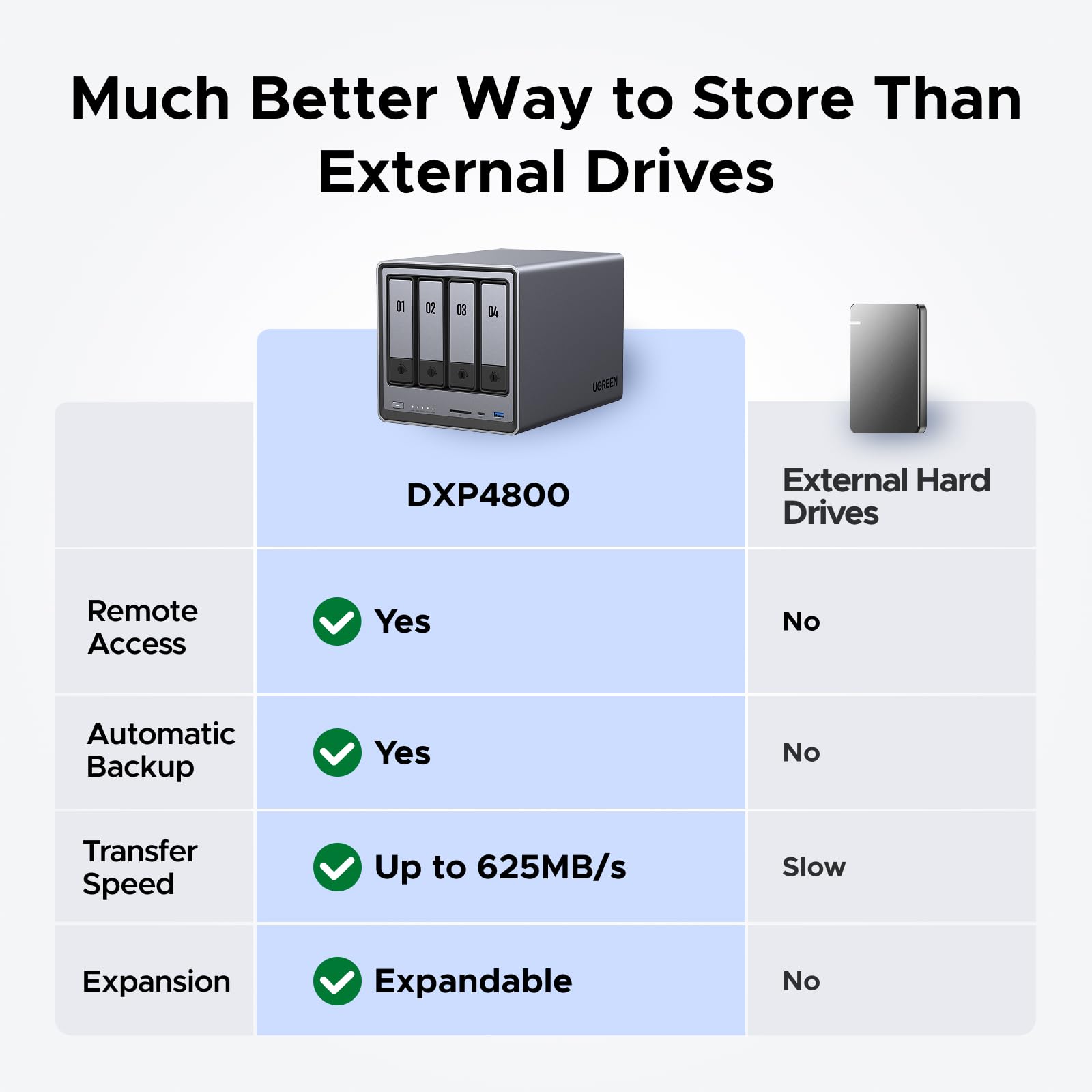
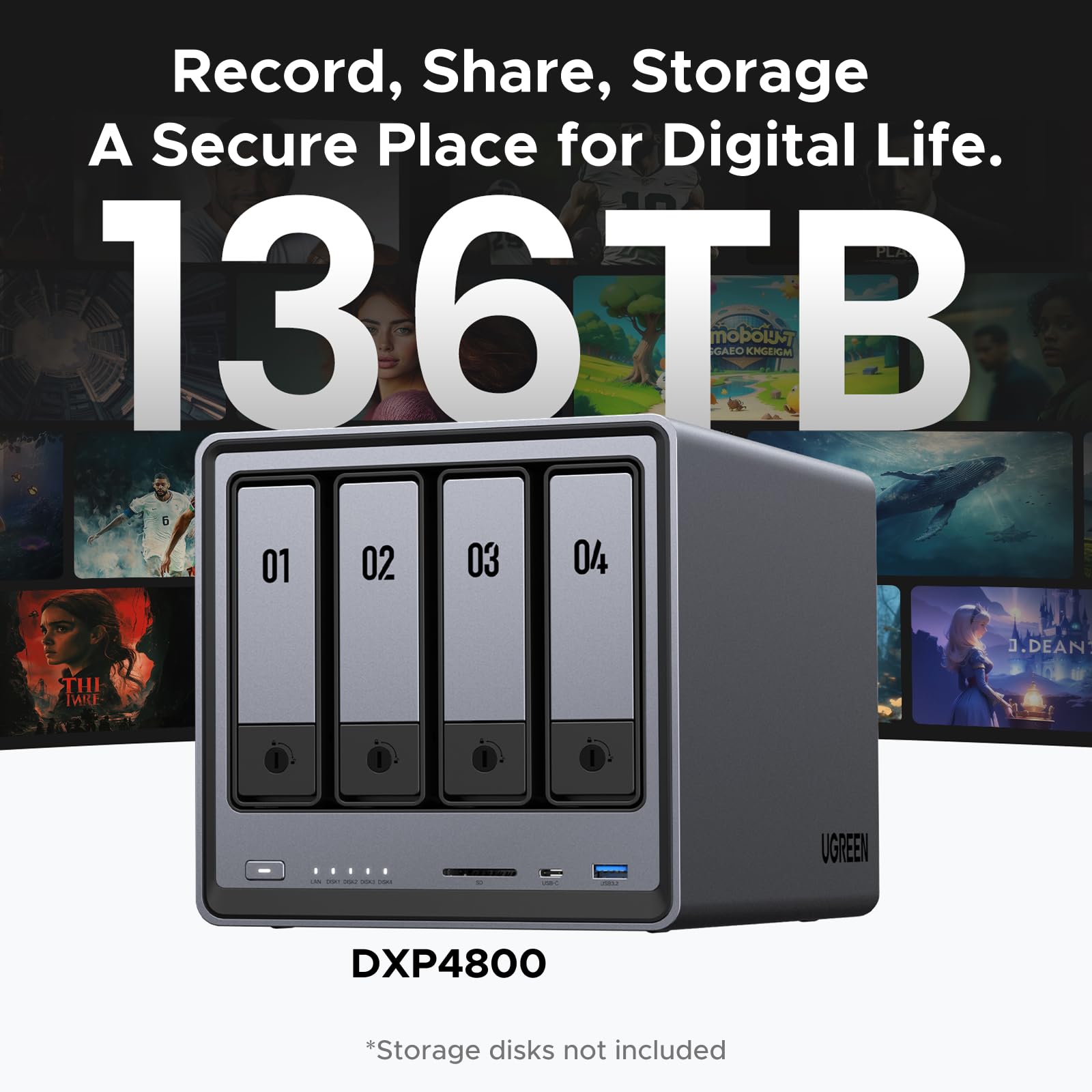


🚀 Elevate your storage game with UGREEN NASync — where speed meets smart security!
The UGREEN NASync DXP4800 is a high-performance 4-bay desktop NAS featuring an Intel N100 quad-core CPU, 8GB DDR5 RAM, and built-in 32GB eMMC for system stability. It supports up to 136TB storage with 4x SATA bays and 2x M.2 NVMe slots, dual 2.5GbE ports for ultra-fast network transfers, and 4K HDMI output. Designed for professionals seeking centralized, secure, and AI-enhanced data management, it offers seamless multi-device access and advanced encryption to protect your valuable data.
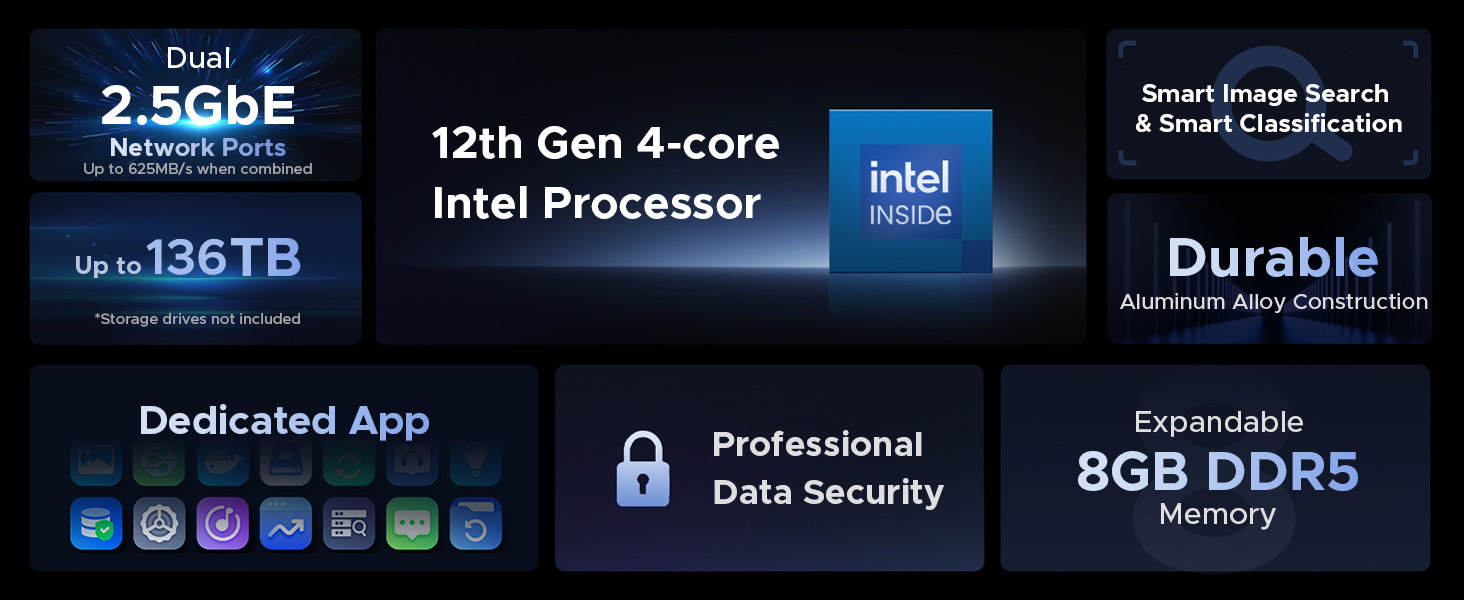
| Hard Drive | 96 TB 4x SATA, 2x M.2 NVMe Slots |
| Brand | UGREEN |
| Series | DXP4800 4-Bay |
| Item model number | 25371 |
| Hardware Platform | Computer, Mobile phone, Tablet |
| Item Weight | 13.57 pounds |
| Package Dimensions | 15 x 10.8 x 10.3 inches |
| Color | Grey |
| Hard Drive Interface | Serial ATA-600 |
| Batteries | 1 CR2032 batteries required. (included) |
| Manufacturer | UGREEN GROUP LIMITED |
| ASIN | B0D22HF3VN |
| Date First Available | April 18, 2024 |
B**7
Great NAS, UGREEN is awesome
I'm an IT nerd by trade. Normally, i build my own NAS units out of old machines. This time i decided to bite it and just buy a NAS because i'm lazy in my older age.This NAS is easy to set up and get running. has a ton of options for anyone, completely user friendly, easy to upgrade. Flexible thatit supports most x86/x64 based operating systems. you'd just need to upgrade the primary boot drive internally which is a 128gb SSD i believe. Yes you can run windows server on this thing but the default UOS has everything you'd need with less overhead. You can run TrueNAS or UnRaid if you want. tons of videos online showing you what to expect. Note that if you do change / swap the OS, you should either image the default boot drive or pull the drive and replace it then store the original drive in a safe place because ugreen has said you cannot download the stock base OS and restore it.The image i included or attached is the desktop. this is the web interface. the unit has a physical HDMI port and does supply video but i have not used it.Do yourself a favor though. upgrade the ram. the 4 bay unit has 1 ram slot. uses DDR5 i have DDR5 5900 in it, a single 32GB module. The Ram module runs at 1.1v i believe too. it will speed up the transfers and help the unit do what it needs to. Also drop in a pair of 512gb NVME drives and assign them as cache drives. this will boost the overall throughput too. i dropped in a pair of 2tb nvme drives just because i have a couple of them laying around.My unit i stuffed in 4 24TB sata NAS drives. you can use desktop drives but just know this thing will hammer on those drives so desktop drives might suffer in longevity and might prematurely fail. NAS / Enterprise grade drives will last longer and they are built to suffer.I have NAS grade drives in my unit. All are 7200 RPM. i get anywhere from 240MB/s to about 290MB/s transfer speeds this is before i added the cache drives. now i usually get around 730MB/s the unit manages the cache automatically. it will fill the cache drives then shove the data from cache to long term storage as it goes.I have mine configured for RAID 0, BFS file system. it asks you how you want it configured when you plug drives in and do the initial setup.
S**R
A Good NAS for Basic First Timers
I've wanted to get a NAS for a few years to store and share family photos and videos. I currently have it setup with 2 WD Red Pro 10 TB HDD's for storage and for cache 2 Toshiba 1 TB NVME SSD's in a read/write configuration. I also have it connected to my router utilizing the 2.5 Gbps connection. I watched plenty of videos on youtube before purchase to have an idea of what I was getting into. The software setup was simple and straightforward. However, because of the size of the HDD's, it took almost 13 hrs for the NAS to configure them for use in RAID 1. I and my family like the functionality and transfer speeds with the read/write cache. I don't notice the noise, because I have it in a separate room. I recommend this for anyone that would be a basic NAS user like me, just storing family photos and videos on a device that a family can access. Some of the software and apps available are not as available as some of the competitors, but for a basic user like me, It's fine. As for power use, I live in South Florida where my AC unit runs most of the year, so for me, I don't notice the power consumption. This may not be the case for someone living in a milder climate.I would not recommend this for experienced NAS users looking for advanced features that you'll find on devices from more established brands.
P**.
Best bang for your buck! One of the best purchases in my life!
After a few months of using it, I can confidently say I’m absolutely thrilled with this little NAS! It’s incredibly powerful for its price and is actually more capable than some $700 models from Synology (one of the top leaders in the NAS market). I loved it so much that I even bought another one as a gift for a friend (the one who also used an external USB drive attached to his router and having issues with it), and he’s very happy with it too.To maximize performance, I purchased a 5 Gbps USB-to-Ethernet adapter from UGREEN ($23), connected it to the NAS, and plugged the Ethernet cable into the adapter instead of the NAS’s native port. This upgrade gave me 5 Gbps speeds, allowing me to transfer files to the SSDs in the NAS at over 500 MBytes/s.Since my router doesn’t support high speeds, I also added a TrendNet 10Gbit switch (model TEG-S762) with 4 x 2.5G RJ-45 Base-T Ports and 2 x 10G RJ-45 Ports. I connected both the NAS and my main PC to this switch (to the 10G ports, of course), enabling them to communicate directly through the switch instead of the slower router.While the number of 1-click installable apps is limited, the NAS includes a Docker app. With Docker, you can install virtually any application from thousands of available containers. To install apps, I ask Grok AI for the correct docker run command, which installs and starts the desired container. Using this method, I’ve been able to install everything I need.The NAS’s UI allows you to easily add users and configure remote access, so you can access your NAS from outside your local network with minimal setup. For torrent downloads, qBittorrent is natively supported, meaning it can be installed with just one click. I now download torrents directly on the NAS instead of keeping my PC running overnight for large downloads. The downloaded files are, of course, available to all devices on my home network.I share storage using the SMB (Samba) protocol. This is typically the default protocol for sharing folders, so don’t let the term SMB intimidate you—you won’t need to do anything special or complex to share folders. And the shared folders are immediately & reliably accessible from all my PCs & other devices. The transfer speeds are consistently fast, and I’ve had no issues with shares becoming unavailable. This is a huge improvement compared to the constant problems I experienced when using external drives attached to my router. I suspect this reliability is due to the NAS supporting the latest SMB protocol versions and supporting them well.The NAS also allows you to connect and share external drives via USB, which is a handy feature. It has a good number of USB ports - 4, including 2 x 1 Gbps ports.One feature I find absolutely essential is the NAS’s built-in Music app. It lets you maintain a music library, create playlists, and automatically updates the library whenever you copy new music to the designated folder. Thanks to the NAS’s remote access feature, I can listen to my music library from anywhere in the world, not just at home. As someone who listens to music for a few hours a day, I absolutely love this feature!The UGREEN NAS is excellent for managing documents. For example, if I’m at a doctor’s appointment and realize I forgot my insurance card, I can easily open the UGREEN app on my phone, access the document stored on the NAS, and share the necessary information. Similarly, when I return purchases (e.g., from Amazon or Walmart), I take photos of the return receipts with my phone and save them on the NAS in the /documents/returns folder with descriptive filenames like HeadphonesSennheiserHD820return.jpg. This system keeps everything organized and easily accessible.How does UGREEN NAS compare to other competitors?The main competitor - Synology - likely holds the largest share of the NAS market. However, its hardware falls short for the price.For example, the Synology DS725+, which costs twice as much as the UGREEN DXP2800, has less RAM and slower and fewer USB ports. Even worse, Synology NAS devices lack a dedicated system drive. This means you’ll need to install and configure the operating system on the drive(s) you install in the NAS. If a drive fails or needs replacement, you must reinstall and set up the operating system from scratch. I’m speechless—how much has Synology saved by omitting a small 32GB system drive, like the one UGREEN includes? Maybe $5–10? It’s absurd.UGREEN DXP2800 uses eMMC for its system drive. eMMC (Embedded MultiMediaCard) is a type of flash storage commonly used in mobile devices due to its low power consumption, which is typically 2–10 times lower than that of SSDs. While eMMC is usually slower than SSDs, it outperforms HDDs in both sequential and random access. Sequential read speeds range from 150–400 MB/s, and write speeds range from 100–250 MB/s. For random reads and writes, eMMC is significantly faster than HDDs, offering 50–500 times higher IOPS (Input/Output Operations Per Second). The IOPS difference does not directly translate to MB/s, but it’s closely related. For 4K random reads/writes, eMMC typically achieves ~10–120 MB/s, while HDDs achieve ~0.3–3 MB/s.Turning to other hardware specifications, no 2- or 4-bay Synology NAS matches the CPU power of the UGREEN DXP2800. The only Synology model with a comparable CPU is the 8-bay DS1823xs+, which can be yours for a mere $1,900 :)In comparison, Synology’s offerings look underwhelming next to UGREEN’s. There’s simply no contest.NAS devices are typically designed for low energy consumption, and the UGREEN NASync DXP2800 is no exception. According to UGREEN's official email, the power consumption for this model is as follows:Idle: 9–10WDisks Running: 16–27WFull Load: 51WWhen operating the DXP2800 without HDDs, the typical noise levels in different fan modes (adjustable via Control Panel > Hardware & Power) are:Quiet Mode: 29–34 dBDefault Mode: ~40 dBFull Speed Mode: Potentially exceeds 50 dBThese noise levels are quite low and barely noticeable in a quiet room. For comparison, my nearby mini-PC is significantly louder than the NAS when both are running. Of course, noise levels can be much higher if you install a very noisy HDD :)The DXP2800 maintains relatively low temperatures. Currently, under light workload (mainly just running qBittorrent), my NVMe and SATA SSDs are all in the 32–36°C range, while the CPU stays around 52°C. Initially, I was very concerned about the lack of space for NVMe SSD heatsinks. However, heat dissipation is managed effectively through a thermal pad between the SSDs and the aluminum chassis, which draws heat away from the bottom of the NVMe SSDs. It’s also important to note that the DXP2800’s M.2 slots use PCIe 3.0, which limits speed (still very fast for NAS use) but results in significantly lower temperatures compared to faster slots. An NVMe SSD in a PCIe 4.0 slot typically runs 5–15°C hotter than in a PCIe 3.0 slot, while a PCIe 5.0 slot can increase temperatures by 10–30°C for the same SSD.For peace of mind, I tested the NVMe SSD temperatures during extended full-load conditions, and they never exceeded 42°C—a very safe temperature for SSDs.Final Thoughts:After months of use, I’ve experienced zero issues with this NAS. It’s reliable, powerful, and packed with features that far exceed my expectations for its price. I’m absolutely happy with it and highly recommend it to anyone looking for an affordable and capable NAS solution.
Trustpilot
1 month ago
2 months ago