We remain fully operational. Our teams are working around the clock to ensure your deliveries continue safely.

DOWNLOAD THE APP


Customer Services
Copyright © 2025 Desertcart Holdings Limited
DOWNLOAD THE APP

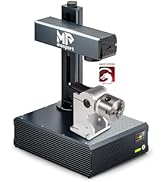
⚡ Elevate your craft with laser precision and speed — don’t get left behind!
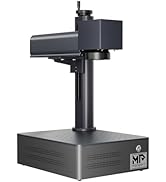
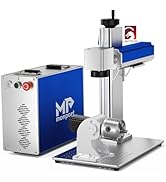
The Monport 30W Fiber Laser Engraver combines a powerful 5mW Raycus fiber laser source with a 5.9" x 5.9" work area and ultra-fast 10000mm/s engraving speed. Designed for metals like stainless steel, gold, and silver, it features advanced cooling, integrated power supply, and user-friendly tools such as a manual focus wheel and red dot laser guide. Perfect for professionals seeking precision, speed, and reliability in metal engraving.









| ASIN | B0D32HT8TN |
| Best Sellers Rank | #242,527 in Arts, Crafts & Sewing ( See Top 100 in Arts, Crafts & Sewing ) #699 in Jewelry Making Engraving Machines & Tools |
| Color | blue |
| Customer Reviews | 4.4 4.4 out of 5 stars (11) |
| Date First Available | July 12, 2022 |
| Included Components | 30W Fiber Laser Engraver + Lightburn |
| Item Package Quantity | 1 |
| Item model number | YXF30 |
| Manufacturer | Monport |
| Material | Brass, Metal, Stainless Steel |
| Part Number | GQ30-LB |
| Power Source | ac |
| Size | 30W+Lightburn |
| Style | Laser |
H**E
Worth every penny
Very well made and easy to assemble. Strong laser and works great with lightburn. The motorized lift works well and smooth. Have had for several months now with no problems. Very compact and easy to use no calibration needed. Love the look and price of unit it uses a raycus laser controller. Have done a lot of research on this brand and is worth every penny, company is actually part of Gweike.
K**E
Great laser
I don’t normally do a review but since I’ve bought this laser I’ll say it’s awesome. Shipping was super fast and it was packed perfect with 0 damage. When I’m ready to upgrade I’ll definitely buy from this company & seller again This is a update 4/10/2025 I’ve used this machine almost everyday 4-8 hours since I received it and it’s been working flawlessly
A**M
bought this January 23, 2025, Has been working great but now 7/27/2025
bought this January 23, 2025, Has been working great but now 7/27/2025 the unit is leaking coolent (Right side) right over the power supply and the main controler unit. Everything now has shorted out not sure if the c02 tube is bad or not. The laser is now JUNK. I sure do hope that someone from Monport will reach out to me to get this unit up and running again. Was NOT my fault the cooler hose leaked! Please Monport I need this laser working I have many jobs that need to get done... Please and thank you.
A**R
The little things where a pain.
First off the laser came sooner than I expected. Laser was well packed. When I removed it and with help put it on solid surface. I took out all the installationfrom inside and pulled down the lid to shut it. The lid was binding on the left side and it would not close. I contacted support who was very responsive, I was happy about that. They told me to level it (didn't work) , put support on one corner ( didn't work). I ended up filing down the side next to the lid, which solved the problem and it looks fine. Next I was doing camera alignment and the laser head would bind and stop on the rail, it did it 3 times in a row. I looked with a flashlight , but couldn't see a problem. All of a sudden a very small screw fell down from the rail onto the bed. I picked it up and it appeared to be the same size as the screws that mount the guide rails, I looked every where but couldn't find where it came from. I ran the job again and every thing seems to be working. Only thing I can think of is that's it's an extra screw? Conclusion: the laser is pretty awesome but somme thing like this shouldn't happen. I would still recommend this laser. Camera on this is lake the xtool where you can simply drop a piece on the bed and line up the cut on your laptop. One bummer is it went on sell same day it was delivered, I ask for the discount, but I'm not holding my breath.
J**R
Beyond impressed
This machine is amazing. Once you learn how to use it, it really can do pretty much anything you can think of. I'm VERY happy I bought it. It is, by FAR, the coolest and most useful tool I've ever bought. 5 stars all the way! The packaging was great and the setup was easy. Really, the only learning curve for me, was the software. Once you learn Lightburn and Adobe Illustrator, the sky is the limit. Pro tip: Get Lightburn.
F**A
Great laser
So far running like a champ, I'm so glad that I decided going with this brand very easy to setup. hope I don't have any issues on the future.
O**Y
Everything needed to start cutting.
My first co2 laser, bought because of price, works like a champ! The software it comes with is a bit limited, but it is free and works vs spending another $120 for lightburn. The manual is a bit underwhelming but was able to find a decent video walkthrough to get me going.
C**Z
Solid Frame and Crisp Cuts… Customer Service Needs Help
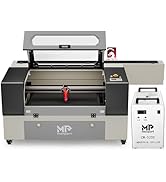
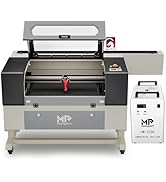
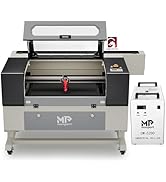
Original Review: It arrived yesterday and I got it unpacked and set up late last night. First off, this thing is really sturdy in construction. Second, once I pulled down Lightburn it was fast and easy detection of the Onyx 55 with the software, and I was doing test cuts on one of the many included materials sheets that came with it! Super easy to dial in just what you want and start both cutting and engraving (fills). I’ll add images and maybe video later, but I wanted to share our amazing experience so far with this machine. It’s got pass-through for larger materials, so for the price it’s literally the best value I’ve found out there for a desktop CO2 - and it comes in a 55W when other ‘comparables’ come in at 50W and way more expensive! Great gift for myself, but also I get to start up a fun side business with the kids! UPDATE: First off, let me say I returned this unit (within a week) and now removed two stars from my five star review… here’s why: 1) The current Monport customer service across all channels (FB, FB Messenger Business Chat, Web/Email, and here via Amazon chat) is abysmal. The best was via Amazon chat and that’s only because I filed a complaint and magically I started getting responses on literally ALL other channels. 2) They don’t seem to have domestic US support personnel that work US hours, so catching up with them is challenging. 3) Documentation is currently sparse. Setup information is really nonexistent, save The Laser Channel setup video, which they now use directly on their website), but unless the same content creator makes more vids, users are left in the dark for the most part. 4) Even when exceeding the camera setup tolerances, the fisheye camera overlay on the work area in Lightburn is very inaccurate. It makes for a poor experience when positioning start/stop points with camera assistance. 5) The unit came shipped with coolant IN the cooling reservoir - which is normal for most now that I’ve researched - BUT whether due to mishandling during shipment, packing issues/leak, or it not being filled properly at the factory, the levels were low and immediately caused the coolant pump to make noise and churn up a lot of air bubbles inside the laser tube, which was clearly bad. Upon recommendation by again the awesome Laser Channel (and frustratingly NOT Monport though I tried reaching out), this was fixed by adding some distilled water into the reservoir. 6) The pass-through experience was/is disappointing. According to the Monport FB business chat, “We don't have auto-feeder, we only have auto-pass through.” Even if this is a lost in translation, it just highlights my #2 point above. While the Onyx 55 has REAL cutout ports for passing through oversized material that many of its competitors don’t have, it’s MANUAL only. You will need to measure carefully when working with long material. All that being said I wish I could have kept this machine. I believe that with more domestic customer service support, WAY better documentation, and a larger community that communicates best practices, the Onyx 55 could be a fair contender for beginners - ESPECIALLY since you can get it for around $2k with the rotary included when it’s on promo! I have since bitten the bullet and gotten their much more expensive competitor unit (by 200%), but it does curved surface engraving and the pass-through has true auto-feed. I wish Monport and all of you the best with the Onyx! I truly believe you have a great machine here, and look forward to your development with it in the future! Maybe we can try again soon!
Trustpilot
1 month ago
1 month ago