We remain fully operational. Our teams are working around the clock to ensure your deliveries continue safely.

DOWNLOAD THE APP


Customer Services
Copyright © 2025 Desertcart Holdings Limited
DOWNLOAD THE APP
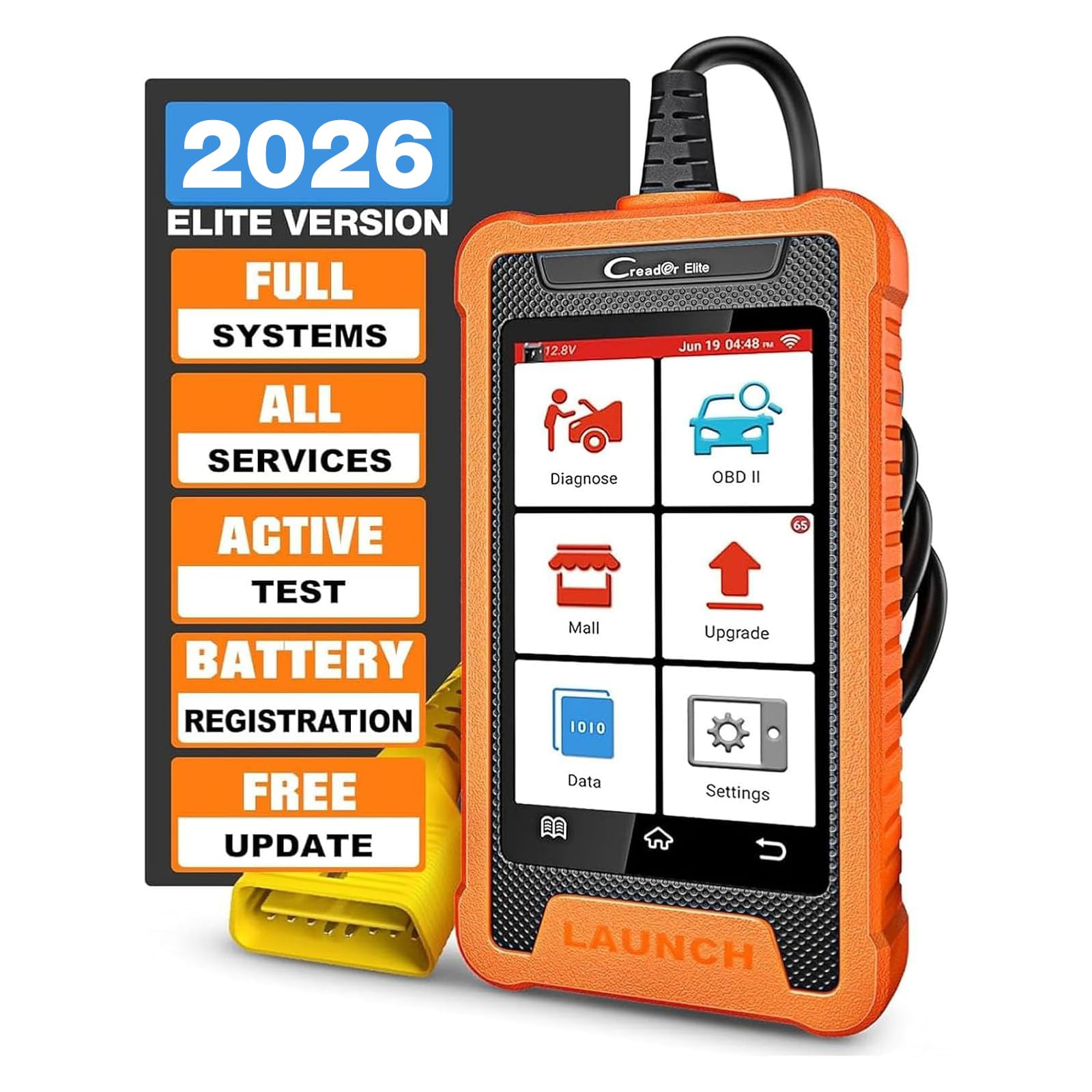
🚗 Diagnose smarter, drive safer — the ultimate Toyota & Lexus scan tool for pros.
The LAUNCH Creader Elite is a cutting-edge bi-directional OBD2 scanner tailored for Toyota and Lexus vehicles, featuring a responsive 4-inch Android touchscreen, comprehensive OE-level diagnostics, and exclusive free special functions like oil and brake resets. It supports all 1996+ OBD2 cars, offers automatic VIN recognition, and provides lifetime free WiFi updates—empowering millennial managers to maintain vehicle health efficiently and confidently.


| ASIN | B0D176ZCXQ |
| Batteries | 1 Lithium Ion batteries required. (included) |
| Best Sellers Rank | #9,271 in Automotive ( See Top 100 in Automotive ) #73 in Code Readers & Scan Tools |
| Brand | LAUNCH |
| Customer Reviews | 4.3 4.3 out of 5 stars (467) |
| Date First Available | April 9, 2024 |
| Item Weight | 1.34 pounds |
| Item model number | YZB14 |
| Manufacturer | LAUNCH |
| Manufacturer Part Number | YZB14 |
| Model | LAUNCH Creader Elite Bi-Directional OBD2 Scanner for Toyota Lexus |
| Package Dimensions | 11.02 x 8.58 x 2.2 inches |
O**R
Great scanner with Honda specific codes, good value too
Bought for $118.90 in May of 25'. I only own Honda autos and I needed a tester to help be debug a failing SRS impact sensor in one and to deal with TPMS codes in 2 others. I bought a few of the other Launch code scanners but one never arrived and the other two models didn't do what I wanted out of the box, they needed subscription downloads. They were returned. -- So, I bought this Honda specific model. It's done everything I've ask it to do so far, and with no paid downloads. If you connect it to a WiFi network, you can download software and code updates at no charge. --- Pros: The build is nice, the meter feels pretty solid. There's a rubberish coating around sides. The sides and back can probably take a number of drops from the height you'd be using the tool. The front, well you know, it's glass. Just don't drop it on that side. There's an internal battery that keeps date and time. It powers on when plugged into the OBD port, so when its battery does die, the scanner should still be usable (in theory). The cord could be a little bit longer, but it's long enough. The navigating menu system is easy enough for 'basic' use. --- Cons: Due to the coating being poured/molded/fused, the internal battery is not likely user (or anyone else) replaceable. So, when the battery does die (and it will), hopefully it won't ooze out and harm the rest of the unit. The OBD cable is not removable for storage (so also not like replaceable if damaged). And again, navigating menu system is easy enough for 'basic' use. If you don't use the device regularly, it's easy to forget how to properly do some of the more advanced features. Advanced documentation and/or online videos for this model is severely lacking. --- Overall, for my purposes, I'm very pleased with this scanner, my cost and it's capabilities.
W**.
Great Dignostic Scanner
I purchased this to check the diagnostic codes on my 2003 Toyota Matrix and 2015 Toyota RAV4. Inside the box comes a usb charger, Users manual and quick start guide along with the scanner. The scanner has a 4" display and is encased in a rubber case. The cord that plugs into the OBD2 port is sturdy. A protective cover comes on the end of the cord to protect the terminals on the end of the plug. Upon the first time that you plug the scanner into a car's OBD2 port, it needs to be set up via WiFi. I tried connecting to my WiFi but it wouldn't connect. Instead, I used my cell phone as a wireless hot spot. The scanner connected right away then. Set up included setting the desired language, country, and time zone. After that, the device gives you the option to download updates. There were a number of updates. It didn't take long to update (I was surprised). After performing updates, the scanner is ready for use. Since I already had it connected to my 2003 Toyota Matrix, I decided to use perform diagnostics. The scanner has a nice feature where it will scan your cars computer for the VIN code. I have another scanner that I've used and that will either detect the vehicle or ask you to manually put in the model. This scanner didn't find the VIN on my Matrix so I had to put it in manually (that was a pain). I figured out that I didn't have the ignition switch to the on position. The scanner never prompted me to do so. I thought that was odd. Anyway. I was able to pull the error codes off of my Matrix. The one function that I really liked is that you can send a vehicle diagnostic report to an email recipient. I sent one to myself and it looks great. The diagnostic functions for the 03 Matrix were about what I've seen with my other scanner. I hooked it up to my 2015 Toyota RAV4 and it pulled the VIN number right away. I turned the vehicle to the on position after I plugged it in this time. There were a number of more diagnostic items available for this vehicle. Probably because it's newer. The scanner comes with free upgrades and a number of downloadable options that are for an additional fee. I didn't really see anything additional that would apply to either of my vehicles. The display is easy to read. A bigger screen would be nice for those of us that fat finger the on display keyboard. The user interface was a little different from my other scanner. It took a while to figure it out. Overall, I'm happy with the purchase. The scanner does what I purchased it for. It reads codes and even gives you the option to get more information on any error codes that are set. It's got a built in web browser. It is run by an android OS. It's nice that it came with an actual paper copy of the owners manual. It does describe the functions pretty well. The quick start guide is a bare minimum of functionality. It's a good scanner.
C**E
Programs key fobs! Worth every penny!
It’s legit! I programmed a remote start key fob in the first 5 minutes! Did a complete hvac system diagnostics and it has TONS of options to scroll through! If you’re a DIY person and own a Honda, you need this!
M**D
I purchased the Toyota version. I felt I was working on Toyota’s TechStream But much cleaner interface and a LOT faster too. It does almost everything that TechStream does in a much easier way. Its NOT meant for a workshop but can be used The smaller screen and the limited live data streams makes it a bit impractical for a workshop. But all in all I’m very pleased with this purchase and I do recommend it for any Toyota owner who knows how to use a professional scan tool
A**I
It's look like you guys sent me bad items
T**.
I was looking for a scanner to clear the VSA code on my 2006 Honda pilot. The code appeared around the time my battery died. After replacing the battery, the triangle with the exclamation mark and the VSA light stayed lit on my dash. Drove like this for a while as I held off on purchasing a scanner. I know the Foxwell NT630 Plus can do it (different process) but this Launch scanner had a fantastic sale price and looked like it had the functionality to read VSA codes. Bought it during the cyber monday sale and was able to clear my VSA code easily with it (easier process than the Foxwell). It's a bi-directional scanner and the options can be a bit much if you don't know what you're doing. But for the home mechanic, this is a great tool. If you have a Honda, the Honda specific version of this scanner is great. Just make sure you run the update before using it for the first time. Been driving my pilot for over 100km now since clearing the code and the VSA light has not come back on. Happy with my purchase.
F**S
This scanner is absolutely amazing! We'll worth the money and it was relatively inexpensive for what it can do. Keep in mind that you have to order manufacturer specific. I need it for Hondas and I've been able to do everything with this scanner including programming keys and initializing tpms sensors along with a tpms tool. Highly recommend it. Updates are also free.
M**V
As a Honda tech of 18yrs. This handheld is great. Way faster the Hondas provided HDS. Only found very early 2000 Hondas it has issues with programming keys. But is able to do fobs and bcm of newer Hondas. Does every function test as Honda HDS tools
Trustpilot
2 months ago
2 days ago