
DOWNLOAD THE APP


Customer Services
Copyright © 2025 Desertcart Holdings Limited
DOWNLOAD THE APP

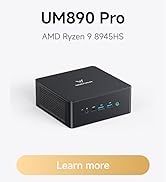
Buy Review: The MS-A2 is the powerhouse of the cell - I purchased this MS-A2 model with 64GB RAM and a 1TB SSD, but then proceeded to upgrade it to 96GB RAM and add a secondary 4TB SSD. I went with the 9955HX model primarily because I wanted a lot of CPU cores for my use-case. At the time I purchased, the 'bare' system seemed to be having trouble shipping out, so I opted to go for the system which included RAM and SSD, and then add more RAM and storage to it. This is my second Minisforum system, after getting a UM890 Pro in late 2024 (which is still running perfectly as a development box). My use-case for this was to run Proxmox in a homelab setup, in order to centralise a lot of internal services and to make it easier to manage them. I've been running a dedicated pfsense system for a few years, and wanted to look into virtualising and moving to opnsense instead, while also migrating other services across from Unraid and other systems. My goal is to have Unraid act more like a pure NAS and less like a homelab environment. My initial thoughts on this system are mostly positive. It performs very well, as you'd expect. It seems as though nothing really taxes the CPU in this setting, almost always sitting at less than 5% utilisation, though I'm still only part of the way through migrating most services. I'll endeavour to update my review once I've finished moving more services across and done some more in-depth testing and formed a longer-term experience of it. The one downside I have with this is the noise. It's certainly not super-loud, but whereas I can comfortably have other systems in rooms where people sleep, this system regularly ramps up the fans. They're not loud as such, but the noise profile is definitely audible, and not pleasant. There's not much else to be expected from the laptop-style blower fans I suppose, especially with this much power under the hood, especially when you have it packed into a system as small as this. The reason for this is that even light usage causes at least 1 of the cores to ramp up to the turbo speed of ~5.4Ghz, causing a sudden heat spike and in turn fan ramping. In its stock configuration (but with fans set to 'quiet' mode), it idles at approximately 70°C in a ~20°C environment (giving it a t-delta of 50C), with heat spikes up to around 73°C, and infrequently up to 76°C. This can be resolved by disabling CPU boosting, which will keep it capped at ~2.5Ghz. If you're running this in a typical homelab setup, then having 32 cores at 2.5Ghz is still exceptional, and the majority of things most folks would run in a homelab still won't push it hard enough where the lower clock speed will be noticeable. In this setup, I was able to bring my idle temperatures down to approximately 60°C, with peaks up to around 62°C, giving it a new t-delta of approximately 40°C. In turn, the fans stopped ramping up randomly. Other owners have suggested that replacing the thermal paste may help - I haven't tried this yet, but it's something you may wish to consider. My personal recommendation for thermal paste is Arctic MX-4 based on many years of using it across lots of systems, but there's plenty of other good options out there. Overall, it's a great little system for homelab use-cases, and could comfortably replace multi-system setups The wonderful thing about systems like this running Proxmox is that you can comfortably give single or dual-cores to specific services, and still have mountains of CPU power still available. The value proposition is definitely there when you consider what it costs for even older-generation Xeon setups. Review: Exactly what I wanted - This replaced my older, bulky ATX tower PC, just wanted to upgrade with something smaller that could handle a bit of everything and after reading bunch of reviews and watched several YouTube reviews, I took a chance on MS-A2. The size is proper compact, the aluminium body feels solid and I appreciate the tool-less base which makes it instant to open for upgrades. I already threw a second SSD to one of the three M.2 slots and there’s still room for more storage. It’s got a ton of ports, that’s very handy. I've been running a few VMs on it and doing some 4K editing and it's just basically chewing through everything without a complaint. It can get a bit noisy when it’s under full load, but that’s to be expected with this much power in a small thing, though the cooling seems to manage the heat well. When it's idling, it's fairly quiet, so it would be great as a 24/7 server. The integrated graphics are a bit useless for anything but spreadsheets, but the fact you can just plug in a full eGPU is a big plus (though you need to add oculink adapter to that massive pcie). A seriously capable machine, recommended.













| ASIN | B0CZL8FF1X |
| Best Sellers Rank | 6,591 in Computers & Accessories ( See Top 100 in Computers & Accessories ) 34 in Desktop PCs |
| Brand | MINISFORUM |
| Colour | Black |
| Computer Memory Type | DDR5 RAM |
| Customer Reviews | 4.4 4.4 out of 5 stars (65) |
| Date First Available | 1 April 2024 |
| Graphics Card Description | Dedicated |
| Graphics Card Interface | Integrated |
| Graphics Chipset Brand | Intel |
| Graphics Coprocessor | Intel Iris Xe Graphics |
| Graphics RAM Type | DDR5 SDRAM |
| Guaranteed software updates until | unknown |
| Hard Disk Description | SSD |
| Hard Disk Rotational Speed | 7200 |
| Hard Drive Interface | Serial ATA-600 |
| Hard Drive Size | 1000 GB |
| Hardware Platform | PC |
| Item Weight | 2.73 kg |
| Item model number | MS-01 |
| Manufacturer | Micro Computer (HK) Tech Limited |
| Maximum Memory Supported | 32 GB |
| Memory Technology | DDR4 |
| Number of HDMI Ports | 1 |
| Number of USB 3.0 Ports | 3 |
| Operating System | OS |
| Package Dimensions | 23.3 x 23.1 x 12.2 cm; 2.73 kg |
| Processor Brand | Intel |
| Processor Count | 1 |
| Processor Socket | FCBGA1744 |
| Processor Speed | 5.4 GHz |
| Processor Type | Intel Core i9 |
| RAM Size | 64 GB |
| Resolution | 3840x2160 |
| Screen Resolution | 3840 x 2160 |
| Series | MS-01 |
S**D
The MS-A2 is the powerhouse of the cell
I purchased this MS-A2 model with 64GB RAM and a 1TB SSD, but then proceeded to upgrade it to 96GB RAM and add a secondary 4TB SSD. I went with the 9955HX model primarily because I wanted a lot of CPU cores for my use-case. At the time I purchased, the 'bare' system seemed to be having trouble shipping out, so I opted to go for the system which included RAM and SSD, and then add more RAM and storage to it. This is my second Minisforum system, after getting a UM890 Pro in late 2024 (which is still running perfectly as a development box). My use-case for this was to run Proxmox in a homelab setup, in order to centralise a lot of internal services and to make it easier to manage them. I've been running a dedicated pfsense system for a few years, and wanted to look into virtualising and moving to opnsense instead, while also migrating other services across from Unraid and other systems. My goal is to have Unraid act more like a pure NAS and less like a homelab environment. My initial thoughts on this system are mostly positive. It performs very well, as you'd expect. It seems as though nothing really taxes the CPU in this setting, almost always sitting at less than 5% utilisation, though I'm still only part of the way through migrating most services. I'll endeavour to update my review once I've finished moving more services across and done some more in-depth testing and formed a longer-term experience of it. The one downside I have with this is the noise. It's certainly not super-loud, but whereas I can comfortably have other systems in rooms where people sleep, this system regularly ramps up the fans. They're not loud as such, but the noise profile is definitely audible, and not pleasant. There's not much else to be expected from the laptop-style blower fans I suppose, especially with this much power under the hood, especially when you have it packed into a system as small as this. The reason for this is that even light usage causes at least 1 of the cores to ramp up to the turbo speed of ~5.4Ghz, causing a sudden heat spike and in turn fan ramping. In its stock configuration (but with fans set to 'quiet' mode), it idles at approximately 70°C in a ~20°C environment (giving it a t-delta of 50C), with heat spikes up to around 73°C, and infrequently up to 76°C. This can be resolved by disabling CPU boosting, which will keep it capped at ~2.5Ghz. If you're running this in a typical homelab setup, then having 32 cores at 2.5Ghz is still exceptional, and the majority of things most folks would run in a homelab still won't push it hard enough where the lower clock speed will be noticeable. In this setup, I was able to bring my idle temperatures down to approximately 60°C, with peaks up to around 62°C, giving it a new t-delta of approximately 40°C. In turn, the fans stopped ramping up randomly. Other owners have suggested that replacing the thermal paste may help - I haven't tried this yet, but it's something you may wish to consider. My personal recommendation for thermal paste is Arctic MX-4 based on many years of using it across lots of systems, but there's plenty of other good options out there. Overall, it's a great little system for homelab use-cases, and could comfortably replace multi-system setups The wonderful thing about systems like this running Proxmox is that you can comfortably give single or dual-cores to specific services, and still have mountains of CPU power still available. The value proposition is definitely there when you consider what it costs for even older-generation Xeon setups.
A**I
Exactly what I wanted
This replaced my older, bulky ATX tower PC, just wanted to upgrade with something smaller that could handle a bit of everything and after reading bunch of reviews and watched several YouTube reviews, I took a chance on MS-A2. The size is proper compact, the aluminium body feels solid and I appreciate the tool-less base which makes it instant to open for upgrades. I already threw a second SSD to one of the three M.2 slots and there’s still room for more storage. It’s got a ton of ports, that’s very handy. I've been running a few VMs on it and doing some 4K editing and it's just basically chewing through everything without a complaint. It can get a bit noisy when it’s under full load, but that’s to be expected with this much power in a small thing, though the cooling seems to manage the heat well. When it's idling, it's fairly quiet, so it would be great as a 24/7 server. The integrated graphics are a bit useless for anything but spreadsheets, but the fact you can just plug in a full eGPU is a big plus (though you need to add oculink adapter to that massive pcie). A seriously capable machine, recommended.
B**O
Great as a NAS... just be mindful of heat control
Brought this to replace a home built NAS. Whilst its not a fair comparison as I had 32GBN DDR4 memory, Core i5 K series, etc... this workstation has been fantastic. Streams my media around the house perfectly. I have mine locked up in a mini-rack in an airing cupboard, so limited airflow but a fan on top of the rack helps a lot as this thing can be spike in terms of heat. The components 2.5Gb ethernet, etc... is fantastic. I'm running Unraid and it works perfectly fine. Do I think it could simultaneously stream 4k to 8 locations in the house... I'm not so sure, due to my setup transcoding is rare, but I'd suspect this could handle 1 or 2 transcoded streams at the same time. Why 4 stars instead of 5? Its a great system, its got some great specs, and the form factor is great as a NAS, there's just something niggling in my head about head room for anything computationally challenging.
C**N
A beast of a PC.
This MS-S1 Max is a proper bit of kit - It’s tiny (about the size of a thick hardback book) but it’s packing a massive 128GB of LPDDR5X-8000 unified memory. For anyone running local llm’s like deepseek or llama that’s the real clincher - having that much high-bandwidth RAM in a mini PC is practically unheard of and allows you to load much larger models than you’d ever manage on a standard desktop without a bank of expensive GPUs. The build is very sturdy too, a nice aluminium finish that feels built to last. The connectivity is another reason for the steep price - you’re getting dual 10G LAN ports and USB4 v2 (80Gbps), which is great if you’re moving massive datasets around or want to hook up a high-end eGPU down the road. I was a bit worried about the fan noise after reading some early reports but after flashing the 1.03 BIOS, it’s good. It still lets out a bit of a whir when you’re pushing the Ryzen 395 to its 160W peak, but I’d say it’s a fair trade for the raw power. So the price is definitely a beast, and it’s a shame the RAM is soldered but when you consider other recent mini-pc’s memory bandwidth of an entry-level mac studio for a lot less cash, the value starts to make sense. It’s perfect for a ‘pro’ setup where space is tight but performance isn't optional. 5 stars from me.
J**Y
Wow Small but packs a punch
I had to replace an aging Alienware Tower and as I am not a heavy PC Gamer didnt want to spend the earth on a new system. I saw these mini pc's but thought there was no way they would be any good in such a small form factor how wrong I was. This system packs well above its weight and I am very happy I bought it. It can handle most tasks thrown at it fast and quietly and gaming wise it is fine for my uses. If you want 4k on Ultra settings this isnt the system but for everyday use and some gaming this is brilliant
C**N
System out of the box started and updated its windows 11 Pro. Performance is as expected for its 64 Gb of Ram. RJ45 network connection has not been tested yet, but everything else works.
O**R
A solid mini PC with excellent specs for home lab enthusiasts and other use cases as well. The service from minisforum was great, I had a defective unit and they were very swift in replacing it. So after sales service was great as well
A**N
Perfect
Trustpilot
3 weeks ago
1 week ago