
DOWNLOAD THE APP


Customer Services
Copyright © 2025 Desertcart Holdings Limited
DOWNLOAD THE APP

✂️ Elevate your craft game with precision and style!
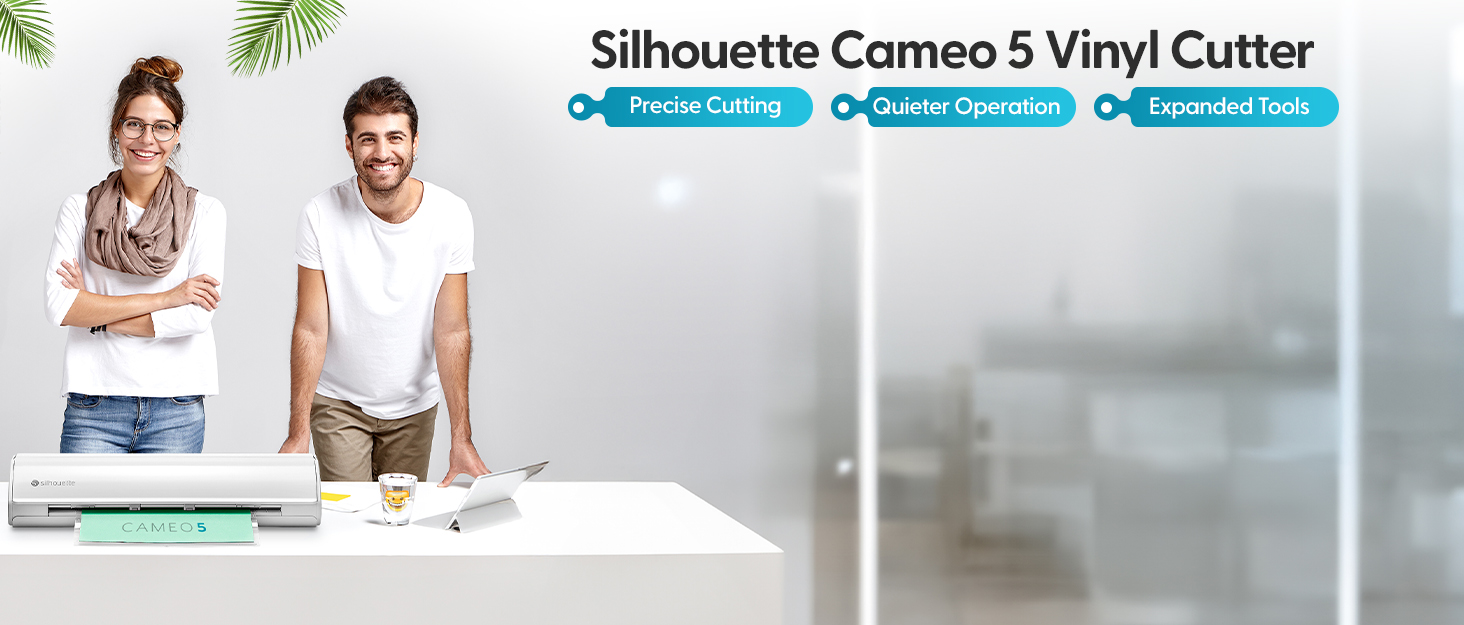
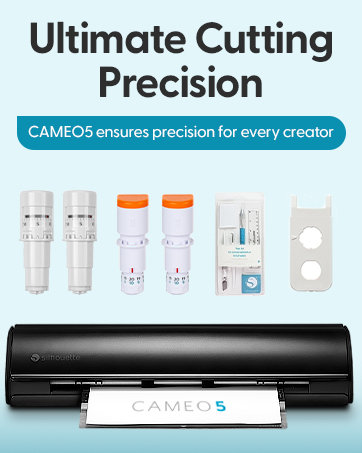
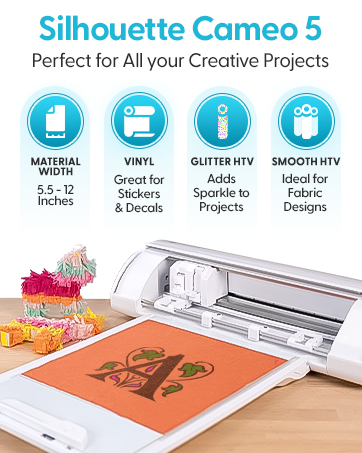
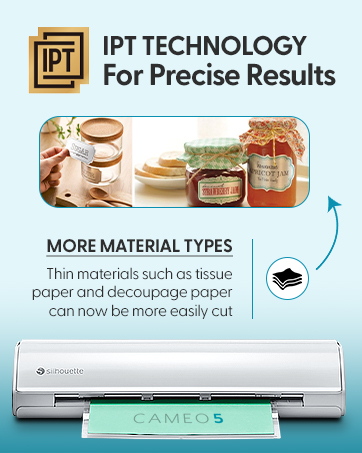
The Silhouette Cameo 5 is a 12-inch vinyl cutting machine featuring advanced IPT technology and a new belt-driven chassis (SNA) for ultra-precise, multi-layer cuts. Operating quietly at 50 dB, it supports new electric tools for expanded creative options and comes in a sleek marble finish. Perfect for professionals seeking flawless, tension-free cutting with a stylish edge.
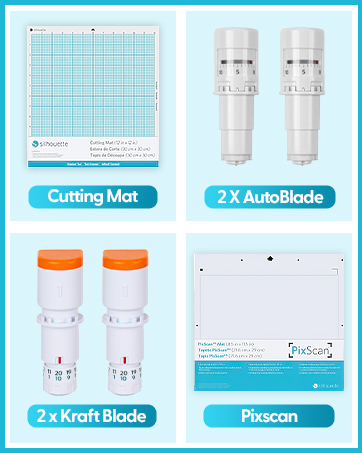

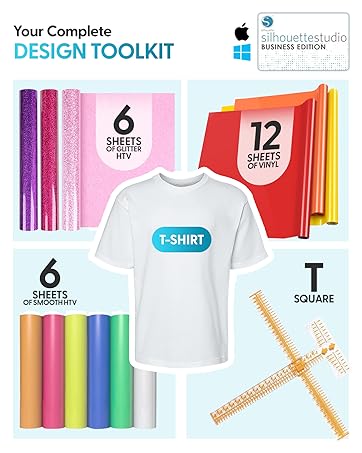
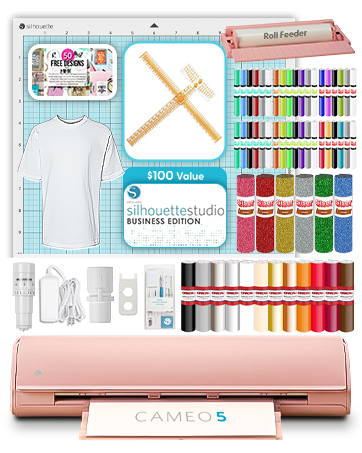
| ASIN | B0CHY6XV6X |
| Active Surface Area | 288 square inches |
| Best Sellers Rank | #100,163 in Office Products ( See Top 100 in Office Products ) #9 in Computer Printer Cutters |
| Brand | Silhouette America |
| Brand Name | Silhouette America |
| Color | Bianco Carrara |
| Customer Reviews | 4.4 out of 5 stars 682 Reviews |
| Included Components | machine |
| Item Dimensions D x W x H | 25"D x 11"W x 9"H |
| Item Height | 9 inches |
| Item Weight | 7.64 Kilograms |
| Manufacturer | Silhouette America |
| Material | crystal & limpid tempered glass |
| Material Type | crystal & limpid tempered glass |
| Operation Mode | Automatic |
| Print media | Unknown |
| Product Dimensions | 25"D x 11"W x 9"H |
| UPC | 819177026788 |
V**O
Fantastic Cutting Machine
This is my first cutting machine and I absolutely love it. After doing a lot of research, I decided to go with the Cameo 5 over the Cricut Maker 3 for various reasons. The machine performs and cuts well, is very sturdy, and sleek looking. I love the new power tool feature and the tools they’re making for them. The software is awesome and I can do almost anything I want with it. It also isn’t very loud; my husband is a light sleeper and I have used it at my desk while he was sleeping and it didn’t wake him up. It sounds like it’s computing rather than cutting lol. My only con is the auto blade. I love the auto blade holder but hate how fast the blade dulls and how I have to throw it out once it’s dull and buy a whole new blade and holder (It’s expensive considering it dulls pretty fast after a handful of uses.) I really wish Silhouette would make an auto blade holder you could change the blade out on like you can with Cricut. Yes, I know of the CB09 and other Roland blade like alternatives, and I have bought both but it takes forever messing around with the blade depth and different settings and a ton of test material before you find the right setting and as soon as you change the blade or material I have to mess with it all over again because it doesn’t sit in there the same way it did before I changed it. Plus the adapters for the blades are a thin plastic that’s already wearing out from opening it up and closing it so many times. All in all I give this machine an 8 out of 10. It really is my dream machine but the blade situation really ticks me off.
E**A
Just buy it!! 😍✨
This is my second cutting plotter machine, And I definitely prefer Cameo over Cricut. Functionality 10/10, excellent quality, clean and precise cuts with the proper settings, Worth the price. Its software isn't as intuitive as Cricut's, but it allows you to do more things.
M**I
Happy with my Cameo 5
I've had my cameo 5 for a little over 6 months, so wanted to write a review after having time to use it. As background, I was a longtime Cricut user before moving to Silhouette. I started with a Portrait 3 and loved it (you can read my Amazon review), but wanted a larger size, so got the cameo 5. I was hesitant given the negative reviews, but I knew I could return it if it was defective. To my pleasant surprise, it has worked very well. I had to calibrate it to get print and cut to be more accurate, but as you can see from my picture, print and cut looks amazing (the stickers were cut a different times). Even the preset autoblade functions have been relatively accurate for me, with some minor adjustments depending on the material. The one negative thing I have to say is I was unable to do matless cutting like I did on my Portrait 3 (my favorite function!). I would usually dock a star, but I ended up getting the electrostatic mat, which is such a game changer and even better than matless cutting because I don't have the roller lines anymore since I move them to the furthest edges. I've always hated sticky mats, which is why I left cricut in the first place, so am happy to be free of them thanks to Silhouette. I want to add I'm in no way affiliated with silhouette, I just genuinely love their products that I've bought. I know the company receives negative reviews due to lack of customer service, dissatisfaction with the machines during the initial roll out, and changes to the design store (I tried today and my synching issues finally seem to be resolved, yay!), but I hope others will still consider silhouette because their products are innovative, reasonably priced compared to other cutting machines on the market, and really seem to try to address the needs and wants of their customers. My review may change if my machine rollers breaks, but for now I'm a happy and loyal customer ;) (knock on wood). Lastly, to Silhouette America, please work on the issues customers complain about instead of ignoring them or you will one day find people unwilling to give your products a chance.
D**.
Would rate zero stars, if possible.
Ordered one. Got it, and defective on arrival. Doesn't scan 95% of the time. Then, when it does cut, it's inaccurate. The blade moves incorrectly, and malfunctions. So, I reach out to customer service. They give me the run around, and make me waste even more materials to record a video that they don't even look at, judging by the canned response. I return it. Order another one, in case it was a fluke. Identical defect. Avoid this thing like the plague. It doesn't work, and the company responsible will just give you automated responses that won't help with your problems. Edit: Also, I ordered the Cameo 5α. Yet this is now what appears in my order history. It's possible that they're pulling some shenanigans to try to shift all of the terrible reviews for their newer model to their older model, and piggyback off of the positive reviews for their older model to sell their newer model. Can't confirm for sure, but I know that when I ordered each one they were the 5α model, not the original Cameo 5. Considering how I received two identically defective units and no help from customer support at all, it seems silly to give them the benefit of the doubt, though.
A**E
Great item with a bit of a learning curve
Not exactly a cutter for beginners, but after you go through a few instruction videos you get a very solid cutter with lots of possible features and add-ons. I mostly just use it to cut out little stickers but it has the possibility to do so much more. The actual cutter is easy to set up. Software is slightly buggy but that could also be my messed up computer so im not docking points for that. All in all. This is an item id research first to make sure it fits what youre wanting to do. But if it is? Deffinately go with the Cameo 5!!!
E**E
My ears have been spared! An Improvement to the Cameo4 but some quirks
I bought a Cameo 4 not too long ago for sale and it has been a reliable machine, but I had 1 main issue with it. It. was. loud. I was not aware of the Cameo 5 until recently. When I was told the Cameo 5 was going to be quieter, I rushed to buy this. What a godsend to finally hear my thoughts, as the machine no longer screams with the voices of the tortured souls of the dammed. When I say it is quieter, it is not silent. However, it is a MASSIVE improvement from the past machine. The overall setup was a little bit more complex than the cameo 4, I had to watch a few tutorials to get situated. The best resource I could find was "How to Setup Silhouette CAMEO 5: Start to Finish (And Ready for First Cut) by Silohuette School" on youtube. She rambles a bit, but ultimately does a comprehensive breakdown of your machine setup. It is a little more barebones in terms of items being provided with the machine. It does not come with a USB cable and you will need to supply your own. It will rely on Bluetooth but if you want to use a more reliable connection be sure to buy a USB 2.0 USB A Male to USB 2.0 Male cable. I am still exploring some of the features, but so far it is proving to be a great machine. There is still a learning curve to use this machine. You will need to learn via online resources (which there are plenty of) how to use it for your projects, so I would not say this is super beginner-friendly, but in my eyes, it is a reliable machine you will not regret learning how to use.
D**G
Love my Cameos..but not this one.
This is my 5th machine I've owned. It is very finicky and doesn't take much to throw it off. I'm having to use an air blower daily to make sure no little paper is in there...I did my other machine too just for kicks, the 5 had a small piece of paper near the track...my 4 had tons and was still working great. When it works the quality and speed are awesome, I'm just having to do a lot of troubleshooting.
K**E
Best Machine for Stickers
I needed a machine that would allow me to do kiss cut stickers and just more over all control in the hands of the user, the Silhouette Cameo 5 delivers that. In started with a Cricut Maker 3 it doesn't even offer kiss cut settings and the software gives only limited cut control to the user. I tried numerous hacks but I was never able to get kiss cut out of it. For stickers the Cameo five default settings are for kiss cut and I was able to easily adjust the settings for die cut and the need to cut through a second layer of clear laminate. I also like the software, which has the same basic told as the illustration software I use. I was able to draw a free form cut path and a rectangle with rounded corners cut path. My one issue with the software is using the print to cut set up, it shows me to use more of the sticker sheet then Cricut but not so if it. I'm experimenting with creating print layouts that use the entire sheet and creating the cut paths myself. The machine is quieter than the Cricut Maker 3. I'm not impressed with the cut mat. It got very dirty, very quickly. I went to shabby l clean it the same way I cleaned my cricut mats, a little soap and water and the adhesive came right off. I will soon be investing in the electro static cut mat. It will be with it to have a consistently clean cut surface that doesn't damage it bend my materials. Bottom line, the Cameo 5 is more complicated but the better choice for the artist and creator that is doing their own thing.
Trustpilot
2 months ago
1 month ago