

Desert Online General Trading LLC
Dubai, United Arab Emirates
Desert Online General Trading LLC
Dubai, United Arab Emirates
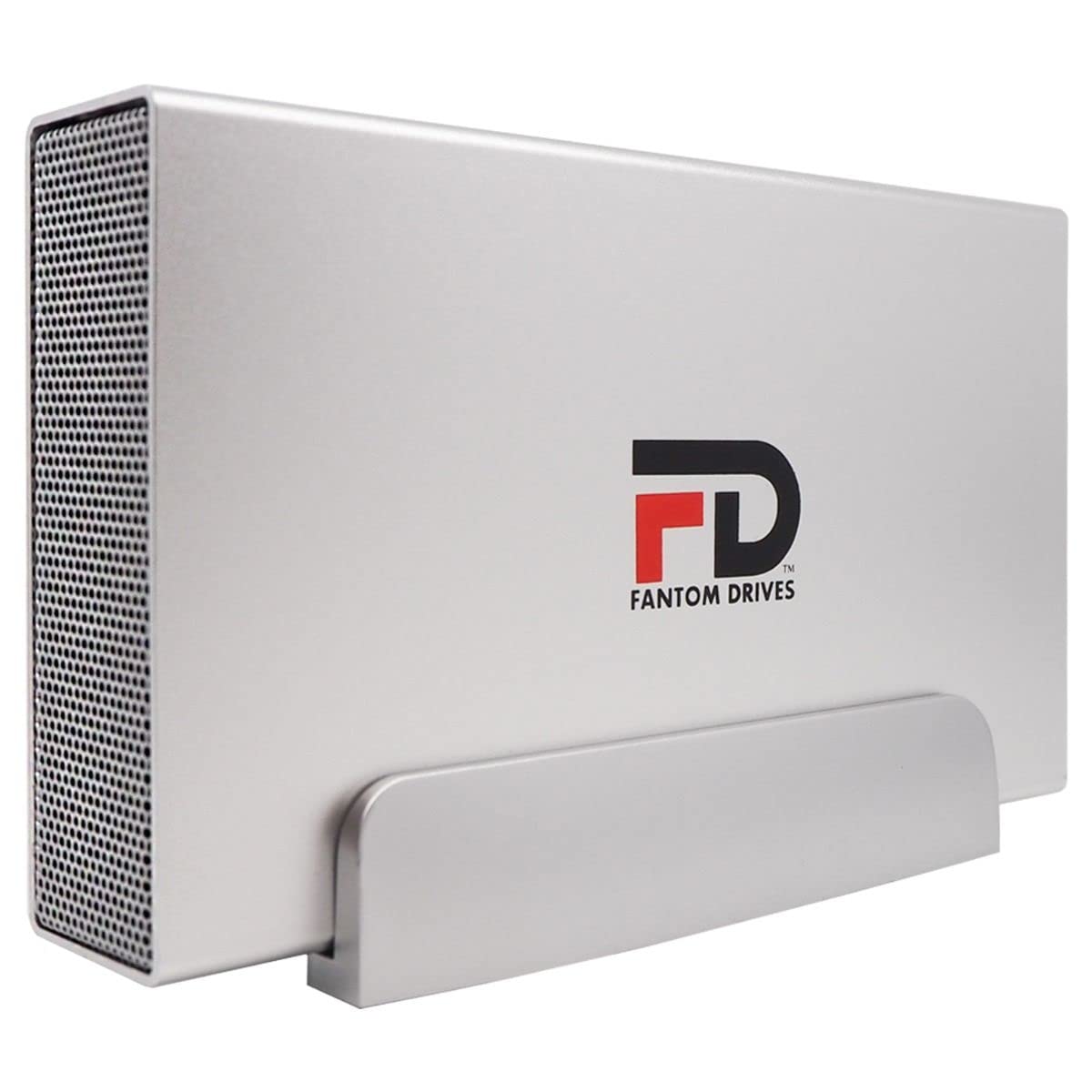


🚀 Unlock epic storage speed and space — because your data deserves the best!
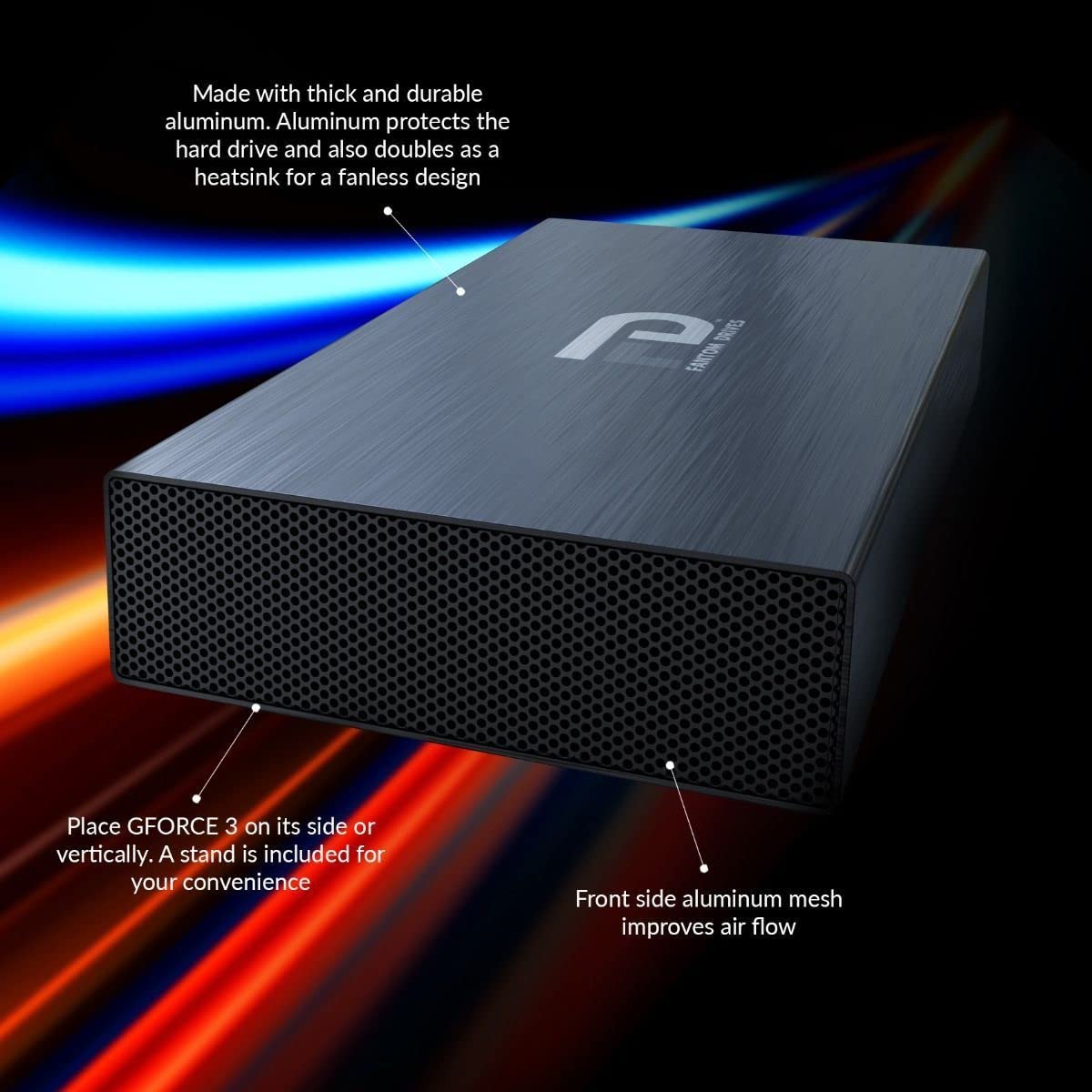
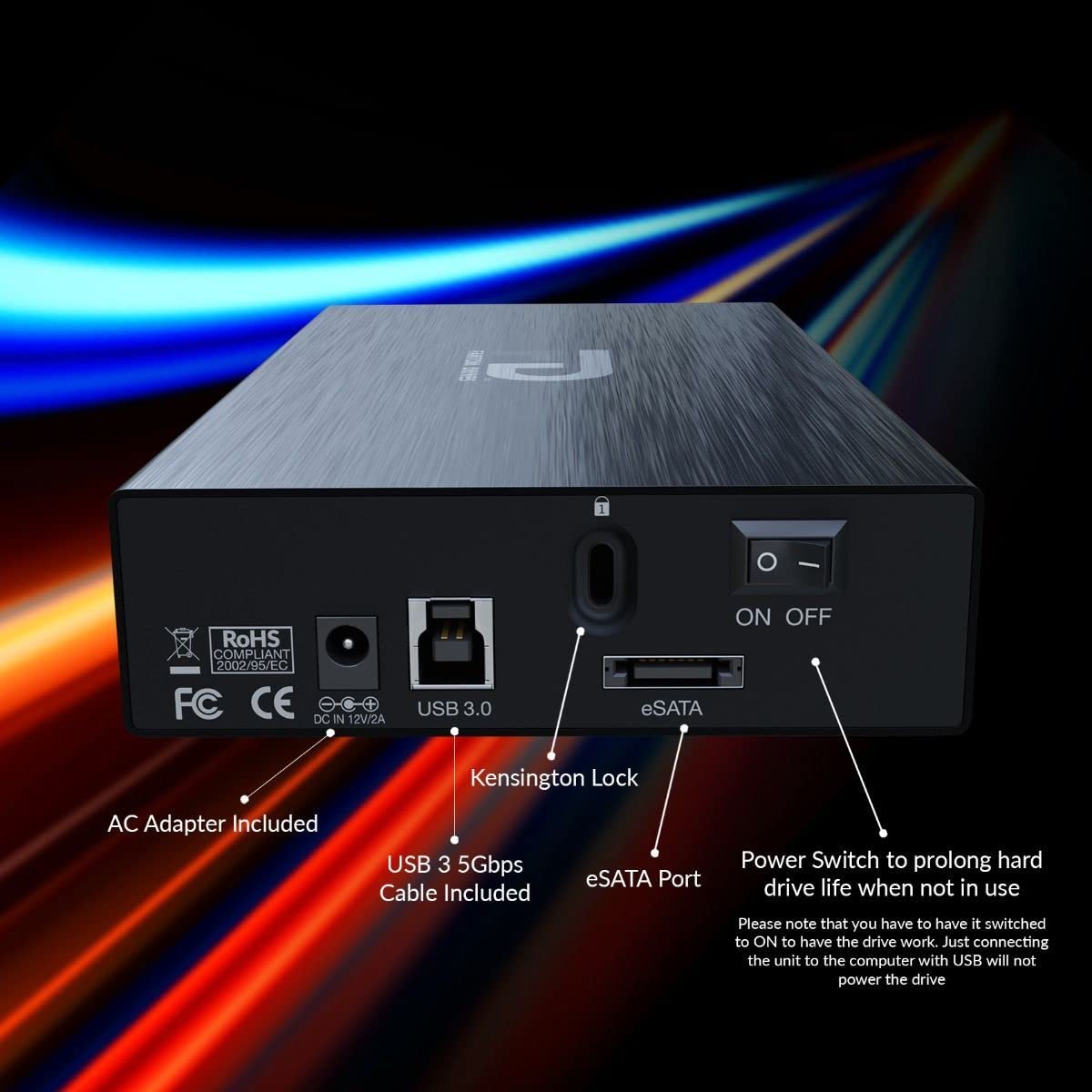
The Fantom Drives 22TB GFORCE 3 Pro is a high-capacity external hard drive featuring a 7200RPM mechanical disk for up to 30% faster performance than typical 5400RPM drives. Its fanless aluminum body doubles as a heat sink, ensuring quiet and cool operation. Preformatted for Windows with easy Mac reformatting, it supports USB 3.0 and is compatible with USB-C and Thunderbolt 3 (cable sold separately). Ideal for professionals needing massive, reliable storage across multiple platforms, backed by a 2-year warranty.
| Hard Drive | 22 TB Mechanical Hard Disk |
| Brand | Fantom Drives |
| Series | GFORCE 3 Pro |
| Item model number | GF3S22000UP |
| Hardware Platform | Mac |
| Item Weight | 3.61 pounds |
| Product Dimensions | 7.75 x 4.5 x 1.5 inches |
| Item Dimensions LxWxH | 7.75 x 4.5 x 1.5 inches |
| Color | Silver |
| Flash Memory Size | 1 TB |
| Hard Drive Interface | Serial ATA |
| Hard Drive Rotational Speed | 7200 RPM |
| Manufacturer | Fantom |
| ASIN | B0BZ2K7C8D |
| Date First Available | March 20, 2023 |
J**Y
Exactly what I wanted.
I bought this for my Xbox One to store some additional games. Aside from looking like a boss hard drive, it's also the first result when you search for "7200rpm external hard drive". I imagine that's why you see so many reviews from fellow Xbox One owners. Anyway, my Xbox One's internal storage was 92% filled up so it was time to upgrade.Pros1. The thing feels really solid. The actual external closure is made out of metal while the stand is made out of plastic. The connections in the back, the power switch, and all of it feels like a complete and sturdy package. I imagine it'll last for a long time if I treat it right (assuming the drive isn't a dud, which happens from time to time). It looks awesome sitting next to my xbox one.2. 2TB as advertised and so far it's taken all the games I own (about 12, of varying sizes) with about 75% of its capacity left to play with. Transfers have been (relatively) quick and painless. The formatting process on the Xbox One was also quick and painless.3. The drive turns off when the console turns off. Woot!4. The 7200rpm vs 5400rpm debate is long and tedious. I will say this. On an old 3TB 5400rpm drive, I got exactly ONE bit of stutter while playing a game on NHL 16. With the 7200rpm, I got no stutters on that game. So even if the benefits are minuscule, sometimes that's enough to even out the rough edges. Glad I went 7200rpm.5. Unless I update and say that the drive failed, assume the drive continues to live :)Cons1. I wish the USB 3.0 cable were a bit longer. Kind of limits my placement of this device. I may have to buy a slightly longer one if my current placement doesn't work out.2. A mode to turn the blue light off would've been nice. It is kind of harsh.Some things of note:1. This really is just a 7200rpm hard drive wrapped up in a really cool, all metal enclosure. By that I mean (I'm like 95% certain) that there's no difference between this and a 7200rpm drive you buy for your desktop computer. In reality, you could probably pick up a 7200rpm drive, buy an enclosure, and create something like this yourself if you're tech-savvy DIY type. I'm tech savvy, but I'm notoriously bad at DIY which is why I got this one.2. Because it is pretty much a standard, desktop-grade 7200rpm hard drive, the snicks and wizzes that people are hearing are actually totally normal. That's what desktop HDDs sound like. Some may think it's too loud or worrisome, I can tell you it's not. That's what my computer hard drive sounds like and it's still ringing after 5 years.Overall, I'm currently super happy about my purchase. It's working very well and my games play extremely well off of it. Don't listen to the debates, there's really not much of a real-world difference between 5400rpm and 7200rpm, but if you're like me and you want to go that "little, itty bitty" extra mile with your Xbox One, this is a good drive to do it with. Just point the light the other way so it burns holes in your walls instead of your retinas! :D
B**D
Perfect
I have it for 2 years now - a real workhorse
L**R
Fantom G Force 1TB USB 3.0 External Hard Drive Black GF3B1000U
I bought this Fantom HDD for my 5,1 Mac Pro. It has this Inateck USB 3.0 card:[Optimized for Mac Pro, 4 Ports] Inateck 4 Ports PCI-E to USB 3.0 Expansion Card for Mac Pro (Early 2008 to 2012 Late Version) - Interface USB 3.0 4-Port Express Card Desktop for Windows XP/7/8/ Mac OS 10.8.2 or Above - No Additional Power Connection NeededI bought the HDD because I like the Fantom foot print. I inherited an older Firewire Fantom from my brother when he passed away 2 years ago. This drive replaced a dying LaCie USB 2.0 drive. I am using the drive as a backup drive so the drive speed really isn't that important to me. It does however communicate with the Intateck Card, and it is recognized by the Mac's OS as a USB 3.0 device. So far it's been working as designed.My reasons for giving it only three stars are:1. Fantom gives no specifications for the drive, other than capacity. I don't know the spindle speed, the amount of cache, the number of platters or the OEM for the drive. MicroNet (Fantom's parent company) disguises the origin of the drive and lists themselves as the manufacturer. MicroNet is not a drive manufacturer, they buy the bare drive and repackage it into their enclosure. I could open up the enclosure and check, but then I would void the warranty.2. The instructions that come with the drive and the instructions available as a PDF online are quite old and out of date as far as the Macintosh is concerned. It is also out of date for Windoze. No mention is made of Windoze 8.3, The Transformer power cable does not snap into place into the case's receptacle. Retention of the power cable is very poor and care must be taken so it doesn't slip out while in use.Hopefully this drive will prove to be reliable.Edit (10/8/14)I have dropped my 3 star rating to 1 star. Again, I use this on a 2010 Mac Pro. I have exchanged the Inateck USB 3.0 Card for a RocketU 1144C USB 3.0 Card. Since this drive was new, it has had a problem deciding if it was a Hi-Speed (480 MB/Sec) or a SuperSpeed (5 GB/Sec) device. On StartUp, it will show up under "System Information" both ways. Sometimes it starts up as a Hi-Speed Device and other times as a SuperSpeed Device. It should start up as a SuperSpeed Device 100% of the time. As mentioned in another review, I feel this is the result of the USB controller that MicroNet uses.I put in a product ticket this morning, and after them trying to blame the problem on the USB cards, they finally admitted it was a warranty issue. I received an RMA, and it is on it's way back. I, however, had to pay $13.00 for the return postage. Since it's a warranty repair, why should I have to pay for shipping????? Makes no sense to me. I don't know what will come of the repair, but I will report here when I get it back.
Trustpilot
4 days ago
2 weeks ago
2 weeks ago
2 months ago