We remain fully operational. Our teams are working around the clock to ensure your deliveries continue safely.

DOWNLOAD THE APP


Customer Services
Copyright © 2025 Desertcart Holdings Limited
DOWNLOAD THE APP


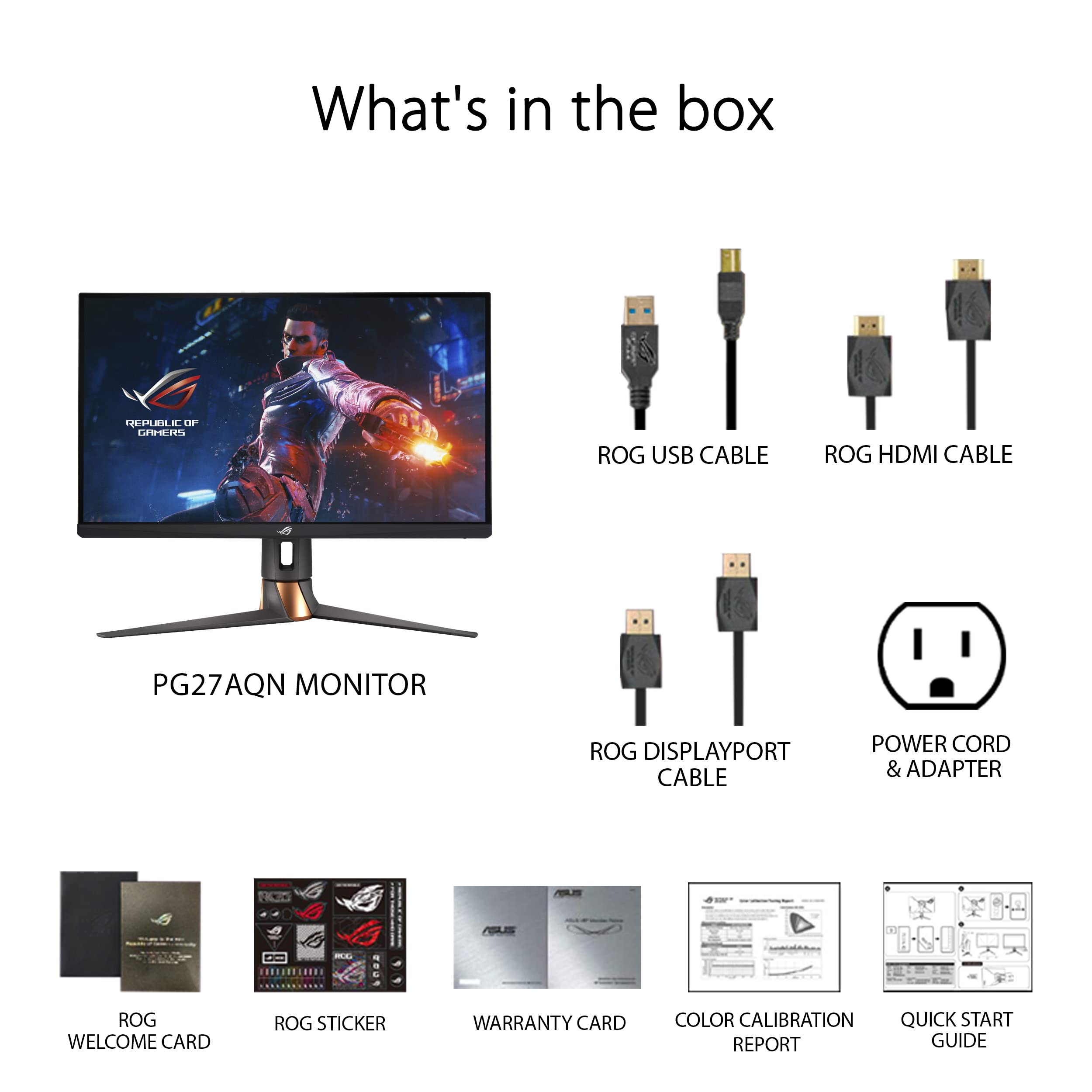

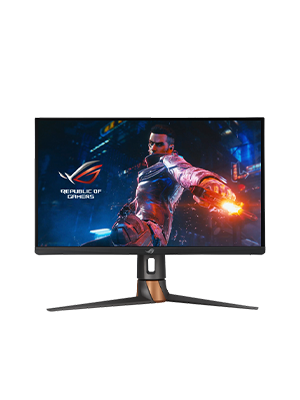
⚡ Dominate the game with speed and color that never quits!
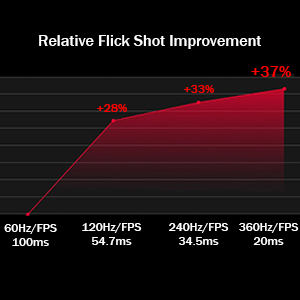
The ASUS ROG Swift PG27AQN is the world’s first QHD 360Hz gaming monitor featuring ultra-fast IPS technology, DisplayHDR 600, and NVIDIA G-SYNC for ultra-smooth, tear-free gameplay. Designed for pro esports gamers, it offers a 1ms response time, wide color gamut (125% sRGB, 95% DCI-P3), and advanced latency measurement tools, all wrapped in an ergonomic, eye-care certified design. Perfect for competitive FPS titles and productivity alike.





| ASIN | B0BHK7LLZD |
| Adaptive Sync | G-Sync |
| Additional Features | High Dynamic Range |
| Aspect Ratio | 16:9 |
| Best Sellers Rank | #73,705 in Electronics ( See Top 100 in Electronics ) #1,651 in Computer Monitors |
| Brand | ASUS |
| Brightness | 600 candela_per_square_meter |
| Built-In Media | LCD MONITOR |
| Color | BLACK |
| Color Gamut | 125.0 |
| Compatible Devices | Desktop, Gaming Console, Laptop |
| Connectivity Technology | wired |
| Contrast Ratio | 600:1 |
| Customer Reviews | 4.0 out of 5 stars 151 Reviews |
| Display Resolution Maximum | 1920 x 1080 Pixels |
| Display Technology | LCD |
| Display Type | IPS |
| EU Spare Part Availability Duration | 3 Years |
| Global Trade Identification Number | 00195553580625 |
| Hardware Connectivity | DisplayPort, HDMI, USB |
| Has Color Screen | Yes |
| Image Contrast Ratio | 600:1 |
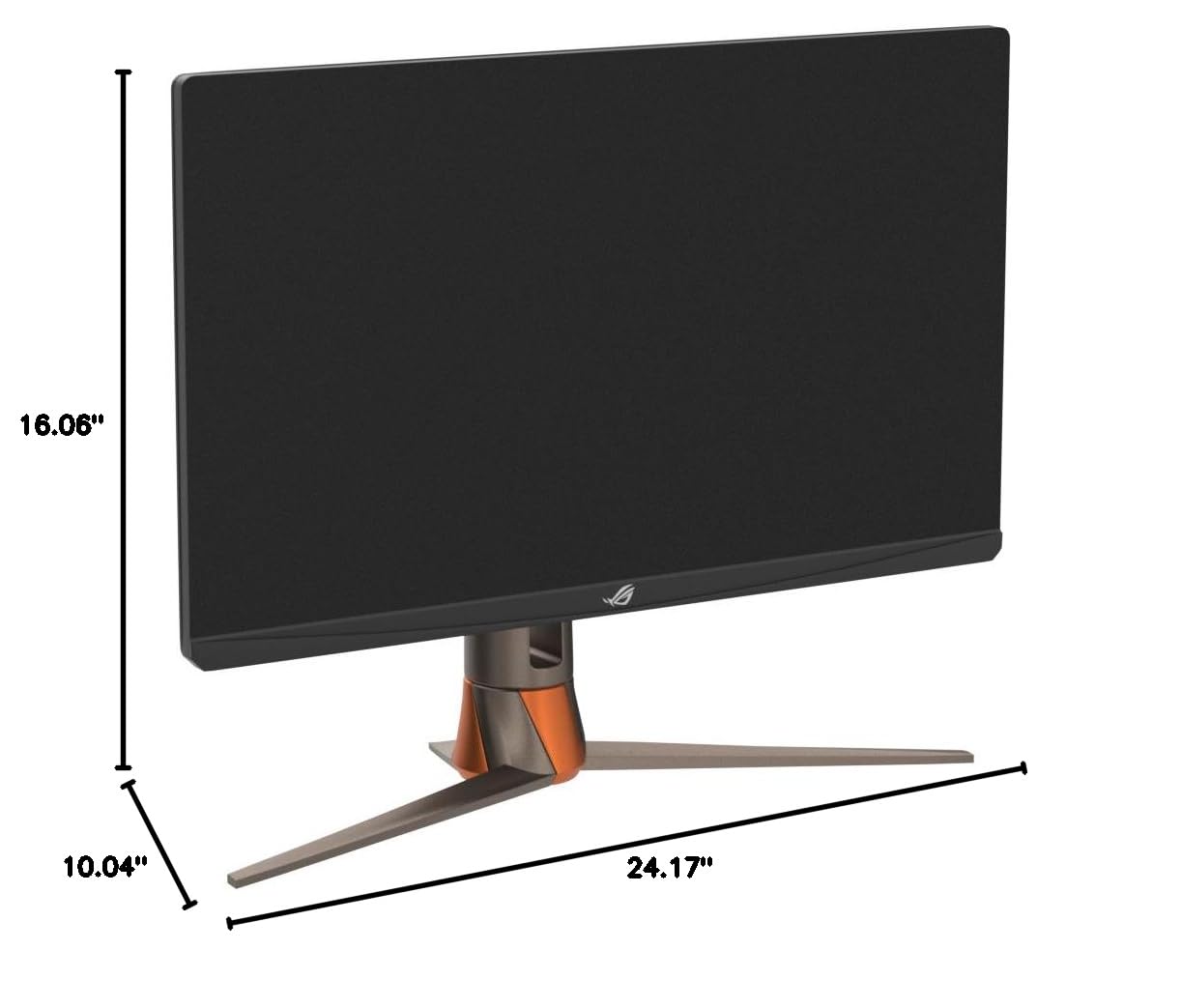
| Item Dimensions D x W x H | 24.17"D x 10.04"W x 16.06"H |
| Item Type Name | Computer Monitor |
| Item Weight | 18.5 Pounds |
| Manufacturer | ASUS |
| Model Name | PG27AQN |
| Model Number | PG27AQN |
| Mounting Type | Wall Mount |
| Native Resolution | 2560x1440 |
| Number of Component Outputs | 4 |
| Picture Quality Enhancement Technology | True |
| Pixel Pitch | 0.233 |
| Power Consumption | 42 Watts |
| Refresh Rate | 360 Hz |
| Resolution | QHD Wide 1440p |
| Response Time | 1 Milliseconds |
| Screen Finish | Glossy |
| Screen Size | 27 Inches |
| Screen Surface Description | Glossy |
| Specific Uses For Product | Gaming |
| Total Number of HDMI Ports | 3 |
| Total USB 3.0 Ports | 1 |
| Total Usb Ports | 1 |
| UPC | 195553580625 |
| Viewing Angle | 170 Degrees |
| Voltage | 240 Volts |
| Warranty Description | 3 years |
| Warranty Type | 3 Years Standard Warranty |
T**J
The Asus ROG PG27AQN is an absolute madlad of a beast.
AMAZON FUMBLED THE BAG CAUSE I STOLE THIS FOR $750. I was so shocked and skeptical why it was listed as that price but props to the one who actually secured the bag. I heard reviews of quality control being poor such as dead pixels, and broken back plates, but luckily my unit was not affected at all. I honestly don't know where to start. I've tested multiple monitors such as Neo G8, Alienware QD-Oled (DW Version), BenQ Xowie XL2566k, LG Oled 27gr95qe-b, AW2723DF, and so on but I have the perfect monitor for me that I finally settle on. This monitor can play any title of what you want but is purely for competitive games. This is the fastest panel I've played on with very good picture quality. Out-of-the-box settings when you first boot it up are factory calibrated in sRGB mode with accurate colors. Although it was very dim without messing with the settings since there is no way to adjust the brightness in that mode. The monitor is definitely bright, brighter than an OLED display in general which I find lacking in that department in what I owned previously before. It may not have the infinite contrast ratio or so-called good blacks level because it's an IPS display but let's be real, when you are playing games in general such as competitive, you do not need to have that. I can't stress enough why people are so obsessed with OLED when burn-ins are a problem. I mostly game and have static images such as UI and productivity work that I would worry so much about it constantly, with it being an LED, I don't have to worry as much. It has a G-SYNC module built but you don't really need to enable it if your hardware can run 360hz. Somewhat my 7700x/RTX 4090 was capped at around 323 fps such as OW2, or Valorant so I disabled it and it hit above that FPS count. At a high refresh rate, you won't notice image tearing at all. You do want to run the Overdrive mode to normal since anything above such as esports and extreme mode will increase the amount of inverse ghosting, but overall it's clear as day with a good response time for an IPS panel. There is backlight bleeding but to a minimum where I don't notice it all. You definitely are not going to use HDR at all which is a gimmick on a panel like this without a local dimming zone such as FALD. It uses Edge-lit dimming like the G7 but you might as well turned off because it's only meant for HDR as I stated above it's a gimmick and just worth turning off. Most of the content you play or even watch is in SDR, just mess with the settings on this monitor and you have the most fantastic picture quality. The settings I use for a vivid color-like image and gaming are: GameVisual: Racing Mode Brightness: Whichever you prefer, I setting mine atleast very high nit of brightness (for example like 85%) Variable Backlight: Off (that was the gimmick I was mentioning about) OD: Normal Display Color Space: Wide Gamut (THIS MAKES THE COLOR POP MORE) All the other settings I didn't list such as blue light, color temp, dark boost, gamma and such didn't touch because that's all user preference. In conclusion, this monitor is very good for absolute competitive gaming and watching content. It's an IPS display with the fastest response time of any IPS (cause of ultrafast crystal and dual voltage driver) out there with little to no input lag (360hz) whatsoever. It's worth picking it up for hardcore gamers if it ever comes back in stock.
J**L
Fast, all-around and pricey monitor
TL;DR Very good but pricey monitor for competitive gamers and those who need to do productivity work. PG27AQN is a good all-around monitor. It has a very fast 360Hz IPS panel that can also be used for productivity work. I came from a fast 144Hz ultra-wide and a 240Hz 16:9 IPS. The 360Hz is noticeably smoother, but the difference isn't as huge as I expected. This monitor came with a factory calibration report, so the color accuracy should be excellent. I used the Reflex Analyzer and the display + PC latency is very low. This monitor also came with ULMB2 support that provides excellent motion clarity when you use a fixed refresh rate at 360Hz. This IPS panel is very bright, so it will provide more headroom when you enable ULMB2 which will significantly dim your display. With that being said, this monitor is still very pricey at $900 during Black Friday. It also doesn't come with DP2.1 or HDMI 2.1. Therefore, if you want to use 10-bit or 360Hz, you have to enable DSC which can sometimes result in loss of details. This is a limitation of the G-Sync module, and I hope ASUS can just abandon it or demand NVIDIA to upgrade their G-Sync module instead of putting ancient ports on a flagship monitor in 2023. This monitor is DisplayHDR 600 certified, but it's not really HDR-capable. This monitor uses edge-lit zone diming which does not really provide the necessary contrast and local dimming required for true HDR gaming. If you don't need to do productivity work or don't play multi-player, competitive FPS games, you should look for PG27AQDM instead; the WOLED monitor provides a much better color, contrast and HDR capabilities but is slightly worse in terms of motion clarity and much worse text clarity.
A**S
Not Worth the Price Tag for Gamers
The ASUS ROG Swift 360Hz Monitor had all the specs I wanted on paper, but it hasn’t lived up to the hype. While the refresh rate is impressive, the color accuracy and brightness leave much to be desired. I found the display to be washed out compared to my previous monitor, and for the price, this is unacceptable. It’s clear that the focus was on speed rather than overall picture quality. Additionally, the setup instructions were unclear, making the initial experience more frustrating than it should be. Unless you’re an esports player who prioritizes refresh rate above all else, I’d recommend exploring other options.
T**Z
best upgrade since my zowie 240hz
playing on 1080p for years and jumping to 1440p was amazing but ulmb2 on this bad boy hitting 360hz? literally felt like i was constantly seeing in slow mo. i did upgrade to a 1440p oled 480hz and that is even better, but this monitor was insane! it served me well for almost 3 years of hard gaming. never felt like it wasnt worth it over 240hz with dyac. that ULMB2 is no joke. also bright as hell, looks sick, hdr wasnt crazy but definitely good when watching movies!
A**N
Great monitor with some dumb flaws
If you buy this monitor, step 1 is to order a right-angle or an up-angle displayport extension cable (be sure it claims displayport 1.4) and a new displayport cable (recommend a dp 2.0 cable). This is because the monitor pushes the limits of dp 1.4, and it has an absolutely garbage-tier design for the chassis that guarantees your cables will be bending next to the connector. Using the cables in the box, I had nothing but problems. Screen flashing, dropouts, etc. This was "fixed" by disabling g-sync but actually fixed by the cable swap mentioned above. The good - 360 Hz + GSYNC is absurdly smooth. It's hard to describe but there is zero motion blur at 360 Hz. I came from 165 Hz and borrowed my friend's 240 Hz monitor, and let me tell you 360 is another major step up. From 165 Hz it feels as massive as the 30 to 60 Hz jump. It really is that different. - The input lag is crazy low. Lower than anything except OLED. Monitors have always used an ancient spec to claim "under 1ms response time" when really they were around 10ms by modern standards. This thing is actually around 1ms, whereas other 240-360 Hz monitors are around 3ms. - This thing can get really bright. - Technically there's a fan in the monitor but you can't hear it unless you're in a quiet room and you crank the brightness to eye-searing levels while running at 360 Hz The bad - The chassis was designed by monkeys who don't understand why mechanical stress is bad for sensitive connectors - The cables in the box are trash tier and will probably cause problems. Search "asus monitor bad cable" if you're curious, this seems like a trend for asus. - The monitor's fan doesn't actually turn off when you aren't sending it a signal (ie, connected to a computer that's off). It's very difficult to hear this but surely it will reduce the lifetime of the fan and may cause problems in a few years. - You are paying fat dollars for a few extra Hz, and a lot of game engines are capped below 360 even if you have the hardware needed to hit it The mid - Colors are decent out of the box in the sRGB mode but are not very good if you use racing mode + wide gamut (which you should, and then pick up a calibrator like calibrite colorchecker or x-rite i1 pro and use displaycal to calibrate it). It looks great with wide gamut after calibration. The white point is good out of the box but the grey performance sucks (see lagom black level test page). - The "local dimming" with edge-lit zones is kind of trash (HDR feature). Basically there are 32 vertical strips for the backlights so it can turn them on/off individually. If you have a bright dot on a black screen, there's an obvious vertical slice where the backlight turned on that stretches from top to bottom. It looks awful if you test it but looks fine in games. Pretty much a gimmick. Panel looks great if you disable this "feature", but it was surely added to check a box on the specs sheet. There's only 1 monitor on the market right now with enough zones to deliver real local dimming that isn't an OLED.
L**E
Top-Tier Performance, but Price Drop Came Too Late!
The ASUS ROG Swift 360Hz 27" monitor is an absolute beast when it comes to performance. As a gamer, I love how smooth and responsive everything feels with its 360Hz refresh rate. It makes a noticeable difference, especially in fast-paced games where every millisecond counts. The image quality is excellent for both gaming and general use, and the design is sleek and high-end, just as you'd expect from ASUS' ROG lineup. That being said, my only frustration is that the price dropped by $300–$400 just a month after I bought it! While I’m still extremely happy with the monitor’s performance, it stings to know I could’ve saved a significant amount if I had waited a little longer. Overall, if you’re looking for a top-performing gaming monitor and can justify the price, it’s worth it. Just keep an eye on price fluctuations before pulling the trigger!
R**N
Great performer with some serious drawbacks.
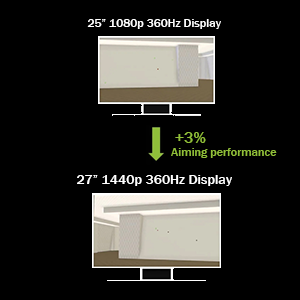
Barely good enough to keep me from returning it. Fingers crossed I don't end up making use of the warranty. Pros: Plenty bright, good colors, amazing motion clarity, highest refresh rate @1440p on the market, 25-inch mode is great to gain some FPS when you need it and doesn't sacrifice much clarity. Amazing experience when it's running without issues. Cons: Unintuitive OSD menu, low-quality stock displayport cable, bulky stand, horribly designed inputs, price. I'm having intermittent issues in some games with occasional black screens at 1440p360. No other combination of resolution and refresh rate has issues. Dropping the resolution a bit to the 25-inch native resolution works perfectly even when scaled to fit the entirety of the 27-inch panel. But that's not what I paid for. Other customers have found the G Sync module to be the cause of their problems. I reduced my own problems with a new cable. Nothing seems to be wrong with my GPU. The design of the cable inputs puts a lot of stress on both the cable and the monitor's input because the cable has to bend at a sharp angle to be connected. I can't believe they actually sold it like this. For over $1k, originally, too. I got it for $900 and it's not worth even that. Not a chance. I've heard about the ASUS customer service experience being pretty lackluster as well. You need an RTX 4080 or better to use this monitor unless you play some very old or low-poly games. I would recommend waiting for another 360hz 1440p monitor to hit the market. Don't buy from ASUS. Too risky.
K**R
The best IPS gaming monitor you can buy
I returned the Zowie xl2566k 360hz for this monitor, and I’ve been daily driving it for over a month now. And wow the difference is night and day. The colors and response times are so much then even other IPS panels. Of course it doesn’t have the same picture quality as an OLED, but it looks pretty damn good. It gets far brighter than any OLED, even WITH ULMB 2 turned on, which was a nice surprise. With ULMB, It doesn’t get quite as bright as the zowie does with Dyac, but it gets plenty bright for 90% of setups. A lot of other IPS panels with poor motion blur reduction implementation make the screen so dim so it’s not worth using the setting, so this is very important for this monitor. Speaking of motion clarity, this feels on par with the Zowie’s Dyac, but i wouldn’t say it’s better. Which isn’t a bad thing, the motion clarity on the Zowie is hard to top. Running games at 360hz and 1440P (which is certainly achievable in a lot of games with a high end card like the 4080S or 7900 XTX) with ULMB is a surreal experience. The crazy fast response times are very close to Zowie levels, which uses a less than optimal TN panel to achieve those response times. Going from 24.5 to 27 inches felt like a massive change at first, but after some adjusting the monitor no longer feels too big. This monitor feels like you are compromising nothing, but of course, that should be the case for the price. The current $730 feels worth it to me. Overall if you have the budget to spend $700 for a monitor, I think you won’t be disappointed with the PG27AQN.
Trustpilot
5 days ago
1 month ago