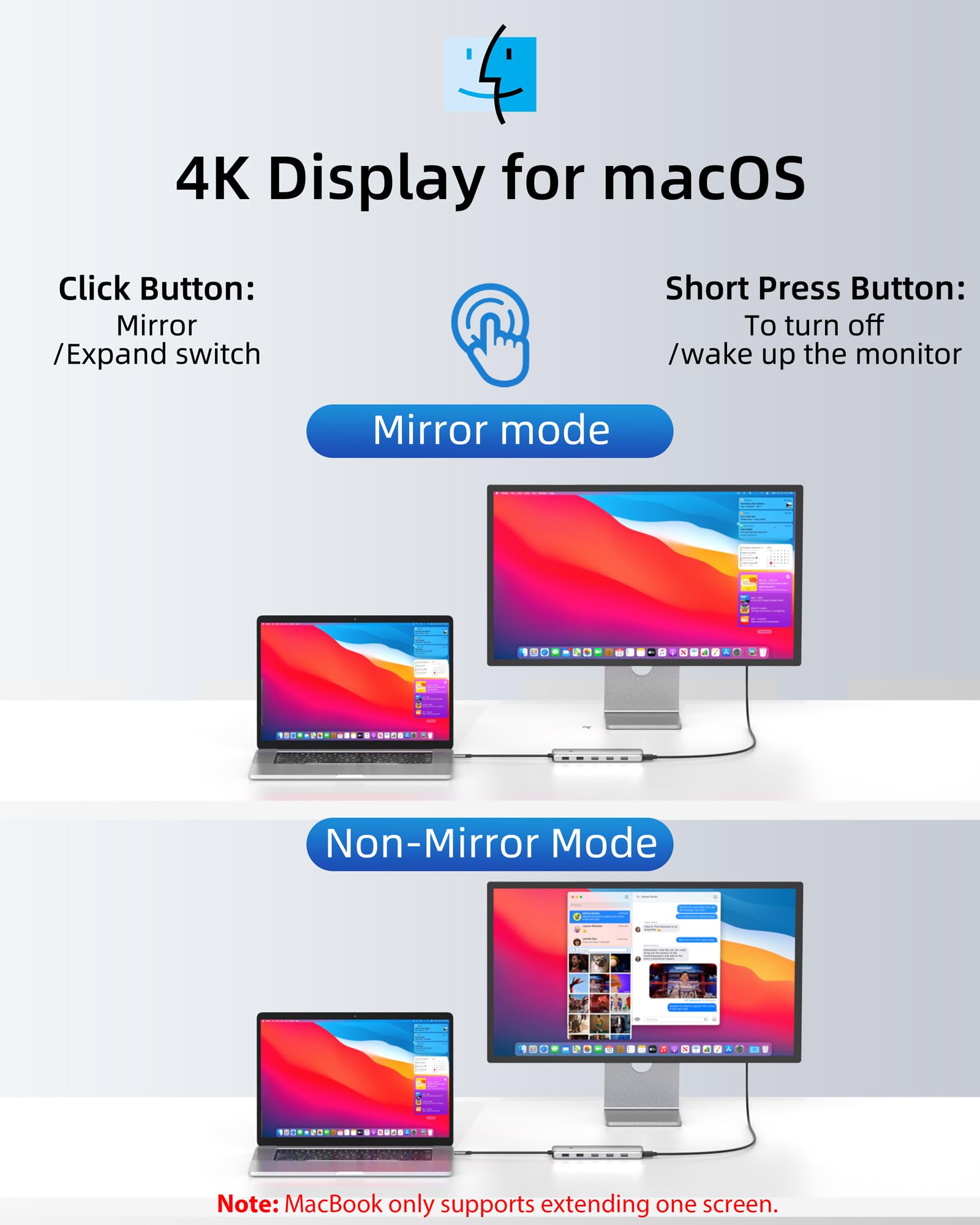


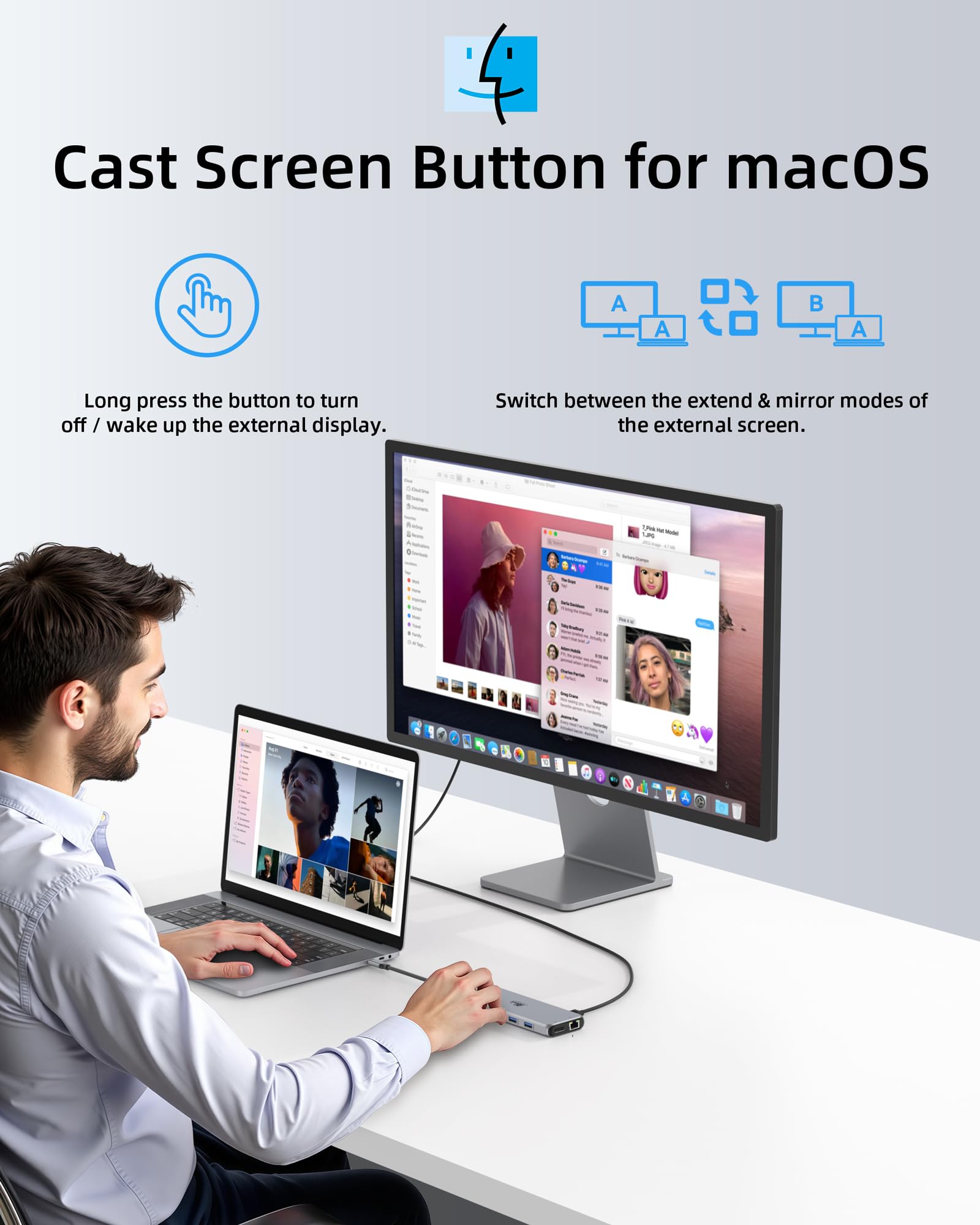


🚀 Unlock your laptop’s full potential with the ultimate 13-in-1 docking station!
The LIONWEI 13-in-1 USB-C Docking Station is a versatile, plug-and-play hub designed for professionals seeking to expand their laptop connectivity. It supports dual 4K@60Hz displays on Windows, offers 100W power delivery through dual USB-C ports with 10Gbps data transfer, and includes a Gigabit Ethernet port for stable wired internet. Compatible with major laptop brands, it combines multiple USB-A and USB-C ports, audio jack, and DisplayPort in a sleek, compact design backed by an 18-month warranty.



| ASIN | B0BNTHWWMY |
| Best Sellers Rank | #111,892 in Computers ( See Top 100 in Computers ) #615 in Laptop Docking Stations |
| Item model number | 1 |
| Manufacturer | LIONWEI |
| Product Dimensions | 33.02 x 1.27 x 12.7 cm; 140 g |
B**R
This 13-in-1 USB-C docking station has completely simplified my setup. With support for dual and even triple displays, I can easily connect multiple monitors without juggling adapters, and the video quality stays sharp and stable. The assortment of USB-A and USB-C ports means I can keep all my peripherals plugged in at once — keyboard, mouse, external drives, and more — without swapping cables every time. The built-in Ethernet port is a nice bonus, delivering a reliable wired connection when Wi-Fi gets flaky. Setup was plug-and-play, and it hasn’t skipped a beat since I started using it for work and media. If you’re looking to expand your laptop’s connectivity and drive multiple displays with one hub, this docking station is a fantastic value and handles everything I throw at it with ease.
R**S
Excellent, capable dock. Works flawlessly out of the box on Linux through my laptop's Thunderbolt port. Supports alt-DP, so will run two external 4K monitors at full speed and capability without additional drivers. Ethernet works well, but only provided ~300 Mbps on my 1 Gbps network, where a direct Ethernet connection to the laptop provided >900Mbps. I wonder if that's a bandwidth issue at the Thunderbolt port, competing with the dual-monitor 4K video, etc. The sound and USB ports all work perfectly, and it has plenty of USB ports, both A and C. Nice build materials and quality, and it looks great. Highly recommended on Linux!
R**Y
12 March 2025 (Just got it today) Review for ASIN B0BNTHWWMY Described as: USB C Hub USB C Docking Station Dual Monitor 13 in 1 Triple Display Multiport Adapter with 2 HDMI+DP+8 USB C/A Ports+Ethernet+Audio, USB C Dongle for MacBook/Dell/HP/Lenovo ThinkPad/Surface It does that which I truly needed. It will pass power from a USB Lithium Power Bank through itself to the host computer. That means it will work in a power outage or it will work when I have to go to an office or to court where no AC outlet is available. Not all of these USB-C Docking Stations will do that. I have a recently purchased Orico that will not do that so I have to return the Orico now that I have this Lionwei. This one is a Lionwei brand: Not known to me but I'll be keeping my eye on the brand from this point onward. It's a solid feeling item made of metal. I guess aluminum? I don't know. I'm not going to be using multiple monitors. Today, my first day of ownership, I only had time to test the things I need most: (1) USB Lithium Power Bank providing power to the host through this docking station. That works great. My little HP notebook requires 45W ( 3 amps at 15 V). My RoMoss 65W power bank does that for sure and obviously there's an additional 20W overhead to also power the Lionwei docking station. Works great. My old trusty HP Elite X2 1012 G1 Notebook is charged while using it when connected to the power bank through this Lionwei dock. (2) RJ45 Gigabit LAN - worked fine. (3) Several USB drives. 1-USB3 Sandisk flash; 1-USB 10Gbps M.2 enclosure; 1 WD MyPassport 2TB Hard Drive and all worked as expected and all at the same time. (4) Just for a test, I connected a HDMI 1080p TV. It worked fine. And all of the above were attached and running while the HP notebook was being powered and charged by the RoMoss 40,000mah 65W power bank through this Lionwei USB dock. That should give me about 60 minutes from the power bank before the notebook battery begins to drain and then I should have another 60 minutes from the internal battery. Excellent for my needs. I try to avoid giving 5 stars because people tend to consider that a 5 star rating is the beginning of an untruthful review that was bought and paid for. So, 4 stars is as good as it gets most of the time from me and this is 4 stars for sure. And...yes, I bought it with my own money. I just wanted to put up a review immediately because I have spent well over 12 hours over many days trying to find a docking station that advertises it will work from a lithium power bank. None of them seem to want to advertise that they will work from a lithiuim power bank. Why? I don't know. But, this Lionwei does it and does it well. Now, when the tornado rips my house to shreds, I can still hotspot my phone to my notebook and power them from a lithium backup...if....I can find those devices in the rubble. Or, I can take them to a remote location away from AC mains and still get work done as long as I have a cell signal. I've also got a 30,000mah RoMoss power bank to power my phone. The RJ45 LAN is mostly for connection to my Synology NAS. The NAS is connected to a Cyberpower UPS that will power the NAS for about 18 hours. So, if the power is out, I can still get needed files from my home NAS. Good luck to all. If anything goes wrong, I'll come back to update. 01 April 2025 Update Nothing new to report. Still works as expected. Nice product.
R**F
Edited Review: I think Amazon makes it really hard to contact your merchant to discuss troubleshooting issues. Fortunately, the merchant/seller was able to offer me a full refund or send a new one. I opted for a new one because I really did like it when I initially had it. Hopefully, it won't have the same issue again 6 months later. I will update if that's the case. The merchant also showed me some steps, but it still didn't work on the old one. However, on the newer one it did work. Thanks! --Previous Review-- Product Bought: 13 in 1 USB C Docking Station - Dual Monitor, Triple Display, 8 USB C/A Ports, Ethernet, Audio for Windows I had bought this back in September 2023. It was working GREAT and worked with my KVM switch so it made it easy for me to switch between my work laptop and my personal desktop. I used the docking station for my work laptop since I require more USB ports. It stopped working all of a suddenly today. I know: It's not my KVM switch because the dual monitors work fine when I switch to my personal desktop. It's not the HDMI cables because when I plug each one individually into my work laptop, they still appear as an extended monitor. It's not my work laptop because it turns on and can recognize the other USB devices in the dock station. For some reason, it's ONLY the HDMI ports. Everything else like the USBs work just fine and my work laptop can recognize those. However, the HDMI ports are broken. So beware! I tried finding tech support, but it's no longer available since I am past the return window. That's what I get for being cheap. I guess I should find the original OEM dock stations for my work laptop now. I really liked the quality of the material if it did work. It's not some flimsy plastic although it could be a mix of metal and plastic. It keeps cool.
C**O
Every port working perfectly for 2 years now. Perfect option for laptops or anyone needing more connections. All connectors operate as expected over USB C
Trustpilot
4 days ago
1 week ago