Some deliveries may take a little longer than usual due to regional shipping conditions.

DOWNLOAD THE APP


Customer Services
Copyright © 2025 Desertcart Holdings Limited
DOWNLOAD THE APP
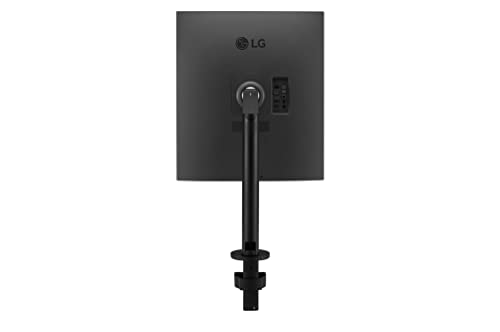
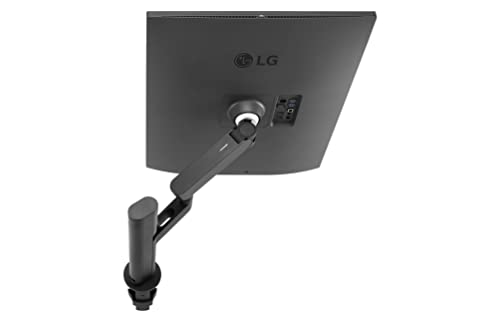


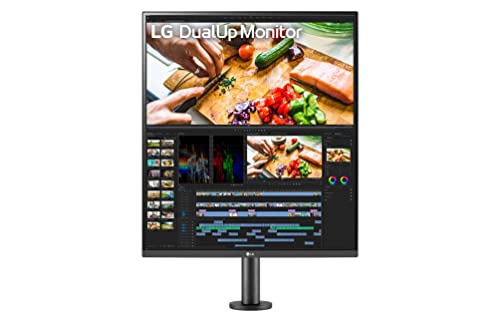


🚀 Elevate Your Workspace: Twice the Screen, Zero Desk Clutter!
The LG 28MQ780-B is a groundbreaking 28-inch DualUp monitor featuring a unique 16:18 stacked SDQHD Nano IPS display (2560 x 2880) that doubles your vertical screen real estate without increasing desk footprint. With 98% DCI-P3 color accuracy and HDR10 support, it delivers stunning visuals ideal for professionals. Its ergonomic C-Clamp stand offers full adjustability for personalized comfort, while USB Type-C with 90W power delivery simplifies connectivity and charging. Advanced multitasking is enabled through Picture-by-Picture and KVM functionality, allowing seamless control of two devices with one keyboard and mouse—perfect for the modern multitasking manager seeking productivity and style.


| ASIN | B09XTD5C7H |
| Actual viewing angle | 178 Degrees |
| Aspect Ratio | 16:10 |
| Batteries Included | No |
| Batteries Required | No |
| Best Sellers Rank | #720,492 in Electronics ( See Top 100 in Electronics ) #1,507 in Monitors (Computers & Accessories) |
| Brand | LG |
| Colour Screen | Yes |
| Compatible Devices | Computers and Laptops |
| Connector Type | DP port |
| Customer Reviews | 4.4 4.4 out of 5 stars (458) |
| Date First Available | 19 October 2022 |
| Device interface - primary | Buttons |
| Display Technology | LCD |
| Display Type | LCD |
| Does it contain liquid? | No |
| Generic Name | monitor |
| Hardware Interface | HDMI, USB, USB Type C |
| Image brightness | 300 |
| Image contrast ratio | 1000:1 |
| Item Dimensions LxWxH | 46.2 x 48 x 84.3 Centimeters |
| Item Weight | 9 kg |
| Item model number | 28MQ780-B |
| Manufacturer | LG |
| Maximum vertical resolution | 2880 |
| Model | 28MQ780-B |
| Model Name | 28MQ780 |
| Mounting Type | Desk Mount |
| Number of items | 1 |
| Product Dimensions | 46.23 x 48.01 x 84.33 cm; 9 kg |
| Refresh Rate | 60 Hz |
| Resolution | 2560 x 2880 |
| Response Time | 5 Milliseconds |
| Screen Resolution | 2560 x 2880 |
| Special Features | High Dynamic Range |
| Standing screen display size | 27.6 Inches |
| Total USB ports | 4 |
| Viewing Angle | 178 Degrees |
| Voltage | 240 Volts |
U**S
Productivity Beast-Unique form factor - Youtube shorts in full screen
Great Monitor for Productivity usage and for hard core professional this is like two 22 inch monitor stacked one above another the ergo stand is pretty good and it allows you to turn this monitor 360 as it claims and even my previous 22 inch monitor i cant turn this screen this much also the form factor is odd but if you do lot of multitasking job this will help you a lot and Picture by picture options is great intially it is tricky for me weather to use this as a single big tabloid or to split mode but after couple of days use i figure it out the best of both worlds - i will tell you how i configured it may look stupid but it solved my purpose from my laptop using usb c as chanrging and monitor input as my first source again my laptop hdmi connection as secound source and make your configuration 2k and scaling at 225(default ) and make sure you configure as extend the screen and windows display configuration as first input source screen as bottom display and second source to use the top of screen now it work like 2 monitons stacked up one above another but now it allows to scale you application as well so even your pbp setting is in split mode the bottom part of the display use usbc and top part will use hdmi the kvm will allow to move from top to bottom without any issues and based on your work need you can either switch between screens or scale up the application as one screen without changing pbp setting To my surprise the inbuilt speakers are decent for casual use and it is very clear and able to Teams calling without headset this monitor have waves maxx audio support ( dont expect pro sound ) it is good for youtube and news watching and melody music (At 2am with vidyasagar music online with hot coffee it eases workload) Verdict At this price you may get 4k monitor however if you are on to productivity and space constraint on dual monitor setup then you can go for this but dont pick this one for gaming and this is not a gaming monitor Also with the configuration setup you can watch youtube shorts in full screen that is cool and it is better than watching the shorts in 4k tv
A**X
First monitor in the world which has dual up monitor
Thanks to LG for bringing up unique kind of monitor (dual up monitor). LG is the first to introduce this kind of monitor. There were many in the world who desperaty wanted this kind of monitor but not available earlier. It's really helpful for coding, image editing, gaming and many multi purpose use. Display is good. But in this price 4k resolution they would have been given. Many ports are available. Stand is also good. Can be moved in any direction. LG should introduce 24 inch dual up and 27 inch dual also in future. Current one is 22 inch dual up. Overall very good monitor for multi purpose usage
N**.
First dual up monitor with dotted line on screen😬
After use within 8 days there is dotted line on monitor screen. I have tried using windows and mackbook as well. Feeling waste of money
M**S
Amazing! changed my development game
I am an engineer focussed on backend development. The most intensive thing about software engineering is "context stack" when you are solving a problem and for that multiple things need to be referenced. Our stack involves multiple types of databases, API endpoints, backend code and there is always the need to google search so thats 5 tabs at any given time. Not to mention that I get pulled in to check production app logs. Switching windows/tabs gives me that "black hole memory blip" where I get easily distracted and forget what i am doing. Without this monitor, getting a simple task which involves making changes in multiple places + googling + thinking about logic / edgecases was a stressful task. I was so stressed that I would get scalp aches and horrible eye strains because i am focussing so hard. After this monitor, because i can see all of my things in one go and not worry about alt-tabbing, i have been consistently able to put in good amount of development time without stressing myself out while i am doing the work. So needless to say the size of the monitor works so well for me! Also the PBP feature is fantastic! I also have a mac mini and a Macbook air. Since Macbook air is blocked at software level from having multiple monitors, this monitor is a wonderful hack against that. I use it as "dual" monitor to connect to mac mini and macbook sometimes and some other times as single big monitor for macbook. My desk has a clean setup now! The monitor is pretty bright but I use it at lower brightness in blue light and use a benq monitor light in warm tone that helps with eye strain.
S**H
Good for dev's
I had to import this model from the US, since it wasnt available in india. But I love this monitor. Nuff Said. Good resolution and quality. Im planning on getting another one to even out both sides.
D**D
I rarely leave reviews, but I've had this monitor for about 2 years now and just wanted to say it's perfect. I used to use 3 monitors for work and 3 monitors for personal use (gaming mostly, with some productivity and watching shows). Using this monitor, I was happily able to consolidate everything onto one 3 monitor L-shaped desk setup, where the short arm has my Macbook Pro and a 34 inch ultrawide mounted for work and the long arm has a 42" inch OLED TV that I use for a monitor for gaming and everything else. In the corner of the L, I have this LG monitor mounted. It's shared between the two setups and works *seamlessly*. It's roughly the same height as the 42" inch TV as well so aesthetically they flow together. What prompted me to write this review was sitting down at my desk just now, checking my emails on my Macbook, closing it, and swiveling over to my personal computer where the monitor automatically registered which computer was on and started showing content from it. I didn't do anything to set this up, and it may be a simple thing, but I've been working on PCs for over 20 years now and it feels like nothing ever works this well. The monitor itself is also fantastic, very clear and crisp for IPS. No real complaints. I personally would not use the DualUp as my primary monitor because the refresh frate is 60hz, which even for productivity I find a bit lacking these days, but I'm also kind of a display snob. However, for a secondary monitor it's absolutely perfect for having web browsers and chats up. The Windows 11 snap functionality they've been perfecting over the last few OS generations works perfectly with this as well, letting you to snap windows into either the 4 corners, above and below each other so it works like two stacked 27 inch monitors (which was my old setup, or in a few different orientations that I personally feel work with this aspect ratio better than 16:9 and 21:9. If you're on the fence, I don't think you'll be disappointed at all.
C**T
LG DualUp's unique form factor pairs with 42 inch displays for a perfect triple monitor setup. The ASUS PG42UQ (uses an LG C2 OLED panel) has the same screen height, same matte coating, matching borders and both share the same resolution scale on mac. Moving windows between screens feels exactly the same size and dpi: - The LGs are set to 1440p at 2x dpi, both connected with the 1m+ provided usb-c cables. One of them powers my Macbook by USB-C (96W). The DualUp also acts as KVM so when I switch to the PC input my logitech unifying dongle and usb headset auto switches computers. - The ASUS is set to 1440p at 1.5x dpi (Mac OS renders it to 5K then scales it down by half so it looks sharp on 4K). - I combined all monitors in Mac OS midi to create a multi-output sound device, sounds amazing for general purpose. - LGs color temperature adjust with the OS night time settings, automatic brightness works well, and colors look great out of the box. *My computers: - Macbook Pro 14 (M1 Max) - Windows PC (3080Ti)
H**O
Very practical
H**.
Este es un excelente monitor para casi todas las tareas, si eres programador lo vas a amar, mas sin embargo si lo quieres para gaming con una PS5, no te recomendaria que lo compraras ya que la gama de color es malisima, incluso estando en la pantalla de inicio, los colores no se pueden ajustar y se ven pesimos en comparacion a una TV, fuera de eso es estupendo para las tareas cotidianas, mas sin embargo para la proxima vez me compraria un monitor curvo.
A**M
It's a very useful display. For normal use. Office use work from home, programers designers. Even for normal games. Tried with PS4.
Trustpilot
2 months ago
1 week ago