Some deliveries may take a little longer than usual due to regional shipping conditions.

DOWNLOAD THE APP


Customer Services
Copyright © 2025 Desertcart Holdings Limited
DOWNLOAD THE APP
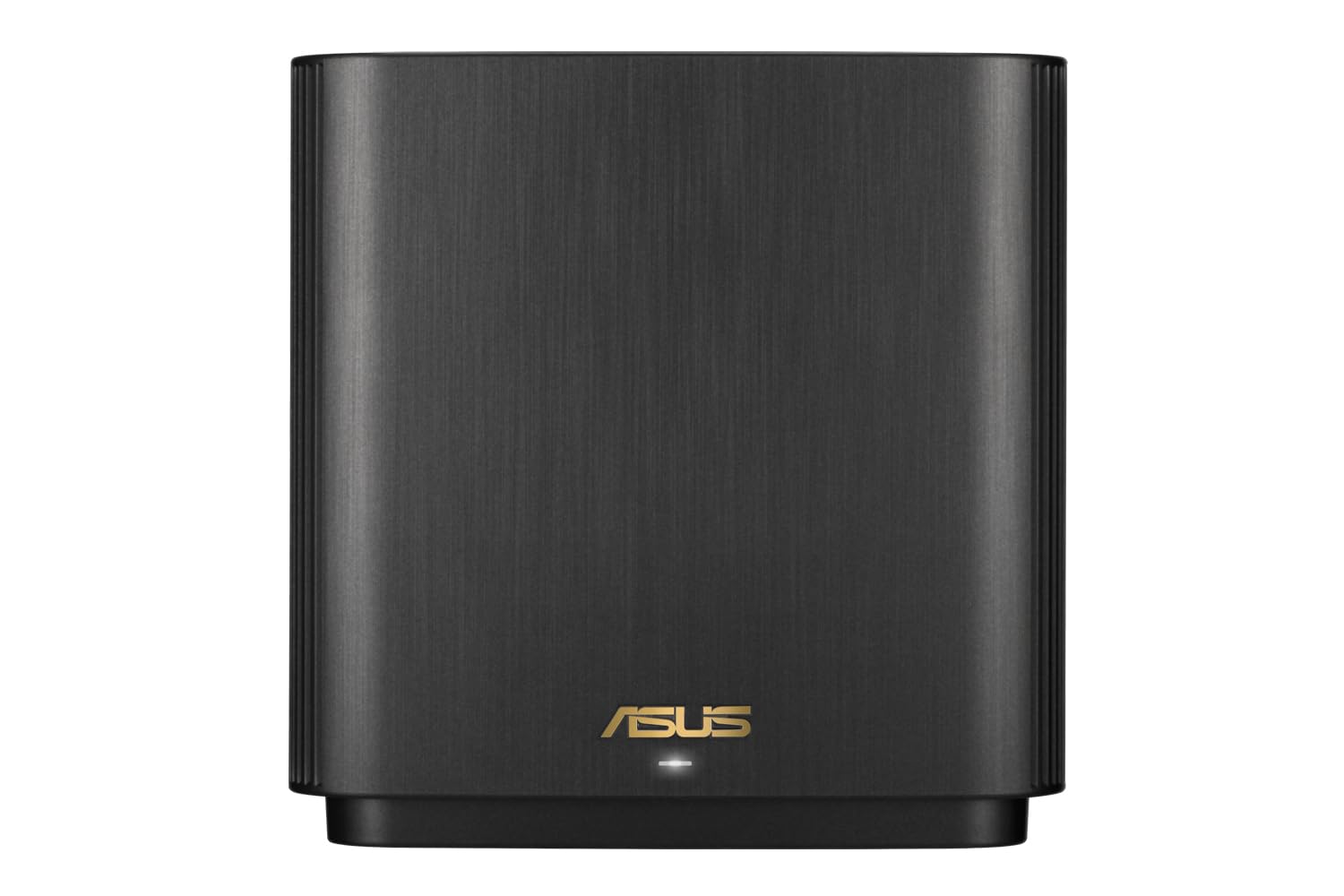


🚀 Elevate your home network to pro-level speed and security—because buffering is so last decade.
The ASUS ZenWiFi XT9 AX7800 is a powerful tri-band WiFi 6 mesh router system designed to deliver ultra-fast wireless speeds and expansive coverage up to 5700 sq ft. It features subscription-free advanced network security, easy smartphone app management, and a 2.5G port for high-speed wired connections. Ideal for professionals seeking reliable, seamless connectivity and robust parental controls without ongoing fees.


| ASIN | B0BD8WQHT3 |
| Are Batteries Included | No |
| Best Sellers Rank | 39,485 in Computers & Accessories ( See Top 100 in Computers & Accessories ) 91 in Whole Home & Mesh Wi-Fi Systems |
| Brand | ASUS |
| Colour | Black |
| Computer Memory Type | DIMM |
| Customer Reviews | 4.2 4.2 out of 5 stars (143) |
| Date First Available | 9 Sept. 2022 |
| Graphics Card Description | Dedicated |
| Graphics Card Interface | AGP |
| Graphics Card Ram Size | 8 |
| Graphics RAM Type | 72-Pin EDO SIMM Memory |
| Guaranteed software updates until | unknown |
| Hard Disk Description | HDD, HDD |
| Hard Disk Rotational Speed | 7200 |
| Hard Drive Interface | ATA-4 |
| Hard Drive Size | 80 |
| Item Weight | 1.48 kg |
| Item model number | 90IG0740-MO3B30 |
| Lithium Battery Weight | 740 Grams |
| Manufacturer | ASUS |
| Maximum Memory Supported | 8 GB |
| Memory Technology | DDR3, DDR3, DDR3 |
| Number of USB 2.0 Ports | 1 |
| Number of USB 3.0 Ports | 1 |
| Operating System | Windows 11 |
| Optical Drive Type | BD-R |
| Processor Brand | Intel |
| Processor Socket | BGA 413 |
| Processor Speed | 3.4 |
| Processor Type | 5X86 |
| Product Dimensions | 42.8 x 14.8 x 24.6 cm; 1.48 kg |
| Series | ZenWiFi XT9-AX7800 |
| Standing screen display size | 75 |
| Wireless Type | 2.4 GHz Radio Frequency, 5 GHz Radio Frequency, 802.11ax |
N**R
Huge upgrade on Netgear system
So I swapped out a troublesome Netgear Mesh system I had been fighting with for 2 years with limited success, dropped satellite connections, constant reboots etc. So, I bought this ASUS XT9 system in the hope I would get some peace. Let me tell you it’s a whole new world. Setting up was an absolute doddle, the router and satellite connected first time and have stayed connected, my WiFi speeds are incredible even in my garden, the app is intuitive and very useful giving me feedback on just about everything I need to know. Honestly I can’t recommend this enough and will never touch anything Netgear makes ever again
R**H
Good solid router
I'm reviewing this after long term ownership. It was a good upgrade to my older Netgear Nighthawk. The ASUS wifi router is reasonably easy to set up and manage, it really gives excellent whole home coverage, and it's extremely stable. I rebooted it only once in the long time I have had this setup. Recommended.
A**Y
Great - but Important lessons learned
After a frustrating time setting up it now works perfectly. Thought I would share the lessons learned in order to avoid others going through the same stress : First of all, the scenario I had was upgrading my existing sky hub with Q and mini Q boxes. I’m sure many others would have a similar scenario. 1) People advised replacing the existing wi fi network SID name with exactly the same one and same password . But this failed to take into account the following massive issue this caused : On connecting to the new routers following set up, I had no idea if it was connecting to the old network (which was still active) or the new network. My phone inadvertently connected directly to the sky box and gave me all sorts of misleading set up errors from the ASUS app! Almost threw the router out the window until I realised what was happening: Solution: set up the ASUS with a different network SID temporarily- as then you know exactly what you are connecting to. 2) the first time I got the ASUS boxes to work - there was no internet access at all. Later on I got it to work but speed was terrible (using usual broadband speed test apps). Note - each of the issues above was resolved by rebooting A) my Sky router B) the master ASUS and C) the ASUS slave - in that order . If still issues just rebooted one or all again. 3) once ASUS mesh works at top speed - then via the sky router admin, disable wi fi access points on both frequencies . 4) finally, rename the new ASUS network back to your original network name . 5) via sky Q box menus (on each box), reset up the wi fi to connect to your new (3rd party) network. After this, I get full 150MBS in all my rooms ! Which is the speed of the line itself . World class , once resolved the pain above. Hope this helps others. *Update after 1 month - requires rebooting about once a week as they cut out. Downgrading to 4 stars*
M**.
Excellent performance and stability
Did a lot of research before buying these. Don't normally do reviews, but found others feedback very helpful so wanted to add my thoughts. Been running a month now. Excellent performance and speed. Constantly getting over 600Mbps across the house on 5Ghz network, with over 700Mbps in the same room as the nodes (see attached pic of Speedtest). Have added two RP-AX58 Aimesh extenders, not sure really needed but helps to distribute to load over the network, especially for smart home that do not require raw speed (2.4Ghz devices). Am using second 5Ghz network as dedicated backhaul. Kids noticed a stark difference for their gaming, massive reduction in ping and latency over Sky Router and Sky extenders. I chose to rename the 2.4Ghz network and dedicate this to smart home devices with other tech/gear using the much faster 5Ghz network. My main node is connected to Sky Router via Ethernet with Sky WiFi disabled. Works very well with Sky Q and Mini boxes. Can’t really comment on comparison to other brands, but a friend has an Netgear Orbi setup, he says he gets 500Mbps over WiFi “on a good day”. So I am really pleased with the Zenwifi XT9. Final tip, I renamed the Zenwifi Network to the same SSID and password as the old Sky WiFi to save changing the passwords on all devices, everything immediately worked.
A**R
Flawed.
Got this as it seemed like an excellent system for the price. Quickly discovered though that whilst there may be three guest networks available for setup, only one of these is usable at both nodes in the system, the other two only being available on the router itself. The first guest network also doesn't seem to allow Internet access unless you also allow Intranet access. Also, not sure if it's a WiFi 6 issue or a XT9 issue, but I was getting slower Internet speeds than I was with the ORBI mesh system this was supposed to replace, despite trying several tweaks. On paper this system is impressive, and it certainly reboots and reconnects very quickly after configuration changes, but for me at least it sadly failed to meet expectations.
A**N
Excellent
Brilliant system, easy to set up and gives great coverage throughout the house.
N**E
Does not like walls
Even for a modest 1890's terraced house, with internal single brick walls, two units are nowhere near enough.
P**G
ASUS XT9 Router/Node Setup
Good price and easy to setup. Upgraded from a home network using two RT-AC86U. Good having the dedicated 5GHz backhaul connection for the node to the router. Throughput of data between NAS connected to node and computer connected to the router, using 5GHz band increased from around 30Mb/s to over 100Mb/s.
J**T
Didn't come with Australian plug
V**R
Wanted a mesh that supports WireGuard setup for VPN, i tried XD5 with 3 points before this (2-floor house) but that one had some strange issues, like switching itself off so I returned it. Looked at this one, and was worried this might have issues with meshing from different floors and I can say I am pleasantly surprised, all works very well. Now, Asus’s phone app is quite rubbish but for simple setup it does the trick. If you want to do more medium to advanced settings to it, the classic way of accessing a router (ie via IP address) works a treat! You could do it via the app as well, and I tried with the XD5 but I wanted yo throw the phone out the window. All in all very happy with this one
K**.
15 metre mesafede bir duvarın içinden geçtikten sonra çekim gücü rezalet
D**E
I was not expecting the coverage it provided. Wow, no place in home with the pair of router in Aimesh configuration where there was any lack of WiFi signal. Highly recommended!
M**B
تعليقي بعد تجربة 6 أشهر: الجهاز مخصص لتوزيع إشارة الإنترنت في جميع أرجاء المنزل، يعني جربته لفترة طويلة، لذلك حكمي مبني على تجربة فعلية وعميقة. - الأداء ممتاز في تقوية الإشارة وتوزيعها بشكل متوازن داخل البيت. - إذا كان المنزل يحتوي على عدة أدوار، الأفضل توصيل الجهاز بسلك (Ethernet) بدلًا من الاعتماد على الواي فاي، للحصول على السرعة الكاملة. - عند توزيع الأجهزة، يجب أن تكون في خطوط متوازية بحيث يلتقط كل جهاز الإشارة من الآخر بشكل مباشر (مثلاً: في الغرفة المجاورة للموزع الرئيسي ، أو في الدور العلوي/السفلي بشكل موازي للموزع الرئيسي). - يُفضل أن تكون الأجهزة متقاربة قدر الإمكان، مع عدد قليل من الجدران بينهم. وجود جدار واحد لا يؤثر كثيرًا، لكن أكثر من جدار يضعف السرعة. - أنا شخصيًا اشتريت 4 أجهزة ووزعتها بهذه الطريقة فقط الجهاز الموزع الرئيسي شبكته بكيبل في المودم وبقية الاجهزه تاخذ الاشاره من الرئيسي عن طريق واي فاي، والنتيجة أن السرعة أصبحت كاملة في جميع أنحاء المنزل. - ملاحظة: تقريبًا كل شهر تحتاج الأجهزة إلى إعادة تشغيل لأنها تعلق وتضعف الإشارة، لكن إعادة التشغيل مره واحده في الشهر بسيطة ولا تُعتبر مشكلة مزعجة.
Trustpilot
1 month ago
2 months ago