
DOWNLOAD THE APP


Customer Services
Copyright © 2025 Desertcart Holdings Limited
DOWNLOAD THE APP


🎮 Elevate your game and workspace with the ultimate 4K powerhouse!
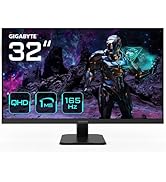
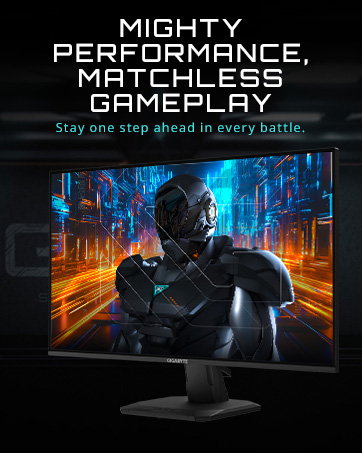
The GIGABYTE M32U is a 31.5-inch 4K UHD gaming monitor featuring an IPS panel with 144Hz refresh rate and 1ms response time. It supports HDMI 2.1 for next-gen consoles, offers wide color gamut coverage (90% DCI-P3), and includes versatile connectivity options like USB 3.0 and USB-C. Designed for both immersive gaming and professional productivity, it boasts ergonomic adjustments, VESA mount compatibility, and advanced gaming tools such as KVM and Black Equalizer, making it a top-tier choice for millennial professionals seeking a premium, future-proof display.








| ASIN | B083GRVFXN |
| Are Batteries Included | No |
| Best Sellers Rank | #127,931 in Computers ( See Top 100 in Computers ) #3,012 in Computer Monitors |
| Brand | Gigabyte |
| Color | BLACK |
| Customer Reviews | 4.3 4.3 out of 5 stars (707) |
| Date First Available | 8 November 2021 |
| Item Weight | 14 Kilograms |
| Item model number | M32U-SA |
| Manufacturer | GIGABYTE |
| Number of HDMI Ports | 2 |
| Number of USB 2.0 Ports | 1 |
| Number of USB 3.0 Ports | 2 |
| Product Dimensions | 24.43 x 71.53 x 58.52 cm; 14.02 kg |
| Resolution | 3840 x 2160 Pixels |
| Screen Resolution | 3840x2160 |
| Series | M32U-SA |
| Standing screen display size | 32 Inches |
| Voltage | 240 Volts |
M**L
Cero fugaz de luz, cero fallos, con aim stabilizer activado tiene cero blur, y los 12 bits de profundidad de color son una gozada. El único pero que le pondríabes que el contraste no es muy bueno pero es màs bien parte de la tecnología ips... lo volvería a comprar 100%
C**R
I bought this monitor for $600, $200 cheaper than msrp and at least $200 below the competition for 4k 144hz monitors. If you see it at this price, and are in the market for a 32 inch monitor for gaming, buy it immediately before stock runs out. I didn't want to spend this much, but it's worth every penny. Pros: - 4k at 32 inches is just perfect (see review below for details) - 144hz is excellent for gaming (although 4k requires a good computer or next gen console to drive) - Bright IPS panel looks stunning (I can't speak for color accuracy, but it looks fantastic to my eyes) - Hdmi 2.1 for next gen consoles (I use with a series x, it is amazing) - Good stand (It's plastic, but it has good adjustment and is very understated for a gaming monitor) - Usb hub (I thought I wouldn't care about this, but it is actually immensely useful) - Usb c input (Haven't tested this yet, but I plan to soon once I get the right cable) Cons: - Some backlight bleed (Not really noticeable unless HDR is on though, and most will not use HDR anyway) Neither: - HDR - it exists, but with like 12 dimming zones, it's really a personal preference whether or not to use it. I enjoy it with bright games as it makes the colors pop a bit more, but I don't think I'll use it for dark games or movies. It's better than I expected, so it's not quite a con, but don't but this monitor for HDR. I was in the market for a 32 inch monitor. Having used different monitor sizes, I've found 32 inches to be the sweet spot for me in terms of screen real estate for desktop usage. At the same time, it is also fantastic for more casual gaming. If you are competitive, go 27 inches and 240 hz, but for the casual gamer 32 inches is much more immersive. I was all set to purchase the Gigabyte M32Q, which is essentially the exact same monitor as this but with a 1440p resolution instead of 4k. It retails for around $400 on sale, so about half the price of this M32U without a sale. I was actually using a placeholder budget 1440p 32 inch office monitor with a VA panel before I purchased this. So I experienced 1440p at 32 inches. Then, I saw this monitor on sale for $600; it was such a good deal that I went for it. I cannot go back. 4k looks so much better than 1440p at this screen size for desktop use it is hard to describe. Text is so much sharper and the monitor is much more enjoyable to use. Now, there is some backlight bleed, but this is unfortunately fairly typical for ips panels, and it is only obnoxious in HDR mode. In all other circumstances, the monitor looks fantastic. For gaming, it also looks insane, although it is extremely difficult to run games at 4k 144fps, so you will often have to rely on DLSS or running at non-native resolutions (that's what my series x usually does). So in conclusion, if you want a 32 inch monitor for both productivity and gaming, get this. Even at $700-$750, get it. It is hard to describe how much better the pixel density is. However, if you want a monitor exclusively for gaming, and you have anything less than a next gen console or rtx 3070, get the m32q. But, for those who can afford it and utilize it properly, this monitor is amazing.
J**Y
I have used the monitor for a few days now and so far there have been 0 issues. I'm usually quite sensitive to things like dead pixels or poor backlights/colours but have not found any problem (some amount of backlight bleed is to be expected for every IPS display). I'm upgrading from the s2721dgf Dell 27in 165hz 2k monitor and it is indeed a great upgrade. This is perhaps the best monitor you can buy in the 800CAD range since monitors using identical panels go well over 1000CAD as of the writing of this review. 1 Year Update: I have been using this monitor for a year since this review. Here are some issues I found: 1. If you have a keyboard/mouse connected to this monitor, when your PC goes to sleep, you can't use the keyboard/mouse to wake up the PC. This was not a problem on my Dell monitor, so I ended up connecting my accessories to my Dell monitor instead. 2. After updating Windows from 10 to 11, monitor when at max 4K 144Hz sometimes have weird artifact (I'm using AMD RX 6800XT). Here are some weird issues that have since been resolved: - when colour is grey-yellowish, it becomes a weird patch of lighter grey. - when watching youtube, screen will randomly flash white for maybe 1 frame when moving the mouse (not always, haven't found a consistent trigger) - these issues only happened after Windows upgrade. And the above has since been resolved on its own possibly from GPU driver/Windows updates. Currently, I still notice very 1 minor issue: - when at 4K 144Hz, watching youtube going back and to fullscreen, the screen will very briefly flash black. I tried different display settings and only after setting refresh rate to 120Hz did this stop. But the flash is very subtle and brief so it's not a concern. - note that I don't know what firmware version I'm currently on, so it's possible your mileage may vary. Other than the above issues, this monitor has been great. Text especially Chinese looks much clearer on 4K than my old 2K monitor. Fantastic for text writing/coding uses. Hence, keeping the review at 5 stars.
D**Y
Been using this monitor for 3 years now for competitive and casual gaming on ps5 works amazing would recommend.
F**Z
Excelente llevo meses usandolo y no puedo quejarme, es un gran calidad/precio con una calidad de imagen bastante mas que aceptable y muy buena resolucion
Trustpilot
5 days ago
2 weeks ago