⚡ Unlock Thunderbolt Power & Massive Storage — Because Your Data Deserves the Best!
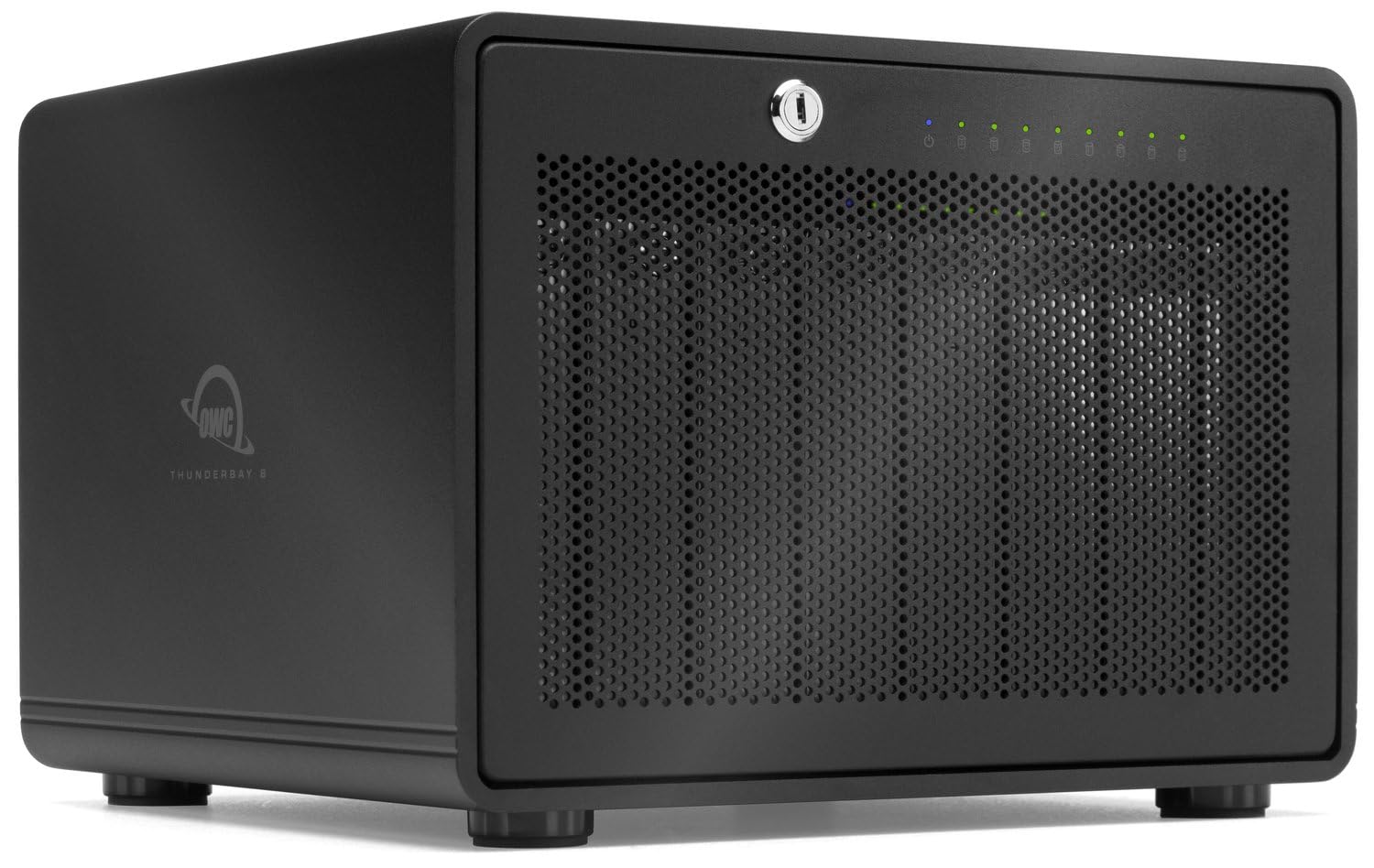
The OWC ThunderBay 8 is a professional-grade external drive enclosure featuring eight universal 2.5" or 3.5" SATA bays, dual Thunderbolt 3 ports delivering up to 40Gb/s speeds, and the ability to chain six units for up to 768TB of storage. It supports plug-and-play setup with included cables, offers DisplayPort 1.2 for 4K display connectivity, and is housed in a durable aluminum chassis designed for demanding workflows.


| ASIN | B084S3S8JC |
| Are Batteries Included | No |
| Best Sellers Rank | 63,611 in Computers & Accessories ( See Top 100 in Computers & Accessories ) 239 in External Hard Drives |
| Compatible devices | Desktop, Laptop, Server |
| Connectivity technology | Thunderbolt |
| Customer Reviews | 4.3 4.3 out of 5 stars (47) |
| Data transfer rate | 2586 Megabytes Per Second |
| Date First Available | 2 Mar. 2020 |
| Form Factor | 3.5 in. |
| Guaranteed software updates until | unknown |
| Hard Disk Description | Solid State Hard Drive |
| Hard Drive Interface | Thunderbolt 3 |
| Hard disk form factor | 3.5 Inches |
| Item Weight | 7.3 kg |
| Item model number | OWCTB38SRKIT0 |
| Item weight | 7.3 Kilograms |
| Manufacturer | Other World Computing |
| Material | Aluminium |
| Max number of supported devices | 8 |
| Product Dimensions | 32 x 38 x 37 cm; 7.3 kg |
| UPC | 810586034432 |
"**"
Reliable
Well manufactured easy to install and very quiet
A**.
It just works, but upgrades necessary to fix some glaring issues
Really love the simplicity of getting it up and running. Just put your drives in with the included screws, plug in the power and thunderbolt 3 cable and you're set! It acts like a JBOD enclosure which is exactly what I wanted. However, it is fairly loud coming at around 42dB when it's just sitting there at your desk. You can DEFINITELY hear it along with some slight higher pitched vibration coming from the single exhaust fan at the back. It's already irritating me. A fan upgrade is a MUST when getting this enclosure, I highly recommend a Noctua NF-A9 FLX with the ultra low noise adapter, it SIGNIFICANTLY lowers the amount of noise compared to the stock fan. Although this will mean you have to spend even more money on top of this already expensive enclosure which will put people off. This thing's heavy too, coming in at a whopping 7.3KG without drives. It's built like a tank though. Another thing I wished it had were filters, I came up with a DIY solution by using electrical tape to stick some Silverstone ultra fine mesh 120mm filters on the front mesh panel, and at the rear exhaust (removing the grille). I won't be worried about dust anymore. Really had a hard time finding reputable thunderbolt 3 JBOD enclosures, but despite the shortcomings, I'm going to keep this as there's really nothing out there that's much better. Just be prepared to spend a bit more one some extras to actually tolerate the noise and keep dust from getting into the enclosure.
H**O
Gerät ok, aber Softraid muss jährlich upgedatet werden, Kosten von 75€ oder mehr. Das ist nirgendwo beim Kauf erkennbar. Das ist immer dann erforderlich, wenn eine neues Betriebssystem dazu kommt. Sonst läuft es nicht mehr störungsfrei. So sagt zumindest OWC. Habe nun schon das zweite update kaufen müssen.
Y**E
Recently, I replaced my DROBO 5D and DROBO 5N2 with an OWC ThunderBay 4 and an OWC ThunderBay 8, both equipped with Dual Thunderbolt 3 Ports. The reason behind this switch was the recent announcement of DROBO's bankruptcy and my previous experiences with their 5 series. In my experience, the DROBO 5 series has had issues with enclosures, power supplies, firmware, and overall reliability. Thus, I thoroughly researched various NAS and DAS brands and ultimately chose the OWC Thunderbolt 3 series for its exceptional build quality and performance. As someone who has had a positive experience with their Thunderbolt docks, this was a significant factor in my decision-making process. My previous experience with DROBO reinforced the importance of keeping data safety simple. The OWC enclosures provide me with the necessary RAID features in a simple and efficient manner. So far, everything has been working well, and I hope it continues to be that way.
M**L
Ich habe dieses Raid System fast ein Jahr in Betrieb gehabt und habe mich nun entschlossen, eine Rezension zu verfassen. Das wichtigste zuerst: Ich kann vom Kauf nur abraten. Wer wissen will warum, liest hier weiter. Zuerst mal das Positive: Die Hardware ist massiv und sauber gebaut. Alles ist aus Metall. Das ist sehr schwer und wirkt sehr hochwertig. Ähnlich einer Kitchen Aid Küchenmaschine ist dies die typisch amerikanisch massive Bauart. Nicht kleckern sondern klotzen. Man hat also beim Auspacken erstmal ein gutes Gefühl. Nun zu den weniger guten Aspekten: Das Gehäuse wird über Thunderbolt zusammen mit dem Mac ein- und ausgeschalten. Das Ausschalten geht ziemlich hart, die Festplatten (WD Red Plus) machen ordentliche Geräusche. Bei einem anderen NAS habe ich das nicht, obwohl die gleichen Platten zum Einsatz kommen. Apropos Geräusche: Der Lüfter lässt sich nicht in der Drehzahl regeln. Er bläst mit allem was er kann. Nicht angenehm. Keine Temperatursteuerung. Das sollte bei dem Preis schon drin sein. Schade! Die Festplatten selbst machen die typischen Geräusche beim Schreiben und Lesen. Allerdings sind die HDD Träger nicht gedämpft. daher werden alle Vibrationen 1:1 an das Gehäuse weitergegeben. Ganz schön laut. Benutzung: Die mitgelieferte Software "SoftRAID" ermöglicht es, ein RAID5 zu erstellen. Leider kein RAID6. RAID 0,1 und 10 kann ein Mac ja von Haus aus. Allerdings hat man nur die Wahl zwischen dem veralteten und unsicheren HFS+, ExFAT oder APFS. Von letzterem Rät OWC sogar offiziell ab, das es für SSDs konzipiert ist und bei einem RAID mit drehenden HDDs im Laufe der Zeit immer komplexer wird und das System stark verlangsamt. ExFAT ist für RAIDs ebenfalls ungeeignet. Bleibt also das betagte und unsichere HFS+. Damit habe ich es fast ein Jahr genutzt. Das System ist in der Zeit zweimal gecrasht, da eine Festplatte mit I/O Fehlern gemeldet wurde. Es war nicht möglich, das System mit einer neuen Platte wieder neu aufzubauen, obwohl dies so angepriesen wurde und auch eine Grundsätzliche Funktion eines RAID ist. Wiederherstellung des RAID ist jeweils fehlgeschlagen! die HFS+ Partition war zerstört. Dank regelmäßiger Backups habe ich keinen Datenverlust erlitten. Eine weitere Überraschung kam mit dem Upgrade auf das neueste MacOS Ventura: SoftRAID 6 war nicht mehr funktionsfähig. Ich wurde zu einem Upgrade auf SoftRAID 7 gezwungen. Der Hersteller bietet dies nur noch im Abo an, was bei so einer teuren Hardware ein absolutes No-Go ist. Ich müsste also dauerhaft zahlen, um die Kernfunktion des Gehäuses (RAID) weiter nutzen zu können. Fazit: Abo-Zwang, schlechte Leistung und Datenverlust. Das Gehäuse ist eine Mogelpackung, die Software bunte Kirmes, die kein Versprechen hält. Amazon war zum Glück so kulant, das Gehäuse zurück zu nehmen, nachdem es per Software vom Hersteller unbrauchbar gemacht wurde.
K**R
Good love it!
B**S
I ended up ditching the soft raid app and using the native OS disk manager for it. Also it is easily the loudest thing in my room which is saying something.
Trustpilot
2 days ago
2 months ago