We remain fully operational. Our teams are working around the clock to ensure your deliveries continue safely.

DOWNLOAD THE APP


Customer Services
Copyright © 2025 Desertcart Holdings Limited
DOWNLOAD THE APP
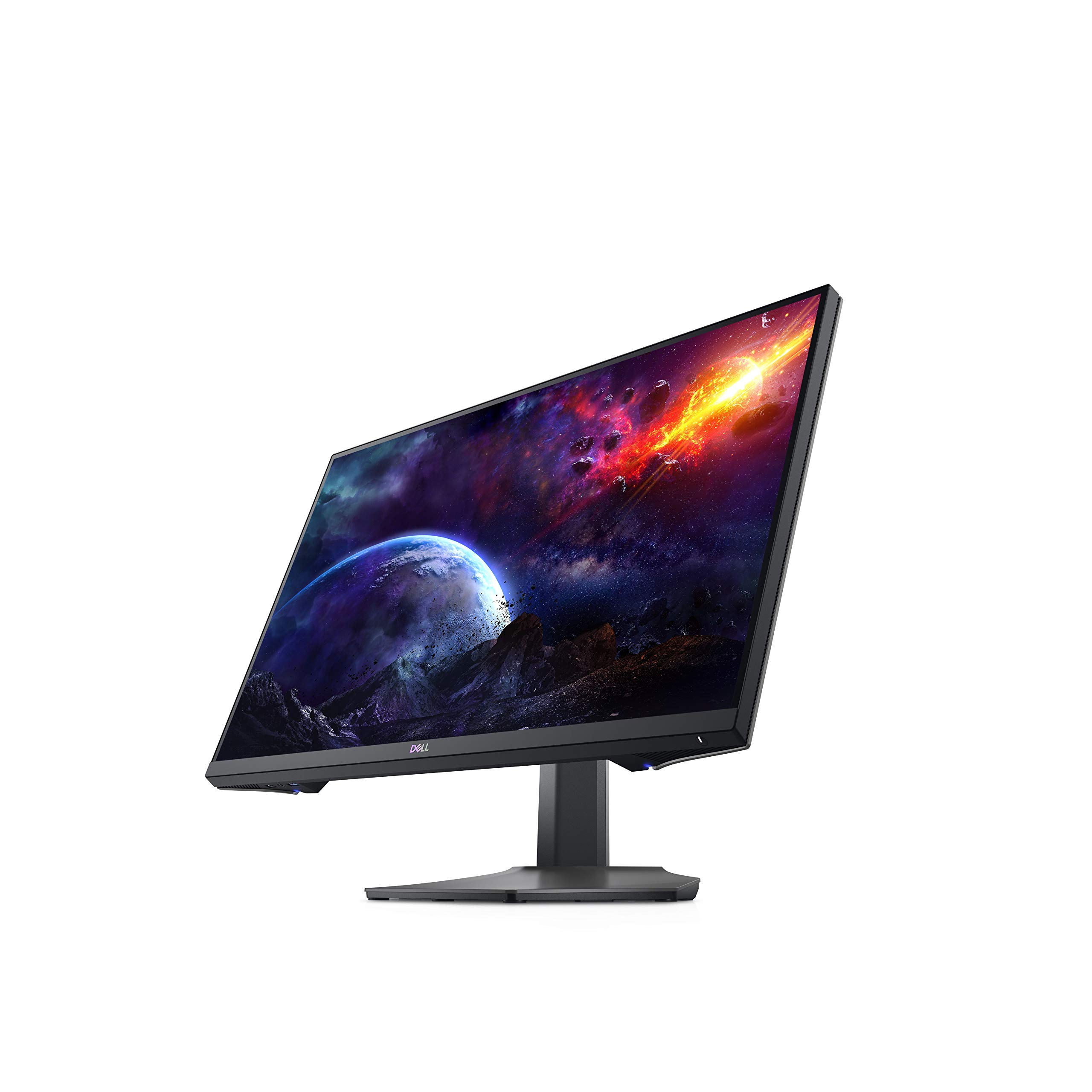

🎮 Elevate your game and workspace with speed, style, and stunning clarity!
The Dell S2721DGFA is a 27-inch QHD gaming monitor featuring an IPS panel with 165Hz refresh rate and 1ms response time, delivering vibrant colors and ultra-smooth visuals. It supports AMD FreeSync Premium Pro and NVIDIA G-SYNC for tear-free gameplay, includes HDR 400 for enhanced contrast, and offers extensive ergonomic adjustments and connectivity options, making it ideal for both professional productivity and immersive gaming.


| ASIN | B08NFBKNMY |
| Are Batteries Included | No |
| Batteries | 1 Lithium Ion batteries required. |
| Best Sellers Rank | 313,063 in Computers & Accessories ( See Top 100 in Computers & Accessories ) 4,885 in Monitors |
| Brand | Dell |
| Colour | Black |
| Customer Reviews | 4.6 4.6 out of 5 stars (881) |
| Date First Available | 13 Nov. 2020 |
| Guaranteed software updates until | unknown |
| Item Weight | 6.99 kg |
| Item model number | S2721DGFA |
| Lithium Battery Energy Content | 2 Kilowatt Hours |
| Lithium Battery Packaging | Batteries packed with equipment |
| Lithium Battery Weight | 2 Grams |
| Manufacturer | Dell |
| Number Of Lithium Ion Cells | 5 |
| Number of HDMI Ports | 2 |
| Number of Lithium Metal Cells | 5 |
| Number of USB 3.0 Ports | 5 |
| Product Dimensions | 7.88 x 24.08 x 20.64 cm; 6.99 kg |
| Resolution | 2560 x 1440 Pixels |
| Screen Resolution | 2560x1440 |
| Series | S2721DGFA |
| Standing screen display size | 27 Inches |
| Voltage | 220 |
| Wattage | 29.1 watts |
L**A
A Fantastic Nano IPS 165hz Monitor for Both Working and Gaming
This monitor is an excellent buy for anyone looking for a high refresh gaming monitor that's also outstanding as a work monitor. I upgraded from an AOC 24G2U (1080p IPS 144Hz) and the difference between 1080p and 1440p was surprisingly noticeable, as was 144Hz to 165Hz. At 27", the pixels per inch are incredibly high, and so the picture quality is very sharp. The slightly higher refresh also makes gameplay feel a lot smoother compared to my previous monitor, even if actual performance sits around the same frames per second - that's also a compliment to Dell's overdrive settings. Gaming on this monitor feels very smooth, and if you're lucky enough to be running a relatively high-end graphics card, then this resolutions feels like the sweet-spot for great visuals and high frame rate performance, which I found excellent in first-person shooter titles such as Call of Duty: Warzone. Colour performance is also great, and my monitor has no dead pixels and very little IPS glow, which I know is something that can bother some people. There is a little IPS glow in the lower corners, but if you don't plan to play in a dark room, you won't notice this at all. Lots of reviews out there comment on how the contrast ratio is also low on this monitor, but again, I've not noticed any significant issues. The on-screen display and menu navigation is made easy with a joy-stick like button on the back right of the monitor, and several buttons below to access other settings. There are two USB's and a 3.5 audio input on the underside left of the monitor, and more USB's on the rear - useful for any accessories or quick charging access. Personally, I think this is a great monitor that ties a professional aesthetic with high-end gaming performance, and when compared to the competition around the same price (currently this monitor is £319.99 in the UK), then it's the best option.
A**H
Great picture quality, good all rounder for gaming and productivity / work use
I bought this monitor as it has an IPS type LCD panel which does not suffer from poor viewing angles and colour reproduction as I wanted it for photo / video editing besides gaming. It would also be used for productivity applications when working from home therefore image quality is important for me. It does not disappoint in any way; there is no backlight bleed whatsoever and colours are bold and contrast is good. Even the IPS glow effect is minimised and not noticeable. Bad points is there is no sRGB mode and I found the best picture quality was to set preset to game RPG mode and set hue to 46% otherwise the image has too much red in it. Also the HDR performance is pretty poor as it makes everything look washed out. But I'm not bothered about that as I don't watch movies on it and gaming performance in non HDR mode is pretty much perfect. Also this is a 165hz monitor; some negative reviews said that it isn't and it's a scam showing a photo of the model number and ratings plate. The 50/60Hz on the rear refers to the mains supply frequency not the scan rate of the monitor. Reviews of other monitors suggest that the mains frequency is often confused with the scan frequency. I can confirm it performs perfectly at scan rates of 120 and 144hz. It is definitely worth paying that bit extra for the IPS panel versus the cheaper TN based panels. The monitor is something you spend a long time looking at and skimping on a quality display wouldn't do your eyes any favours. I came from NEC and Eizo monitors which are always good quality. This does not disappoint even though it has minor flaws.
B**S
Dell S2721DGDFA
I was looking to replace a 1080 monitor. So did some research and ended up deciding between this Dell and the LG gl850. I went for the Dell. What I like is. No large power brick for the Dell unlike the LG although the Dell has an energy rating of G. The Dell swivels tilts and can be placed into portrait position too. I quite like the blue rear light on the unit but have now turned it off.. My model on the back says DEC2020 so it's a recent make. The units osd is at the rear, as a little joystick and really easy to navigate the settings with. I wasn't bothered about audio I have headphones connected to my pc, so cannot confirm if they are any good. The picture quality is very good. I don't tend to play fast shooters, but I do have Sniper elite, which looks wonderful. I tend to play ETS2 and racing games which look very nice. Films look great.. There was no issues with any screen or build defects. The monitor arrived in just it's sealed box, but that is solid and the monitor was very easy to assemble onto its stand. Instructions are minimal so I went onto the Dell UK site for more in depth manual and firmware which was also easy to find. I thought the 3 year Dell guarantee was good. I was offered a further cover protection for the unit for £28 at the checkout. Various reviews say it need calibrating to achieve it's potential, although out of the box I found it ok. I'm a little colour blind anyway. I continue to tinker with the settings finding balances for my gaming experience.. The only think I unlike is the on off switch which is positioned bottom right of unit and is a very tiny, it does light up though. but that is a very minor thing (not an issue) I am happy with my purchase and believe I made the right choice for what I wanted. There are professional reviews out there for this product plus calibration ICC files so take a look. I am running i7700 and gtx1070.. The card I will update at some point in the future. I won't be updating this monitor for quite some time...
S**S
Very nice
N**R
Den Dell 2721DGFA habe ich primär als Monitor zum Spielen gekauft, benutze ihn aber auch als Zweitmonitor zum Arbeiten. Im Lieferumfang waren ein HDMI Kabel, ein DisplayPort Kabel, ein USB Kabel für den USB Hub sowie ein Kaltgerätestecker. Der Monitor hat ein integriertes Netzteil, was sehr praktisch ist. Ich habe den Monitor gleich an einem Monitorarm montiert, da ich meinen Schreibtisch gerne aufgeräumt habe. Die Montage an der Vesa Halterung verlief ohne Probleme. Nach dem Einschalten habe ich gleich die tollen Farben bemerkt, die im Gegensatz zu dem Iiiyama Prolite XUB2792QSU rechts daneben deutlich prächtiger leuchten. Der Iiyama hat zwar auch ein IPS Panel, aber der Dell Monitor ist noch mal eine ganze Ecke kräftiger/knackiger. Ich konnte bei mir nur sehr geringes Backlight Bleeding feststellen. Die Qualität des Dell Monitors ist in allen Belangen TOP. Ich kenne Dell von meiner Arbeit im IT Umfeld und habe bisher nur gute Erfahrungen mit dem Hersteller gemacht. Bevor ich den Dell aber gekauft habe, hatte ich einen Gigabyte M27Q ausprobiert, der wirklich sehr starkes BLB hatte und auch durch das BGR Pixellayout Probleme bei der Darstellung von Text hatte, weswegen dieser auch gleich zurück ging. Der Dell macht in allen Belangen die ich getestet habe seine Arbeit hervorragend. Ob es bei Spielen mit schnellen Bewegungen wie Warzone ist, oder bei Renn Spielen wie Forza, wo die Landschaft schnell vorbei saust oder auch bei sehr farbenfrohen Spielen wie Ori, das Bild ist TOP. Ich habe den Overdrive auf Super Fast, Dark Stabilizer auf 1 und für div. Spiele im AMD Treiber FreeSync, sowie Vivid Colors eingeschaltet. Das Bild ist einfach super flüssig und kein Vergleich zu dem Iiyama Monitor daneben. Für die Arbeit ist der Overdrive auch auf Super Fast und der Dark Stabilizer auf 1, also für mich reicht diese Einstellung für alle Aufgaben aus, da ich keine Bildbearbeitung oder Ähnliches damit mache. Ich bin IT-Systemadministrator, aber habe den Monitor nicht kalibriert, da ich kein Gerät dafür besitze. Wenn ich mit dem Monitor arbeite, läuft er allerdings nur im 60hz Modus, da meine Lenovo TB3 die Displays nur mit 60hz ansteuern kann über die Ausgänge. Aber auch mit 60Hz und dem Overdrive ist das Arbeiten auf dem Gerät etwas angenehmer als mit dem Iiyama daneben. Das fällt vor allem beim Scrollen im PDFs oder auf Webseiten auf, da das Bild keine Schlieren zieht. Die Beleuchtung hinten finde ich persönlich schön dezent und nicht so aufdringlich, dass ich sie einfach angelassen habe. Die Wand hinter dem Monitor wird dadurch etwas beleuchtet. Pluspunkte: - Sehr kräftige und lebendige Farben - Sehr schnelle Reaktionszeiten, keine Schlieren - TOP Verarbeitung - Vesa Norm für Monitorarme - Kaum Backlight Bleeding - Dell Tool für automatische Aktivierung von Profilen (Benutze ich aber nicht) - Wenig Abwärme am Gehäuse (Verbraucht anscheinend weniger Strom als mein Iiyama Monitor, der deutlich wärmer wird) - Kein Spulenfiepen oder Ähnliches Minuspunkte: - Der Preis ist schon etwas üppig, aber dafür stimmt die Qualität - Der Druckpunkt der Knöpfe ist etwas zu stark für mein Empfinden - Man kann die Bildeinstellungen bis auf Helligkeit und Kontrast nur am Gerät machen, und leider nicht in der Software von Dell (Wird ja vielleicht noch per Update nachgereicht) Alles in Allem bin ich aber sehr zufrieden und die Kritikpunkte sind wirklich jammern auf sehr hohem Niveau. Ich kann diesen Monitor weiterempfehlen, wenn einem etwas an der Qualität liegt.
A**X
Après avoir retourné un écran TUF à la colorimétrie vraiment dégueulasse, je me suis orienté vers un Dell S2721DGFA, et celui-là, après plus d'une semaine d'utilisation intensive, je le garde. L'emballage est un peu léger, mais l'écran n'a rien malgré un gros pet sur le carton. Il est livré avec un câble USB, un DP et un HDMI. Une fois branché, sur la colorimétrie en mode Standard, les couleurs sont correctes, j'ai quand même retiré 8% d’éclat numérique dans les paramètres de ma carte, car je les trouvais légèrement trop flashy (surtout dans les rouges) pour ce qui est des photos et des vidéos, question de gouts perso. Il est très lumineux et dépasser les 85% éclate les yeux. Le contraste est bon, je n'ai pas retouché les 75% réglés par défaut. L'écran dispose d'une fonction "Stabilisateur foncé" à 4 niveaux qui rehausse les zones sombres, sans pour autant modifier la luminosité. Plutôt sympas au niveau 1, ensuite c'est trop mais ça peut être utile. Côté lecture, c'est vraiment nickel, même sur des polices très petites, ça ne bave pas du tout. J'ai quand même lancé l'outil ClearType, mais j'ai refait quasiment les mêmes sélections. Côté gaming, cet écran est vraiment bon, les presets sont excellents et 3 sont personnalisables. Pas de Ghosting du tout quelque soit la fréquence et la compatibilité G-Sync fonctionne à merveille. Bien que je ne sois pas un grand fan du HDR que je trouve pâlichon la plupart du temps, je l'ai quand même testé sur FarCry 5 et je dois reconnaitre que c'est plutôt pas mal. Bien sûr, comme toutes dalles IPS, le rétroéclairage n'est pas parfaitement réparti dans les coins et j'ai une très légère différence dans celui inférieur gauche, comparée aux trois autres. Mais c'est vraiment très très léger, et surtout, ce n'est visible que sur écran noir et dans un environnement non éclairé. Ne vous fiez jamais aux photos des utilisateurs mécontents, c'est énormément accentué par les capteurs des smartphones, et si vous shootez n'importe quel écran rétroéclairé dans le noir sans savoir régler un appareil photo, vous obtiendrez le même résultat. L'OSD au joystick est très pratique et 3 boutons sont personnalisables pour un accès rapide à ce que vous souhaitez. Cerise sur le gâteau, Dell propose une application Tasktray très sobre qui permet de changer de réglage sans passer par les boutons de l'écran. Elle est très bien venue pour un écran de cette taille, car il est préférable de le placer à une distance qui dépasse la taille du bras pour un confort visuel optimum. On peut y créer des profiles automatiques individuels pour vos applis et jeux. On peut également y gérer le placement des fenêtres, créer des raccourcis clavier pour plusieurs fonctions, etc... Très pratique. Voilà, sinon le rétroéclairage bleu à l'arrière de l'écran fait son petit effet dans le noir s’il est dos au mur, mais bon, c'est gadjet et il peut être désactivé, tout comme la led On/Veille/Off. Dernier détail, consommation moyenne mesurée par mes soins varie de 35 à 38w, ce qui est très correct. Pour lui trouver quand même un petit défaut, je dirais qu'il chauffe pas mal, surtout que Dell a choisi d'embarquer l'alimentation dans l'écran plutôt qu'en boitier externe. Ceci dit, il est bien aéré de tous les côtés... Conclusion, cet écran dispose, à mon gout, d'un très bon rapport qualité/prix, et j'en suis agréablement surpris sachant que Dell ne se positionne pas vraiment dans le gaming, du moins dans l'esprit des joueurs. J'espère juste qu'il va tenir la route, car je sais que leur SAV est vraiment très mauvais.
F**O
I'm in love with this monitor! I've been searching for an affordable monitor one could game and do creative work with for quite some time. Of course like most monitors not marketed for content creation, you have to color calibrate. Threw a Spyder5Pro on it and it came out 100% sRGB, 90% Adobe RGB, 100% DCI-P3. Barely any backlight bleed on my unit. 10/10 Dell!
C**N
Solo tengo un problema, y es que cuando pongo en suspension el ordeador la pantalla se bloquea en negro y tengo que desenchufarla de la corriente.por lo demás, 10/10
Trustpilot
4 days ago
3 weeks ago