
DOWNLOAD THE APP


Customer Services
Copyright © 2025 Desertcart Holdings Limited
DOWNLOAD THE APP


🚁 Elevate your perspective with the drone that’s as smart as you are.
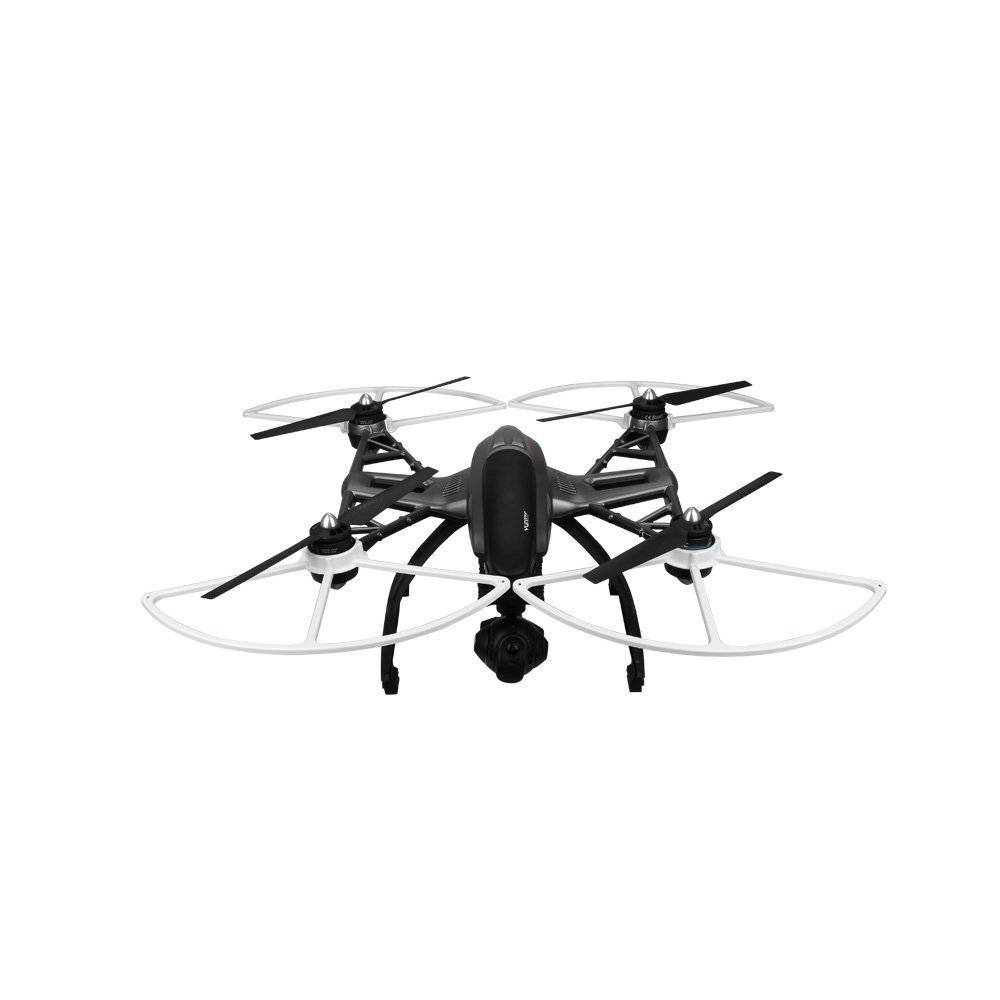
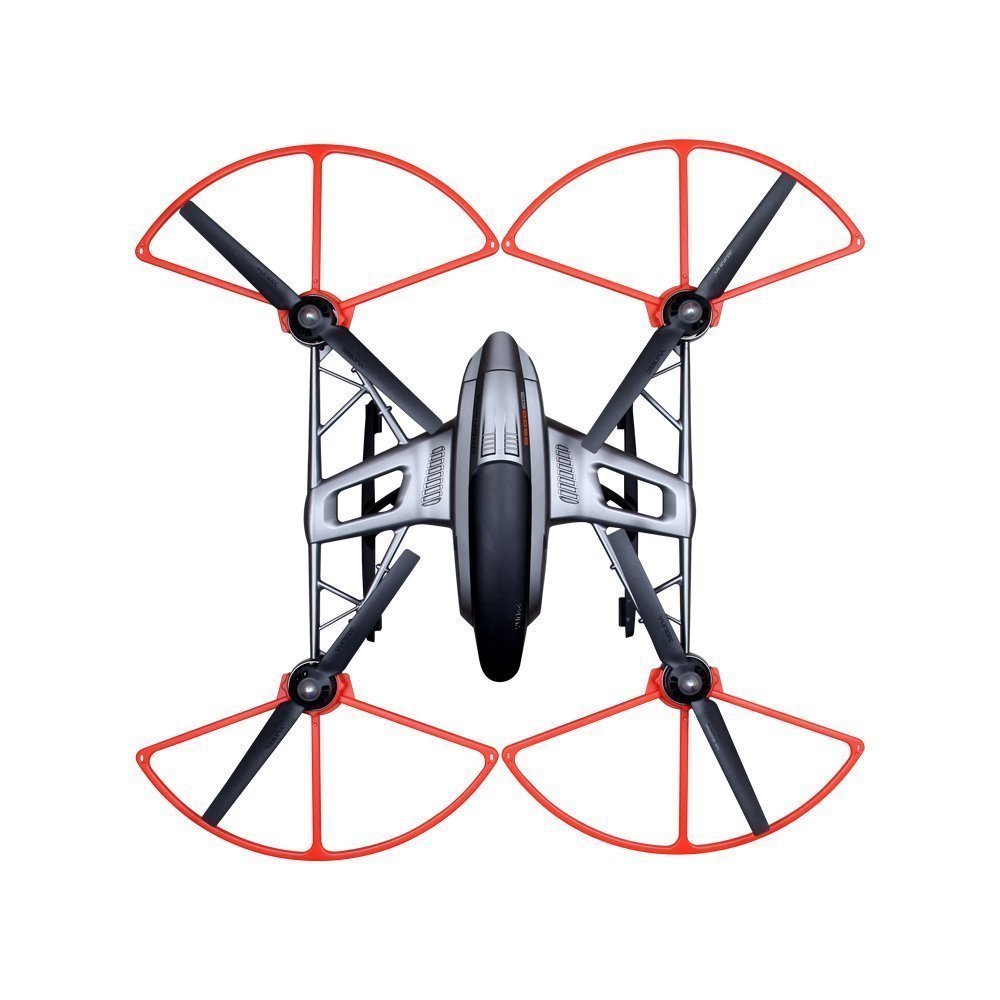
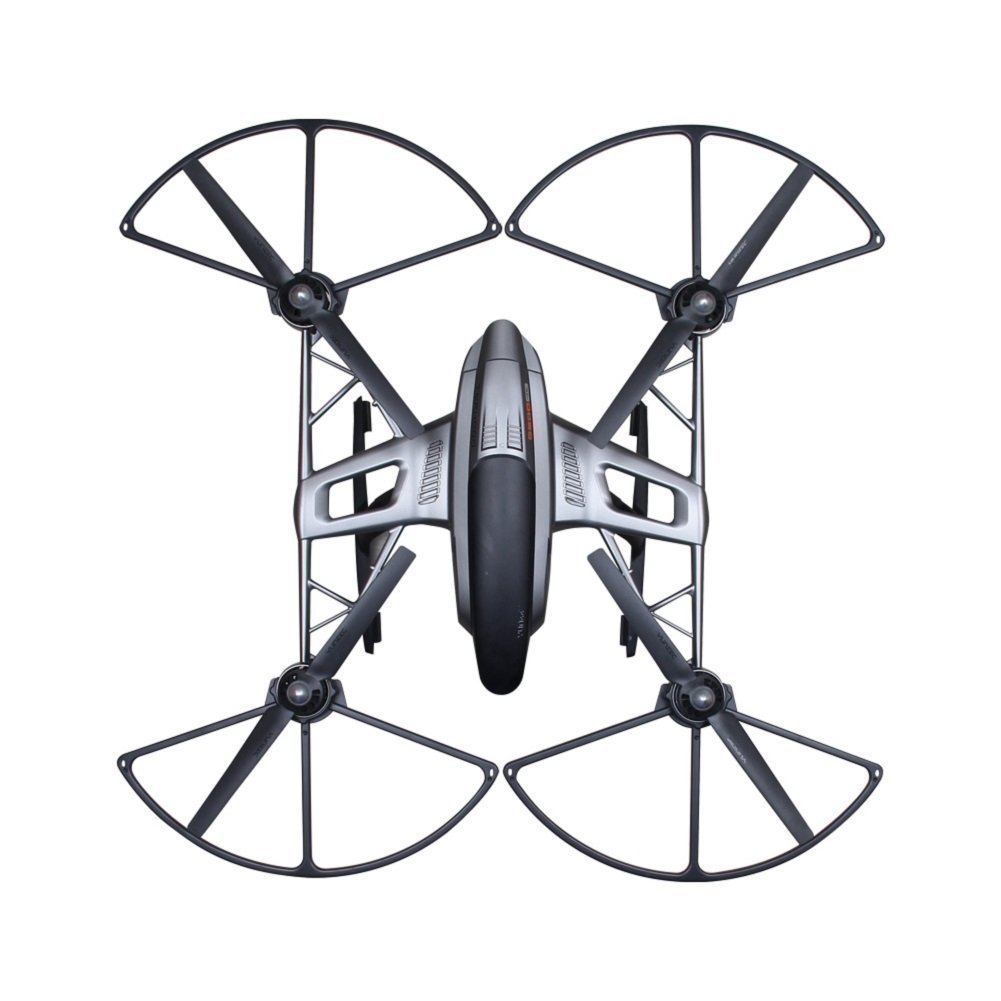
The Yuneec Q500 4K Typhoon is a ready-to-fly professional drone featuring a built-in touchscreen ground station, a 3-axis stabilized 4K camera capable of 30fps video and 1080p slow motion, and advanced GPS flight modes including Follow Me and Return Home. It comes complete with a durable aluminum case, dual batteries, and a handheld SteadyGrip for versatile shooting, making it ideal for millennial pros seeking cinematic aerial footage with effortless control.


| ASIN | B0118FM72Y |
| Age Range (Description) | Adult |
| Age Range Description | Adult |
| Are batteries included? | Yes |
| Battery Cell Composition | Lithium Polymer |
| Brand | Yuneec |
| Brand Name | Yuneec |
| Color | Silver and Black |
| Connectivity Technology | Wi-Fi |
| Control Type | Remote Control |
| Customer Reviews | 4.0 out of 5 stars 276 Reviews |
| Effective Still Resolution | 12 MP |
| Global Trade Identification Number | 00813646020208 |
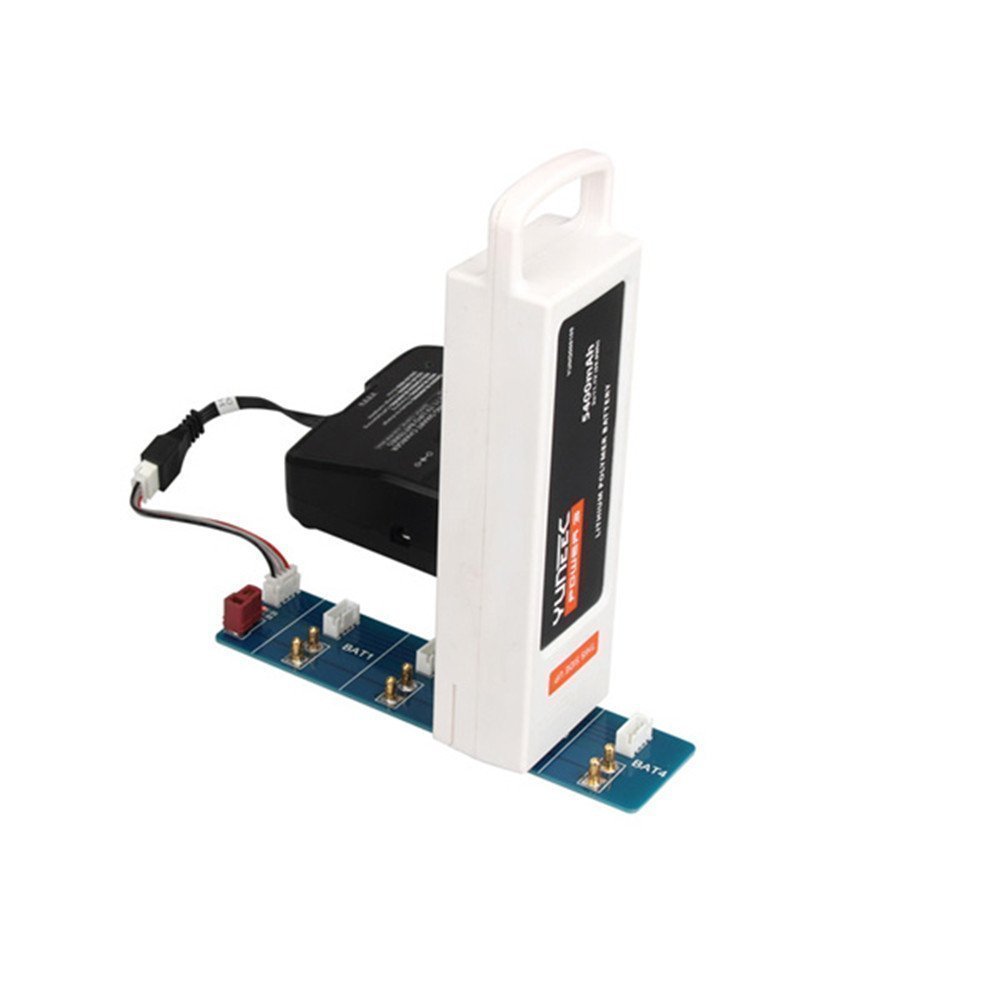
| Included Components | YUNEEC Q500 4K Typhoon Quadcopter with CGO3-GB Camera, SteadyGrip, and Camera Aluminum Case (RTF)CGO3-GBST10+ Ground Station for Q500/Q500+ Quadcopter2 x 5400mAh 3S LiPo Flight Battery for Q500 QuadcopterBalancing Connector LeadSC 3500-3 DC LiPo Balancing ChargerAC Adapter for ChargerCar Adapter for ChargerUSB Interface / Programmer for Q500 Quadcopter8GB microSD Card with SD AdapterMotor Holder /… |
| Includes Rechargeable Battery | No |
| Includes Remote? | No |
| Item Dimensions L x W x H | 22.2"L x 16.5"W x 9.4"H |
| Item Height | 9.4 inches |
| Item Weight | 2.5 Pounds |
| Manufacturer | Yuneec |
| Material | Plastic |
| Model Name | YUNEEC |
| Optical Sensor Technology | CMOS, CCD |
| Skill Level | Professional |
| Special Feature | Integrated Camera, Lightweight, Portable |
| Special Features | Integrated Camera, Lightweight, Portable |
| UPC | 813646020208 |
| Unit Count | 1.0 Count |
| Video Capture Format | 4k |
| Video Capture Resolution | 1080p |
| Video Output Resolution | 1920x1080 Pixels |
| Warranty Description | 6 Months |
| Wireless Communication Technology | Wi Fi |
A**D
This is the one.
After analyzing and test flying many other quadcopter "drones", I finally decided on this Yuneec Typhoon Q500 4K, and I couldn't be happier. This drone is large enough to be stable in a breeze, shoots great video, is very low maintenance, and its "smart" flight mode make it the easiest thing in the world to handle. In smart mode, the drone moves in relation to you, not necessarily in relation to the way the drone is pointing. In other words, when you tell it to go left, it goes to *your* left, even if the front of the drone is pointing off at an angle. This makes it really easy for a new operator to pick up and immediately get use out of the drone. I've handed my controller to six or seven people, without any training or explanation, and they've all been able to fly it right off the bat. Smart mode is also "follow me" mode, where you can move with the controller and the drone will automatically follow you. This is meant for people skateboard, biking, or otherwise doing something with movement they want to capture. I haven't been brave enough to take it on more than a brisk walk, but it did follow me exactly as advertised. Once you get more experienced, you can flip it into "angle" mode, where it flies according to the front of the drone like other drones. You can also start out in smart mode to get the drone where you want it in the air, and then switch to angle mode and use the live video feed to fly according to the camera. The drone also has a "return home" option, so if you've lost sight of it you can flip the switch and it will immediately fly to within a few feet of you and land. You can also flip it back into one of the other flight modes once you have it back near you. (Never fly a drone where you can't see it though.) This drone is a great deal. For the same price as most other drones, it comes with a second drone battery, case, and has live video display screen built directly into the controller. The controller and screen use the same battery, so there's only one device to charge outside of the drone batteries. Other drones require you to provide a smartphone or other tablet for the controller, which can add a lot to the cost, and is another item to have to carry, keep charged, and monitor the battery life for. The included 4K camera is wide-angle, but specifically designed to almost completely reduce the fish-eye effect you get on other drones, particularly drones that use a GoPro to record. It's also one less item you have to purchase, charge, and monitor separately. I don't have a 4K TV yet, so I set the camera to 1080 mode, and the video quality is noticeably superior to even the earlier Typhoon's native 1080 camera. (I'll upload a video example.) I did run into a problem where I didn't tighten one of the propellers well enough, and it came off when I was in the air, but I never noticed until I landed and went to put everything away. It flew with three propellers for at least ten minutes without anything more than a slight wobble, and the camera gimble is so good that you can't even tell on the video when the propeller came off. I used to be nervous about flying it over water, but after that I was a lot more confident about it staying in the air. (I'm also a lot more diligent about tightening the propellers.) Like other GPS-based drones, this drone positions itself by specific lat/lon. It will pick up at least a dozen GPS satellites, so when you tell it to go to a certain spot in the air, it will park there and stay. You can even push on it, and it will fight against you to stay where it should. I've flown in moderately gusty winds, 5-15 mph, and the drone will sit in the air at an angle against the wind to stay in it's spot. Even then, the camera and gimble makes the video level and rock steady. The only downside to this drone in comparison to other drones is that the controller video is not high-definition, and the video lags a second or two behind. It's still perfectly fine for flying the drone, and you'll get amazing video recorded on the microSD in the camera, but the the DJI Phantom or Inspire do win out on the quality of their controller video. With all the upsides to the Typhoon in comparison, I can live with a "good enough" controller display. . Of course drones as a technology are still in their infancy, and in five years all of today's drones will look like old Model-Ts, but if you're looking to spend serious money on a drone right now, this is the one.
I**R
Yuneec Q500 4k on going review from a total newbie!
I will update this review after I actually learn how to fly and put this bird in the air with a progress report of a complete newbie learning to operate the Q500 4K. August 4, 2015 You can purchase the Q500 4K with or without the case. I was ready to save some money and skip the Yuneec Q500 4K with the case thinking I could just carry it in the trunk of the car, no need for a fitted case. Then I noticed that it also included an extra battery and a handheld grip for the 4k camera. You are actually getting the extra battery, case and handheld camera mount for less than half price when you get them with the combo. After seeing the case, I am VERY happy that I went this route. Check the attached photos. I haven't done anything so far other than take the Q500 4K out of the case to look at it. The case is VERY impressive! It holds everything that you receive with the Q500, no need to leave anything behind when you travel to your flying destination. There are only two styrofoam pieces inside that securely hold everything in place. The case weight 19.4 pounds with everything inside. The camera with it's gimbal mount slides off of the Q500 and slides onto the handheld mount. There is a smartphone holder on the handheld mount to attach your phone to use it as a viewfinder and controller for the camera. Seems like a very nice accessory that is pictured with the Q500 that sells without the case, but is not listed in the description of what you get with that quadcopter. It is included with the Q500 4k with case that I just received. I have NEVER flown a RC plane or Quadcopter, so I did a LOT of research online and found that even though the Q500 has GPS positioning and a controller that is supposed to make it very easy to fly, you should not attempt to fly it until you purchase a much smaller quadcopter that has a self leveling mode along with full manual (3d) mode and learn to master it. They say that IF the GPS and advanced controls of a high end quadcopter have a glitch while you are flying, you need to know how to fly it in manual mode if you want to have a chance of flying it back to you. Most articles recommended a nano sized quadcopter which is VERY small, can fit in the palm of your hand, that has the advanced flight system along with a beginner's switch on the transmitter. They are very light and can't be hurt if you practice outside over grass. A crash into the grass does not hurt it. Believe me, I can verify that from first person experience! You can also practice inside with the Nano. I purchased the Blade nano QT 3D ( 1/15th the cost of the Yuneec Q500 4K) on the same order from Amazon with my Q500 4K. I am VERY happy that I went this route as it is not as easy as I thought to fly for a complete beginner. I have only flown the nano qt 3D for a total of about 30 minutes, but most of the time am trying to figure which way to try to make it go as it is getting away from me. lol I simply cut the power, it drops to the grass with no harm and then try again. I would never want to attempt that with the Yuneec Q500 4k that I have over $1400 invested in. Check the attached photos. The one with the Q500 sitting on the white carpet has the nano quad that I bought as a trainer sitting on top of the Yuneec Q500 4k. I will update this review as I progress to flying both the nano trainer and the Q500 4K.
M**.
Excellent Video, Not recommended for Quality Photographs
I have the Q500 CGO3 4K camera for an in depth review of the still photographs. The video is awesome for 4K video. Most likely nothing better in its class. But the stills are not acceptable. Even on a clear blue sky day have so much noise that just shouldn't be there. Use of an ND filter on a sunny day does help remove some of the noise. Overcast days or shade the noise is worse. I've noticed still exposures seem to be 1.5 to 2 stops over exposed out of the camera in Adobe Lightroom. The lower left edge is blurry. I have also noticed on my camera and two others (on Facebook posts by persons I've never met) there appears a white spot or flare in the top right corner of all video and photos against a blue sky or light color. It does not appear against dark subjects. I talked to Yuneec. They said try different white balance settings. They are willing to replace the 2nd camera, but with others having the same issue, with the quality control as it is, another camera could be worse than the one I have now. Also there appears to be a U shaped banding in the center of the sky images. If only on one camera, I'd say the camera is defective, but the same is on three, with two other 4K quad's owned by the same person. This appears to be a manufacturing defect. True, when shooting at 4K video you can crop to remove the spot and the slight blur. My still image tests of DNG files vs JPEG, and even stills pulled from video show the JPEGS are cleaner than the DNG files. DNG is cropped to 4:3 ratio (12 MP) where JPEGS are 16:9 ratio (8 MP). The DNG doesn't show the white spot but the left lower blur is there. All reviews I read prior to purchase were how awesome the camera was. Of course, I didn't know they were only talking about video. I did see prior to purchase the left side blurry issue. At the time, I emailed Tim Terrones with Yuneec and talked to him. He advised the issue had been corrected. The Quad flies awesome, and there is no issue in that regard. As for the CGO3 4K camera, my recommendation if you are wanting quality still images, go with the Typhoon G and a GoPro. Yes, there is a trade off in being required to turn on the camera prior to flight, but best quality is this is about. I've seen several pro photographers on Yuneec Facebook pages that have stunning still images created with the G. The 4K is just not remotely in the same league as the GoPro. As for 4K video, the video is stunning and top notch quality. Yuneec is great to get on the telephone and they promptly sent a replacement camera right after purchase due to the first focus being really bad, and also they replaced a defective battery. Yuneec appears to be a good company. But, there are significant quality control issues with the CGO3 on the still camera side. I do not expect it to be in the same league with my Pro DSLR cameras. But equate the CGO3 still camera images of poorer quality than my first ever 2.1 mp Sony digital camera from 1998. Also there is no metadata, at all embedded in the image files, so you don't have any way to know what the exposures were set for the end result. If you are looking for the best still camera settings. Shoot 4K video res and create JPEG images at 16:9 ratio at 8mp or set the camera setting at jpeg which are 4:3 ratio at 12 mp. For still images don't shoot in automatic mode as it will select a high than needed iso. This could be resulting in the high noise on a sunny day. Set the exposure manually including 100 iso. Choose natural or raw settings in still mode and lock down the white balance. UPDATE: 03/18/2016: Tested the Polar Pro ND 16 Filter. Wow! These turn the Q500 4K, CGO3 into a quality camera. I've been disheartened with the camera quality. But the Polar Pro makes the whites white, the greens green, the blues blue. And, the blacks black. Reduces the horrible noise. Buy these filters if you want quality still images. I don't work for PolarPro. A friend in Vermont mailed the filters to try out and tell him what I thought. I've never heard of Polar Pro until the package arrived in the mail. Use of these filters totally changes my opinion about quality of the still camera,
J**.
Did I read somewhere about Yuneec's great support?...Update....
Have great hopes for this Quad, but as of yet I get better video from my WL Toys V-222. This $1400.00 Q500 4K will not shoot videos. "Photo" works fine....I've followed the procedure to make sure to stop recording before powering down. The best I can get is the first frame which freezes while the player continues thru the time line to the end of the recording. Same results using the "Steady Grip". File on the micro sd is VLC. Used VLC, Divx, Quicktime players to no avail. Tried updating the camera firmware. Camera went thru updating process, (flashing purple light) then shut off. No changes in video recording. Is it the camera, or maybe my improper operation? Tried contacting Yuneec...first by phone (3 times)...no luck, then by email which I did get a response and a ticket number. I don't think this person really read my original email which I did list the various players I tried with VLC at the top of the list. The response seemed more of a "form" email response: "The video could be played using a program called VLC player. This program works great for VLC files......" Called one more time, this time left a message, name, phone number etc. that was one week ago and no response as of yet. My experience doesn't seem to coincide with great reviews of Yuneec's support. UPDATE: Thought Yuneec support had forgot about me, but got a call from Eric who patiently showed me the error of my ways and walked me thru the whole process of setting up the camera and getting playback to work. My pc couldn't handle 4K. Using 1080P it works fine. Want to also thank "Chris D" for his reply to my post. So it's back to the skies to experience and learn more about this great Quad, and yes Yuneec does have great support. All other aspects of the Quad, radio, steady grip seem to work fine. Will update as things progress.
T**R
A great little quad-copter with a few niggles and one major Achilles Heel!
[The attached video is my first-ever daytime flight and recorded video using the Q500 4K] For the last few weeks I've been agonizing over which FPV "drone" to get. I'm a big fan of going with non-traditional routes and supporting the underdog, so I really wanted a winning alternative to the DJI P3P. I have spent at least a few hours literally every single day watching YouTube videos, reading reviews, comparing specs, talking to owners, visiting forums, etc. I've never owned *any* R/C aircraft, so OOBE and ease-of-use was a big factor. The Phantom 3 Pro seems to be the gold standard in sub-$1,500 R/C FPV drones, or at least the one that is the benchmark that every competitor is measured against. Being aware of DJI's horrendously poor customer service reputation, I really wanted to avoid them if I could get something for a similar price that was at least close to being as good. I'd looked at everything competing with DJI -- Walkera, Yuneec, 3DR, and a bunch of smaller boutique makers. Since I've never piloted ANY drone, I wanted to start on the lower-end ($1,000 - $1,500) with plans to later migrate to some of the higher-end offerings ($5-8k) that will expand range, payload, speed, stability, etc. Aside from the "me too" aspect of buying a DJI Phantom 3 Pro (I hate being an also-ran), and the horrendous support, I find the Phantom 3 hideously U-G-L-Y! It has a weird, organic, bulbous shape that is too mundane and vanilla for my tastes. The matching controller is just as ugly. On the other hand, the "Yuneec" -- perhaps the world's worst name for... anything -- is a sharp-looking unit with some pretty nifty included features, the unique controller being among them (pun intended). The Q500 4K is a sexy-looking package that makes you think "Alien Invasion" and Terminator all-in-one. The included controller has a built-in reactive touchscreen that does a fair job of displaying FPV video and all of the pertinent technical details. The unit comes fully-assembled, meaning the only user-involved assembly is spinning on the included props (a full extra set is included -- bravo Yuneec!) and popping in the battery... oh yeah, and REMOVING the Gimbal/CGO3 shroud before launch! My UPS driver (yes, he’s mine, I own him) arrived late in the afternoon with only an hour or so of daylight remaining, but that didn’t deter me. Obviously, a NIGHT flight was in order (my first-ever R/C flight – how hard could it be?). While inspecting the contents and charging batteries (two are included, kudos again to Yuneec) and the controller, I watched the videos Yuneec includes on a MicroSD card in the packaging. I also watched a few more YT videos as well as I awaited the charger to complete its singular task. To abridge an already verbose review… my maiden night voyage with the Q500 4K was a roaring success. I live in a very rural farming community, one without a single street light or ambient city lighting, and “dark” here is REALLY dark. The camera was pitch-black throughout the flight, but the onboard colored LEDs are *spectacularly* brilliant at night. You could easily see an airborne Q500 for a mile or more, literally, which – sad to say – leads us to the serious “Achilles Heel” mentioned in my review title: RANGE! Video transmission range is, in a word, ABYSMAL! Seriously, we’re talking *maybe* 300 yards even with a perfectly clear line-of-sight! Controls remain connected, but once video goes out for more than a few seconds it does NOT reconnect and begin broadcasting again (sub-10 second losses can sometimes reconnect). You need to bring the Q500 back, physically turn it off, then start all over again. Earlier today, in near-perfect weather with no wind, I pushed it out to *under* 200 yards and went behind a single pine tree where – POOF! – video disappeared yet again, and yet again I had to land and restart the copter manually. After three days of flying in perfect weather I’ve experienced this in three different locales, all with the same results. FPV reception is horrendously poor and, if reports are accurate, the Q500 can’t even muster HALF of the FPV receive distance that the Phantom 3 Pro is capable of. This, at least for me, is a complete deal-breaker. I went by various reviews and forum posts, saying that it was good for 500-600 meters, and that would work for me. I tried three (3) different **fully-charged** Yuneec batteries and likewise **fully charged** the controller, just to be sure it wasn’t wanting for juice. The video out of the Q500 4K is excellent. I don’t have anything capable of viewing 4K native resolution, so I shot in “lowly” 1080/30p with very impressive results. I’ve shot well over an hour of video thusfar and everyone who has seen it had to pick their jaw up off the floor. The stabilized gimbal works incredibly well. According to reviews, the P3P produces still slightly better video, which will essentially go unnoticed and isn’t a deal-maker/breaker for me either way. Other negatives of the Q500 are small quibbles, and were it not for the poor FPV range would not induce me to return it in the least. The Q500 is pretty slow. It takes time to build altitude and get to a distant point, meaning it’ll take more battery time when factoring in round-trips. Even when the controls are set to “Full Rabbit” there is a very slight hesitation between control input and reaction. When landing, the Q500 does a bit of bouncy funky chicken. You can’t just bring it down for a soft, professional-looking landing that will impress onlookers. It does the Kangaroo-boing!-boing! before touchdown. Aside from the dwarfed FPV range, none of these issue bother me. The Q500 made me look like a pro out of the box. Everyone that saw it was mightily impressed, and I stole the show at a weekend gathering at another farm. It looks great – it’s the George Clooney of drones, whereas the Phantom 3 is Clint Howard. The controller is sexy and the integrated reactive touchscreen works reasonably well (lots of glare, so use the included sun-shade). It flies without a hitch right out of the box (after batteries are fully charged), and even a ham-fisted bludgeon like myself was able to control it like a pro on its first flight. The video it records is gorgeous, and you’d never guess it was shot from a small drone – zero vibration, no jerkiness, just nice and smooth HD or better video. With GREAT sadness, for me at least, the FPV range is an insurmountable torpedo in the water that all but negates the many pros of the Q500 4K. If there were a way to double the FPV range, even at a cost, via a FACTORY option that would NOT void the warranty or require physical modification to the controller (like all after-market range extenders require), I’d jump all over it and keep the Q500. As it sits, I am reluctantly forced to put everything back in the beautiful hard-case it came in and return it to Amazon, and buckle under the weight of the Phantom 3 Pro juggernaut. I guess I’m an also-ran after all.
R**E
think about it twice.
If you have no previous experience with larger drones then you will think this is amazing. I bought it on recomendation from a friend and reading the good reviews. .... It looks cool and is larger than the other drones in its class but thats all it has going for it. It uses wifi so that really limits your distance. In a city you MIGHT get half a mile range, out in wide open space it can approach a mile but the video feed is really poor. I flew about a dozen times with this before deciding it was junk for the $. Battery life was anywhere from 12-15 minutes. If range and video quality are important to you then you best keep shopping cuz this isn't the one for you. I bought this because the reviews on the dji phantom 3 pro weren't that great because of their customer service. Well i ended up buying the P3 and have been flying it for a few weeks now and I am beyond impressed with the phantom. It uses light bridge instead of wifi and I have flown over 3 miles away without any problems. The 4k camera/video quality on the Phantom drone is way better comparing side by side. Phantom 3 does require a device such as an ipad mini but the app functions and the feed quality make it well worth it, everything is right there in front of you. The q500 controller is ok because it does have the built in screen but it's kind of an out dated feeling piece of equipment. Ive flown no less than 20 minutes with the phantom 3. the 1 time i had to call customer service i was put right through to a tech and got my questions answered quick. I think alot of the bad reviews on customer service with dji are from people that probably shouldn't be operating one of these to start with or from before they added more employees to handle the call volume. The q500 isn't a bad machine it just wasn't for me, flight time, range, and video quality are whats most important to me and the phantom 3 pro is a better fit. One last note, If you fly at night.. you can't see S*** with the q500 but the phantom 3 pro you can and actually see people and objects well enough to tell whats going on, that was a plus for me. 1 more thought. the phantom is programmed to not let you fly over a certain height and distance but you can change that in the app. I see alot of people complaining about that on here about the phantom. those are the people that shouldnt have one to start with.. don't even read about it enough to know what all the functions are. p3 does have follow me mode now too.
H**5
Perfect choice for my needs, amazing package
Like 99% of people reading these reviews you are considering this vs. the Phantom 3 Professional. Honestly ask yourself what are you going to do with this anyway? If you are looking at it as a toy, these are not toys. I read reviews for months, watched about a hundred YouTube videos, and put my money down here. I am a photographer and I will tell you why for me this is the right choice, and maybe not the same choice for you. I am no fanboy- I could have gone with the Phantom 3 just as easy if it met my needs. 1. This is a complete package, and it's put together well as a package. The included case beautiful. Two included batteries, big selling point. Two sets of rotors nice touch. The transmitter which already has the tablet like screen built in, major difference between the Phantom. I have an iPad so I could have easily gone Phantom. The included steady-cam grip, how cool is that! And it all packs up in that case. Sure the interior is styrofoam so what. I must have received the newest model as my styrofoam inner was grey, not white like I have seen previously, and also mine came with two BLACK batteries not white as shown in photos. Very nice package. 2. I could have had this out of the box and charged and been flying in an hour. But I took my time and went through everything before even thinking about it. Again this is no toy. Charged the transmitter and battery, installed battery, and calibrated the gimbal and compass. Installed the SanDisk 64GB Extreme card I purchased to go with it. Checked all the settings- camera was defaulted to record 1080p which is fine- I don't have anything to watch 4K video on anyway. 3. Up and flying literally within 5 minutes of going outside and powering on. Even in a 5mph wind and my first time flying (in the turtle mode), was up in the air. Easy and I mean easy to fly and rock solid stable hover even in wind. Took it up to 300 feet and just flew around shooting video to see how it performs. Landing rock stable very easy to fly. 4. Put the memory card into the Mac, the video is absolutely beautiful and crisp. It's actually stunning how good it looks. Pictures came out equally sharp. So again what will you use this for? For me I will use this at relatively close range to shoot events and couples. For me, the adjustability of the speed is a plus. I want it to move in predictable ways and I'm not looking to run races with it. It is quiet, large, and easy to get the kinds of shots I will take with it. The other features such as look at me and follow me are great, just not what I purchased this for. You shouldn't be flying drones like this out of sight range anyway- so for people that want to bag on the wifi connectivity of the FPV screen for "only" going so many feet, you are likely the people I see in all of these Phantom videos going into the water or running into a tree. I don't need automated way-point flights where I can no longer see the bird in the air. I want to fly this myself and not rely on automation. Not once did my signal drop off or did I lose connectivity, didn't have an app crash, or have to purchase a new phone or iPad to make this work. Dollar for dollar- this package for my needs wins hands down. I have not had to use Yuneec customer service yet so I can't chime in on the Yuneec vs DJI service comparison. I can say I did explore the parts available to repair the Q500 myself something you can't easily do with a Phantom, and replacement parts for the Q500 are very inexpensive and readily available. Very happy with this purchase, and amazing how much fun this was to fly! * 1/13/2016 Update: When putting back in the case after my second flight, noticed a smudge on the camera filter. Took off the filter and tried to clean with a Nikon lens wipe- would not come clean, must be something in the coating of the lens. Emailed Yuneec customer service, got a personal reply back within 24 hours and they UPS me new part on the way. Very satisfied with the service, love the quadcopter. Also purchased this and makes all the difference flying at night in the dark: Safety Bike Light Set by Classic Glow - LED Bicycle Lights - Durable Aluminum LED Lights - Features 2 Front & 2 Rear Ultrabright Lights - Fits Bikes, Bicycle Helmets & Backpacks - Easy Installation LED bike lights that I mounted on the quadcopter legs, with the white lights facing forward and the red rear. This way I can set the front lights to be solid on, and the rear lights to flash so that when I fly at night I know orientation wise what direction the drone is facing when it is up in the air. Works great and looks amazing- like you have searchlights mounted on the front- and with the lights mounted on the legs still fits in the factory case with the lights mounted, very cool.
M**E
Yuneec's Customer Service is Legendary
After doing much research and reading hundreds of reviews I decided on the Yuneec Q500 4K Typhoon. What swayed me in the end was what people were saying about Yuneec's Technical Support as compared to DJI. DJI has a horrible reputation of not supporting their products. I am currently taking a College Level Drone Photography Course so I have been very involved in everything about drones for some time. After reading the Typhoon's 32 page manual about 10 times I felt ready to try it out. A word of advice "give yourself plenty of room the first time". I thought about 50 feet would be enough just for a short test flight, I was wrong. The Typhoon started perfectly, hovered nicely, then I made the mistake of moving toward it to get a better look while in Smart Mode. I forgot that Smart Mode has a 26 foot buffer range for safety and the drone immediately moved away from me equal to the 15 feet I walked toward it. This put it near a large tree and underneath the branches. No problem, I figured I would just switch to Home Mode and it would land automatically, mistake number 2. It is programmed to rise about 30 feet in order to clear any obstructions while preparing to land in Home Mode. This put it right into the tree branches where it broke two rotor-blades and crashed to the ground separating the Camera from the Gimbal and ripping three wires from the Gimbal Circuit Board. After putting everything back together, I soldered the three wires back on the board, knowing this would probably void the warranty and went to a large park where the Typhoon flew perfectly over the next few days. 4K video and 12MP stills are incredible. I put in a lot of flight time and got much better more confident flying it. One problem remained from my mishap, the Camera would not tilt manually with the slider switch on the ST10+ Controller, the Steady Grip or with the Wizard Wand which I had also bought. I assumed something was broken deep inside the Camera. I called Yuneec in Ontario, CA and got a claim number for a repair. They were very understanding and professional. Fortunately I only live 80 miles from them so they said I could bring it in personally the next morning instead of shipping it. I got there at 10 AM and they had it repaired by 12 PM. It turned out one of the wires that were torn off the board had bridged to another contact which kept the camera centered and would not allow it to tilt. I went from expecting to pay $500 for a new camera to paying them $5 for a new plastic lens cover. They charged me nothing for the repair. I was blown away by how professional and nice everyone I talked to at their facility was. I can only say their reputation for outstanding customer service is very well deserved. Now for the Typhoon. It is a rock solid Quadcopter that performs very well. It is a little slower than the DJI Phantoms, the Video Link has a slight lag but is fast enough and I personally like the fact that the Typhoon is much quieter than other drones so as not to annoy people when Drones are under a microscope and being regulated more every day. It has awesome features like "follow me" and "watch me". One important fact about follow me: if you are changing altitude like going up or down a hill you must take care as the drone will stay at a constant altitude possibly running into the hill, ST10+ does not have a pressure sensor so the drone doesn't know you are changing altitude. Thus the "Wizard Wand Remote" is essential in my opinion. It does have a pressure sensor and the drone will change altitude to match what you do. It is also very small and easily carried when doing any activity you are filming. It can do everything the ST10+ can do except control the camera which is where your smart phone or tablet comes in. I use my Samsung Galaxy S4 and it works perfectly.
Trustpilot
1 month ago
1 day ago