Some deliveries may take a little longer than usual due to regional shipping conditions.

DOWNLOAD THE APP


Customer Services
Copyright © 2025 Desertcart Holdings Limited
DOWNLOAD THE APP
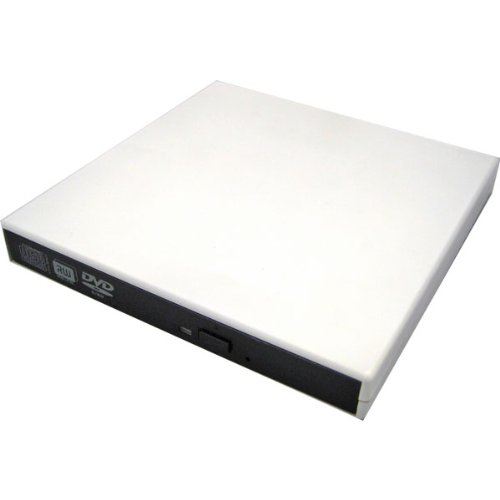
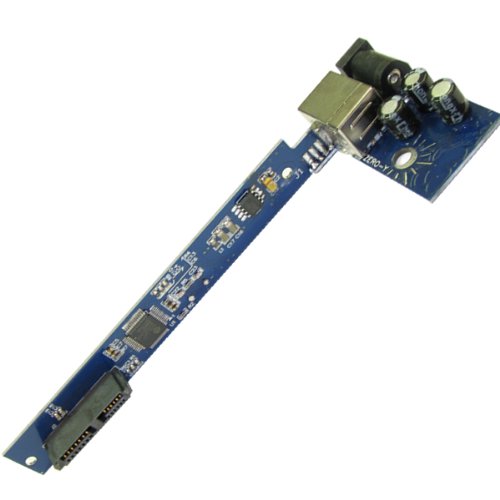
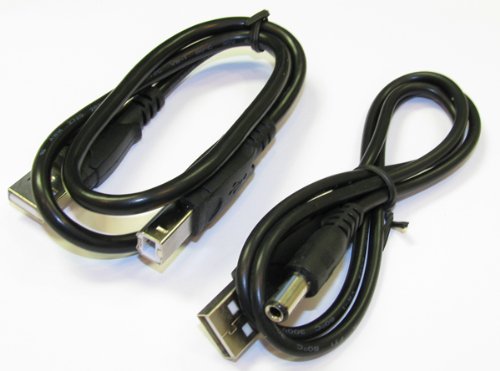
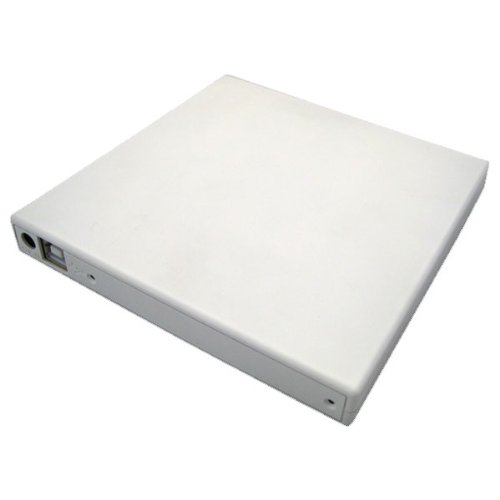
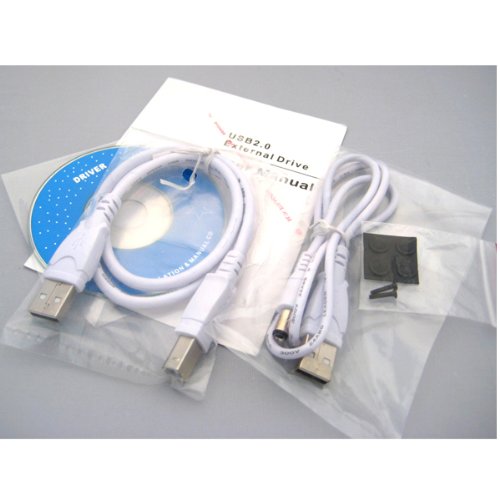
📦 Slim, sleek, and ready to burn!
The Sanoxy USB 2.0 Slim External DVD ROM CD-RW Combo Drive is a compact and efficient solution for your optical media needs. With its lightweight design and USB-powered functionality, it supports both Windows and Mac OS, allowing you to read CDs and DVDs while burning CD-RWs with ease. The durable plastic casing ensures longevity, making it a reliable choice for professionals on the move.
G**E
Optical Drive Adapter works pretty well
I removed my superdrive from my Macbook Pro 5.1 when I installed the 2nd HDD caddy. This was listed as common purchase along with the caddy so for the price I bought it to enable me to use a matching optical drive on my Mac. It does allow me to install from the disk upon bootup so functionality is perfect.Cons: This enclosure is made fairly well (as good as it would be for $8) but as it appears to be generic - to fit many optical drives - the fit was not perfect. First, the screw holes were not in the same place as on the superdrive. One screw is exactly in the correct place, the 2nd one was not even close. I used one screw to fix the drive in the enclosure and just treat it gently.Second, the superdrive is not as thick as the spec for the inside of this enclosure so I simply took a plastic no static bag and folded it and inserted it inside the enclosure above the drive. This kept the drive from rattling inside enclosure.Third, the enclosure is made for a tray type optical drive, not a slot type so that the face is entirely exposed to the mechanism. This does not bother me as I would use this drive very intermittently - mostly to install OS or a few apps which I have on disc - so it is fine.Given the low price and the perfect functionality with the Macbook pro - I still think this is worth it especially if you do not use the superdrive daily.
W**N
Simple, basic solution for using your external SATA optical drive again.
I was surprised at how basic and simple this is. It's a thin plastic (rather mediocre plastic) case, with a small circuit board inside that has all the necessary connections; USB, power, SATA. That's it.Pop your optical drive into the case, and you're in business. You can take the case apart to be certain of your connection. I noticed, when I did this, that the case and circuit board have places for screws, but no screws were supplied. This is completely screw-less.However, it works just fine with only one USB connection to my computer. Your mileage may vary.Mine came with a bezel/faceplate that had a variety of logos on it: RW, DVD, Blu-ray, etc. Unfortunately, the drive I put in mine isn't Blu-ray (that's in the laptop) so the bezel is technically wrong. I wish they'd have supplied a blank bezel with a few logo decals to place on it as needed.The case is a little loose, and tends to want to slide apart. I taped mine so it wouldn't do that, but be aware it's not a super-sturdy design.I'm happy with it. It does what I needed it to do. I wish the screws had been included so I could be sure it was a bit more secure, but as a stay-at-home desktop item, it's OK.And even though this is a review of the item, I have to say the provider was extra-fast, and I appreciate that.
Y**Z
IMPORTANT INFO FOR MACBOOK USERS!
Very simple to use. just pop it in and connect the plug and snap it shut! there are 2 screw holes in the back which may or may not line up with the holes in your particular optical drive. I just want to make a few points for people using this for the superdrive on a macbook pro 2011. 1: you need to take off the little metal bracket on the back of the superdrive in order for it to fit. (you could use that bracket to secure your optibay to your macbook on the generic ones that dont come with a way to secure it) 2: One of the screwholes on the back will line up with the screwhole on the back of the superdrive, I used that to secure the suprdrive to the case and ensure that the SATA connection wont become loose over time. 3: As mentioned there is no front bezel to cover the opening to the superdrive. While this is merely cosmetic, there might be a problem if dust gets inside. I would recommend storing it in some kind of case or plastic ziploc bag when not in use, to protect it from dust. 4: There is one big issue that is not related to this product specificly but it needs to be mentioned. On a Macbook the MAC DVD player will not recognize ANY DVD while using an external usb connected optical drive (not just this one BUT ANY! external optical drive) It will still work for cd/dvd software so you can install any programs you might need but DVDs will NOT work with the MAC DVD player. I found this out the hard way! After doing research I found that the VLC player WILL recognize a DVD from an external optical drive. Therefore the following must be done in order to play a DVD from an external optical drive on a MAC. 1: Download VLC player (its free) 2: go to system preference /under hardware select CD's&DVD's/click on it and you will see the choice "when I insert a video DVD" and a drop down menu that says "open DVD player" click on the drop down menu and select "open other application" find VLC player and select it! now that will be your default DVD player and it will work! I just wanted to post this because Its a big issue with the macs and nobody mentioned it. Just wanted to add. As far as the dust getting in from the open front, I found a felt bag with a drawstring that fits perfectly on a certain famous auction website for about 3 bucks!
T**L
OK for something that will be in a drawer most of the time
I bought this to hold the DVD-RW Superdrive from my 2011 Macbook Pro when I installed an SSD in the optical bay. The USB to SATA interface works well, and I can boot the MacOS X Install CD with the drive connected to a USB port.However, the bezel that is included doesn't fit the slot loading drive (obviously), so the front of the drive is uncovered. Also, the metal tabs that are used to secure the drive inside the computer protrude slightly past the plastic case. The case has two screws in the back to hold the drive in place and the case closed. However, the Superdrive only has a single screw hole in the back. As a result, the whole thing is held together by a single screw. There's also too much vertical space for the slim Superdrive, so I attached a piece of foam tape to the top of the drive and stuck it to the top of the case.All in all, this is a workable solution for me. I rarely use the optical drive, and as a result, this unit will spend the majority of its life in a drawer. If you're looking for something to carry with you, I would recommend one of the Mac-specific cases from Other World Computing.
Trustpilot
3 weeks ago
1 month ago