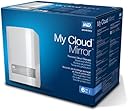
I purchased my Western Digital 4TB My Cloud Mirror Personal Network Attached Storage almost nine months ago. I was a little unsure because there were many negative reviews that in my opinion were somewhat serious but not enough to stop me from trying.I received the unit and it installed rather easily. I immediately was able to see the unit in Windows Explorer. I was able to connect to the unit’s web interface. All looked great. I loaded the free backup software started my first backup. The backup kept failing. I could not figure out why.I called the technical assistance. He requested and I allowed him to see and manipulate my laptop. He discovered I had several registry settings that were wrong. Once everything was set up correctly; the backups started. Since I had two large hard drives to backup, this would take some time. The next day, I noticed that the backup was not complete and had stopped and would not start. I called again, and let this representative onto my laptop. He rechecked all the registry setting, and then the software backup software settings. After going from continuous to scheduled and back a few times, the backups started again. Unfortunately, the next day, the incomplete backup would not start again. Another call resulted in the same actions by the representative and the backups started again. The next day, again the backup was not running, I checked the backups and they were complete. I noticed that the lights on the system would start flashing. I checked the software and saw that the new files were being backuped. Now, I know that registry settings needed to be changed. I am not sure if the starting and stopping was software or just my and the representative setting changes within the software was the problem. Since those early days the software and the unit has worked flawlessly. It has saved me several times when I mistakenly deleted the wrong file. I liked that I could go into the unit with Windows Explorer, find the file and copy it back without having to go through the restore software.Two months ago, I purchased a new laptop. I discovered that I could not restore the files to the new computer, or, if I could, I could not discover how. Well, Windows Easy Transfer solved that problem.Now the question was how easy would it be to start backups on my new laptop that runs Windows 8.1. My old laptop used Windows 7. I installed the software and set it a new backup that was set to continuous. Almost immediately, the lights started to flash and by the next day, the backup was complete. The new files are being backuped. In other words, the system is working as advertised.I have not upgraded my new laptop with the free upgrade of Windows 10 so I do not know if the software will work with that operating system.Otherwise, the system has worked flawlessly once set up properly. The initial help found and corrected my first laptop’s configuration problems. Therefore, I give this unit a five start rating.30 Jan 16 UpdateWestern Digital still states on its website that Windows 10 is not supported, not that it will not work. On the WD forum, users have reported that it has work flawlessly and others have had problems. Well, I upgraded to Windows 10 earlier this week. I did not see any lights flashing for a few days. I opened the WD backup software, regular not the pro version, and the backups were reported as being up-to-date. I have my backups set to continuous. I changed to hourly and forced an immediate backup. The lights started blinking. The software confirmed that. I repeated that process for all my backups and returned them to continuous. I am happy.