
DOWNLOAD THE APP


Customer Services
Copyright © 2025 Desertcart Holdings Limited
DOWNLOAD THE APP



🚀 Upgrade to the WiFi of tomorrow, today — don’t get left buffering!
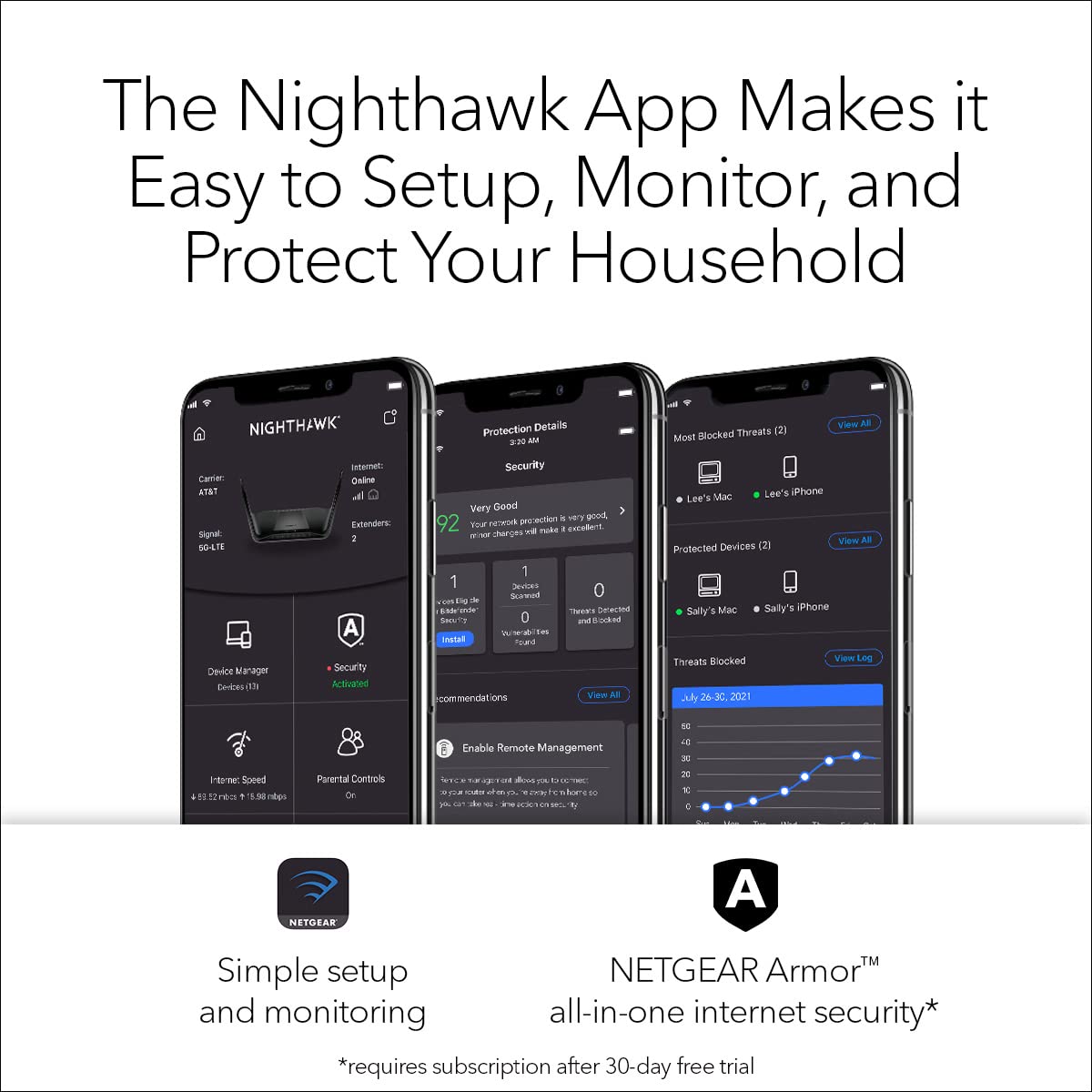
The NETGEAR Nighthawk RAX120 is a premium WiFi 6 router delivering blazing AX6000 speeds up to 6 Gbps, ideal for high-demand households and gamers. It features advanced security with NETGEAR Armor, easy app-based setup, and broad ISP compatibility. Powered by a 1.8GHz triple-core processor and smart technologies like MU-MIMO and Beamforming, it ensures seamless connectivity across multiple devices with robust network protection.


| ASIN | B07P3FGKYD |
| Are Batteries Included | No |
| Best Sellers Rank | 128,754 in Computers & Accessories ( See Top 100 in Computers & Accessories ) 945 in Routers |
| Brand | NETGEAR |
| Colour | Black |
| Connectivity Type | Wi-Fi |
| Customer Reviews | 3.6 3.6 out of 5 stars (3,531) |
| Date First Available | 9 April 2019 |
| Guaranteed software updates until | unknown |
| Item Weight | 2.1 kg |
| Item model number | RAX120 |
| Lithium Battery Energy Content | 5 Watt Hours |
| Lithium Battery Packaging | Batteries contained in equipment |
| Manufacturer | NETGEAR |
| Number of Ethernet Ports | 6 |
| Operating System | Netgear Genie |
| Product Dimensions | 30.99 x 19 x 4.5 cm; 2.1 kg |
| Series | Netgear Nighthawk AX12 |
| Voltage | 110 Volts |
| Wireless Type | 802.11ax |
C**L
FANTASTIC | Solved My Virgin Super Hub 3 Slow WiFi Issues
This review is for the Netgear Nighthawk AX12 12 Steam AX WiFi Router (Model Number: RAx120) MY BROADBAND PACKAGE: Virgin Media Fibre Optic Cable. 220MB Download and 20MB upload broadband plan. Using Virgin SuperHub 3. MY HOME SETUP: Large 4 bedroom detached property (very wide) over 2 floors (No brick internal walls). Furthest internal point in house, from the router is approx 15 meters. I have approx 15 devices connecting to the WiFi network. THE VIRGIN SUPER HUB 3: The only time I ever received Virgin’s advertised upload and download speeds was when I connected my MacBook Pro directly to the router using an Ethernet cable. Great - if you don't mind cables running all over your house. The WiFi was horrendously slow 90% of the time - I was often getting download speeds of just 20MB and that was in the same room as the router. In other rooms or upstairs the WiFi signal would degrade further still, to the point that it was often unusable - frequently I would get faster downloads using 4G (on my iPhone Pro Max). I tried all the usual stuff - turning the router off and back on again - turning off the mobile devices and laptops - and resetting the router back to factory settings. Even resorted to tweaking the router settings, to no avail. Occasionally, the router would give me a faster WiFi connection when turned off and back on again (maybe reaching 70MB) and then within minutes or a couple of hours it was back to the usual slow speed connection. I tried WiFi extenders etc.. nothing seemed to work, and as I work from home, I would end up using ethernet cable during the day to ensure I had a fast and constant reliable connection. Fed up with the slow WiFi and having an ethernet cable running over 10 metres to the study I started to research the Virgin Super Hub 3 router online. If only I had done it sooner. The reviews for it are terrible (and that's from official reviewers - not your average lay person). In view of this and already have spent a small fortune on other devices (extenders etc) I started to look at reviews for the NETGEAR Nighthawk router. Initial reaction was expensive, but the reviews for it were generally very good. Having had enough of my current unworkable setup, I decided to purchase the router. THE NIGHTHAWK NETGEAR ROUTER REVIEW: Arrived within a couple of days via Amazon Prime. Downloaded the app to my iPhone, launched it and followed the step-by-step instructions to complete the router setup. It was an absolute breeze. I had the new router up and running within half an hour of getting it out of the box. Note: If you're using the Virgin Super Hub 3, you will need to change the Super Hub 3 from "WiFi Mode" to "Modem Mode", before you start setting up the Nighthawk router, which can easily be done within the router's settings. During the set-up, you're asked if you want to keep your existing Network SSID and Password... Select "YES" as this means all of your existing devices will automatically connect to the new router (once set-up), otherwise you'll have a New SSID and Password, which you’ll have to set-up on every device you wish to connect to the WiFi. This worked perfectly for me. Post setup, all of my existing devices connected perfectly. Note: The 5G network has shorter range but faster connection, whereas the 2G network has further range but slower speed connection. I managed to get all of my smart devices (TV's, mobile phones, iPads) to connect to the 5G Wi-Fi network without any issues or signal drops anywhere in the house. There are 5 ethernet ports on the back of the router, which I also used to connect some devices (e.g Lounge TV, and PS4). Here's THE BEST BIT ... THE SPEED... WOW - this has totally blown my socks off!!! Most of the devices are connecting to the WiFi at almost full speed (220MB download) most of the time. In the furthest corners of the house I can still gets signals as fast as 210MB. I'm totally impressed and wish I'd bought this sooner. The Nighthawk Phone App is great. It allows you to see all of the devices connecting to the network either via WiFi or wired connection. You can 'pause' internet to individual devices if you like. You can also check the internet upload and download speed between your Router and ISP, which is handy. You can also turn on a "Guest WiFi" network if you wish to give house gets access to WiFi but not 'your' personal WiFi. There is also a traffic meter, if you wish to track how much data you're using . IN CONCLUSION: This router isn't cheap, in fact it's one of Netgear's most expensive. It does however have the latest WiFi standard (WiFi 6 aka "AX") which the latest iPhones, Samsung Devices, iPads can make use off. It is also backward compatible with all previous WiFi standards. It is quick and easy to setup and doesn't require any technical knowledge. Most importantly is the WiFi speed which I've been completely amazed with. You might also be able to get great results with other cheaper Netgear Routers (I didn't want to take the chance based on the amount I'd spent cumulatively on other products trying to sort my poor WiFi signal), however, I can wholly recommend this router if you have the budget, want ultra-fast WiFi speeds, and are looking to ensure any new smart device purchases can make use of the very latest and fastest WiFi.
S**M
RAX120v2 router cutting off frequently
I got this Netgear router RAX120 v2 in Jan 2023. After a few weeks I noticed the WiFi cutting off and reconnecting more frequently. My Ring devices and Blink camera devices were also not responding well to the Netgear router in general. So I contacted Netgear support and they assisted in resetting the whole thing, including the service provider modem. The process took several hours to complete. It seemed to work for a few days but then the problem started happening again, in fact worse than before. Netgear support told me to contact Amazon to request return of the router and request a refund. I have requested this now and awaiting Amazon response. I have packed up the Netgear router and now I'm using the default router given by my service provider and WiFi is working perfectly now. All my devices like Ring and Blink respond really well to the service provider's router. Also my internet speed results goes up to 1.2 Gbps which is really high - but I was getting 700-800mbps via Netgear router (even through wired connection using cat 8 ethernet cable). Now I expect Amazon will take back the Netgear router and refund me.
S**T
Good router showing off the latest Wi-fi spec
This router replaces a Nighthawk XR500 that’s being sent back for replacement after it went faulty. I’ve been watching this router for a while and it’s firmware updates and when the XR500 gave up I thought it’s time to move on. Very easy to set up with either the app or web page, I entered the same credentials and everything connected straight away. The XR was different as it was constant messing to get even Echo devices to connect. The web page and app are basic and not complicated and within 10mins it was up and running after the firmware updated. I turned off AX mode as I have no AX devices and it’s very stable so far. Wi-fi coverage is excellent, way better than the XR. I have 2 NETGEAR Ex8000 extenders as I had dead areas but now it just covers the property but I’m using one extender as it has some wired connections from other devices. I noticed too the extender now connects at max strength. For example my Arlo security cameras connect to extender and streaming is now butter smooth with their app and Apples HomeKit. I’m also on BT and there is no issue but I’m running a HG612 modem and not a home hub which I prefer. The specs are impressive, 64bit with good ram and cpu power as indicated in the spec. Perfect for streaming and gaming without the complex software many gaming routers supply. It’s a set and forget device. QoS is basic and I’ve left it off and have streamed and gamed at the same time without any issues so far. A very capable router thanks to its spec. I’ve also noticed as I’m using smart connect it’s working well at roaming and allocating devices to different channels ie. 2.4 or 5Ghz. Both web page and app show what’s connected to what channels and you can turn off devices if need be. Again this is a vast improvement and does the work for you. I’ve in total 15 devices connect to the network and it’s not even pushing it. There is a small fan to keep the temp down, it’s not come on yet and the case is slightly warm to touch, not surprising with the cpu power this router has. To round up if you want a Wi-fi 6 router or just a good modern up-to date router you can’t go wrong. Set it up and forget it’s there, perfect.
S**C
I chose this router to update my wifi in the house, my criteria was coverage and speed since the old router was starting to show it's age. After reading the reviews the Netgear RAX 120 was my choice, it has the coverage at 3500 sqft and the speed hit the target, an added plus was multi device usage without the lag. To address some issues I have seen in reviews. 1. Set up: From what I saw in most unsat reviews the people that were unhappy used the app to setup the router. I started with this process and quickly saw how this could be frustrating. I would HIGHLY recommend you hardwire setup with pc, it is a MUCH easier process. 2. Firestick: So far, I can start up just about all of my apps on my firestick, I do have one that gives me problems and that's my Dish app. For some reason it shuts down router and it only happens on tv's and not kindle or phone. That being said, I have only had to restart router once so far so this is a puzzle. 3. Real world performance: I have about an 1800 sqft home, the old router I had dead spots. This router performs like a rhino on steroids. Old router I could barely get a signal in the garage, now I can go across the street to the neighbors front door and still have a signal. There is no lag, since this is fast and can handle multiple devices at the same time without issue, I do not get the occasional clocking spinner in center screen. Conclusion: This is a good router if you keep it simple. I am sure other users have tweaked it to their liking but for most of us who buy product and plug it in and expect it to work this router will do. 02/23/2022 - Update: I am sorry to say I have to return this router and lower the rating. The reboot and restart reviews I have read are true and I have experienced them for myself. I am not willing to spend hours or days to try and hash out problem since I don't want to miss my return window and I don't feel like double talk. I think as a consumer that when you get something like this that it should work out of the box with little or no issues. I did set this up correctly and as I have mentioned I did it hardwired. When it works it is great but the reboots several times a day is annoying. 03/11/2022 Traded in the RAX120 for RAX70, the differences between the two are subtle. When the RAX120 worked it was awesome, the range and the speed were just outstanding. The problem with the RAX as I have mentioned is the constant reboot. I traded this in for a RAX70, this router is just as good if not better. RAX70 is a triband router and is wifi 6 however the range is a little shorter by 1000 ft, in my house I do not notice the difference. This router I have had for about 2 weeks now and I must say it is solid, no resets or reboots. I have a theory which is the RAX series 120 and 200 might have program issues but maybe heating problems too. I bring this up because I noticed when I turned on the fan permanently for the RAX120, the reboots were fewer but they still happened.
D**S
Was using a wireless router provided by our ISP. Needed something faster, more reliable, and that reached further. This router met all my needs. Also very important because of all the devises we have, including smart lights that each connect to the router. Was an amazon warehouse bargain. Product was great shape, and damage was as disclosed. Would highly recommend the product, and buying an amazon warehouse deal.
B**Z
Extremely good connectivity..no uptime conflicts.extremely great throughput..got two of them
F**S
اعادة التشغيل عدة مرات في الساعة الواحده!! تم الإرجاع بعد استخدام يومين فقط
A**E
Fácil de instalar el doble de velocidad
Trustpilot
3 days ago
2 months ago