Buy anything from 5,000+ international stores. One checkout price. No surprise fees. Join 2M+ shoppers on Desertcart.
Desertcart purchases this item on your behalf and handles shipping, customs, and support to Cyprus.
🚀 Elevate your hustle with the Pixelbook’s power and versatility!
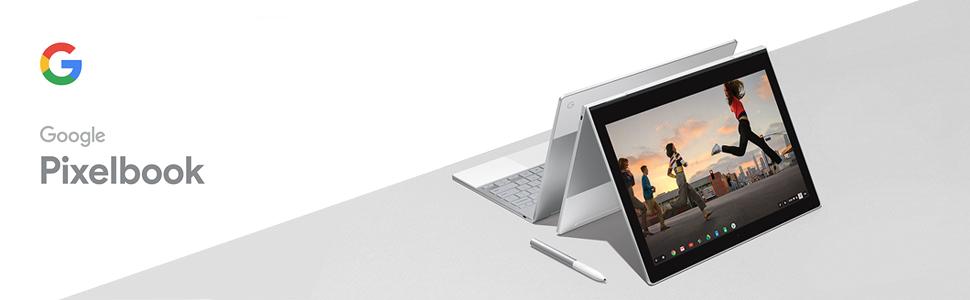
The Google Pixelbook combines a powerful Intel Core i5 processor with 8GB DDR4 RAM and 128GB SSD storage in a sleek, ultra-lightweight 4-in-1 convertible design. Featuring a vibrant 12.3-inch high-res touchscreen, built-in Google Assistant, and up to 10 hours of battery life with rapid charging, it’s engineered for professionals who demand speed, flexibility, and seamless integration with Google’s productivity ecosystem.


| ASIN | B075JSK7TR |
| Audio Output Type | Speakers |
| Audio Recording | No |
| Automatic Backup Software Included | Google Drive |
| Battery Cell Type | Lithium Ion |
| Battery Life | 15 Minutes |
| Best Sellers Rank | #287,347 in Computers & Accessories ( See Top 100 in Computers & Accessories ) #939 in Tablets |
| Bluetooth support? | Yes |
| Brand | |
| Brand Name | |
| CPU Model | Core i5 |
| CPU Model Generation | 10th Gen |
| CPU Model Number | GA00122-US |
| Chipset Type | intel b460 |
| Colour | Metallic |
| Compatible Devices | External displays, Bluetooth devices, headphones |
| Computer Wireless Type | 802.11b, 802.11g, 802.11n |
| Control Method | Touch |
| Country of Origin | China |
| Customer Reviews | 4.0 out of 5 stars 463 Reviews |
| Form Factor | Convertible |
| Global Trade Identification Number | 10842776102277 |
| Graphics Description | Dedicated |
| Graphics RAM Size | 8 GB |
| Hard Disk Description | 128GB SSD |
| Hard Disk Size | 128 GB |
| Hard Drive Size | 128 GB |
| Hardware Interface | Headphone |
| Has Color Screen | No |
| Human Interface Types | Keyboard |
| Item Weight | 1.11 kg |
| Keyboard Description | Standard |
| Lithium Battery Energy Content | 41.41 Watt Hours |
| Manufacturer | intel |
| Maximum Display Resolution | 2560 x 1600 |
| Model Name | Pixelbook |
| Model Number | GA00122-US |
| Model Year | 2017 |
| Native Resolution | 1920 x 1080 pixels |
| Network Connectivity Technology | USB |
| Number Of Ports | 1 |
| Operating System | Chrome |
| Other Special Features of the Product | Lightweight, Thin |
| Processor Brand | Intel |
| Processor Count | 2 |
| Processor Speed | 3.3 GHz |
| Processor Type | Core i5 |
| RAM Memory Installed | 128 GB |
| RAM Memory Technology | DDR4 |
| Ram Memory Maximum Size | 8 GB |
| Scanner Resolution | 1080p |
| Screen Size | 12.3 Inches |
| Specific Uses For Product | Business, Student, Travel/portability |
| System RAM Type | DDR SDRAM |
| Total USB Ports | 1 |
| Touch Screen Type | touch |
| UPC | 842776102270 |
| Video Output | DisplayPort |
| Video Processor | Intel |
| Voltage | 3.7 Volts |
| Webcam Capability | No |
| Wireless Technology | Wi-Fi |
S**U
Great aeller
Received the product well. Had to communicate since i had a lot of questions. All were answered promptly and to the point. Would recommend the seller happily!
マ**ン
不便を楽しめ!
このPCはご存知のようにChromebookですから、WindowsやMacのようには使えません。 Andoroid版のアプリが使用できるので、かなりできることは増えましたが、 それでも不自由を感じることが多々あります。 例えば仕事でPowerPoint(Android版を使用可能)を使ってプレゼンしようとしたとき、 通常のPC版のパワポと違い、動画を貼り付けることができませんでした。 仕方がないのでGoogleスライドでプレゼンを作成し直し、 動画はYouTubeにアップし、そのリンクをGoogleスライドに貼り付けるという、 とても面倒くさい方法を取らざるを得ませんでした。 またChromebookは基本的に本体ストレージにファイルを保存することを想定しておらず クラウド保存が基本なので、ファイル操作なども実に不便です。 iPad pro 10.5も所有していますが、はっきり言って使い勝手はiPad pro 10.5の圧勝です。 しかしこのPCの魅力はそんなことでは失われません。 ガジェット好きなら間違いなく買って後悔することはないはずです。 どのよに使うか?自分なりの使い方を考えるのを楽しむためのPCです。 Linuxに正式対応も決まっていますし、Windowsとのデュアルブートにも対応するとの噂もあります。 今後ますますこのPCの価値が上がるのではと期待しています。
J**N
I will try to explain why this is the best laptop/convertible currently sold for those with the budget to ...
I have owned a Pixelbook (base model) for 45 days now (having owned a Chromebook Pro, my first-ever ChromeOs product, for 30 days prior) and after reading countless professional and owner reviews I wanted to write one captures the essence of the Pixelbook and what makes it so attractive and why it is worth its price to many who would cross-shop it with Windows and Mac alternatives. I will try to explain why this is the best laptop/convertible currently sold for those with the budget to spend $1,000 give/take for a laptop and, importantly, for those who have been able to determine either that ChromeOs (including Android App access) will meet their needs and/or that they own a Windows or Mac device that will provide the capability needed for use cases that the Pixelbook/ChromeOs presently do not support. I'm about to go down the path of paraphrasing what another Amazon reviewer, Dave Levy, already stated more succinctly than I will, but the purpose of my comment is to add depth to Mr. Levy's review for those who found his words persuasive but may still feel some hard-do-describe level of skittishness to "pull the trigger" on a Pixelbook. In no particular order: 1) The Pixelbook ("PB") is absolutely on-par with or well above it's competitors in the premium laptop/convertible market with Mac Os or Windows 10 from the standpoint of user experience. 2) The PB is best-in-class (again, the highest end of the laptop/convertible market segment) - or tied for best - in these areas of hardware look, feel and response: a) keyboard; b) trackpad; c) display; d) stylus (with both the Google branded version or several other "Wacom AES" alternatives I've tested); e) connectivity (both wifi and bluetooth [4.2]. 3) The PB is below class-leading, but still fully acceptable, in the following areas: a) audio quality (acceptable for most laptop use cases, but fair to say headphones or auxiliary speakers are needed for high quality/room-filling sound); b) keyboard backlight (fine for dark ambient light environment but weak for "dusk" type ambient lighting, when some assistance is helpful but the backlighting is not as bright or complete as preferable and as provided by some of its peers, including some lower priced devices; Google should improve this through software update or next hardware update cycle, but it's very far from a deal-breaker); c) user authentification (in 2018, a premium device should have easy, fast biometric authentification as an option and the PB does not; this is a must-fix for first hardware update cycle.) Other than items noted in 3), above, there is no aspect of the user experience in which the PB can't be described as the finest laptop/convertible user experience available today - or ever produced - in this size and price class. 4) It is in no way accurate or fair to call the base model "overpriced 'for a Chromebook'" or "overpriced" in any way. This device is so beautifully designed (though this is a matter of taste) and so brilliantly executed that, IMO, it is the finest piece of electronic device kit I have ever had the pleasure behold and use. It's really that gorgeous, that perfectly made, that smooth and fast to respond - in the ways that a fine luxury good (in addition to computers, smartphones and tablets, automobiles come to mind in comparison - might stand out as being. It makes me smile. I look forward to whatever task I approach when I realize I'm about to use my Pixelbook to get it done! I guess you have to be a person who really notices and cares about design and quality for this to matter to you. Nothing wrong with someone who doesn't - in fact, you will save yourself many hundreds of dollars by purchasing either a Chromebook Pro or Asus Flip CS-302 if you want a good, strong, well-made Chromebook and just don't care so much about the finer points of design, engineering and craftsmanship because those alternatives have all the ChromeOs goodness and same features as the PB though they may lack only at the margins some of the storage (though the other 2 have micros SD card support while the PB does not) speed, thermal control, keyboard/trackpad quality and overall excellence of the PB (and, in the case of the Asus, active stylus support.) This is clearly a luxury purchase. And, in fact, I've spent 45 days now - last day of return window: tomorrow! - equivocating over whether I can justify to myself indulging in this luxury. (My decision is a little easier because I got my PB when Amazon had a pre-Christmas deal for $800 and Google had promotions, including a $62 credit against my Netflix bill, $40 worth of free Google Drive subscription fees - that I have been and would've continued paying - and a $50 credit to my Google Store account - for apps or devices - as a concession because Amazon didn't offer the Google Home device and Google was throwing in a free Home speaker if you bought it from Google. Thus my true cost for the PB was effectively $710, a price point many have noted they would feel more comfortable paying. Just between you and me, I would still be buying it if my cost was $999 ;) If you can afford it and you want a very high end device and you've determined a Chromebook has an important place in your device arsenal, you couldn't find a more certain way to spend $400 extra and be certain it would bring you so much enjoyment. I suggest you buy it from a vendor who provides preferably 30 day trial with full refund option. Again, presuming you had already concluded you want/need a chromebook and it must have what for chromebooks are the higher end spes, I imagine you may go through the same process as I have and, what you decide as your return window closes will inform you as to how much you truly adore the design/execution of this product and whether you can justify the $400 luxury indulgence. My guess is that you will make the same decision as I did, even at the full retail price of $999!
C**N
Buen producto portatil para editar fotografía
Tiene un gran funcionamiento respecto a velocidad de procesamiento, batería, nitidez de la pantalla, bocinas y calidad de los materiales. Considero que las Chromebooks aún no reemplazan por completo a una laptop con windows (por ejemplo) ya que la mayoría de los programas están limitados en herramientas/funciones. Como equipo que esté en un nivel de portabilidad de una tablet y hardware (además de algunas funciones) de PC, es lo mejor que puedes comprar, pero es clave que delimites para qué la requieres.
C**S
Great product, great design & unjustified worrying.
Being a professional on the road 50% of the time, I was at first looking for a tablet to replace the classic notebook and carry less paper. Then the Pixelbook came out with a great 2 in 1 design and then I thought it could replace both my notebook and laptop. I was worried of being limited by ChromeOS (i.e. not being able to install the full Office suite), but using google sheets/docs or Crossover in exceptional cases (full office 16 on ChromeOS via an emulator) proved I made the good choice, along with all the apps from the Play Store; I also have a Windows desktop computer back home for more extensive work (i.e. Excel spreadsheets with macros). For taking notes, the size is perfect (appr. Letter size) and the pen works perfectly (I recommend using the app Squid available on the Play Store for taking notes as it is more fluid, has the ability to import .pdf and organize your notes pretty much as you would in a classic paper notebook). Moreover, the pixelbook is light enough that it is not a burden to carry all day long. The device starts and stops extremely fast which is convenient for working on-the-go (i.e. airport) along with good battery life (about 8-10 hours depending on usage). If you don't need extensive Windows apps, are already using Google related products (drive, photos, agenda, mail, etc.) and looking for a 2 in 1 then this is a no brainer!
D**I
Love it! Enjoying it more than my $2K+ Macbook Pro in every way but one ...
Let me state up front, this review is not meant to compare the Chrome experience vs. Windows or MacOS. That's a whole topic unto itself and suffice it to say that as a (mostly) Mac User I am enjoying the Chrome experience so far, but again that is not the focus of my review. Instead this review will focus on 'everything except the OS'. The build quality, materials, Industrial Design/look-and-feel, beautiful product packaging, etc. all seem very "Apple Like" (and I'm saying that as a complement). It seems to me that Google has equaled Apple and Microsoft Surface in terms of building a beautiful premium product. In a sense they have outdone Apple in that you can't get anything like this from Apple (i.e. Apple doesn't sell a 4-in-1 ... a laptop that doubles as a tablet). And in my experience, no tablet with a keyboard is as rigid as a true laptop hence none of them feel as good when you're using it as a true laptop (i.e. it's sitting on your lap and you're banging out something longer than a tweet). Now I will cut to the chase and mention the one thing that I didn't notice when I tried out the Pixelbook at a retailer, but within a half hour own owning it I suddenly noticed it and now it bugs me: it's the large black border on all 4 sides of the active screen area. I guess I've gotten spoiled by the MacBook Pro Retina, which has a relatively thin 0.3" border (give or take) on all 4 sides. The Pixelbook has a border of roughly 0.6" on the left and right, and 0.75" top and bottom. This may not seem like a big deal, but with the Pixelbook being pretty compact to begin with, this effectively makes the screen quite a bit smaller and less usable than it would be if it stretched nearly edge-to-edge. I thought about deducting a star from the rating because of this big border, but I googled a bunch of pictures of Chromebooks and it looks like ALL BRANDS are the same ... I guess it's just a Chromebook thing. Plus hey it's advertised as a 12.3" screen, which is accurate ... I just wish they could have squeezed a 13+" screen into the 14" lid. That being said, I love just about everything else about the Pixelbook. I prefer the keyboard over the newer Apple keyboards, and I MUCH prefer the touchpad to the Macbook Pro touchpad. Battery life is great. Screen brightness/contrast/resolution is awesome. It feels very quick and responsive with one small exception which I will get into later. But mainly it just feels very solid, looks gorgeous, and has a great minimalistic design. The small exception I noted above has to do with screen scrolling within the Chrome browser. Sort of hard to explain, but if you scroll quickly it is very smooth and responsive up to a point, but if you quickly scroll down more than maybe half a page there is a pronounced lag. Again this is my first Chromebook so I don't know if this is a Chrome OS thing, or a limitation of the CPU or Graphics processor or neither, but whatever it is, it detracts slightly from the otherwise very responsive feel. So back to the positive, I really really like this device. In my book it's worth the premium price over the cheaper Chromebooks I have seen, and at the $699 Black Friday/Cyber Week price it was a bargain compared to a Macbook Air or Surface Pro. At the full $999 retail price the value proposition is more questionable compared to other premium Chromebooks I looked at such as Lenovo and Samsung, so I am hoping Google brings back the $700 sale price soon.
Trustpilot
1 month ago
1 month ago