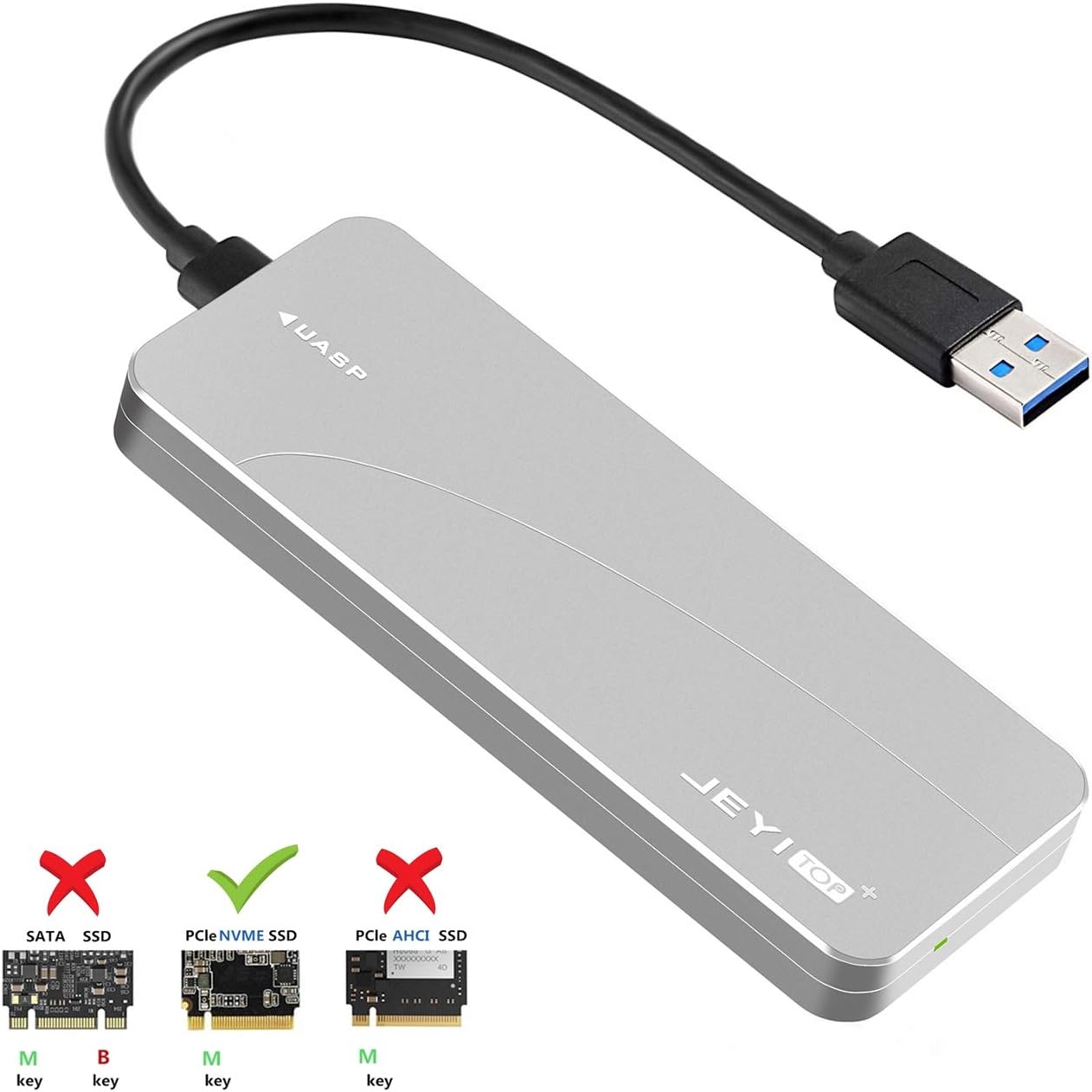


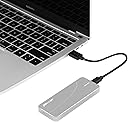
M.2 NGFF- SATA Enclosure (M.2 NVMe Adapter3)
Product ID: 86191656
Details
- BrandYATENG
- Compatible DevicesLaptop
- Hardware InterfaceUSB
- Item Weight0.01 Ounces
- Max Number of Supported Devices1
desertcart.com: YATENG M.2 NGFF- SATA Enclosure (M.2 NVMe Adapter3) : Electronics Review: Fantastic NVMe enclosure - Installation was extremely easy, came with plenty of thermal pads, and is extremely fast even with the included cable. If you want even faster speeds pick up a good USB-C to USB-C cable and watch it fly. Heat dissipation into the enclosure itself works great, gets nice and hot on the outside while keeping the temps of my 970 EVO well at bay. Yes, the enclosure gets hot, very hot at times, that's a good thing and intended. The enclosure is soaking up heat from the SSD and passive cooling using the open air around it. Just don't put it in a blanket while you're using it and it will perform perfectly. Review: Great except for one flaw - Purchased this and I can say it was definitely "compatible" with several different NVMe m.2 chips I installed in it. As a basic, connected disk drive (for backups, or just general storage) it works fine. However, it suffers from one flaw that made it unusable for our purposes: Let's say you have an m.2 NVMe chip from Crucial, model CT1000P1SSD8. When that chip is installed into the carrier, the Hardware ID is not properly passed through to the system. Thus, the drive appears to be a "JMS583". With other SATA or m.2 chassis, the drive Hardware ID was always properly passed through. In other words, you can tell it's a Crucial SSD with other carriers. You can't with this carrier. Why is this an issue? Because some proprietary software or drive cloning software requires specific device ID's in order to clone the image. By example, with any Crucial SSD's, Crucial's included "free" version of Acronis True Image checks the manufacturer drive ID and will not install or launch, even when a Crucial SSD is installed in the chassis as required by their "free" license. So the drive cannot be cloned or used at all in this case. Thus, my primary purposes for this device, which is cloning m.2 NVMe to NVMe, doesn't work at all with this chassis. The device is still good, and appears to be beautifully built (solid metal, "feels" very high-quality) but it doesn't work at all for our purposes, so we're returning it.
| ASIN | B07HTPFBL4 |
| Connectivity Technology | SATA |
| Customer Reviews | 4.2 4.2 out of 5 stars (31) |
| Date First Available | May 12, 2019 |
| Is Discontinued By Manufacturer | No |
| Item Weight | 0.01 ounces |
| Manufacturer | YATENG |
| Product Dimensions | 7.1 x 4.2 x 0.9 inches |
| UPC | 192242004844 |
R**N
Fantastic NVMe enclosure
Installation was extremely easy, came with plenty of thermal pads, and is extremely fast even with the included cable. If you want even faster speeds pick up a good USB-C to USB-C cable and watch it fly. Heat dissipation into the enclosure itself works great, gets nice and hot on the outside while keeping the temps of my 970 EVO well at bay. Yes, the enclosure gets hot, very hot at times, that's a good thing and intended. The enclosure is soaking up heat from the SSD and passive cooling using the open air around it. Just don't put it in a blanket while you're using it and it will perform perfectly.
D**H
Great except for one flaw
Purchased this and I can say it was definitely "compatible" with several different NVMe m.2 chips I installed in it. As a basic, connected disk drive (for backups, or just general storage) it works fine. However, it suffers from one flaw that made it unusable for our purposes: Let's say you have an m.2 NVMe chip from Crucial, model CT1000P1SSD8. When that chip is installed into the carrier, the Hardware ID is not properly passed through to the system. Thus, the drive appears to be a "JMS583". With other SATA or m.2 chassis, the drive Hardware ID was always properly passed through. In other words, you can tell it's a Crucial SSD with other carriers. You can't with this carrier. Why is this an issue? Because some proprietary software or drive cloning software requires specific device ID's in order to clone the image. By example, with any Crucial SSD's, Crucial's included "free" version of Acronis True Image checks the manufacturer drive ID and will not install or launch, even when a Crucial SSD is installed in the chassis as required by their "free" license. So the drive cannot be cloned or used at all in this case. Thus, my primary purposes for this device, which is cloning m.2 NVMe to NVMe, doesn't work at all with this chassis. The device is still good, and appears to be beautifully built (solid metal, "feels" very high-quality) but it doesn't work at all for our purposes, so we're returning it.
N**S
Don't Initialize the Drive if you have data!
I took an NVME drive out of client's computer and put it in this adapter for a data transfer from a dead machine. When I plugged in the adapter to my Windows 10 workbench to extract the data, it asked me to initialize the drive. Since I did not want to wipe out the drive, I did not proceed. I took out my laptop and installed the same NVME drive into it and booted to Linux. I was able to extract the data to an external drive. So the drive was good; the adapter would not recognize the drive. This device is worthless for my use since I can't mount a drive in Windows. If the manufacturer releases a fix for this issue and comments about my review, I will update.
M**E
Works-- for a while
Works well with Samsung 1TB NAND SSD 970 EVO NVME M.2. Update: Over a month, if I had to reboot my laptop (for updates, for example), the drive would not be recognized on restart, so I would have to unplug and plug it back into a USB 3.0 port. But it would only be recognized so many times on that port, so I would switch to another port. After a while, it would not be recognized on that port, so I switched to my final port. Today, not recognized on any USB port. I had to take it to another laptop and transfer the data I needed to my old (slow) USB drive. Tried for hours to get around the problem-- deleted and reinstalled drivers, etc. Frustrating. I'm going to find another manufacturer using a different chipset. By the way, the blue LED always lights, just no one at home.
R**A
Worked great
Easy to use
B**A
Awesome Adapter for cloning to NVMe
WOW! This adapter is a life saver and makes things so much easier when cloning from one NVMe drive to another. My original NVMe drive was starting to throw faults so I needed to clone it over to a new one I purchased. This adapter made it a cinch! Well worth it! I actually ended up buying some used drives that were larger in size that what I had, and used this adapter for two mini-PCs. Again, this worked perfect! Beats having to clone to a SSD drive and then cloning to a new M.2 drive. !
S**.
Awesome For Cloning!!!
Great value for the money! I can run S.M.A.R.T. reports with this enclosure over USB 3.0. With a Samsung 970 Pro 512GB and Samsung 970 Evo 512GB it will warm up over night. On one hand that shows decent heat distribution, but it's not an enclosure meant to house a NVMe. If you're looking to clone drives this thing is perfect!
W**S
Extremely well made, but setup is not intuitive
This product is extremely well made. It has a heavy feel and will be very durable. It includes all the tools you need to install a drive including all screws, thermal pads, USB cable, and a screw driver. The instructions for installation were not super straightforward for someone who has never installed an M.2 drive before. I installed a Samsung 970 EVO drive in the enclosure. I had to watch a video to make sure the drive was seated correctly. The instructions also do not indicate which screws you need to mount the drive. It turns out the two shorter screws in the included hardware fit perfectly. It also doesn't specify how to install the included thermal pads. I just stuck a few of them on top of the heat sink on the drive and closed the case. The drive connected to the computer easily with the cable. The cable is a bit short (a few inches) if you leave it on your desk. It is currently in an awkward position hanging from my laptop. It works great however. I would highly recommend this product!
Trustpilot
4 days ago
5 days ago