We remain fully operational. Our teams are working around the clock to ensure your deliveries continue safely.

DOWNLOAD THE APP


Copyright © 2025 Desertcart Holdings Limited
DOWNLOAD THE APP


Buy anything from 5,000+ international stores. One checkout price. No surprise fees. Join 2M+ shoppers on Desertcart.
Desertcart purchases this item on your behalf and handles shipping, customs, and support to Cyprus.
🚀 Elevate your workspace with power, speed, and triple-display brilliance!
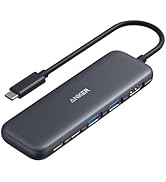
The Anker Prime Docking Station DL7400 is a premium 14-port hub designed for professionals demanding high-speed connectivity and multi-monitor setups. Supporting triple 4K 60Hz displays plus an 8K output, it delivers up to 140W laptop charging and features a smart cooling system with real-time status display. Compatible with macOS and Windows via DisplayLink drivers, it streamlines complex workflows with versatile ports including USB-C, HDMI, DisplayPort, Ethernet, and card readers—all housed in a sleek, compact design.






| ASIN | B0DTSZC5Y7 |
| Best Sellers Rank | #1,169 in Electronics ( See Top 100 in Electronics ) #14 in Laptop Docking Stations |
| Brand | Anker |
| Color | Phantom Gray |
| Compatible Devices | MacBooks, USB C Windows laptops |
| Customer Reviews | 4.0 4.0 out of 5 stars (337) |
| Hardware Interface | 3.5mm Audio, DisplayPort, Ethernet, HDMI, MicroSD, USB |
| Input Voltage | 240 Volts |
| Item Dimensions L x W x H | 7.67"L x 3.62"W x 1.89"H |
| Item Weight | 834.1 Grams |
| Manufacturer | Anker |
| Mfr Part Number | A83B3 |
| Minimum Required Operating System Version | Windows 10, Windows 11 |
| Model Number | A83B3 |
| Number of Ports | 14 |
| Smart Home Compatibility | Not Smart Home Compatible |
| Total Number of HDMI Ports | 2 |
| Total Usb Ports | 7 |
| UPC | 194644232849 |
| Unit Count | 1.0 Count |
| Warranty Description | 24.00 |
| Wattage | 160 |
G**K
Simple, Easy to use Dock!
This dock is a must-have for those looking for a simple, easy-to-use interface to connect their laptops to an external monitor. I must admit, I was on the fence about this one when it came to gauging the value I would get out of this, but I was proven wrong. It is designed well with good weight and build quality. Setup was relatively easy, and it was nice that they threw in a DisplayPort and HDMI cable in the box. It does not take up a lot of space on my desk and the clock feature is a nice touch. Note that the clock is only customizable after you install a firmware update via the Anker Dock Manager PC application, which you can download from the Anker website. The dial is another welcomed addtion as this is present on their Anker Prime Charger 250w. Maneuvering through the settings was a breeze. The device runs cool and does not heat up to such high temps. Anker has done a great job at managing temperatures across it's devices. There are plenty of ports for connectivity, including 3 front USB-C data/charging ports, a SD + TF card reader. The back ports include 1 DisplayPort, 2 HDMI ports, 2 USB-A 3.2 ports, 1 USB-A 2.0 port, an ethernet port, and your standard upstream data/charging port. Upstream charging to the device is max 140w (unfortunately my gaming laptop supports only 100w), and the connection was relatively simple. This device also supports PPS PD charging for Android devices such as the Samsung Galaxy via the front 3 ports. You can also establish a data connection from your phone to your PC. For display, keep in mind that you need to download the Synaptics DisplayLink driver for your pc/laptop to output via DisplayPort to an external monitor. It is a relatively quick and simple download. Once the driver was installed, and I restarted my pc and reset the dock,the video display was seamless. I am currently outputting a resolution of 3440 x 1440 @240Hz with no stutter and no artifacts. This has improved my gaming setup tremendously, and I have not noticed any issues during hardcore gaming. The Anker Dock Manager application is a nice touch and allows you to see the multiple connections that you have on your setup. You can change from Mirroring to Extended display, even change the display direction if you have your monitor set up vertically. Refresh rate and resolution can also be customized. Overall, this is a solid addition to anyone's future laptop/desktop to monitor setup. Though there are other docks out there with more ports and features, the Anker Prime does a great job of incorporating functionality and simplicity for the everyday user.
J**R
fantastc dock for MBPro + 3 external monitors
I use this docking station for connecting my MBPro to 3 external monitors, 2 HDMI and 1 DP. The DisplayLink functionality works great but does have some limitations. To dock the MBPro, if you want to use the external monitors with the lid closed, you have to connect it to the dock with the lid open first, then close it to only use the monitors. Not a big deal if you're docked most of the time, but kind of annoying if you undock frequently. The dock itself is very well made and unique. I like having the screen on the front displaying the time and the wheel on the side allows for easy navigation to the different menus and information. The layout of the ports is great and allows you to access them easily without having to move things around often. The incorporated power supply is great which means there's no external brick to try and hide or have sit on the floor collecting dust, just one power cable from the wall to the dock. Anker did well with this dock and I'll definitely be looking to their Thunderbolt dock when monitors with thunderbolt eventually drop in price.
T**N
Great upgrade for a multi-monitor desk
I picked this up for my work-from-home setup, and it was mostly plug and play. I did run into a small issue at first where my laptop wouldn’t connect to the monitors, but after updating my laptop software, everything worked as expected. I use this dock to run three monitors, and it’s been reliable with no lag or display issues. The build quality stood out right away—it feels sturdy and well-made, not flimsy like some other docking stations I’ve used. I also appreciate the number of ports available. I regularly plug in my phone and AirPods at my desk, and it’s convenient having everything connected in one place. I picked this up during a Black Friday sale, which made it a great value, and it’s now an essential part of my WFH setup. If you need a solid, well-built dock for a multi-monitor setup, this one has worked well for me.
L**R
Its a no for me
I really want to like Anker products, but they strike out for me more than they win. This dock is not great. First, you have to have DisplayLink installed on your computer, which makes no sense because it doesn't do anything different than your built-in display settings. The Ethernet port isn't a true 2.5G. I get download speeds of 700-900, and upload speeds of over 2300 (I have 3 GB). There is a bottleneck somewhere in the download speeds, but Anker claims it is not the dock and that they've tested this with the exact two laptops that I currently use, and they have no issues. When I remove the monitors and just use the dock for Ethernet, the speeds do not change. When I remove the Ethernet cord and plug it into an external 2.5G plug, I get full up and down speeds. The dock itself doesn't seem to fully support two monitors. Intermittently, it will lose monitor connection, and my monitors and the dock will start flashing. I have to then unplug and plug the dock back in to get it to reset itself. All in all, it is NOT worth $200+ and does not do what the specs say it does. It looks sleek, has a good number of ports and charging capabilities, and a decent interface, but my biggest issues are the bottlenecked download speeds and the intermittent connectivity with my monitors.
H**O
Not great out the box but rocks once set up to preference!
Had to fuumle a bit with the settings and the updates, downloads etc.. It also made my Apple magic mouse very slow. Solved with a console command. Also had to search through trial an error the best reosultion x Refresh rate combination. Once the set up is done (Took me like 20 minutes) it works amazingly and even has 3 super fast charging ports in front. An all rounder devce to make the centerpiece of a setup! Display link connection is great, and had 2 other HDMI ports to boot. You can also tell the materials have a certain quality and weight that feels premium, just like its price.
P**S
The Anker PowerExpand Elite DL7400 powers my ultimate 5-screen Mac setup flawlessly: a 34” ultrawide at 3440x1440 for main workspace, two 27” monitors for references and tools, the MacBook screen for quick checks, and iPad Pro via Sidecar for notes—all running smooth at high refresh rates with zero lag, flicker, or dropped frames across both MacBook Pro and Air. No compression artifacts or stuttering during heavy multitasking like code editing, virtual machines, and browser tabs. The 3 USB-C ports completely replaced my old charging station—they deliver fast 100W PD to keep laptops topped off during 10+ hour sessions while powering hubs, external drives, and accessories without a single dropout. Its compact aluminum design makes my desk clean and modern. Perfect macOS dock—game-changer for productivity.
J**L
It’s a great dock that has cleaned up my desktop a lot with all of the connectivity it has. Compact, operates well, and attractive. You need to know that this dock will not transmit any video to monitors without the DisplayLink drivers installed on your computer.
O**O
Beautiful design, horrible performance… used with a MBP M4, unresponsive, crashed at least twice per day , display link works really bad on this dock, love the brand, but this is the worst dock ever. Needed to return to my 2019 Dell WD19 Dock
S**T
Works great, plug and play. Cleaned up my desk from all the cable clutter.
M**G
This is a DisplayLink dock, so it will absolutely require the DisplayLink driver. I tested the three display output and none of them work without the DisplayLink Manager running. Some other dock I tested has a Hybrid USB Alt Mode and DisplayLink support so at least one monitor would be functional if the DisplayLink Manager is not active. This is not the case here. None of the display will work without the Display Link Manager running. There are two important things to know about the DisplayLink dock. First, it's only for productivity. The DisplayLink technology basically encodes the video and sends it through a data stream over USB. The encoding process adds latency, can cause artefacts, there could be drop frames if there is not enough bandwidth, takes CPU cycles and takes some system memory. If you start a game, the GPU will render to VRAM but then the frame buffer will have to be copied back to system memory for the DisplayLink to encode the frame and send it over USB to the dock. The end result is a very laggy and inconsistent framerate. Second, HDCP playback is not guaranteed. It will depend on your OS and a bunch of other factors. On Mac OS, you will get a black screen if you play a movie on Netflix. The only advantage of a DisplayLink dock is that it can bypass hardware limitations. For example, the MacBook Air M1 can have at most one external display, but if it is hooked to a DisplayLink dock, it can have multiple displays. In this case, it can have three. Note that all of the advantages and disadvantages above are not unique to this dock. The same is true for all DisplayLink docks. The set of ports on this dock is pretty decent. There are 2 x USB-C 10Gbps, 1 x USB-C 5Gbps, 2 x USB-A 5Gbps, 1 x USB-A 2.0, 1 x 2.5Gbps Ethernet, 2 x HDMI, 1 x Display Port, SD Card slot, and a headphone jack. This is not Thunderbolt speed, but for office work, it's plenty fast. I used it for the past two weeks. For the most part, it works well enough. I did have a bit of stuttering at the beginning, but it fixed itself after a few days. I didn't update drivers or firmware, so the only thing I can think of is that I was running low on memory. My big issue, however, is that I can't watch any Netflix, Prime Video, or Disney+. I use a Mac, and HDCP is not supported over DisplayLink on Mac. The thing that is very unique to the Anker Prime dock is the integrated power supply, the OLED display, and the companion Anker Dock App. As opposed to other docks that have a large power brick, the power supply is integrated in the Anker Prime. It makes the dock heavy and stable. The downside is that such a strong power supply requires cooling, so there is a fan in the dock. The Anker Dock App is available for Windows and Mac. It will let you monitor the USB power output and change some settings directly. For example, you will be able to change screen resolution, refresh rate, and screen orientation. The OLED display is used to show USB power, USB speed, display resolution, and system temperature. Overall, unless you absolutely need a triple display setup, you are okay with all of the downsides of DisplayLink, and you really want that OLED display, I wouldn't recommend this dock. There are better options at a lower price available.
Trustpilot
2 weeks ago
1 day ago