Desertcart purchases this item on your behalf and handles shipping, customs, and support to Cyprus.
❄️ Cool performance meets dazzling style — your PC’s new power move!
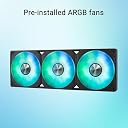
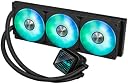
The ASUS Prime LC 360 ARGB is a high-performance all-in-one liquid CPU cooler compatible with AMD AM4/AM5 and Intel LGA 115x/1200/1700/1851 sockets. Featuring a specially designed CPU contact area for efficient heat dissipation, pre-installed ARGB fans with customizable infinity mirror lighting, and reinforced sleeved tubing for durability, it offers silent, powerful cooling and seamless integration with ASUS motherboards via a single-cable setup.


| ASIN | B0DNPW8W6Z |
| Air Flow Capacity | 360 Cubic Centimeters Per Minute |
| Best Sellers Rank | #153,008 in Computers & Accessories ( See Top 100 in Computers & Accessories ) #240 in Water Cooling Systems |
| Brand | ASUS |
| Brand Name | ASUS |
| Compatible Devices | Desktop, Laptop |
| Cooling Method | Fan, Water |
| Customer Reviews | 4.7 out of 5 stars 56 Reviews |
| Item Weight | 2.36 kg |
| Manufacturer | PRIME LC 360 ARGB |
| Material | Metal Plastic Rubber |
| Material Type | Metal Plastic Rubber |
| Model Number | PRIME LC 360 ARGB |
| Number of Items | 1 |
| Part Number | PRIME LC 360 ARGB |
| Power Connector Type | 3-Pin |
| UPC | 197105624535 197105624528 |
| Unit Count | 1 Count |
ع**ة
ممتاز
ثاني مره اشتريه ممتاز
J**E
Nice Liquid Cooler
Very easy to install without including instructions in English. just have to follow the diagram in the installation pamphlet. The hardware included seems to be of a decent quality. It took me about a half or so and most of that was figuring out how to open my case from the top. The unit runs virtually silent and it dropped the core temp on my I5 14600K down from 50 degrees at idle to 28 degrees. It vents heat out the top of the case very well which is what you want. Aesthetically it's much more attractive than hanging one of those large heat sinks on the mother board that probably obstruct more air flow then they would provide cooling. This cooler is also controllable on an Asus motherboard using the Asus Amory Crate utility. Still for the price this cooler wasn't much more expensive than other top quality fan coolers with large heatsinks so it was well worth the money to protect my PC components.
G**T
Great Product
Great
P**N
Fonctionne très bien
R**K
Well built, functional, great looking AIO pump setup
My first use of an AIO water cooler met with reasonable success in this big fella. Installed on my new Ryzen 7 5700X3D, it runs very cool even under extreme gaming stress. I checked the BIOS temp readings alongside HW Monitor app and they show the same thing, it hasn't topped 52 C under stress. Along with switching to this cooler from my old Noctua monster heatsink, I replaced my older Ryzen 5 2600 with a new Ryzen 7 5700X3D, all that said, this review is after running everything as is, I have not overclocked anything yet but will explore that with this new setup down the road, I doubt I will experience any issues with overclocking alongside this AIO providing sufficient cooling. The overall construction is great, it comes well packaged with everything you'll need to install on any AMD or Intel CPU. The instructions didn't mention using the included plastic stand off washers on the screws used to attach the radiator unit to the case frame but it's pretty easy to figure out. Nice how it comes with pre-applied thermal paste too. I have yet to read about any coolant leaks on other reviews, I suppose there's only so much that could be done about that given the entire concept of liquid cooling. My AM4 mainboard is an older Asus B-450M-A which doesn't have a dedicated 4-pin AIO header, so I connected to pump to the CPU fan header, temps and fan speed register in the BIOS and on various hardware monitoring apps, so I'm guessing that's the speed of the pump??? The three fans on the radiator are wired together with a separate 4-pin plug which I plugged into one of the two chassis fan PWM connectors. That being said, make sure PWM mode is enabled because at first the radiator fans would surge and throttle sounding like a V-22 on take off, but once PWM was enabled on the CPU fan header via the BIOS it calmed down. Now even under load its no louder than the other five 140mm case fans I have running. My only issue is my mainboard has one older 4-pin RGB header (already in use with strip lighting synched to Asus Aura), this has the newer 3 pin (and different voltage / non-compatible with 4 pin) ARGB plugs, so the lighting on the radiator fans and pump do not work, but it's hardly a big deal. I'm trying to squeeze every year out of this already eight year old mainboard that I can, so if this is my only issue switching to AIO cooling, I cannot complain. I have been a fan of ASUS for decades and this cooler holds true to form.
Trustpilot
1 week ago
1 month ago