Desertcart purchases this item on your behalf and handles shipping, customs, and support to Cyprus.
๐ Upgrade your MacBookโs heart with Sintechโs NVMe adapterโspeed meets legacy!
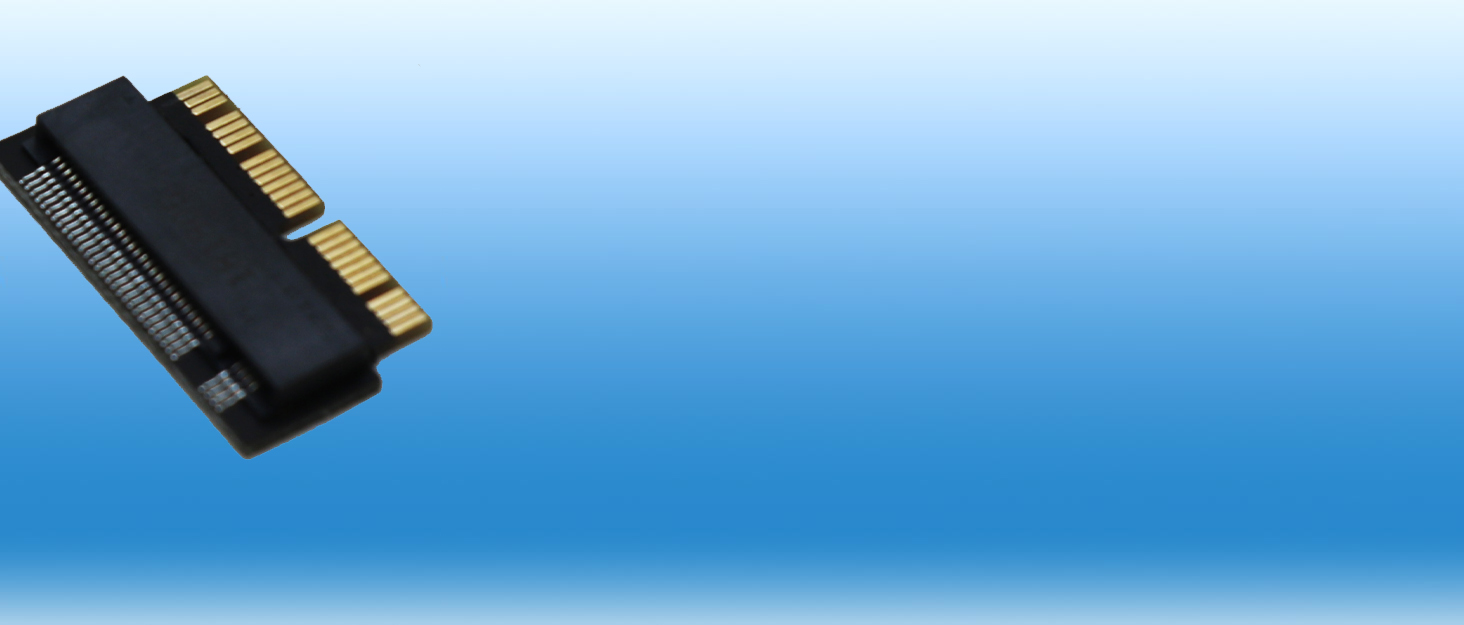
The Sintech NGFF M.2 NVMe SSD Adapter Card is a precision-engineered upgrade solution for MacBook Air (2013-2016) and MacBook Pro (Late 2013-2015) models. It supports a wide range of NVMe SSDs from leading brands, enabling users to dramatically boost storage speed and capacity. The adapter comes with a protective pin cover and a detailed installation guide, ensuring a smooth, plug-and-play upgrade experience. Perfect for professionals seeking to extend the life and performance of their MacBooks with cutting-edge SSD technology.


| ASIN | B07FYY3H5F |
| Best Sellers Rank | #12 in Computer Memory Card Adapters |
| Brand | Sintech |
| Color | BLACK |
| Compatible Devices | Laptop |
| Connector Type | 2013-2017 MACBOOK AIR SSD CONNECTOR |
| Customer Reviews | 4.6 out of 5 stars 1,565 Reviews |
| Finish | Black |
| Item Dimensions | 1 x 0.04 x 0.01 inches |
| Item Weight | 10 g |
| Item dimensions L x W x H | 1 x 0.04 x 0.01 inches |
| Manufacturer | SIntech Electronic |
| Mfr Part Number | ST-NGFF2013 |
| Model Number | ST-NGFF2013 |
| Number of Items | 1 |
| Number of Ports | 1 |
| Package Quantity | 1 |
| Power Plug Type | No Plug |
| Specific Uses For Product | backup |
| UPC | 701017254034 |
| Unit Count | 1 Count |
| Warranty Description | 3 MONTHS |
E**O
Perfect fit and worked flawlessly for my MacBook storage upgrade!
I used this adapter card to upgrade the storage in my older MacBook laptop, and it worked absolutely flawlessly. The build quality of the adapter is excellent, and it pins perfectly into the proprietary Apple slot without any loose play or wiggle room. Once paired with a compatible M.2 NVMe SSD, the physical installation was incredibly easy and straightforward. My Mac recognized the new drive immediately, and Iโve seen a massive boost in read/write speeds compared to the original factory drive. It runs completely stable with no overheating or connection dropouts. This is an absolute must-have, high-quality component if you want to breathe new life into an older MacBook and expand your storage on a budget. Highly recommend!
T**E
Upgraded iMac17,1 27" 5k with 1TB EVO Plus - Perfect fit and function (Install tips below..)
I could not be happier. Using this adapter, fit and alignment for a NVME SSD installed in a late 2012 iMac 27" 5k are absolutely perfect. The drive itself is functioning beautifully, and with a RAM upgrade at the same time, this has to be the most noticeable computer upgrade I've done. Thanks to this awesome, high quality, reasonably priced little adapter, I was able to choose the SSD I prefer, instead of being stuck with an overpriced unit from Out of Their Mind Computing. While I can only confirm for my model mac, I do believe you can well trust the manufacturer's claims for compatibility with this adapter. Excellent product, worthy of its many word of mouth recommendations, found in forums across the net. I did not have to upgrade the firmware on the 970 EVO Plus. Also, I did not have to use a MacOS installer disk. With the SSD in an enclosure (Plugable brand,) I booted into Internet Recovery by holding CMD + OPT + R while cold booting the computer. Used Disk Utility to format the SSD with APFS (whoops, just realized I forgot to over provision,) then chose to install MacOS, and selected the SSD as the target drive. After install, the computer booted from the SSD, and prompted me to restore files from one of three sources. I chose to use my Time Machine backup. Files, apps, etc. restored without issue, and I shut down the Mac. I tore down the Mac and found the drive bay/slot on the back of the logic board. The SSD clicked reassuringly into the quality adapter, which in turn, clicked nicely into the drive bay on the logic board. I immediately eyeballed the alignment with the screw hole. Absolutely perfect, and I mean perfect. After reassembling, the computer booted up from the SSD without issue, presenting me with my familiar setup, but now with startling speed, and snappiness. Boot time must be 1/6th the time of booting from the stock 1TB HDD system disk. Everything is astonishingly quicker. Wow. Not sure I would have done this upgrade if I could not choose the drive I wanted, so thanks a heap to the makers of the adapter. If you are using this in a similar iMac 27", be sure to get true OEM adhesive for reassembling the screen. You can find it on Ebay from seller tecknic-lee. Avoid all others, including OWC and ifixit. There are too many sad stories of screens falling and breaking, anywhere between one week, and 9 months after the reinstall. In only one case did I read of OWC taking responsibility, and making the user whole again. Even if they did it in every case, nobody wants to go through that. These were folks that properly prepped and applied the adhesive. The problem is that the adhesive strips are too thin. The good stuff has thin foam core, and does not stretch, just like the factory stuff you cut through to disassemble. Cheers
C**O
Worked Perfectly in My MacBook Pro Retina 15" Mid 2015 (A1398)
Installed this adapter with a WD SN3000 NVMe SSD in a MacBook Pro Retina 15-inch Mid 2015 (Model A1398). The installation was straightforward, and the SSD was recognized without issues. The Mac booted normally and is running great. This adapter was an excellent and affordable way to revive an older MacBook with modern NVMe storage.
B**Y
Works great, no issues!
Used this on a early 2015 MacBook Air to upgrade the original drive to a Samsung 970 Evo Plus. No issues whatsoever, been a couple years now too!
S**E
Worked perfectly for my upgrade
Worked exactly as expected with no issues. The adapter fit properly and my SSD was recognized right away. Good build quality and a simple solution for upgrading storage without spending a lot.
B**N
Pros and Cons of the adapter
SO after hours of troubleshooting and finally getting the drive to be recognized and installing a new copy of OSX on my MacBook Pro (15" 2015 model) I have a few pros and cons about what makes this adapter both good and bad. PROS: -Cheap -Simple plug and play -Instructions included (mostly, not including how to install OSX on the new drive) CONS: -A LOT OF TROUBLESHOOTING. I mean let me tell you when I say 'a lot' I'm talking about opening the bottom, swapping SSDs, and restarting my laptop for 4 hours straight attempting to get the drive to be recognized. MAKE SURE YOU JAM THAT MF into the M.2 slot tight or the Disk Utility and Install OSX options will NOT find the drive and won't allow you to reformat. -Cheap packaging but that's what I should expect for $15 to be fair. -Oh boy don't even get me started on the transfer speed bottlenecking this little guy does. Takes a super fast 2GB/s write/read speeds and throttles it to a measly 12-30MB/s MAX. Again, this was to be expected for the price (hence why everyone looks for an adapted instead of buying some overpriced apple certified SSD) but still very misleading to not place the product transfer speed limitations in the product description. Almost half tempted to return due to incompetent lack of product specifications. -Multitasking as well is nearly impossible. Now by this i don't mean you can't have more than one program at a time (that would be a CPU/RAM limitation on your laptops side, not the adapter) however, when you are transferring files, and saving another file, and downloading something (when the disk is being written from multiple points basically) the drive will freeze up all programs except for one. SO a little warning, only use one program that writes to the drive at a time. However, at the end of the day the adapter works, my laptop works, the drive works, I'm happy. Good buy for the price.
R**O
1 week and no weird problems!
This little adapter saved me 50 bucks and doubled my memory and speed. I needed a replacement SSD after Apple only charged me $1500 to repair my water damaged A1398 15' Macbook but failed to replace the SSD which died about 5 months out. The OEM outdated AHCI PCIe with the proprietary Apple connection was MORE expensive and had half the storage while being slower than the newer NVME m.2 970 EVO from Samsung. I bought this little adapter for my MID 2014 MacBook Pro and booted into a USB installation media. I formatted the EVO to GUID and HFS+ then simply installed Mojave on it. Booted up 100% fine. I did some extensive research on this model because any model from 2013-Early 2015 had a hibernation issue that did not boot the drive in time. This sometimes causes Kernel Panics or simply a black screen when waking up a sleeping laptop. Now, Initially I did not have this problem but about 3 days in when my laptop was hibernating overnight I did get a black screen. I knew I would have to change the pmset settings so I went ahead and changed the standby mode to 0 from 1. I am 3 days out from that and have not had a single issue. The computer has been closed overnight and wakes up just fine. I have not noticed any extensive battery drainage when the laptop is closed, maybe 1-3% overnight but nothing crazy. Finally, I did notice an overall larger battery drain because the 970 EVO draws more power. It is not significant enough for me since I am always near a charger but I have noticed a faster battery drain. I also use iStat Pro which allows me to change my fans speeds so I am running an average of 2900rpm vs the stock 2100rpm. This may be contributing to the faster battery drain, but I have it set to this to reduce the heat that the new drive seems to be putting out. I have managed to maintain all temps to a reasonably low temperature during regular use. Overall, I bought a replacement 500GB 970 EVO for my 512GB Apple SSD. The original SSD died on me so I don't have benchmark data but I assume it to be in the 700MB/s read and write. The new 970 EVO outputs a good 1330MB/s write and 1550MB/s read. The original 512GB SSD is about 450 dollars for an outdated technology that is about half the speed. The 500GB 970 EVO is about 120 dollars plus 13 for an adapter. Only drawbacks is hibernation which to me, I don't even notice the difference since I set the standby to 0. If anyone is interested in any more information please message me and i'll try to find the answer.
J**A
Has to go all the way in
Initially I could not fit it well enough where I could get the screw in on the SSD, you have to push it until this adapter goes all the way in and you are good to go. Working fine and my mac is fixed! Will report back if it fails
Trustpilot
1 month ago
2 months ago