Desertcart purchases this item on your behalf and handles shipping, customs, and support to Cyprus.
🚀 Elevate your hustle with Fusion5: Power, portability, and precision in one sleek tablet!
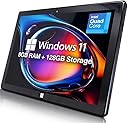
The Fusion5 10" Windows 11 Tablet combines a powerful Intel 13th Gen N100 CPU clocked at 3.4 GHz with 8GB LPDDR5 RAM and a fast 128GB SSD, delivering smooth multitasking and quick boot times. Its vibrant 1920x1200 Full HD IPS display offers sharp visuals, while versatile connectivity options including USB 3.0, Micro HDMI, USB-C, and expandable storage up to 512GB ensure seamless integration into any workflow. Lightweight and ultra-slim, this tablet runs Windows 11 Home, making it an ideal portable device for professionals balancing productivity and creativity on the move.
| ASIN | B0F2GBPNW8 |
| Age Range Description | Adult |
| Aspect Ratio | 16:10 |
| Battery Average Life | 8 Hours |
| Battery Capacity | 6000 Milliamp Hours |
| Battery Cell Type | Lithium Ion |
| Battery Power | 18.0 |
| Best Sellers Rank | 11,751 in Computers & Accessories ( See Top 100 in Computers & Accessories ) 265 in Tablets (Computers & Accessories) |
| Brand | Fusion5 |
| Brand Name | Fusion5 |
| CPU Model Number | N100 |
| CPU Model Speed Maximum | 3.4 GHz |
| Camera Description | Front, Rear |
| Cellular Technology | 5G |
| Compatible Devices | Keyboard |
| Compatible Flash Memory Type | microSD |
| Configuration | 10" Fusion5 Windows 11 Tablet - FWIN232 PLUS S1 Ultra Slim Tablet PC - Intel 13th Gen - 8GB RAM, USB 3.0, Micro HDMI, Full HD Display, 5MP & 2MP Cameras, Expandable Storage |
| Country of Origin | China |
| Customer Reviews | 4.2 out of 5 stars 1,764 Reviews |
| Display Refresh Rate in Hertz | 60 |
| Display Type | LCD |
| Display resolution maximum | 1920x1200 Pixels |
| Flash Memory Supported Size Maximum | 256 GB |
| Front Photo Sensor Resolution | 2 MP |
| Generation | 1st Generation |
| Graphics Coprocessor | Intel UHD Graphics 600 |
| Graphics Description | Integrated |
| Hard-Drive Size | 128 GB |
| Hardware Interface | 802.11 ac/b/g/n |
| Human Interface Types | Touchscreen |
| Included Components | USB 3.0 cable, Micro HDMI cable, 12-month warranty |
| Item Dimensions L x W x Thickness | 25.5L x 1.1W x 17Th centimetres |
| Item Weight | 636 Grams |
| Lithium Battery Energy Content | 18 Watt Hours |
| Manufacturer | Fusion5 |
| Maximum Display Resolution | 1920x1200 Pixels |
| Memory Slots Available | 1 |
| Memory Storage Capacity | 128 GB |
| Memory storage capacity | 128 GB |
| Model Name | FWIN232 PLUS FHD N5 |
| Model Number | FWIN232 PLUS FHD N5 |
| Model Series | 232 Plus S1 |
| Model Year | 2025 |
| Model name | FWIN232 PLUS FHD N5 |
| Native Resolution | 1920 x 1200 pixels |
| Network Connectivity Technology | Bluetooth, HDMI, USB |
| Number of Items | 1 |
| Number of Packs | 1 |
| Number of Rear Facing Cameras | 1 |
| Operating System Family | Windows |
| Operating Systems | Windows 11 Home |
| Operating system | Windows 11 Home |
| Other Special Features of the Product | Lightweight |
| Processor Brand | Intel |
| Processor Description | Intel Alder Lake 13th Gen N100 |
| Processor Speed | 3.4 GHz |
| Product Warranty | 12 Month |
| RAM Memory Installed | 8 GB |
| RAM Size | 8 GB |
| Rear Facing Camera Photo Sensor Resolution | 5 MP |
| Rear Webcam Resolution | 5 MP |
| Screen Size | 10 Inches |
| Screen size | 10 Inches |
| Size | 10 inches |
| Software Update Supported to Date | unknown |
| Specific Uses For Product | General use, such as web browsing, document editing and multimedia consumption. |
| Total USB Ports | 1 |
| Unit Count | 1.0 count |
| Video Capture Resolution | HD 720p |
| Video Processor | Intel |
| Warranty Type | Limited |
| Wireless Compability | Bluetooth |
| Wireless Technology Type | Bluetooth |
A**A
I’m genuinely impressed with this tablet!
I’m genuinely impressed with this tablet. The 12” 2K display looks sharp and vibrant, making it great for watching videos, browsing, and even light work tasks. The touchscreen is responsive, and the stylus is a really nice bonus for notes and casual drawing. Windows 11 runs smoothly, and with 12GB RAM + 512GB SSD, multitasking feels fast and reliable. I also like how lightweight and portable it is — easy to hold and carry around. Battery life has been good so far for everyday use. Overall, this is an excellent value device if you want a compact Windows tablet for entertainment, productivity, and travel. Highly recommend!
L**U
Fantastic alternative to a Windows PC laptop
I use the tablet with a docking keyboard for work. As I needed something mobile but compatible with our network, I was looking for a tablet with a Windows system, good ram and large memory. This ticked all the boxes and after using it both in work and at home for the past two months I have no complaints. I homeschool my children and find it extremely helpful for getting their worksheets and resources printed, watching slideshows and using educational apps. Before purchasing, I had read reviews that mentioned the sound wasn't great, but I didn't need it for watching or streaming programmes so this didn't put me off. To be honest, what sound I have played on it hasn't been terrible. To be certain I was getting what I needed and there wasn't anything else in the market that I had missed, I asked for a comparison in my local Curry's PC World and the advisor couldn't offer anything with the same package, and certainly not in the same price range. He advised me to stick with my initial choice of the Fusion5 as they had nothing to compete and was seemingly impressed with my find. Battery life is great for what I need, I always have my charger with me but I rarely need it during the day and can usually just charge the tablet when I get home in the evening. I have had no problems with the touchscreen, usually a fast and accurate response. Downside would be that I can have difficulty getting the screen to come back on but that may just be teething problems of me learning how it works. The docking keyboard can be a tad oversensitive when using the mouse pad, but that has nothing to do with the tablet itself. If I had a proper mouse I'm sure that would remove the issue. I would suggest one thing for the tablet; it would be great to get some kind of protective cover that would hold the tablet and be functional with or without the keyboard attached, as I always worry about damage when I have it out of the docking keyboard casing. Other than that, I can honestly say I have no regrets about making this purchase, it has made my work life much more time efficient and manageable, as well as giving me a portable device that I can use easily with my children for their education and studies.
R**G
Great little tablet with some caveats
We bought this to use as a data collector tablet for field surveying, along with a waterproof cover. The unit is perfect for our purposes with decent battery life and a reasonably bright screen for daylight viewing. We have it paired with an old Apple wireless keyboard and Magic Mouse (we used the Apple Boot Camp drivers for the mouse and Magic Keyboard drivers for the keyboard) for use in the office, both work very well however the mouse occasionally has to be manually connected. The touch screen is responsive, not anywhere as good as, say an iPad, but good enough. The 128GB built in storage is adequate for our needs, however we have installed a 128GB MicroSD card as a data volume. Someone said that it doesn't work with external drives, well it works fine with our G-Tech 1TB G-Drive SSD, maybe it doesn't have enough power for old spinning drives? First thing we did is took it out of S mode and upgraded to Windows 10 Pro 1909 update. This enabled us to install the surveying and GIS software that we need on the tablet. It boots up fast, and even with Win 10 Pro there's still 87GB free on the C drive. It's neat that it automatically syncs your documents, photos, etc., to OneDrive. OK, the caveats... for some reason the WiFi is not great. One would have expected a relatively recently released device to have AC connectivity but it just has low data rate N. In the house we have two access points both broadcasting the same SSID, without fail it picks up the furthest away access point even if it's right beside the downstairs Netgear unit. Even if you force it to connect to the nearest one the performance is pretty poor, barely OK for internet browsing but syncing files takes ages, a 300MB (yes, MB not GB) took nearly two hours! This could be a driver issue as it is a Broadcom NIC, something we'll likely have a look at... The cameras are pretty rubbish by todays standard but we're unlikely to use them anyway. The front facing unit would be OK for Skype, however given the abysmal network performance it's something we'd leave to the iPads instead! All in all, for the money it's good value and a nice little Windows 10 tablet. Don't expect Microsoft Surface or any of the big name tablets performance, but you pay for what you get and this could suit many peoples needs.
C**L
Great Tablet!
Tablet is great and easy to use, lightweight and accessories purchased on amazon to go with it fit perfectly. The screen size and the picture on the screen display are great and clear. Works very well and very happy with it.
T**F
Fusion5 Better than you think!
I am a working DJ and I travel around Europe quite a bit. My old tablet had just died so I needed a tablet quickly, as I was off to play in Ibiza in a couple of days’ time. I used my tablet to create my DJ sets and edit tracks to make them mix better when I'm in the club. I'd never heard of Fusion5 before and so was really surprised by the product when it arrived. It felt well-made and sturdy with all the ports being labelled clearly. I love the fact that it has a flap on the reverse side which gives you access to either replace the hard drive or swop it over for a larger one. I'm glad to say that it survived me using it on the plane and in taxis’s and in hotel rooms. The battery lasted just long enough to get from the airport in the UK to Ibiza which allowed me to prep my sets and edit certain tracks. I always had enough battery power to get the job done even though I was maxing out the CPU but it coped really well. I expected the sound to be a bit tinny but to my surprise it had enough bass and quality for me to be able to create my sets which sounded good on a club speaker system. Normally, I would have bought a tablet from a better know brand, but I’m glad I didn't, as I would have wasted my money, as this tablet is as good as any in it’s range, but when you add in the price then this Tablet is a no brainer. It’s not supposed to be used for creating DJ sets or track edits as it is at the top end of it’s capabilities. I took a chance and it worked. I’m back from Ibiza and I have been to a couple more locations and I am still using the Fustion5 without any issues. I would have no issues about buying another Fustion5 for using on my travels.
G**E
Disappointed
I bought this fusion 5 laptop just over 3 weeks ago . I read a lot of positive reviews before making my decision to buy this tablet .My thoughts were that it looked good and the price was very good so I thought that I could not go wrong . However I was wrong ! The tablet itself is sturdy enough and arrived the next day .I charged it up fully before I even switched it on as recommended. First thing I noticed was it is incredibly slow . The touch screen is very very slow to respond , it takes at least 10 seconds to react after you’ve touched it .I uploaded Netflix and Amazon prime on to it and started to download things to watch .Whilst it is downloading the screen becomes pretty much unusable . I have also downloaded some car diagnostic software on to it and again it takes forever to load up . My old laptop would take seconds to do this . I am still in my warranty period but as I need the tablet to go away with me for New year I have decided to keep it . I can usually always see the good in something and can always offset my thinking by how much it costs but this just is not worth the money If anyone could help or know of any tricks that would speed things up that would be great .
B**K
Fusion5 Win10 PC-Tablet for Meade Telescope Control
I have a Meade ETX 125PE Telescope which can be controlled via a Laptop using appropriate Planetarium software and a #505 RS232 – USB Prolific Interface cable. I own a Lenovo Android Tablet with a Planetarium App installed but can only connect to Bluetooth enabled Telescopes which my Meade isn’t. The other issue is there does not seem to be an Android Planetarium App which allows Telescope control via a USB Interface. I have recently updated my Planetarium Software on my Windows 10 Laptop which works brilliantly. However I really wanted a Tablet sized Device rather than my 14” Laptop to control my Meade Telescope in the field. The solution presented itself as the Fusion5 10” Win10S PC-Tablet. I decided to buy the 4Gb RAM-128GB Storage version for the best possible performance. The Fusion5 had the important full size USB Socket I needed (actually USB3) for the #505 Interface cable. This may have been a somewhat extravagant purchase for Telescope control but it is exactly what I wanted plus it does everything else that can be done on a Win10 Platform. I use it for e-mails, Internet based research, Non-Microsoft Office Apps, Streaming Videos via my Google A/C etc. Infact because of its convenient size I am using this PC-Tablet more now than my Laptop. In case you are wondering the Telescope control on my Fusion5 works perfectly, making slewing to specific Night Sky Objects a piece of cake and an absolute Joy. The Fusion5 feels like a quality product with a Screen Protector already applied. The Touchscreen is accurate and fast although, because of my large fingers, using a stylus is better which has the added bonus of not leaving skin oils on the screen. Image quality is very good with nice clear images and realistic colours. All in all I am very pleased with this PC-Tablet which does all that I want it to do. That said there are a few things that I feel need to be mentioned; Firstly, this PC-Tablet is shipped with Win10 S-Mode. After some research it seems that this is a PRO-version of Win10, but is very Secure and Virus Safe, only letting you download Apps from the Microsoft Store. It also means that basically you cannot download Third Party Software (unless in Microsoft Store). So nearly all the software I wanted could not be installed on this device while S-Mode is ON. To install Third Party Software you need to switch S-Mode OFF, which requires a Re-Boot, leaving you with Win10 Home Edition (not PRO) version on the Device. At this time I believe this process cannot be reversed. Subsequently, I have reset this Device to Factory settings, confirming that it does not revert to Win10 S-Mode. Next, if there is one thing which has disappointed me about the Fusion5, it is the lack of output volume from the stereo speakers. Perhaps my hearing is age related but I have no problems with the volume from my Lenovo Android Tablet, Amazon Fire HD Tablet or my Tesco Hudl 2 Tablet. Using an earpiece is fine but you may need to consider buying Powered Stereo speakers if you want this Device to be loud. Lastly, I really wanted a Non-Generic Fusion5 Case / Docking Keyboard for my Fusion5 PC-Tablet but there does not seem to be any available with a UK Layout. Out of the blue, Fusion5 Marketing offered me a Free Gift as a Thankyou for purchasing their Device. As luck would have it one of the gifts was a Docking Keyboard which I chose. The Free Gift arrived within 7 days and I was so pleased as it was a UK Keyboard and works really well. Very Impressed so Thank You Fusion5. As stated I am very pleased with this Product which is only let down by the poor speaker volume. However, as this Device does everything else with Flying Colours, I give it a 5 Star rating but with a slightly Negative bias towards 4.7 Stars.
A**R
Disappointed
Sadly very disappointed with product. Ordered because reviews were generally good and tablet was everything I required - BUT - it would not charge the battery (worked well on mains - but died as soon as unplugged) Also the internet kept dropping off. Only support - which was, in my opinion, very slow to respond, was through email not telephone. Perhaps I was unlucky and got 'the bad one' but returned to Amazon for full refund without any issues.
A**R
Don't waste your time or money
What a wste of money. It doesn't come with a stylus and fingers don't work without multiple pokes and swipes.. Useless piece of junk. I'll be returning mine.
J**É
VA BIEN
FUNCIOINA BIEN
T**Y
satisfaction
satisfaction
J**S
Tablet para uso ligero
Buena calidad de video, fácil de usar, buen diseño, tiene bajo el sonido de las bocinas y si es un poco lenta para abrir internet o aplicaciónes muy pesadas pero estoy satisfecho con el uso general.
H**R
Stunning Product
I was Really looking for an Awesome Product with Amazing Quality. Very Good
Trustpilot
2 months ago
1 month ago