Desertcart purchases this item on your behalf and handles shipping, customs, and support to Cyprus.
โจ Elevate your laptop game with touchโbecause your screen deserves to feel alive! ๐ฑ๏ธโก๏ธ๐๏ธ
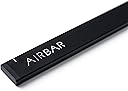
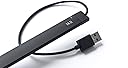
Neonode AirBar adds intuitive touchscreen functionality to 14-inch Windows 10 laptops via a lightweight, magnetically attached USB device. It supports multi-touch gestures like tap, swipe, pinch, zoom, and rotate without requiring software installation, enabling seamless interaction with your laptop using fingers, gloves, or styluses.
| ASIN | B06X9QVTZ9 |
| GTIN (Global Trade Identification Number) | 00853661007037 |
| UPC | 853661007037 |
| ใใใใๅบฆ | 3.8 5ใคๆใฎใใก3.8 (182) var |
| ใซใฉใผ | ใใฉใใฏ |
| ใฑใผใใซใฎๅฝข็ถ | USB |
| ใณใใฏใฟ | USB Type-A |
| ใณใใฏใฟใฎใชใน/ใกใน | ใชใน-ใชใน |
| ใใณใฎๆฐ | 4 |
| ใใฉใณใๅ | AirBar by Neonode |
| ใกใผใซใผๅ | Neonode |
| ใกใผใซใผๅ็ช | NNABC3100XU01 |
| ใขใใซ็ชๅท | NNABC3100XU01 |
| ใฆใใใๆฐ | 1.0 ๅ |
| ๅๆฟใๅฏ่ฝ้ป่ฉฑๆฉใขใใซ | ไบๆๆงใฎใใ้ป่ฉฑใขใใซใฏใใใพใใใ |
| ๅๆขฑใณใณใใผใใณใ | AirBarใฟใใในใฏใชใผใณใปใณใตใผใ, ่ชฌๆๆธใจใชใผใฌใซใใฉใซใใผใ |
| ๅๅใฎๅ ฅใๆฐ | 1 |
| ๅๅใฎๆจๅฅจ็จ้ | ใใณใฟใใใใผใใใฝใณใณใซใฟใใๆฉ่ฝใ่ฟฝๅ ใ |
| ๅๅใฎ้้ | 0.12 ใใณใ |
| ๅ็ช | AirBar for 14" Windows 10 Notebooks |
| ๅฏพๅฟใขใคใใ | ๆใๆ่ขใ็ตต็ญใในใฟใคใฉในใใใฎไปใฎใฟใใๅ ฅๅ็จใชใใธใงใฏใใ |
| ๅฑๅ ๅฑๅคใงใฎไฝฟ็จ | ใคใณใใข |
| ๆฅ็ถๆนๅผ | USB |
| ๆๅคง้ปๅง | 5 ใใซใ (DC) |
| ็นๆฎๆฉ่ฝ | ๆ็ดใชใผใใผใ |
Y**J
superb
Initially I felt disappointed as it did not work to my speed of touch. Later day2,3 onwards I understood how touch works slightly different from mouse actions. I would say this replicated actual touch screen by upto 95%. The remaining is lag but in few days you get accustomed and understand how to make best use of touch. Recommend for Hobbyist. I now take it everyday to work and it has become an essential part of navigation. The attention and jealousy obtained from coworkers is priceless.
B**E
Instructions recommend 3mm. Test then adjust as needed BEFORE sticking on the magnets.
Works good. May need some adjustment for each laptop. For example, the instructions say to mount the airbar 3 millimeters below the bottom edge of the screen, this is equal to the thickness of the cord attached to the airbar. When I did this, it works except for the top edge was off calibration, meaning I could not close windows that were full size because I could not reliably click the red X on the top right corner of the screen. Following the instructions got 95% of my screen accurate, but you should check the accuracy around all edges BEFORE mounting because the sticky magnets are difficult to remove after mounting. What worked for my laptop was mounting it very close to the bottom edge.....instead of 3 mm, it was more like a half a millimeter(see picture). Now calibration was spot on over 100% of the screen. Down side is when I touch any icons near the bottom edge, I'll end up touching the airbar. Not a big deal for me. Over all, I'm happy with the product.
L**S
No funciona
No funciona.
B**R
Wow!
Wow it works! Please send more to Canada asap.
E**.
good
it works like a magic , it really turn laptop or pc screen into touch screen , it works really fine. but only if the sceen size was 14.
Trustpilot
3 days ago
1 month ago