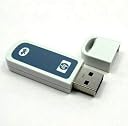
๐ Upgrade your workspace: wireless freedom meets vintage reliability!
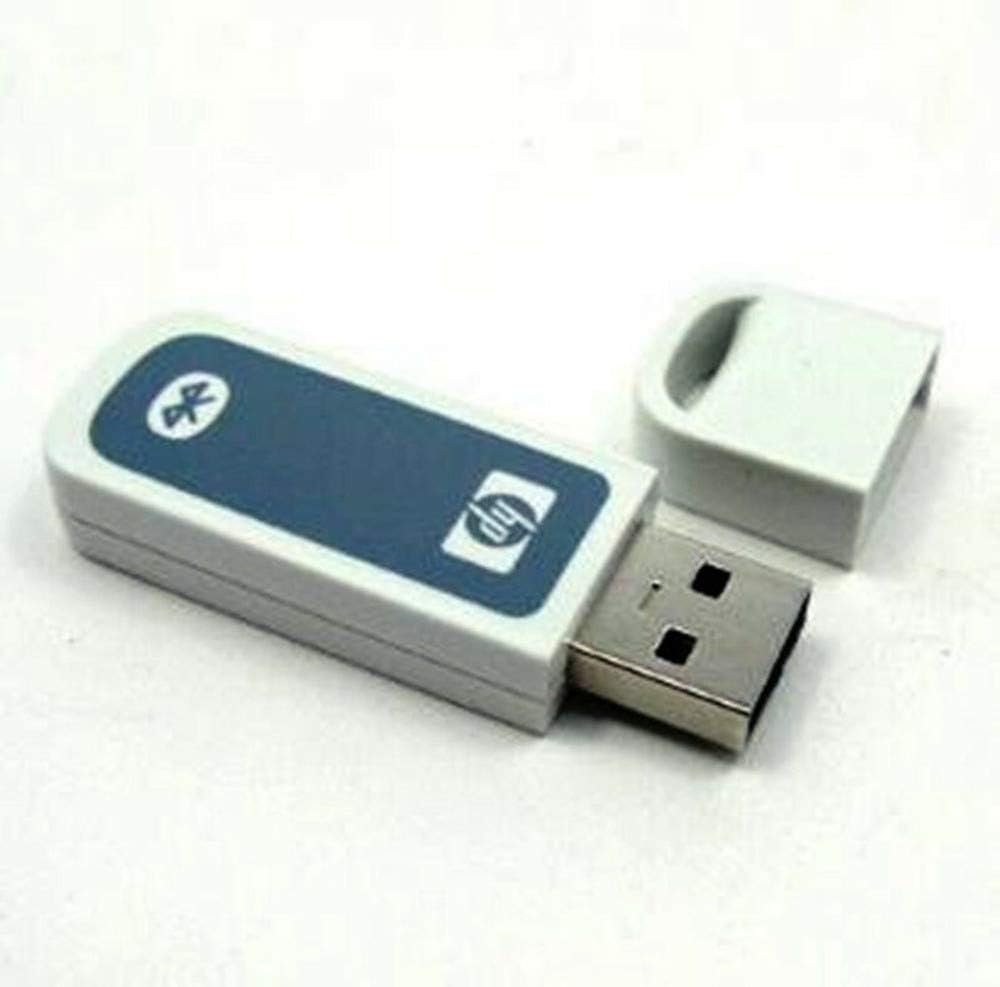
The HP bt500 is a compact USB Bluetooth 2.0 EDR adapter designed to wirelessly connect up to seven devices within a 30-foot range. It supports secure 128-bit encrypted data transfers and is ideal for adding Bluetooth functionality to older PCs and peripherals. Compatible with Windows Vista and select HP printers, this lightweight adapter offers simple plug-and-play setup, making it a reliable choice for professionals seeking seamless wireless connectivity without upgrading their entire hardware setup.
| ASIN | B001F0R1CY |
| Best Sellers Rank | #670 in Bluetooth Network Adapters |
| Customer Reviews | 4.0 4.0 out of 5 stars (167) |
| Date First Available | September 1, 2008 |
| Is Discontinued By Manufacturer | No |
| Item Weight | 2.4 ounces |
| Item model number | Q6273A#1H9 |
| Language | English, French |
| Manufacturer | Hp Hardware |
| Product Dimensions | 9.8 x 5.8 x 1.7 inches |
L**S
Works Well for Older Devices, Simple and Reliable
This HP bt500 Bluetooth adapter is exactly what I needed for an older computer. It plugs in through USB and installs quickly without any complicated setup. Even though itโs Bluetooth 2.0, it still pairs smoothly with headphones, speakers, and even my mouse. The connection is stable with no constant disconnecting or lag, which is impressive for an older adapter. Itโs small, lightweight, and easy to leave plugged in without getting in the way. If youโre trying to add Bluetooth to an older PC or revive an older setup, this little adapter does the job perfectly. Simple, reliable, and worth the price.
L**X
Great product!
This product was delivered promptly and in the condition that the seller described. Although the bluetooth worked great, we were unable to use it with our printer. We have an older printer and were under the impression this would work, but found our printer was not able to be made wireless.
R**N
Great device once it works.
I decided to purchase this product to eliminate a USB cable going into my Mac Mini. Although it was a little tricky to set up, once online, it worked like a charm. For somebody that might be having a similar issue like mine, let me explain since I couldn't find any type of tutorial online. Under system preferences, choose printers, then select options and supplies, select utility tab and click on open printer utility, click the + button on the bottom and find the H470 printer and add it. Select it under devices then, this is where it's important, go back to your printers screen, with the other tab open having the added printer selected, from what you initially saw after selecting printers from system preferences, and click the + tab and it your bluetooth should appear. It gets added as a separate printer, so when you go to print you will have to choose it. Hope this helps.
D**Y
With a little work, a great accessory
We have two laptops and a desktop machine that need to print to our HP 6310 All-In-One printer. The desktop is hard-wired to the printer with a USB cord. But we didn't want to go that route with the laptops that are usually used elsewhere in our quad-level home. I bought Bluetooth dongles for both laptops, and the BT500 for the printer. It wasn't as easy to make the connection as I had hoped. Had to do some investigation in the HP support forums to discover the proper procedure (required going into to Control Panel, etc.), but once that was done, it works like a charm. We use our laptops in our basement-level family room, and print in the converted bedroom/office upstairs, but it is not a problem. The signal travels through the floor just fine, and printing happens instantly. A very good purchase.
C**R
Great Product
Shipped fast, Well Packaged, Product as described, Would buy from again.
S**E
Technology Galaxy's HP bt500 Bluetooth
I ordered this product for my dad about ten days before a three week vacation. It arrived about five hours after I left on vacation. It didn't work but it was already 30 days after I had placed the order with Technology Galaxy and they only do returns in the first thirty days. It does not matter to them that their product does not work. HP does have good website pages for this product. Retrofitting a printer with Bluetooth is a good idea but the possibility of incompatibilities or electronic failure in such a product are great. I will order a real generic printer server, not a brand-specific USB memory stick version, in the near future. Some of those are less expensive than this product. I travel enough that I won't order from Technology Galaxy again. If they had shipped quicker, I would have had it back to them in time.
L**Z
S
Hard to conect
D**Y
Easy to Set Up And Use
Don't have a Bluetooth Option on your HP Printer - No problem this unit works with little setup and issues. I would recommend it for units that are capable of accepting a USB add on option for Bluetooth. I have had no problems with this unit.
B**N
Works perfectly with HP Pro 8500
N**R
I don't know if it works couldn't install it on my computer Tried to find the driver for it on the internet but no luck
Trustpilot
1 month ago
1 week ago