Buy anything from 5,000+ international stores. One checkout price. No surprise fees. Join 2M+ shoppers on Desertcart.
Desertcart purchases this item on your behalf and handles shipping, customs, and support to Cyprus.
⚡ Future-Proof Your Home Network with Wi-Fi 7 Power & Security
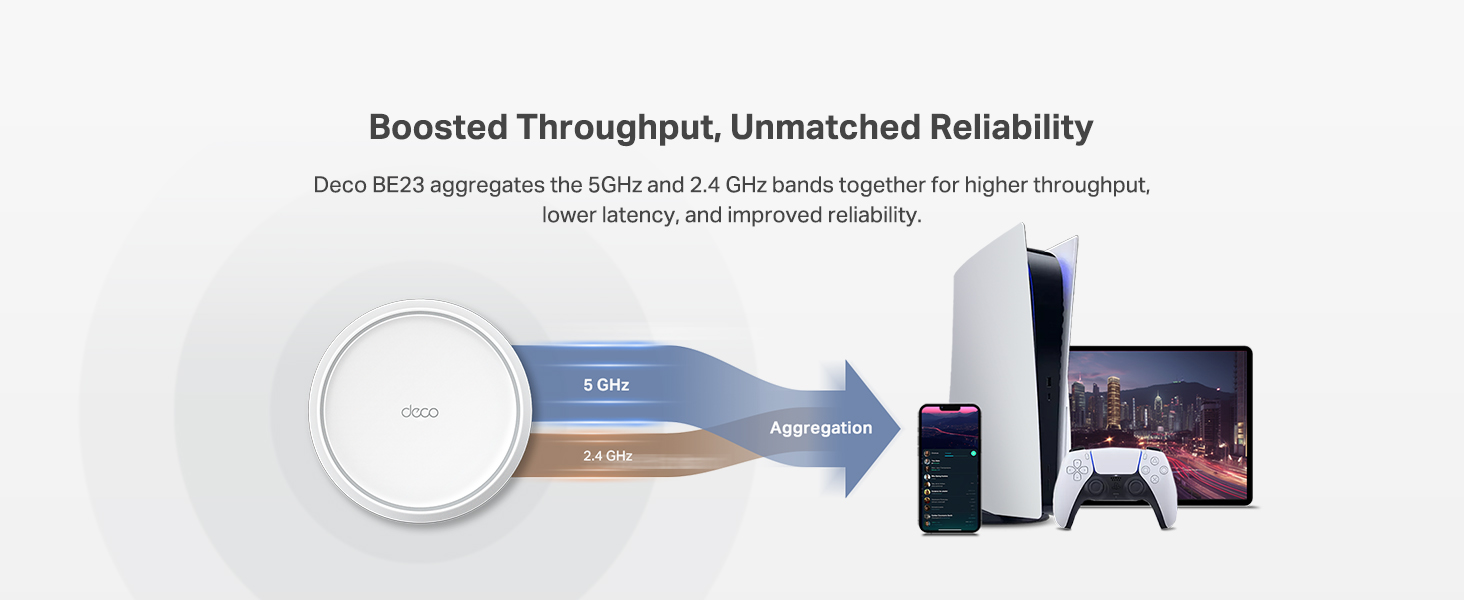
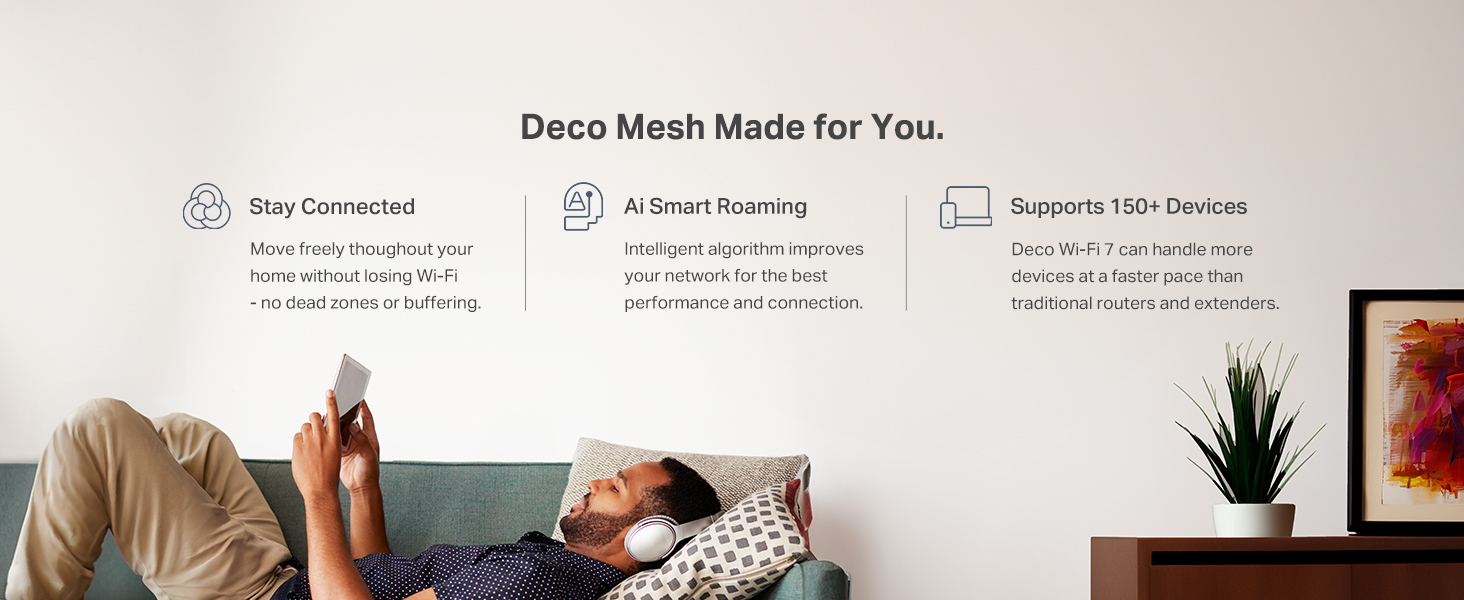
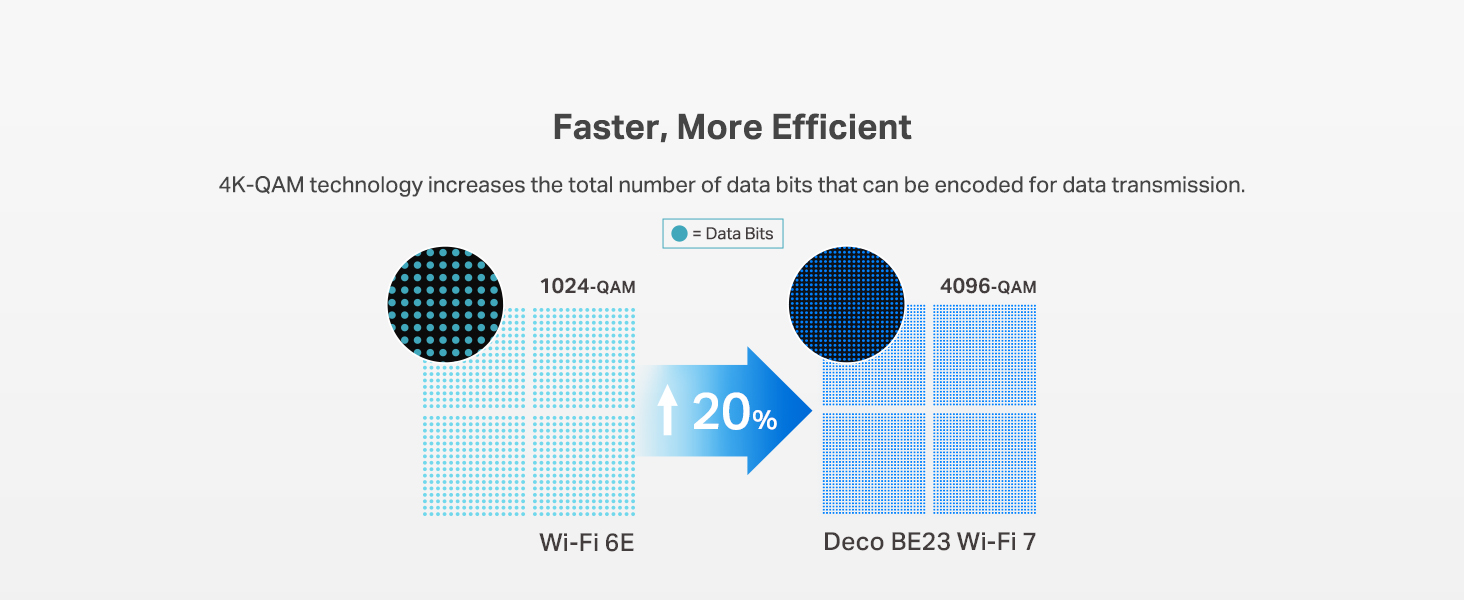
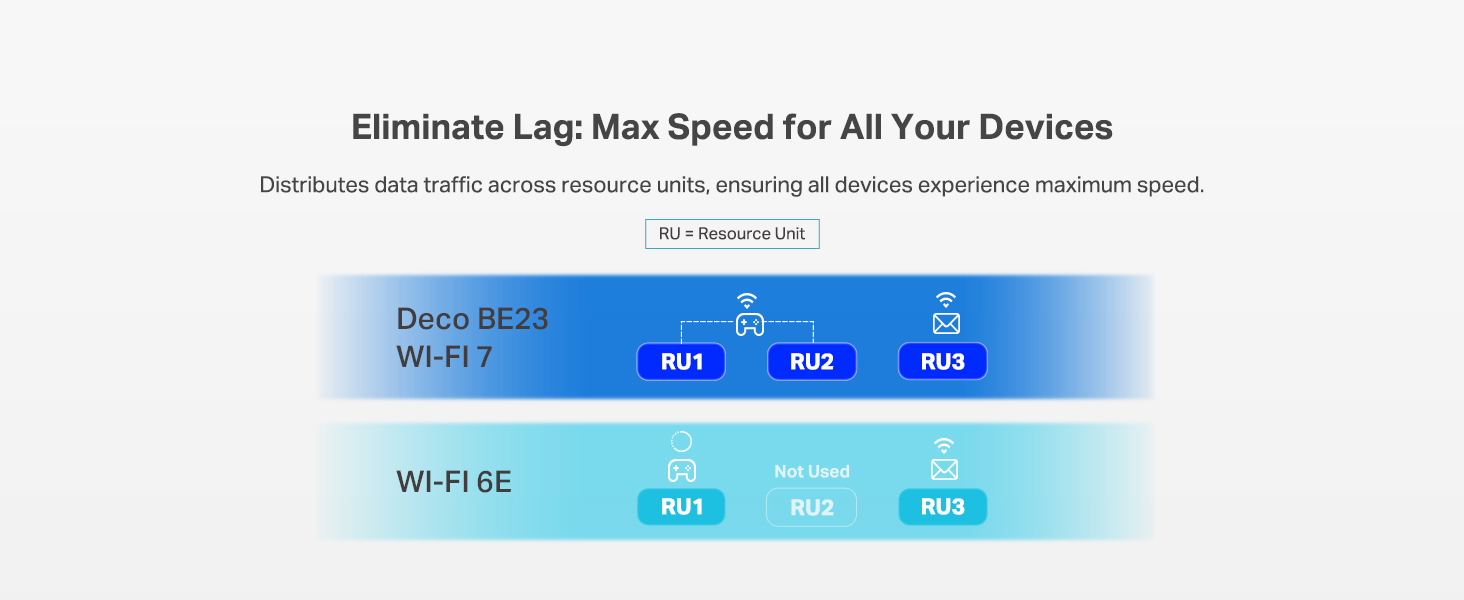
The TP-Link Deco 7 BE23 is a cutting-edge Wi-Fi 7 mesh router delivering ultra-fast 3.6 Gbps dual-band speeds and expansive coverage up to 2,500 sq.ft. Equipped with dual 2.5 Gbps wired ports, advanced AI-driven seamless roaming, and robust cybersecurity features including VPN support and IoT network segregation, it’s designed for the modern connected home. Compatible with Alexa and Google Assistant, it supports over 150 devices simultaneously, making it ideal for professionals, gamers, and smart home enthusiasts seeking future-ready, reliable internet performance.


| ASIN | B0DQNV546Z |
| Antenna Location | Home |
| Antenna Type | Internal |
| Best Sellers Rank | #102 in Computers & Accessories ( See Top 100 in Computers & Accessories ) #82 in Computer Routers |
| Brand | TP-Link |
| Built-In Media | 1 Deco BE23 Unit, 1 Power adapter, 1 RJ45 Ethernet cable, Quick Installation Guide, WPA3-Personal |
| Color | White |
| Compatible Devices | Gaming Console, Personal Computer, Smart Television, Smartphone, Tablet |
| Connectivity Protocol | Wi-Fi, Ethernet |
| Connectivity Range | 2500 Square Feet |
| Connectivity Technology | Ethernet, Wi-Fi |
| Control Method | App, Remote, Voice |
| Controller Type | App Control, Voice Control |
| Coverage | 2500 Square Feet |
| Customer Reviews | 4.3 4.3 out of 5 stars (492) |
| Data Transfer Rate | 3600 Megabits Per Second |
| Frequency | 5 GHz |
| Frequency Band Class | Dual-Band |
| Has Internet Connectivity | Yes |
| Is Modem Compatible | Yes |
| LAN Port Bandwidth | 2.5 Gbps |
| Manufacturer | BE3600 Whole Home Mesh Wi-Fi 7 Router |
| Maximum Upstream Data Transfer Rate | 2500 Megabits Per Second |
| Mfr Part Number | Deco BE23(1-Pack) |
| Model Name | Deco BE23 |
| Model Number | Deco BE23(1-Pack) |
| Number of Antennas | 2 |
| Number of Ports | 2 |
| Operating System | Omada |
| Other Special Features of the Product | Alexa Compatible, Guest Mode, Internet Security, Parental Control, Remote Access |
| Router Firewall Security Level | High |
| Router Network Type | Dual-Band |
| Security Protocol | WPA-Personal, WPA2-Personal |
| Smart Home Compatibility | Smart Home Compatible |
| UPC | 840030712517 |
| Unit Count | 1.0 Count |
| Voltage | 12 Volts (DC) |
| Warranty Description | 2 Year Manufacturer |
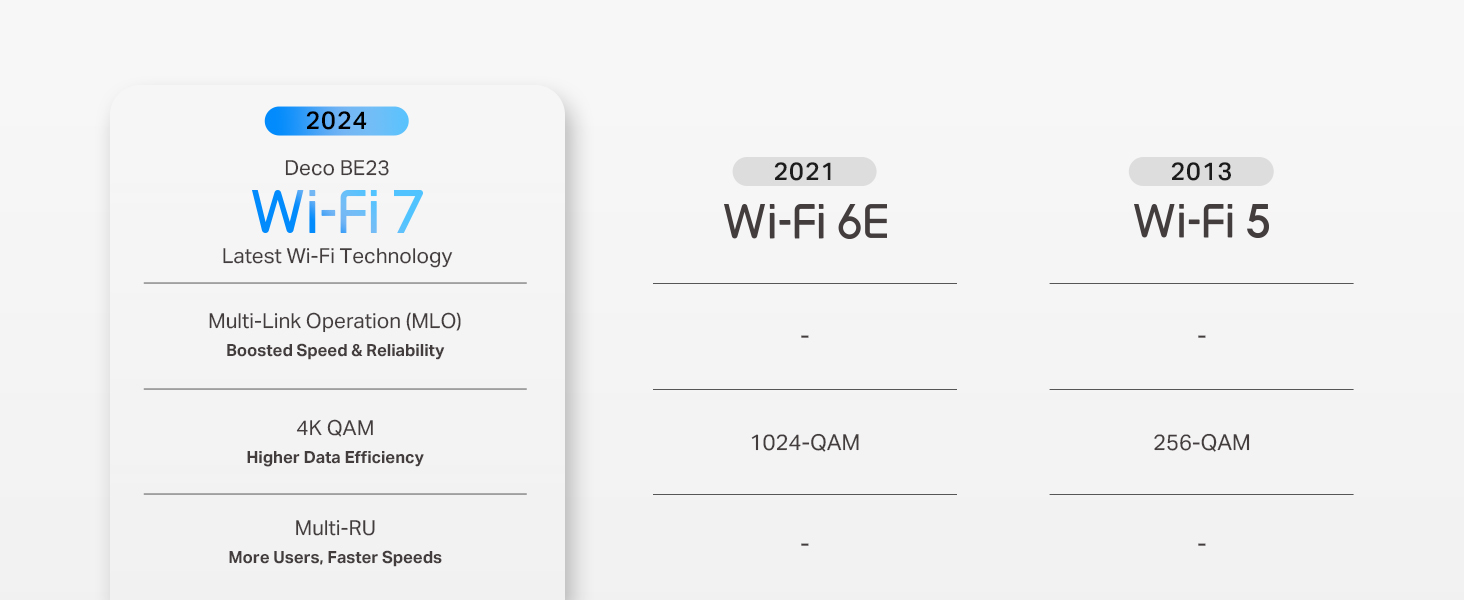
| Wi-Fi Generation | Wi-Fi 7 |
| Wireless Compability | 802.11.be, 802.11ac, 802.11ax, 802.11g, 802.11n |
N**.
Game changer.
I’ve been testing the TP-Link Deco BE23 and it’s honestly a steal for a WiFi 7 setup. It isn't the fanciest system out there, but for the price, it’s hard to beat. The setup is dead simple. You just download the Deco app and it walks you through everything. I had three nodes running in about ten minutes without any headaches. Coverage is solid too. It’s rated for a huge area, and while it works great wirelessly, plugging the nodes into ethernet really unlocks the best speeds since this is a dual-band system. The IoT segregation is a huge win for me. You can set up a separate network just for your smart plugs and cameras. This keeps those cheaper devices away from your main gear and fixes those annoying connection drops older gadgets usually have. For the tech side, the VPN integration is actually useful. It supports WireGuard (NordVPN), which is fast, and you can pick exactly which devices use the VPN. I have my streaming box routed through it while the rest of the house stays on the normal connection. If you want future-proof tech without spending a grand, this is the one to get.
S**S
Excellent and reliable
Product shipped super fast. Easy to set up. The app walked you through step by step. Set up took about 10 minutes. Very sleek design. Easily able to customize room locations, new internet name and password. Extended the range of our WiFi all the way across the drive way to the shop for our home office. Very reliable and fast. Dave to run multiple devices with no interruption. since I work from home in healthcare I need a wired connection so the Ethernet connections are a must have. Pro tip: if you give your new internet connection the same name and password as your original one it will automatically connect most of your existing devices.
L**Y
Solves WIFI issues with endless configuration options for all needs, easily! FAST FAST FAST
Very easy setup, and can do whatever you want it to. Its quite easy to configure it to cover the issue you are trying to solve with different back haul options able to work together simultaneously, and the ability to use it as an access point as opposed to a router if you want to use your ISP providers management software and not a new software for this system. You only need the specific app to set it up but then you can go right back to your cable providers app.
R**T
Difficult setup
The quick setup guide is just a qr code to download the app. I followed the instructions and attempted to connect the router several times. It suggested going into my phone WiFi and connecting manually which I did but it again failed to connect. Finally I saw that there is an option to connect by scanning the QR code to connect and THAT was the only way I could get it to connect. Setting up the other node was fairly straightforward in the app. I have 500 gig Frontier fiber. In the app itself it reports 500 up and down which is excellent. On speed test app it was 433/327 which is still very good. Overall not a great setup experience but I am satisfied.
M**V
Great so far
Got these to replace my orbis. Super simple to setup and the app works great, easy better than orbis. The speeds have been great, as good ada advertised. Signal has been stable the whole time and it has good coverage. Alot of features as well like the IoT network.
J**D
Major security risk.
Major security risk. It works well, but to access settings. Well, here's the problem. You can only access setting with an app on your phone, there is no windows support. The app requires a TP link account to allow you to access the system setting for this access point/router. I am using my set as access points. My router tells me that this set is sending packets to an unknown to me IP address. I assume this address is owned by TP link, but I really don't know. My question is when does TP link end support for the app bricking the set. The other problem is anyone with the app and your login information can access the set's settings from anywhere in the world and have full control/access to your network regardless of firewalls. I tested this. I went to a friends house, who lives 7 miles away. I used his phone to access my network from his house. Meanwhile my PC on the local network can not access the settings. I am never buying another TP link product again, This is total BS. With out a phone and TP link account you can not setup or use this set and anyone with a phone can access your network from anywhere in the world. Wonderful.
A**N
good deal, done right... thanks !
K**A
Works great
These seem to be working really well. We have a 4000 sq foot, 2 story area we needed to cover. It seems to be good for all the streaming, gaming and working that happens in the home. These have replaced our modem and keeps everyone connected to the internet well. Definitely a good deal. They beat the prices at the local stores. It was easy to set up. Covers the whole range we needed.
Trustpilot
2 weeks ago
1 month ago