Desertcart purchases this item on your behalf and handles shipping, customs, and support to Cyprus.
🎥 Elevate your content game—stabilize, track, and create like a pro!
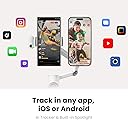
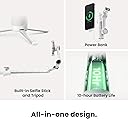
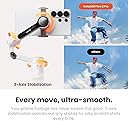
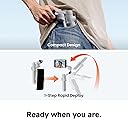
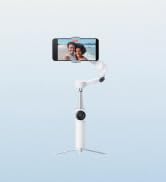
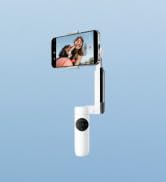
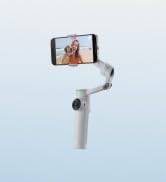
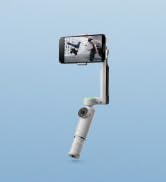
The Insta360 Flow 2 Pro White is a foldable AI-powered phone gimbal designed for iPhone and Android users, offering advanced 3-axis stabilization, 360º infinite pan tracking, and multi-person tracking. Compatible with over 200 iOS apps via Apple DockKit, it features active zoom tracking up to 15x, a built-in tripod/selfie stick, and a 10-hour battery life, making it the ultimate portable stabilizer for professional-grade video creation and seamless live streaming.


| ASIN | B0DPKRKLHY |
| Audio Recording | No |
| Battery Average Life | 10 Hours |
| Best Sellers Rank | 32 in Mobile Phone Handheld Gimbals & Stabilisers |
| Box Contents | Includes 1x Insta360 Flow 2 Pro, 1x Magnetic Phone Clamp, 1x USB-C to USB-A Charge Cable and 1x Protective Pouch. |
| Brand Name | Insta360 |
| Colour | White |
| Compatible Devices | Smartphone, iPhone, Android |
| Country of Origin | China |
| Customer Reviews | 4.5 4.5 out of 5 stars (257) |
| EU Spare Part Availability Duration | 7 Years |
| Exposure Control Type | Automatic |
| Folded size | 97.9x178.4x36.7mm |
| Has Self-Timer | Yes |
| Image Stabilization Type | True |
| Item Dimensions D x W x H | 12.1D x 5.4W x 28.2H centimetres |
| Item Weight | 0.36 Kilograms |
| Manufacturer | Insta360 |
| Maximum Weight Recommendation | 300 Grams |
| Media Type | Video |
| Model Name | Flow 2 Pro |
| Product Warranty | 2 year manufacturer |
| Shooting Modes | Video, Photo, Time-lapse, Slow Motion |
| UPC | 842126111396 |
| Unit Count | 1.0 count |
| Video Capture Format | MP4 |
| Video Capture Resolution | 1080p |
| Viewfinder Type | LCD Screen |
| Water Resistance Level | Not Water Resistant |
L**N
Manufacturing fault - UPDATE
Updated to review a replacement was sent, I think my original may have been really stiff or can faulty but new one moves perfect - updated to 5* I’ve gone for 4* as I believe this is a great gimble however the one I received was faulty and I wasn’t able to find the same fault anywhere else, the elbow looks like it’s been put together in the wrong position, when I first tried the flow 2 pro it seemed off, having never used one before I thought it was me and went back to one of the “how to use “ you tube vides I’d seen before purchase and I couldn’t work it out until I noticed the nut which holds the elbow in place was in line with the black wheel and in eveything else I’ve seen it is on the side, I’ve added a photo and you can see the different from the promotional photos where the hinge is at the button not the nut. The refund process has started smoothly and I intend to buy another one when I have the refund back.
S**G
Handy for dog families
Filmed on a shaking train and the stabilization worked amazingly! Pocket-sized and perfect for day trips when I don’t want to carry my big cameras. Took it to Leigh-on-Sea with my dog and got such smooth footage. Can’t wait to film her running on the beach after September (and I’ll run with her too — just holding this stabilizer 🐕✨). The auto-tracking is super cute — it means I don’t have to keep my eyes on the screen while filming my girl. I also love the double-tap switch between horizontal and vertical, perfect for vlog vs. Insta. Next time I’ll try the Low Grip for a fun new perspective on my small pup. Such a handy tool for dog families!
C**C
Very good purchase!
I love that it works seamlessly across 200+ apps thanks to Apple DockKit support, so I don’t have to be locked into a single app. The built-in tripod and extendable selfie stick are very convenient for group shots, livestreaming, or setting it down for stable time-lapses. Setup is fast, the stabilization is rock-solid, and it’s equally great with both iPhone and Android devices. Overall, it’s an incredibly versatile tool for content creators, travelers, or anyone who wants to capture smooth, professional-looking footage with just their phone. Highly recommended if you’re looking for a portable, all-in-one gimbal that delivers on both features and performance!
M**K
Need to master the way it functions
After deliberating and watching numerous YouTube reviews (what did we do years ago ! Oh yes wait for a magazine to review a product ) I went for this gimbal . I’ve only used it indoors so far. There is a bit of a learning curve when using a gimbal. Sometimes you point in one direction and the camera goes elsewhere! You need to master the different modes ie pan follow. The tracking works great in the insta app. It also works in the native iPhone camera app. However the gestures to start and stop only work on the insta app. I do find that sometimes the commands you use don’t work. For instance press the trigger button 3 times and the phone changes from front to rear facing . The gimbal is small enough to fit in a small carry bag when travelling . I think it will be a bit like vlogging when using outside, need to get over the fear of people looking at you. I particularly like the MagSafe connection from the phone to the gimbal , it makes setting up very quick and easy . I’m planning to use when on holiday and I’m sure it will be a great bit of kit .
Z**Z
Nice and steady gimbal
I’ve been using the Insta360 Flow 2 Pro for a few weeks now, and it’s easily one of the most impressive smartphone gimbals I’ve tried. The setup is super quick — the magnetic mount is strong and reliable, and the gimbal balances my phone perfectly every time. The AI-powered tracking is next-level; it locks onto subjects smoothly and doesn’t lose them, even during fast movements or when I switch angles.
A**S
Good pocket sized smartphone gimbal
I decided to upgrade my gimbal and was drawn to the Flow 2 Pro for a number of reasons. Firstly, it has the free tilt mode which is very handy for playing with things like crane shots. And it's pocket sized when closed - there are many other gimbals I'd like to have but I know I'll just end up leaving them at home when I travel due to size issues. Plus, the magnetic attachment is so much nicer for attaching, and detaching, the gimbal - it may not seem much but trying to hold a gimbal, pull apart the phone holder and attach the phone, especially in a hurry to catch some action, can be a real pain. So overall I find it a good step up from my previous gimbal just in those regards. Having an Android phone I can't say what use the Apple DockKit tracking is (in the Insta360 app - this kit version doesn't have the external AI tracker). And I don't really use tracking anyway. But the infinite pan feature is good as you can turn the phone direction as much as you want. And I have to say that the small fill light is very good as long as you're fairly close to the subject, and it seems to attach quite securely. As you would expect, it works very well with the Insta360 smartphone app, including adding things like software tracking and some nausea inducing effects if you're that way inclined. But I've mostly used it with stock camera apps including on an Xreal Beam Pro for 3D video, and it's worked very well with pretty much every feature I want (obvs not including tracking) accessible through the physical controls. So overall I'm quite happy with the purchase.
P**K
Fairly good hardware but poor software
I tried hard to love this gimbal but it just has too many issues. I was using it on a Google Pixel 8 Pro phone. I knew from the start that some of the features wouldn't work on android. However the Insta360 camera app sometimes freezes when recording and you end up with a freeze frame part way through until the end of the recording. It happens about one in 10 times. So I lost some good shots. The recording is fine in the Blackmagic camera app, with no freezing, so is definitely an Insta360 issue. The supplied phone clamp presses on the volume buttons sometimes (on the Pixel 8 Pro). As one of these can be used to start and stop recording, this resulted in the camera occasionally starting and stopping repeatedly and generating hundreds of short recordings. This could of course be resolved by using a magsafe case and the supplied magsafe attachment. However I didn't have a magsafe case for my tests. In the native camera app and Blackmagic camera app you can disable this function for the volume buttons but this is not possible, as far as I could see, in the Insta360 camera app. The Insta360 camera app takes a while to load and communicate with the gimbal. Add this to time it takes to unlock the phone it makes it impossible to take a quick shot. The Insta360 app doesn't allow you to access the other camera lenses, which I could do in the Blackmagic camera app. So I made most of my recording in the Blackmagic camera app as it worked much more quickly, reliably and allowed me to select the lenses. However most of the gimbal features don't work in the Blackmagic app so all you really get from the gimbal is a stable shot and the ability to start and stop the recording. The touch feature of the ring on the gimbal allows you to change recording modes, e.g. from video to photo, etc. However it is difficult to use but annoying very easy to touch accidently changing the recording mode in error and making it difficult to change back. Generally the hardware is good but let down by poor software. Given all this I was unable to justify the cost of the gimbal for the functions that are usable. The item is being returned.
W**C
Amazing product
Fantastic product overall as it makes videoing and taking photos & selfies so much more fun and most importantly, it is easy to use. The stabilisation is excellent and makes footage smooth & professional even when I’m moving around. There are lots of features in a small gadget and I would definitely recommend downloading and using the app for this!
D**A
Maravilhoso esse produto, gostei
Produto Original, e lacrado
D**Y
Install Insta360 App 1st, Pair Device, Watch Tutorials, Use Flow 2 Pro with App
I picked up the Insta360 Flow 2 Pro Creator Bundle when it was only one-forty, to use as a portable go-to for filming video with my iPhone 15. I'm happy it's part of my kit. The more I use it, the more I like it. The tripod is sturdy and perfect for tabletop filming. The gimbal's tracking works well and video is smooth, whether using the tracking while the phone is on the tripod or handheld. Pairing the Flow 2 Pro with the iPhone 15 is easy with the DockKit, but at first I struggled as I was doing it another way - the hard way looking to pair it in Bluetooth settings at first. Do yourself a favor and download the app before anything else, get it open and then that pairing is seamless! Speaking of the Insta360 app, it's where you should start your journey with this thing. Tutorials, an editor, and a camera icon that launches the Flow 2 Pro's integration is well thought out and works very well to help users with the "how to" of using this gimbal. Frankly, on the box in red it should say: "BEFORE YOU DO ANYTHING ELSE, DOWNLOAD THE APP AND PAIR THE DEVICE. THEN JUST WORK WITH THE APP TO USE YOUR GIMBAL." The gimbal charges quickly; about 1.5 to 2 hours when fully discharged, and can last up to 10 hours. It can also be used as a power bank to charge your phone or another device. Having never used a gimbal before, I sometimes feel awkward using this one, but with practice it's getting easier. I like that YouTube has lots of tutorials for film-making with this tool, and I know I'm just scratching the surface using it as I am now. The whole thing has so much versatility (selfie stick, gimbal, tripod) lifestyle and travel vloggers should all consider getting it! I do feel like the connection of the camera to the gimbal is sometimes a little fussy, but if you make sure things are lined up and locked in, it's usually OK. I have an iPhone 15 with a thin silicone case. Both the magnetic mount and the clamp work with the phone in the case, but I feel like the clamp is a bit more secure. If I had my phone out of a case, the magnetic mount would be my choice. This kit includes a light that I haven't used yet, but love having for low-light conditions. I use a wireless mic when recording and it has a long range. If I connect the receiver for that mic into my phone which is in the gimbal used as a tripod it works well and the additional weight of the receiver doesn't seem to affect the ability of the gimbal to move in a 360-degree rotation or other directions. Getting this on sale, I'm very happy. I think it's a lot of tech for a highly-portable (or not) device. The only thing I wish was better is the learning curve to use it. I think that's a little steep, but that could just be me. Watch the tutorial videos, download the app, pair your device, and you'll be creating in no time! NOTE: You may want to consider getting the Insta360 Flow 2 case accessory (sold separately) for your gimbal. It's about twenty-five and well worth it for organizing and protecting your gimbal.
D**Y
Auch für Pferdehalter sehr interessant
Der Insta360 Flow 2 hat mich auf ganzer Linie überzeugt. Die Stabilisierung arbeitet sehr zuverlässig und sorgt für flüssige, verwacklungsfreie Aufnahmen. Besonders beeindruckend ist die intelligente Motivverfolgung, die Personen und Objekte präzise im Bild hält. Die Einrichtung gelingt schnell und die Bedienung ist intuitiv. Dank seines kompakten Designs lässt sich der Gimbal problemlos mitnehmen und ist jederzeit einsatzbereit. Auch die Akkulaufzeit ist mehr als ausreichend für längere Foto- und Videosessions. Insgesamt ein hochwertiger Smartphone-Gimbal mit vielen praktischen Funktionen und einer sehr guten Leistung.
H**Y
Smooth Footage & Super Easy to Use
Really impressed with this gimbal. It was very easy to set up and start using right out of the box. The controls are intuitive, and everything feels well-designed and responsive. The app works great—no glitches, and it connects quickly every time. The tracking features are solid and make shooting a lot easier. I’ve been using it with my iPhone 17 Pro Max, and the footage comes out super smooth and high quality. It honestly makes a big difference compared to handheld shots. Overall, a great tool if you want clean, professional-looking videos without any hassle.
G**R
Le compagnon de voyage idéal pour des souvenirs cinématiques sans être un pro !
J'ai emporté l'Insta360 Flow 2 Pro lors de mon récent voyage au Japon pour immortaliser mes souvenirs, et l'expérience a été excellente. Même sans être un professionnel de la vidéo, ce stabilisateur change radicalement la qualité des images. Points forts : • Stabilité bluffante : Les vidéos sont fluides, même en marchant rapidement dans les rues animées de Tokyo ou Kyoto. On passe d'un aspect 'filmé au smartphone' à un rendu vraiment professionnel. • Application intuitive : L'application dédiée est une excellente surprise. Elle est très facile à prendre en main et propose des outils de montage automatiques vraiment sympas qui permettent de créer des clips de qualité en quelques minutes. • Polyvalence créative : Le stabilisateur regorge de fonctions (suivi de sujet, modes créatifs). J'ai conscience de n'avoir exploité qu'un petit pourcentage de ses capacités réelles, mais même en usage basique, le résultat est là. • Portabilité : Il se replie facilement et ne prend pas trop de place dans un sac à dos de voyage, ce qui est crucial quand on bouge toute la journée. Petit conseil : • Prenez le temps de faire les tutoriels rapides dans l'application au début. Cela permet de comprendre les bases du joystick et des modes de suivi pour ne pas rater vos premiers plans importants. Verdict : C'est l'outil parfait pour ceux qui veulent de belles vidéos de vacances sans se prendre la tête. Il offre une marge de progression énorme au fur et à mesure que l'on découvre ses fonctions avancées. Je ne regrette absolument pas cet achat pour mes souvenirs de voyage !
Trustpilot
5 days ago
4 days ago