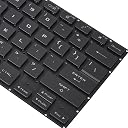
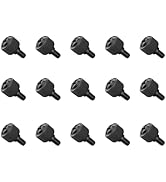
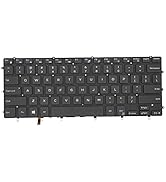
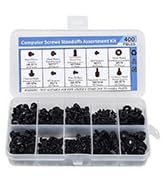
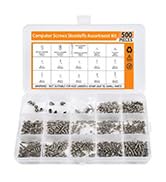
My laptop was involved in an accident where some liquid was spilled and, before it could be cleaned, enough managed to seep into the keyboard that several keys stopped working, even after multiple rounds of cleaning and drying.Purchased this keyboard because it was one of the few offering prime shipping and it arrived on-time, two days after the order was placed.I've done a lot of laptop repairs in the past, anything from simple upgrades, battery swaps, screen/fan replacements, and even a motherboard or two, but replacing this keyboard was one of the most difficult repairs I've ever performed.To replace the keyboard you must remove the motherboard. Several videos suggest removing the fans/heatsink, but I opted to simply remove the motherboard/fans/heatsink together and just carefully flip it over out of the way. This part was actually pretty easy and revealed the keyboard.Replacing the actual keyboard itself is where the difficulty increases. First you have to carefully peel back the plastic cover stuck to the back of the existing keyboard and this reveals the next challenge, the keyboard is held to the case with ~70 extremely tiny screws which must all be removed. Be sure to take a picture of exactly what screws are installed as the keyboard has about 75 holes, but a few seemed to not be used, for whatever reason (maybe slightly different per laptop model/keyboard layout, not really sure). These screws are incredibly small and extremely shallow, and getting each one removed and then put back was extremely time consuming. I spent about 3 hours in total on the repair.Probably 15 minutes was wasted because one of the screws appeared to be stripped from the factory. Nothing I could do managed to budge it loose. Since the existing keyboard was broken anyway, I eventually just destroy the keyboard enough to pop it off without removing that single screw and then worked the screw out with a pair of needle nose pliers. This left me with one too few screws, but I strategically selected a spot that appeared to already have plenty of support and, so far, I can't tell that it is missing.After powering the laptop back on I thought the LED backlight was not working, it just kept changing modes and I couldn't toggle the modes with the keyboard like normal, but, after about 5-10 minutes or so, this seemed to just self correct. I'm not sure if it was flashing firmware or what (they keyboard worked the entire time, only the lighting was inconsistent). After this time it suddenly settled into my previous settings (static color, 2/3rds brightness) and the keyboard toggle started working and everything seems as good as the original keyboard.Overall, none of the problems I experienced were the result of this product, so this vendor and the part get 5 stars.If you have less experience with laptop repair or lack the patience to remove and replace ~70 tiny screws, some vendors sell the entire top shell with the keyboard already in it. This requires swapping the mother board and display cables/hinges to a new top shell, so also not easy, but probably would likely take less time overall. These top shell+keyboard combos are significantly more expensive though, but I think it's worth noting. Good luck!