Buy anything from 5,000+ international stores. One checkout price. No surprise fees. Join 2M+ shoppers on Desertcart.
Desertcart purchases this item on your behalf and handles shipping, customs, and support to Cyprus.
๐ Elevate your data game with UGREEN NAS โ where speed meets limitless storage!
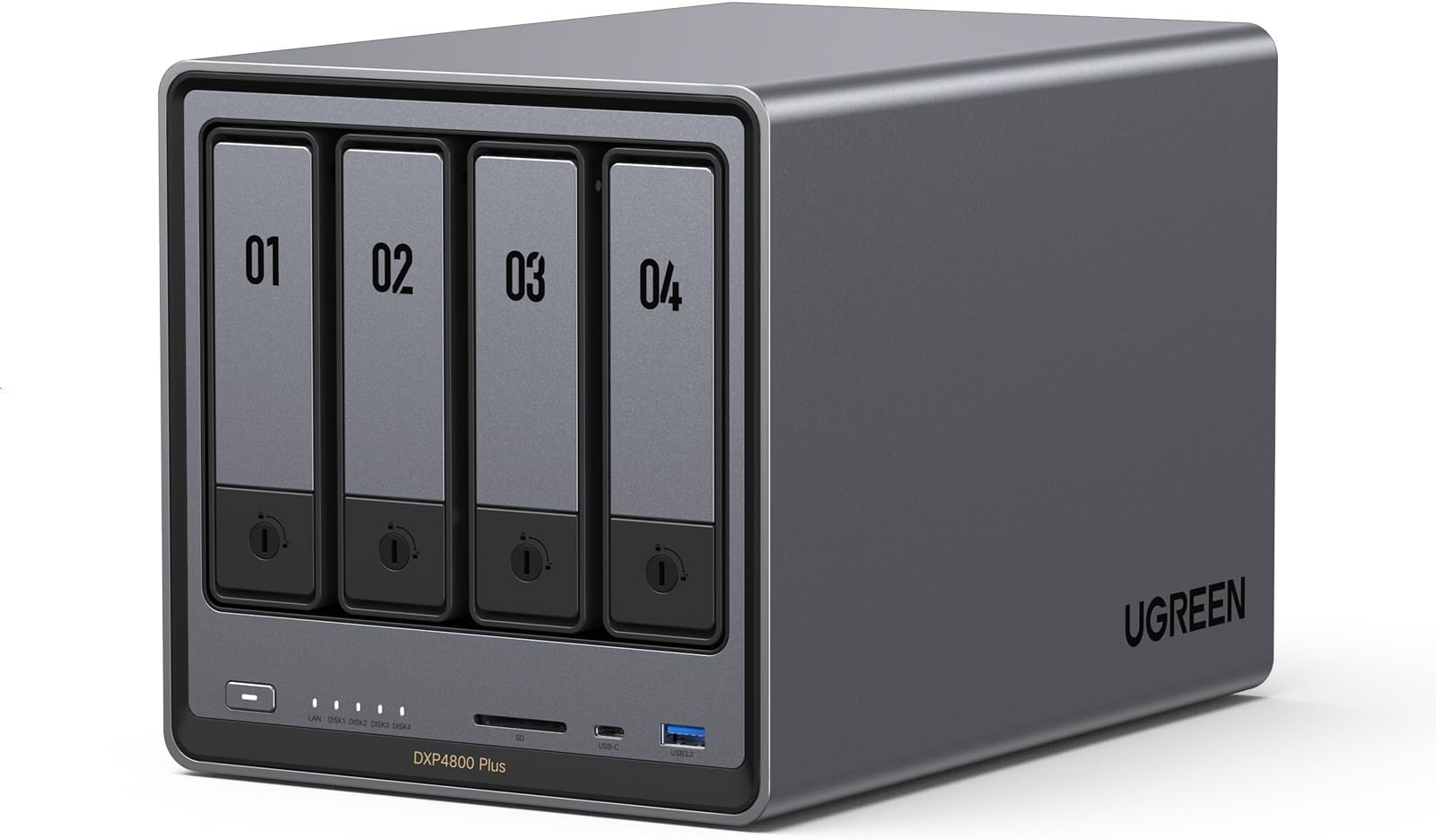
The UGREEN NAS DXP4800 Plus is a high-performance 4-bay desktop network storage system powered by an Intel Pentium Gold 5-core CPU and 8GB DDR5 RAM, featuring a built-in 128GB SSD for caching. It offers ultra-fast 10GbE and 2.5GbE Ethernet ports, supports up to 144TB of storage, and includes 4K HDMI output for direct media playback. Designed for professionals and small offices, it supports Docker, virtual machines, and seamless cross-platform access, making it a versatile and future-proof private cloud solution.


| ASIN | B0D22JRHZB |
| Additional Features | Intel 5-Core CPU, 8GB DDR5 RAM, 1x 10GbE, 1x 2.5GbE Ethernet, 128G SSD, 4K HDMI, SD 3.0 |
| Best Sellers Rank | #5 in Network Attached Storage (NAS) Devices |
| Brand | UGREEN |
| Built-In Media | Power Adapter๏ผ100-240V๏ผ, Quick Start Guide, Screwdriver Kit, USB Cable |
| Color | Grey |
| Compatible Devices | Desktop, Laptop, Smartphone, Tablet |
| Connectivity Technology | Ethernet, HDMI , SATA, USB |
| Customer Reviews | 4.5 out of 5 stars 611 Reviews |
| Data Transfer Rate | 1250 Megabytes Per Second |
| Digital Storage Capacity | 144 TB |
| EU Spare Part Availability Duration | 2 Years |
| Enclosure Material | Metal |
| Form Factor | 2.5-inch, 3.5-inch |
| Hard Disk Description | Mechanical Hard Disk |
| Hard Disk Form Factor | 3.5 Inches |
| Hard Disk Interface | Serial ATA |
| Hard Disk Rotational Speed | 7200 RPM |
| Hard-Drive Size | 128 TB |
| Hardware Connectivity | Ethernet, SATA 6.0 Gb/s, USB |
| Installation Type | Internal Hard Drive |
| Item Weight | 3.79 Kilograms |
| Manufacturer | UGREEN |
| Mfr Part Number | DXP4800 Plus, 4-Bay |
| Model Name | DXP4800 Plus,4-Bay (Diskless) |
| Model Number | DXP4800 Plus,4-Bay(Diskless) |
| Number of Items | 1 |
| Read Speed | 1250 Megabytes Per Second |
| Special Feature | Intel 5-Core CPU, 8GB DDR5 RAM, 1x 10GbE, 1x 2.5GbE Ethernet, 128G SSD, 4K HDMI, SD 3.0 |
| Specific Uses For Product | Business, Office, Multimedia, Home, Personal |
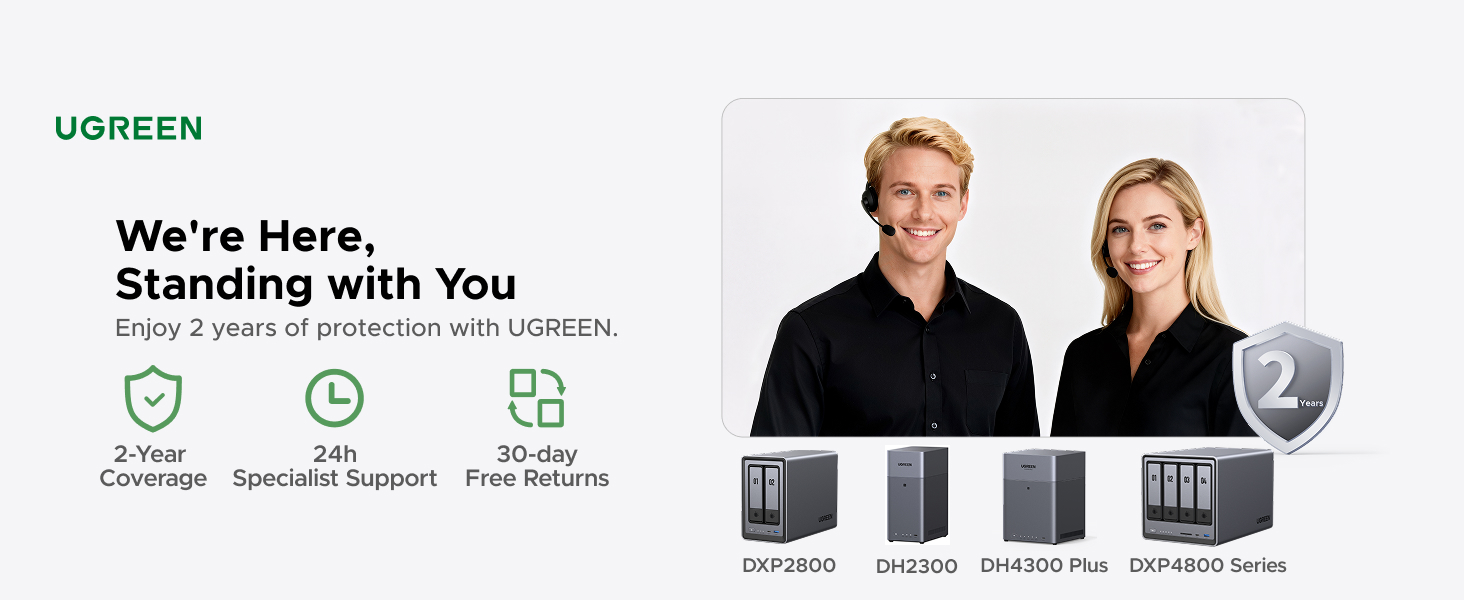
| Warranty Description | 2 Year Manufacturer |
C**C
Excellent Plex NAS โ Powerful, Flexible, And A Big Step Up From Synology
1) PLEX DOCKER SETUP: Using Docker with the most popular Plex container (linuxserver/plex) on the Ugreen NAS was straightforward. I pulled the container from the builtโin Docker interface, pointed config and media paths to my shared folders, set network mode to host, and left almost all defaults. Even with my custom usernames and permissions, everything just worked. No hacking, no odd workarounds. 2) STORAGE CONFIG: Iโm running two Seagate IronWolf Pro 28TB Enterprise NAS drives (ST28000NT000) internally as Drive 1 and Drive 3 in a JBODโstyle setup (data on 1, backup on 3). For future expansion Iโll add Drive 2 as data and Drive 4 as backup. The IronWolf Pros have been flawless so farโquiet, cool enough, and fast for Plex streaming and backup. 3) INTERNAL VS USB BACKUP: I also tested one of the 28TB Seagates in an OWC Mercury Elite Pro external enclosure (USB 3.2 Gen 1, 5Gb/s) as a backup drive connected to the Ugreen. The Seagate fit perfectly, the enclosure worked well, and performance was fine. In the end, though, keeping everything internal (all drives inside the Ugreen) was more efficient and cleaner for my backup scheme. 4) UGREEN VS SYNOLOGY (DS220+): I own a Synology DS220+ and originally used it as my Plex server. I eventually retired it from Plex duty because: (a) Synology was picky about thirdโparty drives and didnโt officially support large Seagate IronWolf Pro capacities the way I wanted; (b) memory expansion on the DS220+ is very limited; and (c) Docker/Plex on the Ugreen feels faster and less constrained. The Ugreen gives me more flexibility with drives, more headroom for RAM and containers, and overall better performance for a multiโTB Plex library. 5) OVERALL EXPERIENCE & TIP: The Ugreen NAS has become my main Plex server and backup hub. Docker Plex runs smoothly, transcoding and library scans are snappy, and the hardware has handled large 28TB drives and backups without complaint. FINAL TIP: Use ChatGPT/AI during setup. I used an AI assistant heavily to walk through Docker, rsync backups, SMB mounts, IP changes, and cleaning up old Synology configsโsaved a ton of time and guesswork.
E**O
Rock solid quality NAS
I have now had this UGREEN NAS DXP6800 Plus for about six months and it has been rock solid. A quality unit. VERY easy to set up and get up and running. So far I have only installed a couple drives and have not investigated or tried out any of the embedded apps. My original intent was to convert to TrueNAS, but I will leave asis for now as it works well.
J**N
Very nice product and can handle a lot of storage
Great product and performs very well. Easy to setup. Not noisy and able to have a lot of storage. I would recommend getting the UPS UGREEN sells as I did not at first. After the first power glitch I bought this and now it will shutdown safely and restart again on its own. I donโt have to worry about any data loss or damage to the system.
V**E
Amazing piece of tech. Wish I got into this stuff years ago.
Background was I found myself with $1000 in Amazon gift cards and I've been thinking about getting into this stuff on and off for a while now - it's one of the things I told myself I'd look into when I went for 2Gb Fiber internet at the beginning of this year. Little did I know what I was getting myself into. Gear: - UGreen DXP4800 Plus - Upgraded with 32GB 4800MHz DDR5 RAM - 3x 18TB Seagate Exos X18 HDDs, will add a 4th down the line - Added a 2TB 990 Pro NVMe - Opted to get a 10Gb PCIE expansion card for my personal PC Storage Config: - Volume 1: 36TB RAID5 (54GB total from the current 3 x 18TB, but 18TB of that reserved for parity) - Volume 2: 2TB NVMe Didn't do that much upfront research on OS options and decided to stick with whatever UGOS was going to end up being, which is .... okay? Easy to use for the most part but some baffling decisions. For example, it took me a good 15 minutes to figure out how to delete folders in the UGOS UI and now I just do that through Windows. On using an NVMe - looked into it and decided how could I *not* do it. For example, I edit videos fairly often. So one thing I can do is copy raw footage from the HDDs into the NAS nvme and make it so that Adobe Premiere Pro on my pc does everything on that nvme over a 10Gb cable without ever having to move stuff to/from my pc. 8pm rolls around, i export a draft copy of the video to the nvme that takes 10 minutes or so to encode while i cook, then I hop on my phone/pad while i'm eating and view the exported draft video still on that nas nvme. Workflow can't be that smooth with just HDDs. Another thing, if you can tell from my PC, I also game here and there and like to record footage. I don't have good warm and fuzzies recording 4k/60 footage over a 10Gb onto HDDs, so instead Nvidia Overlay points to a "Passthrough" folder on the NAS nvme where throughput is seamless. Then wrote a cron script that executes a mv command to migrate footage on the nvme into the HDD every night at 4:30AM. Other things I got done over the first weekend: - Pihole up and running for network wide DNS-level adblocking. This alone is lifechanging and worth the price of admission if you ask me. I actually had a friend come over at one point over the weekend and he freaked out about his phone browsing feeling so nice at my place. - Set up a homegrown VPN so I can benefit from pihole outside my home. Fun fact: most name-brand subscription VPNs charge extra for enhanced adblocking. With your own home server and a little coding DIY, you can set up your own service for free (outside the hardware costs, obviously) - Took about 18hrs to migrate ~7TB of data I've been slowly accruing since like 2014, and that's WITH numerous cleanups and whatnot over the years. Feels really good to not have to delete stuff anymore just to make room...... for now - Got Plex and Jellyfin up and running - Got an "arr" docker container stack going to automate media acquisition. - Least exciting thing, obviously I got remote phone and automatic pc/data backups going on a reasonable schedule Things I'm looking to work on throughout this next week or two: - Finish up that VPN/reverse proxy project, likely using Tailscale, featuring Pi-hole as the adblock service - Start messing around on a VM or two, plus there are definitely games I've been wanting to host persistently in the background with friends. - Been meaning to host a personal website - Look into Home Assistant - Get a retro game arcade cabinet going that pulls from the NAS I can't remember the last time I was thrilled about getting into a new thing that slots into the rare "lifechanging new hobby" category. Snowboarding maybe? This homelab stuff with the UGreen DXP4800 Plus at the center of it all has been a blast.
R**6
Great NAS for beginners
This is my first NAS. easy set up. App support easy. I'm dropping it down to 4 stars due to some software that doesn't run as smooth (It runs but with tricks) but overall solid pick for a everyday NAS. Not very noisy. Small form factor. So far haven't had any heat issues. Connectivity stable and has support to UPS. Came in premium package. Feels solid of aluminum.
J**D
This is well worth the money. Minor issue with 2 apps.
I have had this item for a few months now. Initially, I did some upgrades to the unit with no problems. I upgraded the RAM to 32GB (OWC 32GB (2x16GB) DDR5 4800 PC5-38400 CL40) and installed 4 Seagate Exos X18 16TB Enterprise HDD's in RAID-5 for a massive 48GB storage capacity. I also installed a samsung 990 EVO Plus 1TB NV SSD for caching. I decided to give the UGREEN OS a chance and kept it. So far everything seems very stable and for my use, movies, music and phone backup, this is doing the job really well. I also installed a 22TB external drive to backup my data just in case the NAS failed. All of the built-in software for the backup, moves and music are working very well. The noise level of the unit is very low, especially when the drives go to sleep. There is no noise at all that you can hear from about 5 feet away unless it is reading/writing, then you hear the drives but it is a low rumble that you would expect. The system itself is very easy to setup and once you create the online account, you can access your drive from anywhere. The only tricky part is getting the software installed on the Amazon Firesticks but there are instructions for that. I would definitely say that this is worth the spend. UPDATE: Almost a year in. The unit physically still works flawlessly. I have, however, found a few issues with the two main apps that I use. Theater and Music. First, the apps in general are great but there is a small flaw in teh Theater app where it has trouble detecting movies that have numbers in the beginning or end. The quick fix is the ability to go in and manually detect the movie. The Music app is good as well but has one major flaw that the developers have acknowledged but have not fixed. I have loaded a lot of music in folders (each folder is a CD) and the tracks are numbered. The app will ignore the numbers and only show the songs without it and sort based on that. Any mixed tracks that flow from one track to the next will NOT work since it will sort alphabetically without the numbers in the beginning. Also any tracks that have names that begin with numbers also have them hidden and ignored. I am not sure why this would be a feature, especially when you go to the Folder View tab to view the full name. It makes the app pointless for me. If you are planning on using the NAS for Music or Movies and want to use the UGOS Pro operating system, you should reach out to them to see if this has been resolved. Other than these two issues, the OS itself and the rest of the unit and apps work great.
T**A
FINALLY a Perfect NAS Solution for PLEX
I've been a heavy Plex user for almost ten years. Up until now I have put the server on a Windows PC with too many HD's. The constant updates, changes, and such that Microsoft does causes everything to reboot and restart far too often. I've been looking for a real solution for myself, about 8 people I share my libraries with, and about 12TB worth of movies, shows, music, etc. I noticed this NAS a few months ago and started some research and just kept coming back. For the money, you can't get the same performance and hardware/upgrades that this comes with. I upgraded the 8MB RAM to 32MB to be sure it would be quick enough for me. I bought 2x 16TB drives and kept 2x 8TB drives from my previous server. I am not a Linux user or know how to do alot of this type of stuff, but it took me about 2 hours to have the server completely setup and ready for media to be transferred. There is a YT Video out there about 18 minutes long and an English gentlemen walks you through most of it. It worked perfectly the first try out of the box and I started transferring the data. It took about 12-14 hours to transfer everything, but there wasn't one slip or hiccup or problem. Everything went perfectly and Plex immediately started updating everything and gave remote access without issue. The setup of the NAS is easy, the setup of Plex is easy, the Web app is incredibly fast and intuitive and the phone app is awesome and easy to use as well. I know these are relatively new to the market, but I can't wait to see what they bring out going forward. Amazing speed and I am very pleased to finally be done with a giant server PC and go to this nice compact box. Buy with confidence, you won't be disappointed!
G**Z
Low Quality NAS
This product worked fine for about a week and then one of the Ethernet Ports stopped working. I powered down the system and started to troubleshoot. I had a hard time getting the TNAS PC to find the system. I had to check my DHCP server and found the IP address that it had allocated assigned. I had to use the browser to connect to it. I logged in and when I checked the Network, the second port was down. I removed the hard disk and then proceed to do a factory reset. My DHCP server assigned again the two IP addresses. The TNAS PC was able to recognize it. I had back up all my drives that I was concerned about. I placed the hard disks back again into the system and to my surprise, it did not recognized the drives were already full of backup data. It wanted to REINITIALIZE the disks again after I spent 8 hours backing everything up. It was kind of incredible, I got a message while I was in the system "Do not power down the system while in operation, it can damage the hardware." Wow, that is very, very, stupid. I don't have a UPS (Uninterruptable Power Supply) system and it is ridiculous for a home device like this to expect to have a UPS serving it. I can't believe the stupidity of the people doing this. In any case, I immediately returned the system. Back again looking for another NAS and this time I will look for one made in the USA. I think that our tech companies know about ISO 9000 and 9001. Regards, Frustrated User. Hope you all had a nice Thanksgiving day. Mine was horrible.
F**S
Deceiving Description
Very misleading description for anyone not familiar with NAS systems. "128TB included storage" doesn't really work how you'd think.. out of the box there is no storage. Outside of that, it looks very high quality.
A**N
Unmatched quality
Built like a tank. Incredible quality inside and out. This is as premium as it gets for the prosumer. It's unbelievable what ugreen offers at the same price point as the competition. Fast, reliable, and built to last. Beautiful unit. The OS is intuitive, polished, and has everything you need to get up and running in a home environment. These units from ugreen are the new standard now. There plastic box competition is going to have to up their game, or fall by the wayside. If you're looking for an Nas, look no further. Ugreen holds the crown.
T**Y
I Enjoy to use it!
Definitely a solid NAS. I bought it 6 months ago and used a lot to write a detailed review. Pros: +Good quality hardware. +NVME & HDD storage pool options. +Ultra High speed access/transfers with 10Gbit Ethernet on NVME Storage pools. I think this is the key reason I have chosen this NAS. I can easily reach over 1GBytes/sec. speeds over the 10 GBit network (even can go faster with 2 ethernet link aggregation). I almost stopped using my external NVME drives after having this NAS. (This is really Great!!) Before this NAS I was planning to have Synology DS923+ and 10 Gbps network upgrade. But NVME storage pool is not available unless you don't purchase Synology nvme drives which is even more expensive than MacBook SSD upgrades!!! Besides you cannot find any Synology NVME over 2TB!!! Go to hell Synology!!!! +Silent cooling. +Very fast in general and Very fast startup/shutdown. (Thanks to having a separate NVME drive for operating system) Previously with my old QNAP NAS, it takes ages to boot up so I was never shutting it down and the times I don't it was consuming power for nothing. Now I don't hesitate to Shut down, it boots up less then a minute!! +Compatible with all HDDs I have. +Freedom for using and OS you want. Actually I am using with stock Operation System (UGOS Pro). But I have plans to try TruNAS someday. Cons: -Original Operation System is good, fast and stable, But still needs improvements. For example; manually adjusting the fan speeds, Or conditional adjustments like QNAP has "if X drives goes over 40C increase the fan speed". There few more things that I don't see in the their software, so still there is room for improvement. But still at least faster than QNAP's slow QTS system. -NVME cooling is not efficient. Actually fan doesn't have any effect on SSD cooling. Initially I was using 4TB WD SN850X. Several times I heard the FAN speed up when I was writing on SSD. I checked the system if there is another reason, CPU was cool everything was cool but NVME was over 50 C. And due to fan has no effect on SSD compartment it doesn't cool the SSD down and it blows high for nothing during this write process. So you have to find a cool working SSD with this NAS. But it is kind of hard since it is a NAS and the SSD you choose should have DRAM and TLC Nands. Mostly you can find this combination in higher and drives which are generally get hot. Seagate firecuda 530 and Samsung 990 Pro or any other cooler working SSDs are better options for this NAS. - Similer issue with above SSD compartment is very slim and you cannot use SSDs with original heatsinks. I already had a 8TB WD SN850X (with original heatsink) and I couldn't use it as well. I didn't want to remove the heating cuz I know it will be hell hot. In general finding the perfect SSD for this NAS is really tricky. But there are some 3D print options on the web to make this compartment larger to use heatsink or even to attach another fan for SSD compartment, but in my opinion FAN is unnecessary, if you can install a proper heatsink, I believe all SSD will be fine.
W**.
Well built, very good specs for the money, room to grow
I upgraded to this unit coming off a two-bay Synology. I wanted more room for expansion, a bit more headroom on compute capacity, and I was also interested in experimenting with different operating systems. This delivers. Even though it's advertised as four-bay, I would functionally call it a six-bay, because it has two nVME slots, on top of the four hard drive slots. It has relatively good specs (balancing power and energy efficiency, and keeping in mind that most things a NAS does are not compute intensive), has a premium metal case, and noise mostly isnโt an issue (the exception is the dust filter over the fan at the back, it sometimes rattles. I solved that with some double-sided tape to cushion the metal-on-metal contact). Right off the hop, I installed the TrueNAS operating system on this unit, and it was painless. This unit has an HDMI out (an underrated feature) that displays the boot menu when you plug in a bootable USB, and it comes with a writeable SSD drive to which you can install the OS, and keep it hived off from storage. When running TrueNAS, the HDMI out will display the current IP address of the NAS to access its web UI from another device (handy!), and it also has a terminal interface to run various operations with keyboard input. I can't comment on how TrueNAS compares to the UGreen OS (because I never used it), but comparing it with Synology, and having read up on other alternatives like Unraid, my impression is that they're all functionally very similar. Synology has some first-party apps that you won't get anywhere else, but they're not special, there's popular open source alternatives to all of them. Every OS has its library of stock-configured apps (Synology's is relatively small), but to get full utility out of a NAS, you're going to need to figure out how to use Docker (easy if you know what you're doing, immensely confusing *until* you know what you're doing), and every operating system integrates with Docker images in a similar kind of way.
B**N
Sturdy, Performant, and Convenient
Amazing little NAS. Rock solid, performant, and it looks nice too. Installing and removing drives is very easy. Getting at the m.2 and memory is also reasonably easy. It has lots of CPU and memory (though I added another 8GB to mine). I can't comment on the software, as I installed TrueNAS Scale on it without ever even booting to the provided OS. Right now it's running nicely with 4 drives and several apps (Jellyfin, Immich, Syncthing, etc). No complaints!
Trustpilot
1 month ago
1 month ago