Desertcart purchases this item on your behalf and handles shipping, customs, and support to Cyprus.
๐ฏ Precision meets personalityโgame on with style and control!
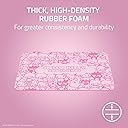
The Razer Gigantus V2 Medium Mouse Pad in Hello Kitty & Friends Edition features a high thread count textured micro-weave cloth surface optimized for all mouse sensors, delivering pixel-precise accuracy and smooth gliding. Its 3mm thick high-density rubber foam base ensures a flat, stable platform on any surface, while the anti-slip base prevents unwanted movement during intense gaming. Combining professional-grade performance with a unique, playful design, this mouse pad is perfect for gamers who demand precision and personality.


| Additional Features | Non-slip, Textured Micro-Weave Cloth Surface, Thick, High-Density Foam |
| Antenna Location | Gaming |
| Asin | B0D7YPD3K8 |
| Best Sellers Rank | #14,430 in Office Products (See Top 100 in Office Products) #184 in Mouse Pads |
| Brand | Razer |
| Built In Media | Item |
| Color | Hello Kitty & Friends Edition |
| Customer Reviews | 4.7 4.7 out of 5 stars (9,753) 4.7 out of 5 stars |
| Enclosure Material | Rubber Foam |
| Item Dimensions L X W | 14.18"L x 10.84"W |
| Item Highlight | Textured MicroWeave Cloth Surface, Thick, High-Density Rubber Foam, Non Slip Base |
| Item Thickness | 3 millimeters |
| Manufacturer | Razer |
| Mfr Part Number | RZ02-03333400-R3M1 |
| Model Number | RZ02-03333400-R3M1 |
| Number Of Items | 1 |
| Number Of Packs | 1 |
| Shape | Rectangular |
| Size | Medium |
| Theme | Gaming |
| Unit Count | 1 Count |
| Upc | 840272909935 |
| Warranty Description | 1 Year Manufacturer |
User
Top-Tier Mousepad For Great Value, Might upgrade to 3XL
Iโve been using the Razer Gigantus (2XL) for a while now, and itโs easily one of the best mousepads Iโve owned. The quality feels top-tier right out of the box, with clean stitching, a consistent surface, and a premium feel as soon as you lay it down. The 2XL size is already huge and comfortably fits my keyboard and mouse with room to spare, but Iโm honestly considering upgrading to the 3XL since it would cover my entire desk instead of just the main setup area. The surface is super smooth and makes mouse movement feel effortless, striking a great balance between speed and control whether Iโm gaming or just browsing. For the price, it offers excellent value and feels like something that should cost more given the materials and overall build. Functionally, itโs pretty much perfect, it stays in place, doesnโt bunch up, and provides a stable, reliable surface every time. It also has a sleek, clean look that gives my desk a minimalist, professional gaming vibe without being flashy. Durability has been great so far, with no fraying or peeling, and it still looks almost new after regular use. There was a slight chemical odor when I first opened it, but it only lasted a few days and completely went away. Overall, Iโd highly recommend it, especially if youโre debating between sizes.
User
I love it
The mousepad feels really smooth and consistent for gaming. Tracking in FPS games like CS2 feels accurate, and the surface has a good balance between speed and control. The size is great, and it stays in place on the desk without moving around.The stitching and overall quality also feel solid for the price. Definitely a good upgrade if you want a reliable cloth gaming mousepadI love it ๐ป!!!!And itโs super easy use and clean!
User
Razer BlackWidow V3 Mini HyperSpeed Review
The Razer BlackWidow is one of the most iconic gaming keyboards of all time. Itโs undergone numerous revisions over the years but todayโs release marks new territory for the series with a new 65-percent compact form factor. If you found the ultra-compact Huntsman Mini too small but still like the idea of saving space on your desktop, this is a keyboard you wonโt want to miss.If youโre coming from a full-size keyboard, expect a short learning curve. The V3 Mini doesnโt feature a function row and continues to hide less-used functions on secondary layers. This also applies to media controls and macros. To aid the learning curve, a number of the keys have side legends so you wonโt need to guess what they do when pressed with Fn. These arenโt backlit, however, so you canโt see them in the dark.As a HyperSpeed product, the BlackWidow uses Razerโs latest wireless gaming technology to deliver wired-like performance without the need for a cord. This is the same tech found on some of the companyโs premier wireless peripherals like the Orochi V2, one of our best gaming mice of 2021, and BlackWidow V3 Pro. Gone are the days of wireless peripherals lagging behind their wired counterparts. The BlackWidow V3 Mini was just as responsive whether it was connected over USB or with the 2.4GHz dongle.The new dongle has another trick up its sleeve: multi-device support. If you also happen to use a compatible Razer HyperSpeed mouse, you can pair it to the dongle inside Synapse and control both with a single USB port. This doesnโt apply to all HyperSpeed products yet (my Basilisk Ultimate wouldnโt work), but if you happen to own an Orochi V2, DeathAdder V2 Pro, or Naga Pro, you can store that dongle back in its compartment.Given its size and relatively steep price, you might want to take it on the go and the V3 Mini is ready to connect in any scenario. In addition to HyperSpeed wireless, it also features Bluetooth and wired USB support. Bluetooth has noticeably more latency than HyperSpeed or wired, so isnโt the ideal choice for gaming. Instead, I used it to quickly switch my laptop and desktop. Unfortunately, itโs not possible to use the bluetooth connection when charging, which is disappointing. I also wish there were a key combination to enter bluetooth mode instead of being forced to flip the switch on the back. First world problems, but when up and coming brands like Epomaker make swapping modes easier, it stands out.Despite multiple connection options, the V3 Mini sports an impressive battery life up to 200 hours. Thatโs a best case scenario with backlighting disabled and drops substantially depending on your lighting settings. Unlike some wireless keyboards, the Mini doesnโt cap the brightness of the backlight when wireless. At 100% brightness battery life drops all the way to 17 hours on spectrum cycling mode. Cut that brightness to 30% and it jumps back up to 48 hours. If you do happen to run dry, plugging in for 30 minutes will recharge the keyboard to 50% to get you back in the game quickly.Like the BlackWidow V3 Pro, the Mini HyperSpeed uses Razerโs doubleshot ABS keycaps (PBT is reserved for the Huntsman line) and your choice of clicky green or linear yellow Razer-branded switches. I was able to briefly test both versions but settled on the yellow switches. Razerโs new yellow switches feature internal dampers to cut down on key noise, so you wonโt need to worry about bothering others around you. Theyโre also a speed switch. With an actuation force of 45 grams, theyโre similar to Cherry MX Reds but trigger at 1.2mm instead of 2.0mm. Thatโs 40-percent faster and you can feel that sensitivity. My first day with the keyboard was frustratingly typo-filled until I got used to the lighter touch it requires.The keycaps are great and do an effective job of showing off the RGB. The legends are crisp and high-quality without the gamery feel and lettering gaps found on cheaper sets. Theyโre also much thicker than standard gaming keycaps and feel solid under the finger. Since theyโre ABS, they will shine over time, but Razer has applied a light texture to their surface to ward off early wear and tear and to hide finger oils.Since this is a Razer gaming keyboard, you can look forward to all manner of programmability through its Synapse software. Of course, you have total control of the per-key RGB backlighting through a selection of good-looking presets or can customize or sync your own lighting animations through the Photoshop-esque Chroma Studio module. If youโd rather not use the software, the preset options are also stored on the keyboardโs memory, though avoiding Synapse will drastically reduce your customization options. No matter which you go with, itโs sure to be an eye-catching display of light and color thanks to the floating key design which exposes the translucent switch housings.The software also allows you to customize the layout of the keyboard with custom remaps, shortcuts, and macros. There are three onboard memory profiles to store settings for individual games, which is especially useful given the already compact layout. Creating your own keymaps is easy and intuitive thanks to key recording and an array of preset options for features like Windows shortcuts.Synapse has come a long way over the last several years and is well worth spending time with, but I still wish the BlackWidow V3 Mini HyperSpeed were not so dependent on it. For example, โon the flyโ macro recording simply wonโt work without it. Likewise, even though the keyboard is capable of producing 16 million colors, you can only choose between six for the three customizable presets built into the board. This simply pales in comparison to keyboards like the Ducky One 2 SF which has a similar form factor and doesnโt require software at all despite costing far less.Thanks to its small size and excellent connectivity, the BlackWidow V3 Mini HyperSpeed makes for an excellent travel keyboard. Over the course of my testing, I used it at work during the day and took it home for gaming at night. I had to send the clicky switch version back after two days, so the bulk of my testing was done using the Razer Yellow switches.Right off the bat, the Razer Yellow switches were a joy to type on. Theyโre smoother than Cherry MX Red, donโt have any spring noise, and feature internal sound damping to cut down on noise. Theyโre quiet enough to use in an office and softer to bottom out without feeling mushy. My first day was full of typos due to their increased sensitivity but by the time I got home to play games, I was used to the lighter touch they required. These are switches that will trigger simply from resting your fingers too heavily, but I found that actually taught me to bottom out less and made the keyboard even quieter to use.On the other hand, the larger keys were much louder than the rest due to poorly lubed stabilizers. Razer did apply a small amount but it wasnโt enough and there didnโt seem to be any in other places generating rattle, really defeating the purpose of the silenced switches on these keys. The backspace and spacebar were the worst offenders. I was able to fix this by adding some additional lube myself, but given how good the stabilizers have been on some of Razerโs other recent keyboards, and how expensive this board is, it really shouldnโt have been necessary.With both gaming and work, the 65-percent form factor was excellent. For navigating spreadsheets, word documents, and even browsing social media, the additional arrow and navigation keys were a godsend. 60-percent keyboards usually require advanced customization to make them fully and easily functional in these contexts. The Razer BlackWidow V3 Mini was easy to use, right out of the box, no programming required.Gaming with it was also easy and fun. Since itโs only one column wider than a 60-percent and roughly two columns narrower than a TKL, I was able to keep my hands closer together which made PC gaming more comfortable. Having the right-side keys double as macro buttons was also useful in World of Warcraft and let me keep my hands on the movement keys even when firing them off. Aesthetically, the smaller keyboard also fit right into with my PC gaming setup and looked clean due to the lack of wires.Dual-mode connectivity was useful but has room for improvement. I found myself switching between 2.4GHz and bluetooth regularly to work, game, or chat between my laptop and my desktop. Swapping connections is fast with only a couple seconds of delay but needing to flip a switch every time got old fast. HyperSpeed was reliably excellent no matter what game I was playing but bluetooth would occasionally feel sluggish with noticeable latency. Infrequently, it would miss keystrokes as if the connection had momentarily gone to sleep. It was usable but not something I wouldnโt attempt to game with.
User
Perfect fit
Great slightly oversized gaming mouse pad. It is not too big that it takes up your whole desk but gives you enough room for whatever crazy moves you need to pull off while gaming. Lays nice and flat also doesn't slip when you are going bonkers on a crazy game.
User
Honest First Impressions from Someone Switching to Arm Aiming
I ordered both this pad and the KTRIO Oversized 47.3 x 23.6 inch pad at the same time specifically to compare them side by side. I'm in the middle of completely rebuilding my gaming setup after years of wrist aiming caused serious hand, wrist, forearm, and shoulder strain โ carpal tunnel territory. I'm transitioning to full arm aiming, which meant ditching my old wrist rest, getting a gaming compression sleeve, and upgrading from my old 35.4 x 15.7 inch budget map-design pad that was way too small for arm sweeping.Size and Desk FitBoth pads came in at roughly 47 inches wide. The depth is where they differ. My desk has monitor arms clamped to the back edge, so the pad has to either slide cleanly under the clamp base or stop short of it. The Razer at 21.65 inches deep falls about two inches short of reaching the back of my desk, meaning the clamp only partially overlaps the pad. That raises some concern about long-term indentation from clamp pressure and whether it stays fully stable back there. The KTRIO fits my desk edge to edge perfectly โ the clamp sits right over it clean. On desk fit alone, the KTRIO wins.Build Quality and ThicknessThis is where the Razer earns its price. It's noticeably thicker with a dense foam base that keeps the surface completely flat and flush. The edges are smooth and clean โ no stitching border, just a finished flat edge with the green Razer foam visible underneath. It looks and feels like a premium product. The KTRIO is thinner with stitched edges around the perimeter โ functional and fine, but it doesn't have the same solid feel. Visually and build quality, the Razer is clearly the better pad.Surface Friction โ With and Without a Gaming SleeveThis is the most critical part of my review and the biggest functional difference between these two pads.I use a Pulsar eS gaming compression sleeve on my mouse arm for arm aiming. Without the sleeve, bare skin on the KTRIO actually felt slightly smoother. But the moment I put the sleeve on, the KTRIO grabbed hard โ noticeable drag and resistance, like the sleeve fabric was catching on the weave texture. It felt rough and inconsistent and I didn't like it at all.The Razer was the opposite. With the sleeve on it felt significantly smoother โ low friction, consistent glide, exactly what arm aiming requires. Without the sleeve it felt slightly more resistant than the KTRIO on bare skin, but since I use the sleeve full time that doesn't matter to me.If you game with a compression sleeve or any fabric on your forearm, the Razer wins by a clear margin.Mouse MovementBoth pads performed similarly for actual mouse tracking. No major complaints on either. Some initial resistance that should break in over time.Previous Pad ComparisonMy old pad was a cheap $14 map-design XXL at 35.4 x 15.7 inches. Both new pads are a massive upgrade in size. The extra depth alone solves the constant problem of hitting the top edge mid-swipe. Both new pads have more initial friction than my worn-in old pad, which is likely due to years of break-in on the old one.Bottom LineIf you use a gaming sleeve or compression fabric on your arm, get this one. The surface is clearly optimized for fabric contact. The size doesn't perfectly cover my desk but it's close, and the build quality and sleeve performance make it the keeper for my main gaming setup.Will update after full break-in. Photos of both included.
User
its a quality mouse pad
Right out of the box, the quality stood outโsmooth fabric surface, stitched edges, and a rubber base that actually grips the desk (no annoying sliding around). I opted for the XL version to fit both my keyboard and mouse, and the extra space has made my setup look and feel much cleaner.What I like most is the balance between speed and control. My mouse glides effortlessly for quick movements in games, but thereโs enough resistance to allow for precision when working on detailed tasks like photo editing. It's also been great for wrist comfort; it doesn't have built-in padding, but the fabric is soft and easy on the skin.If I had to nitpick, it did have a slight chemical smell when I first unboxed it, but that faded within a day.Overall, this is one of the best mousepads Iโve usedโdurable, comfortable, and excellent performance-wise. Definitely worth the price.Rating: 5/5
User
Awesome mouse pad
Awesome mouse pad. Tracking is great material is great and looks good, money well spent
User
Spacious for sure
So smooth, and spacious like itโs really nice, youโll never find yourself on the edge of the pad when gaming under pressure.
User
Big upgrade from standard mouse mats, even if you're not a gamer
Quality mouse mat, even if you're not a gamer. I wish I had found these sooner. It grips the desk amazingly well, and my mouse slides well with a small (nice) amount of friction. This will be my go-to mouse mat from now on.'Medium' mouse mat is bigger than your typical mouse mat. I've bought a couple of these now and one of them I cut down slightly with a sharp craft knife to fit on a smaller desk. It hasn't frayed and looks great.When I ordered there were two listings for this on Amazon and one was much cheaper - make sure you're getting the best value!
User
ุฌู ููู
ุญููู ูู ูุชูุนุจ ุดูุชุฑ ุจุชุฏูู ุชุญูู ุงุญุณู ู ู ุงู glass ูุฎุงู ุชูุง ุญููู
User
Calidad/precio
Buen tapete.
User
MIYABIMIYABIMIYABI
LINDICO, OS STICKERS SAO TAO FOFOS, ESSE MOUSEPAD ร PERFEITO (obvio ne, tem a miyabi nele)
User
I love it
This is by far the best mousepad I have ever owned in my life. Itโs adorable.
Trustpilot
1 month ago
2 days ago