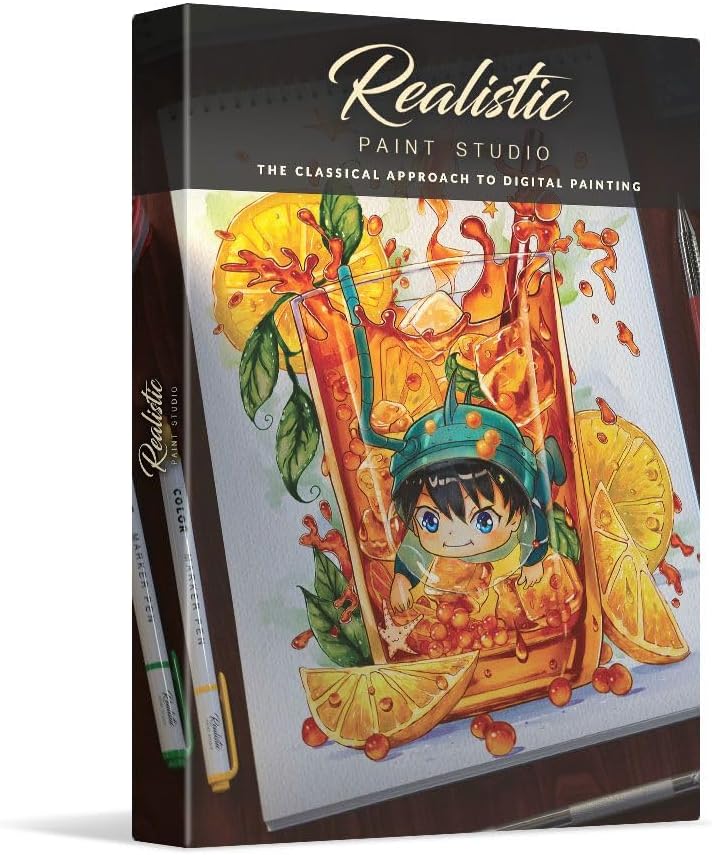





Realistic Paint Studio - Realistic Digital Painting Software - Perpetual License - for Windows and MacOS
Product ID: 625792289
🎨Realistic color
🖌️Realistic brushes
🖥️Windows & MacOS compatible
🎉 Paint Your Dreams into Reality!
Realistic Paint Studio is a cutting-edge digital painting software available for both Windows and MacOS, offering a perpetual license for lifelong creativity. With its realistic color palettes, brushes, and canvases, it caters to artists who want to replicate traditional painting techniques digitally. Ideal for use with pressure-sensitive pen tablets, this software is perfect for both budding and professional artists looking to elevate their craft.
D**N
Nada
Did not work
M**E
DVD contains virus – Do not install
I thought this would be interesting software to try. I started the installation on Windows 11, and my antivirus almost immediately picked up a virus on the disk. I was quite disappointed and had to wipe my drive clean and start with a fresh install of Windows 11, as I could not tell where it might have put copies of that virus (or another one). Protect yourself, and do not purchase or attempt to install this software.
A**R
Just Incredible!
I am just learning to paint and my experience with computer graphics programs is limited, but I decided to take a chance and try this program out on my PC. I was unable to get the program to install from the DVD – it launches the install but then does nothing. I am not sure if this is a virus issue or a problem with the latest Windows 10 update. Fortunately, they offer a download option so I used the serial number that came with the disc to register and install the online version on my PC, and that works fine. I have a cheap drawing tablet that I am using with it. The tutorials are really incredible. The program included 7 different tutorials when I first installed it, but I was able to download 2 more as an update. Each tutorial shows a picture of what you are going to try to paint (or draw) on the left side, and you try to duplicate that picture on the right side by going through each step of the process. I am having so much fun doing them that I don’t know when I will start creating my own art. The tutorial selects the appropriate brushes and colors for you so you learn about these tools as you go. You have 3 choices of media when you get beyond the tutorials and want to create your own art – drawing, watercolor painting, and oil painting. The brushes behave the way real brushes do and you can blend colors just as you would on a real palette. The only limitation I have found so far is that there doesn’t seem to be a way to switch from one media to another in the same art work (like doing a drawing and then filling it in with watercolors). Other than that, I am really just amazed at how well this program works and how easy it is to learn. This program ended up being the perfect choice for me, as it offers all the options I need without overwhelming me with too many options and it replicates the look and feel of the painting process really well. If you are a beginning painter or new to computer graphics, I highly recommend this, and I think more experienced folks would like it too. If I could give this 10 stars, I would.
S**T
My os won't let me install
I have a Windows 11 PC and it is not letting me install this program. I'm not getting any warnings of the install being corrupt; the install application just stalls out. I use my PC for work projects so I did not push it. I've run my anti-Virus and there doesn't seem an issue there either.
M**Y
A fun, albeit basic tool
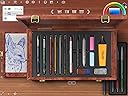
Realistic Paint Studio is an good quality graphics program that you can think of as a finely tuned graphics presets specifically for painting. Emulating real painting is a difficult thing to do perfectly, but this does a decent job as a painting program. The colors, canvas, and brush types are nice, though the blending leaves a bit to be desired. There's no real smudge tool or effects so you have to control your colors more manually. Something that can be both a benefit or a downside is its simplicity. There's a lot of features that it doesn't have that are standard in most similar programs (including their other Clip Studio offerings), so it feels like it's barebones. Most of the out-of-the-box tools and layouts will work fine and be fun, though over time you may get tired of having to select each brush across 2-3 confirmation windows. The app also starts off in Fullscreen mode on your main monitor and you have to navigate to settings > windowed mode to make it moveable if you have a secondary graphics monitor. Then if you want to move the camera around the canvas, you have to zoom out > mouse over the part you want things centered on > then zoom back in. There's no slider bars on the bottom or right-hand side for this function. But on a real negative side, it doesn't have true support for 4k. In the screenshots you can see it start to have an overlapping issue with its own background asset display as the window height is increased. You also can't adjust the canvas size, so the default resolution is what you'll get. For me with was 2732 x 2048 in one test image and each canvas appears to have its own default size. I personally have access to AI upscaling available to make anything larger, but adjustable canvases seems like it would have been a given. The software is also inconsistent for selecting palettes. Some screens let you can just left click on a color tool on the right for one of the paints, then on others you have to use the eyedropper tool (looking at you, wooden board). There's always the standard graphics color palette wheel in the corner though, but color-mixing is an important painting technique and it should be more convenient to do here (the first paragraph's smudging/blending issue). I had no issues using my Wacom Intuos drawing pad with it. All-in-all, it competes well against regular graphics software in this segment. Its overly basic nature is something that really holds it back, especially when it's things that they already know how to implement and just choose to omit here. If you're looking for a most serious painting solution, this is not the one for you. But if you're someone looking for a first or "good at default settings" painting program and you don't want to be overwhelmed by a high learning curve, then it doesn't get much easier than this.
A**R
Won't work
I could not get this software to load. Uninstalled and retried. Uninstalled and downloaded app form their site. This would not open once installed. Checked website, and there was nothing covering this problem. Too bad, it looked like a great software.
C**Y
Good for the Novice
I gave this program to my daughter, who's quite talented with art and technology. She's an art student and enjoys creating complex drawings on her tablet. She found the program to be a basic painting tool with limited options for a serious artist. It's a decent introduction to digital painting for beginners, although the interface feels outdated and requires navigating through too many screens to complete a single task. The blending features and some brushes lack the finesse for detailed work. While it's suitable for a general introduction to tablet painting, it's not quite useful for someone like my daughter, who prefers to draw more complex, layered artwork. It's a good start, but it requires significant improvements to compete with other available programs.
L**.
Good Beginner to Intermediate user Digital media paint software.
I found this to have all the basic and even more advanced tools for Digital Natural Media Painting, geared more to beginners and intermediate users at a low price compared to professional software like Photoshop, I do prefer Corel Painter as my preference to Natural Media software, but it is more complicated and expensive for the basic artist, this does offer many of the same tools in an easier to use interface and price point, I recommend skipping the install from disk and just download the latest version from the product website, using the included Key/License with the product package to authorize the software as some people complain that the installer on the disk version may install some unwanted extra software.
Trustpilot
4 days ago
1 month ago