

Desertcart purchases this item on your behalf and handles shipping, customs, and support to Cyprus.
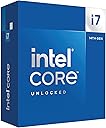
🚀 Power your passion with the Intel Core i7-14700K — where speed meets unstoppable multitasking!
The Intel Core i7-14700K is a high-performance unlocked desktop processor featuring 20 cores (8 performance and 12 efficiency cores) and 28 threads, turbo boosting up to 5.6 GHz. It supports both DDR4 and DDR5 memory, PCIe 5.0, and is compatible with Intel 600 and 700 series motherboards. Designed for gamers and professionals alike, it delivers exceptional multitasking, gaming, and productivity performance with integrated Intel UHD Graphics 770 and a 125W base power.


| ASIN | B0CGJ41C9W |
| Best Sellers Rank | #16 in Computer CPU Processors |
| Brand | Intel |
| Built-In Media | Item |
| CPU Manufacturer | Intel |
| CPU Model | Core i7 |
| CPU Socket | LGA 771 |
| CPU Speed | 5.6 GHz |
| Cache Memory Installed Size | 33 GB |
| Customer Reviews | 4.6 out of 5 stars 1,185 Reviews |
| Global Trade Identification Number | 00735858546928, 05032037278485, 05032037278492 |
| Item Dimensions L x W | 4.57"L x 1.73"W |
| Item Weight | 80 g |
| Manufacturer | Intel |
| Mfr Part Number | BX8071514700K |
| Model Number | BX8071514700K |
| Platform | Windows 11 |
| Processor Brand | Intel |
| Processor Core Count | 20 |
| Processor Count | 1 |
| Processor Number of Concurrent Threads | 28 |
| Processor Series | Core i7 |
| Processor Socket | LGA 771 |
| Processor Speed | 5.6 GHz |
| Secondary Cache | 33 MB |
| UPC | 735858546928 |
| Unit Count | 1 Count |
| Warranty Description | 3 year |
| Wattage | 125 watts |
I**K
Great CPU for everything
Amazing CPU for both gaming and streaming or editing or heck even playing multiple games at once switched from a 12700k & was already a instant improvement on frames and just overall performance currently have it paired with a 5070ti & 64GB of ddr4 so it’s a cheap upgrade if you are already on ddr4+lga1700 pretty okay temperatures while gaming & very stable at default settings but makes for great compatibility for ddr4 or 5 if wanted a simple upgrade in the future & simple to cool with a $40 air cooler peerless assassin digital 120
C**S
how many extra frames this thing will squeeze out
I don’t game, so I can’t tell you how many extra frames this thing will squeeze out of whatever people are shooting at this week. What I can tell you is that the Intel Core i7-14700K is a beast for real desktop work. I run video editing, 3D scanning, 3D printing software, photo work, and enough browser tabs to qualify as a bad habit. With 20 cores, 8 P-cores and 12 E-cores, it just keeps moving. Yes, it runs hot when you really lean on it, and if you let the motherboard feed it 253 watts, you had better bring a serious cooler. But that is the price of having this much horsepower sitting under the desk. For everyday work it barely notices what I’m doing, and when I hit it with a heavy workload, it gets up and goes. If you only browse the web and check email, this is ridiculous overkill. If you edit, render, scan, encode, multitask, or simply enjoy knowing your computer is waiting on you instead of the other way around, good times. :-)
D**R
Incredible CPU
Incredible CPU, no complaints. Highly durable, power consumption reasonable. Very stable, easy installation although it’s the same as any other CPU. My thermals have never exceeded 70C, although I have an incredible cooler. The integrated graphics were good to play only the simplest of games, but BIOS and OS setup went very smoothly.
F**E
Excellent gaming CPU
I bought this CPU as an incremental upgrade to my i7-12700k , which will go into another more modest build. I really didn't think the i7-14700k would be significantly faster than the i7-12700k, but in some games there's a 10-15 FPS uplift. I don't know if that's the revised P cores doing the work or if it's the extra E-cores. The IMC on the i7-14700k is noticeably better as well. I can run four sticks of DDR5-5600 M/T at 5400 M/T (with tighter timings) which was a pipe dream with the 12700k (which topped at 4800 M/T with the same four sticks of RAM). With that said, it's going to be easier just to buy a two stick kit with the capacity you need instead of dilly-dallying around the BIOS trying to get four sticks of RAM to play nice on LGA 1700. Now is the upgrade worth it if you already have an Alder Lake i7? Probably not, but I was already putting together another mid-range build for someone else and this was an excuse to upgrade. But overall, I'm impressed. This CPU even holds it own again the newer Ultra 7 265k in gaming but will lose out to the higher end AMD X3D CPUs. The downsides here are that this thing has a massive power draw, and needs a beefy cooling solution. I have a 360mm AIO CPU cooler which cools it down nicely (60C-70C in typical gaming loads, topping out in the low 80's when benchmarking) but realistically, you're going to want at least a quality 240mm AIO or a god-tier air cooler. There's also the issue of the 13th and 14th gen CPUs failing prematurely. I have the latest BIOS for my motherboard that in theory should mitigate that problem, and so far I haven't had any issues at all.
A**S
Super fast
Still works fast no issues
R**N
She's a beast, but so HOT!!
I guess everyone is right, these things are hot and then some. I went with a off brand AIO, and for the most part I'm good. It does get spicy when I'm rendering or doing some crazy multi tasking. Gaming seems fine, no issues. I play all kinds of games, FPS, MMO's, survival, etc. (Paired with a Gigabyte Gaming 4090 OC, Tforce 64 gigs 6000 M/T DDR5, samsung 990 pro NVME 2 tb x2, no OCing done by me.) I replaced a 5950x, which was having issues for some reason, just felt like it was getting slower and slower, thermal paste and heat were fine on it, never got over 60c with the beefier AIO I had on it. Just took longer and longer to render things. I guess I wore it out! I just think you'll want a good AIO, and/or a solid water cooling solution for this to really get the best out of it. I'm not sure a air cooled option will do you any good, but hey I've been wrong many times, so there might be something that can handle the job. All in all, not bad, but it's not going to give you much performance boost over last gen, matter of fact I found out later 13700k beats it in a lot of tests, blargh! Either way, its fast, and it runs everything great, so I'm happy till the next go around.
C**H
i7-14700K is a significant improvement from i9-12900K
I decided the difference between the i7 and the i9 didn't justify the price difference, considering I was already getting about 1/3 more performance than my 12th generation i9. I wanted plenty of motherboard resources so I also bought the MSI MEG Z790 ACE, 32 GB of Kingston Fury 6400MT/s DDR5 and a 2TB Samsung 990 NVMe drive. Cooling had been a slight issue with the 12th generation i9, even with a 360mm AIO cooler, so I went custom loop. Along the way I found a GPU water cooler on sale and decided to install a lot of cooling. The Thermaltake 900 tower can take two 560mm radiators, but I wanted some disks, so I went for a 560x140 and a 280x140, both 45mm thick and backed by 6 fans. Four more fans feed air into the case and there's till plenty of clear space for more air to be dragged in. So what's the result? The processor runs at 85C worst case, and only two cores at that temperature. The fast DDR5 does make a significant difference. I initially ran it at 6GT/s then turned it up to 6.2 and finally 6.4. The last change is a 3.5% change in DDR5 speed and that gave me a 2.4% increase in system speed. I kept my old RTX3070 which used to run over 80C and now runs at 62C worst case. So despite more performance the system runs a lot cooler. I mostly run X-Plane 12, which runs the GPU and CPU very hard, continuously. After several hours the cooling water reached 36C and the worst core temperature was 85C. The processor just works. No stability issues with the standard settings on the MSI Z690 motherboard. There are three standard memory tuning options for 6.0, 6.2, and 6.4 GT/s and all work. This will do for me for a few years.
P**A
Una bestia que debes saber domar
Compré el Intel Core i7-14700K y usarlo principalmente en gaming, multitarea pesada y uso general con una RTX 3080 y ram 32 DDR5 6400 CL32. Vengo de un R7 5700X con 40Gb ram DDR4 3200 El salto se nota bastante en fluidez general, multitarea y capacidad bruta. Es un procesador muy potente, con 8 P-Cores y 12 E-Cores, por lo que se siente más como una pequeña workstation gamer que como un CPU común de escritorio. Para juegos a 1440p va sobrado, y en tareas pesadas o con muchas aplicaciones abiertas se nota que tiene mucho margen. Eso sí: no es un procesador que recomendaría dejar totalmente en automático sin revisar la BIOS. En mi caso lo uso en una placa B760, por lo que no puedo exprimir todo su potencial de overclock, pero sí pude dejarlo muy bien ajustado con límites de potencia. Mi configuración estable quedó con PL1 en 190 W, PL2 en 230 W, Tau en 56 segundos y un offset negativo leve de -15 mV. Con eso mantiene muy buen rendimiento, temperaturas más razonables y estabilidad. En Cinebench 2026 obtuve alrededor de 7080–7200 puntos según configuración. Con voltaje automático daba un poco más, pero en mi sistema aparecían algunos glitches visuales ocasionales, así que preferí dejarlo con -15 mV, que fue el punto más equilibrado entre rendimiento, temperatura y estabilidad. También probé 3DMark Steel Nomad con una RTX 3080 y el procesador no fue cuello de botella. La GPU trabajó al 100% y el CPU se mantuvo sobrado, que es justo lo esperado para gaming a 1440p. Puntos positivos: * Rendimiento excelente en juegos y multitarea. * Mucho más margen que CPUs de 8 núcleos tradicionales. * Buen soporte para DDR5 rápida. * Incluye iGPU, útil para diagnóstico, Quick Sync o respaldo. * Muy fuerte para cargas mixtas: juegos, navegador, software en segundo plano, grabación, etc. Puntos negativos: * Consume y calienta bastante si se deja sin límites. * Requiere buena refrigeración. * Conviene revisar BIOS, power limits y voltaje. * En placas B760 funciona bien, pero lo ideal sería una buena Z790 para aprovecharlo mejor. * La caja en que viene el CPU es bastante decepcionante, teniendo en cuenta que es un CPU de gama alta. En resumen: es un CPU excelente, pero no es “instalar y olvidarse” si quieres temperaturas óptimas. Si tienes buena refrigeración y estás dispuesto a ajustar power limits, es una bestia. Para gaming, multitarea y uso avanzado, lo recomiendo totalmente.
A**M
Asegúrense hacer “Under Volt”
Excelente CPU si armas tu PC desde 0.
E**N
Installation de la nouvelle version du bios
Parfait seul point négatif si vous dispose d’une encienne version du bios le processeur n'est pas reconnu il faudrait flashé une cles usb afin d’installer une nouvelle version du bios pour le processeur sois reconnu attention au amateurs avant d’installer le processeur fait fair quelque manipulation pour mon cas je me suis servis de quelque vidéo.
M**N
Great!
Can game/code/simulate without problems. Doesn't get hotter than 60/70 Celsius with an AIO with most if not all tasks done.
M**E
Un mostro di potenza
Ho acquistato questa cpu per affiancarla a 32 gb di ram e un ssd nvme e ha delle prestazioni veramente spaventose, per quanto riguarda la produttività esegue rendering e operazioni ad una velocità elevatissima senza scaldare troppo se affiancato ad un buon dissipatore. Sono stati comunque risolti nel corso del tempo i vari problemi di temperature.
B**S
Out of the box? Hot. Tuned? Not.
The i7-14700K is a beast right out of the box, but it runs hot. In our build, stock settings pushed Cinebench multi-core temps up to 90 °C, and the system was clearly working overtime to keep things cool. The performance was solid around 28,600 points, but it was not power efficient. After undervolting, the difference was night and day. Temps dropped to 71 °C under the same Cinebench load, with barely any loss in score (28,450). We also saw similar results in 3DMarkCPU temps dropped from 87 °C to 70 °C, and the score only dipped slightly. Even single-core performance held steady, but temps still improved from 72 °C down to 64 °C. What stood out most was how much quieter and smoother the system ran. Undervolting didn’t just help with temps, it brought balance. It gave us full power when we needed it, without feeling like the system was under stress. additionally, to support the 14700K properly, we used the Thermalright LGA1700-BCF contact frame in place of the stock bracket. It gave us more even mounting pressure and helped reduce CPU temps by a few degrees while avoiding the common warping issues with LGA1700 sockets. Cooling was handled by the Thermalright Frozen Warframe S360 AIO The 14700K is great, but it’s aggressive on voltage by default. If you care about thermals, fan noise, or just want your system to last longer, **undervolting is a no-brainer**. In our build, it made all the difference — better efficiency, same power, less heat. Wouldn’t run this CPU any other way.
Trustpilot
2 weeks ago
3 weeks ago