We remain fully operational. Our teams are working around the clock to ensure your deliveries continue safely.

DOWNLOAD THE APP


Copyright © 2025 Desertcart Holdings Limited
DOWNLOAD THE APP
Buy anything from 5,000+ international stores. One checkout price. No surprise fees. Join 2M+ shoppers on Desertcart.
Desertcart purchases this item on your behalf and handles shipping, customs, and support to Cyprus.
🖨️ Compact. Fast. Brilliant. Your desk’s new MVP.
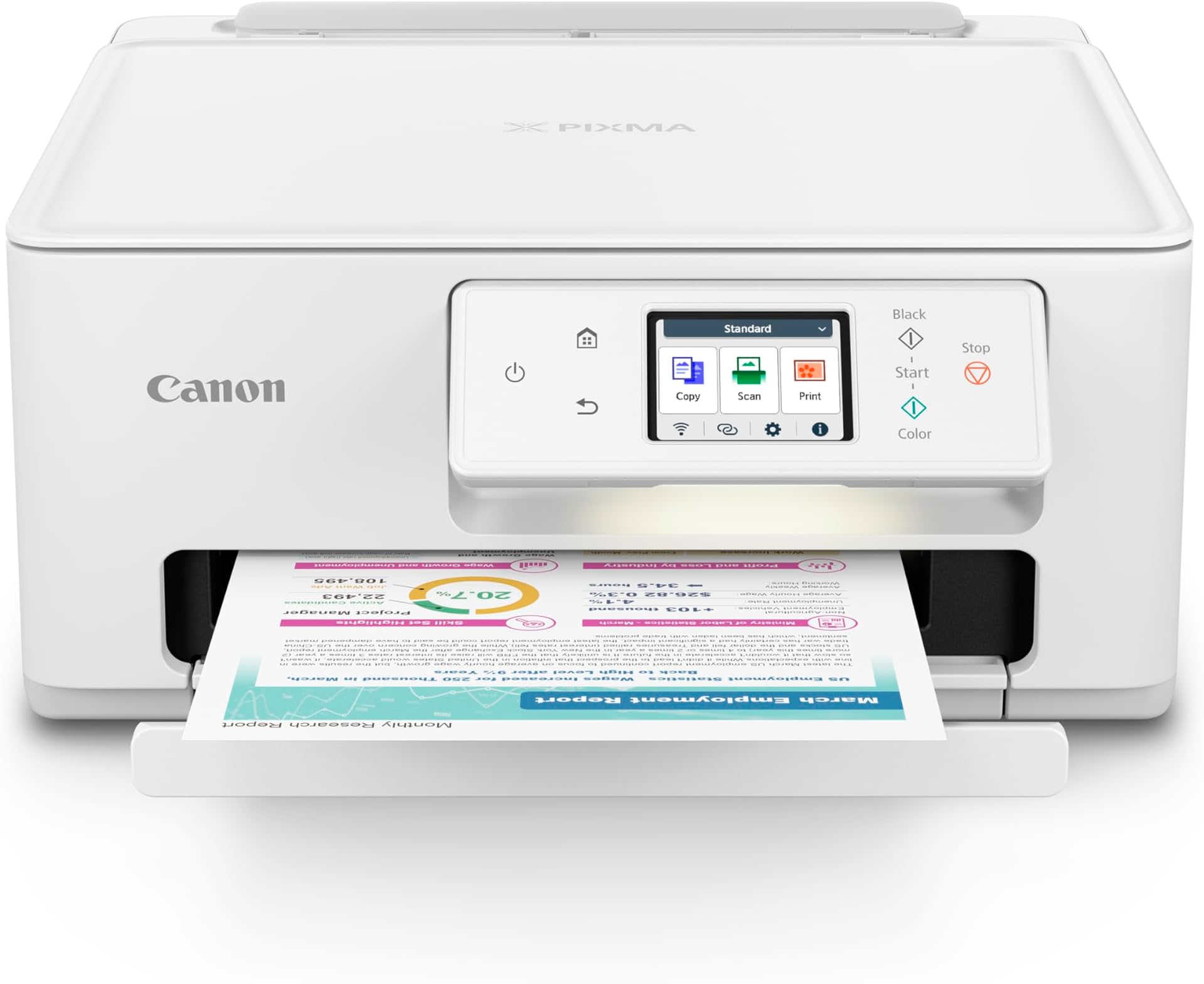
The Canon PIXMA TS7720 is a compact wireless all-in-one inkjet printer designed for home and small office use. It delivers fast print speeds of up to 15 black-and-white and 10 color pages per minute, featuring a 2-cartridge hybrid ink system for sharp text and vivid photos. With automatic duplex printing, a 2.7” touchscreen, and versatile media handling, it offers seamless wireless and USB connectivity for effortless printing, copying, and scanning. Perfect for professionals seeking high-quality output in a stylish, space-saving design.


| ASIN | B0CHL9W21G |
| Additional Printer Functions | Copy, Scan |
| B&W Pages per Minute | 15.0 |
| Best Sellers Rank | #8,895 in Office Products ( See Top 100 in Office Products ) #40 in Inkjet Computer Printers |
| Brand | Canon |
| Built-In Media | Documentation, Ink: 1 PG-285 Black and 1 CL-286 Color Cartridges, PIXMA TS7720, Power Cord |
| Color | White |
| Color Pages per Minute | 10.0 |
| Compatible Cartridge | PG-285 Pigment Black Ink CL-286 Color Ink |
| Compatible Devices | Smartphones |
| Control Method | Touch |
| Controller Type | iOS |
| Customer Reviews | 4.1 4.1 out of 5 stars (929) |
| Display Type | LCD |
| Dual-sided printing | Yes |
| Duplex | Automatic |
| Hardware Interface | USB |
| Ink Color | White |
| Item Dimensions D x W x H | 13.8"D x 14.8"W x 6.7"H |
| Item Type Name | Inkjet Printer |
| Item Weight | 13.8 Pounds |
| Manufacturer | Canon |
| Maximum Copy Resolution Black and White | Up to 1200 x 1200 dpi |
| Maximum Copy Resolution Color | Up to 1200 x 1200 dpi |
| Maximum Copy Speed Black and White | 15 ppm |
| Maximum Media Size | 8.5 x 11 inch |
| Maximum Print Resolution Black and White | Up to 1200 x 1200 dpi |
| Maximum Sheet Capacity | 100 |
| Maximum print Resolution Color | Up to 1200 x 1200 dpi |
| Model Name | PIXMA TS7720 |
| Model Number | 6256C002 |
| Model Series | PIXMA |
| Number of Trays | 2 |
| Other Special Features of the Product | Auto-Duplex, Borderless Printing, Energy Star, Touch Screen |
| Output sheet capacity | 200 |
| Paper Size | Rear Tray: LTR, Legal, A4, A5, B5, 4” x 6”, 5” x 7”, 7” x 10”, 8” x 10”, Square 3.5” x 3.5”, 5” x 5” Custom Size: 2.2” - 8.5” / Length: 5” - 14” Cassette: LTR, A4, A5, B5 |
| Power Consumption | 22 Watts |
| Print media | Envelopes, Glossy photo paper, High-resolution paper, Paper (plain) |
| Printer Connectivity Type | USB, Wi-Fi |
| Printer Output Type | Color |
| Printer Type | Inkjet |
| Processor Count | 1 |
| Resolution | 1200 x 1200 |
| Scanner Type | Flatbed |
| Total Usb Ports | 1 |
| UPC | 013803359978 |
| Unit Count | 1.0 Count |
| Warranty Description | 1 year |
| Warranty Type | Limited |
| Wattage | 22 watts |
S**.
Just what we needed
Quiet, fast, and great quality print. Set up was easy, to phone and computer. Great price too!
J**D
Compact size multifunctional powerhouse.
I love everything about this printer, its a compact machine with big functionality and almost feels like a large office printer got shrunken down in size to fit snugly in your desk. The printer prints quality images and can print a wide variety of applications such as, photos, design patterns, christmas cards etc,. The first test performed was printing an abstract rainbow design that was absolutely filled with color and lots of ink to test for smudging and discoloration, there was none. I am highly confident that if I used a higher grade paper, ( not regular printer paper) that I could achieve some beautiful prints. This printer also comes with a touchscreen that is easy to use and is adjustable to your viewing angle which is awesome if your using it nearest the floor. Now I do have one complaint and that is the ease of setup. Unfortunately you will have to have this printer set up with an app and this process took about an hour due to having to download the app off of the internet per the instructions which was a struggle for me because it was challenging finding an internet download I could trust, even the canon website seemed a bit shady.... after struggling for a while the app suddenly popped up on the computer asking to download which was a relief because I didnt want to choose the wrong download. Not sure why it took so long but maybe if your a person that doesnt like internet downloads either, give it an hour to try and connect itself🤷 That was really the only problem ive had with it and my last project I printed was a full traeger recipe book and it accomplished that without issue so im pretty satisfied overall. Enjoy!
B**R
Easy set up - no smart phone needed
I've struggled to see up two previous printers and ended up returning one of them (what happened to plug and play? I never had a problem with printers in the past.) The Cannon was by far the easiest to set up and so far I'm happy with it . It has to be manually turned on, which is a bit of a nuisance if it's not right by the computer. This morning it did a firmware update (without asking if I was ok with it) and when I tried to print after that got a message that printer wasn't responding. No troubleshoot option or suggestions, but an hour later I could download the pdf and print that. So it's not without issues, but so far the best of modern printers (none of which are as easy as the old ones) UPDATE: Bought a second one for a different location. This time instructions not as clear. You have to download the driver from thee Cannon website and instructions didn't say that or get us there.
A**R
I give up
I bought this mainly because I print out garden images (plain paper) for inspiration and (so I've read) Canon is best for pics by far. My old hp printer no longer provided correct colors/crisp images. I need to see the tones of color, crisp images to study why that design works so well and try to ID specific plants and I wanted to upgrade to the best I could afford (no $600 printers for me!) Easy setup they said. Auto reconnect if WIFI is interrupted they said. Still fiddling with this printer. Confused on setting it up. JUST TELL ME WHAT TO DO, STEP BY STEP. I don't want a dozen options to download! Do I need that, whatever it is? Hell, I don't know - they aren't explained. Apparently you're just supposed to know. 3/4 of the time, it indicates printer not available at all (muted out of the printer option screen on my phone). Then it may work (takes a couple of minutes to wake up, clatter around, before printing). How to set up your default printing? Good luck figuring that out. Mine still switches automatically to special glossy photo paper, 4x6, despite my changing it each and every time. Nothing in manual on how to change/save defaults. All pics so far are muted in color, hazy. A LOT worse than my old printer! Opted for the Canon Ink program. I got an email I'm enrolled. Am I, really? Not sure because within 3 days of setup, I'm out of ink (the regular cartridges that came with the printer), and no indication I'm being mailed new ink. Yes, this is an ink hog. Or else the over the counter ink cartridges hold very little ink. Normally I'd use a color cartridge every 4 months or so. The good news: prints out black and white text beautifully - crisp. Wish that's what I needed. A waste of my money. Unhappy camper. Update 3 months later: won't connect or print anything. Funny that it stopped working on page 4 of a 5 page job (they printed great, it just stopped). Previously the problems were hit or miss -- different versions of the printer would appear, then disappear. I'm buying another brand, can't handle this aggravation.
S**A
No vale la pena, la tinta que trae se acaba en un abrir y cerrar de ojos. Y el costo de la tinta es de 94 dólares, más costoso que la propia impresora, si por mi fuera tirara la impresora
Trustpilot
2 weeks ago
3 weeks ago