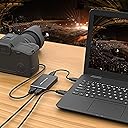
🎥 Capture Every Moment, Stream Like a Pro
The DriverGenius USB 3.0 HD Video Capture Device Box delivers smooth 1080p video at 30fps with zero frame loss, housed in a sturdy metal case for durability. Its plug-and-play USB 3.0 interface ensures quick setup and broad compatibility with HD devices and streaming software like OBS, making it an essential tool for gamers, content creators, and educators seeking professional-quality video capture and streaming.
| ASIN | B0756T1KNR |
| AV Output | HDMI |
| Antenna Location | Recordering】,Video Capture |
| Best Sellers Rank | 419,124 in Computers & Accessories ( See Top 100 in Computers & Accessories ) 541 in Internal TV Tuner & Video Capture Cards |
| Box Contents | Game Capture Card * 1 PC + CD * 1 PC + USB Male to Male Cable * 1 PC + User Manuel * 1 PC |
| Brand | DriverGenius |
| Brand Name | DriverGenius |
| Compatible Devices | PS3, PS4, Playstation 1, Playstation 2, TV Box |
| Customer Reviews | 3.1 out of 5 stars 61 Reviews |
| Hardware Interface | USB, USB 2.0, USB 3.0 |
| Hardware interface | USB, USB 2.0, USB 3.0 |
| Item Dimensions | 9.5 x 5.6 x 1.2 centimetres |
| Manufacturer | Fly Kan Tech Co., Limited (H.K.) |
| Manufacturer Part Number | HDCAP01 |
| Model Name | 30fps |
| Model Number | 30fps |
| Operating System | Mac OS, Windows |
| Operating system | Mac OS, Windows |
| Other Special Features of the Product | 1080p @ 60Hz HDMI Game Capture Card Recorder, Driver Free gamer capture card, Live Video Capture for PC, UVC HDMI Game Recorder, Video Capture Card PS4 |
| Platform | Xbox |
| Recommended uses for product | Recordering】,Video Capture |
| Special feature | 1080p @ 60Hz HDMI Game Capture Card Recorder, Driver Free gamer capture card, Live Video Capture for PC, UVC HDMI Game Recorder, Video Capture Card PS4 Special feature 1080p @ 60Hz HDMI Game Capture Card Recorder, Driver Free gamer capture card, Live Video Capture for PC, UVC HDMI Game Recorder, Video Capture Card PS4 See more |
| UPC | 614324321217 |
| Video Capture Resolution | 1080p |
| Video capture resolution | 1080p |
L**Y
Excellent 1080p60 capture device!
I really like this capture device now. After having dealt with what I thought was an issue with the unit or probably the signal I was feeding it, this is now a trusty part of my streaming setup. It does: Full and Partial YUV601 and 709. The settings that worked out for me best were 709 full with 1080P 60fps on mjpeg One thing to note before you panic: this device needs a USB 3.0 port and it's not joking about it either. I had various issues come and go depending on which way the wind blew until I realised that they stayed regardless of the signal I fed it. 1080p24, 30, 59.94, 60, 8 bit, 10 bit, ALL-I or LongGop, didn't matter, I'd have some random scanlines pop in and out as well as a 20 px tall horizontal black bar flickering at the top. Once I connected it to a USB 3.0 port on the motherboard rather through a powered hub and then the motherboard, all of those issues went away completely. Now I have my Panasonic GH5 pumping 100mbps 1080p 60fps signal into it and it looks beautiful. Note #2: there's a 300-ish msec delay on the picture. For those of you who get audio from a different source, such as a low-latency USB microphone, you'll have to delay the sound by about 300msec to match it with the picture. Brilliant bit of kit, I'm very happy with it not just for the price. I'm happy with it period.
D**L
Does 1080 30 fine but make sure you use USB 3.0
Whatever you do make sure you use this in a USB 3.0 or higher port, it will play up if you do not. Working fine for 1080 30, simple to install the driver as it was pretty much self install, download OBS and that's about all there is to it. The construction is nice and the image quality fine.
A**R
Does the job, but a bit pricey
This is a basic little device for recording gameplay footage from a console via a HDMI cable. It records to your PC via USB 3.0. Setup is very simple, anyone who has used OBS or a video capture device before will get it working in minutes. Anyone else, follow the instructions and you will be fine. The main thing to watch out for during use is that it needs a full power + full speed USB 3.0 port, and by this I mean one of the rear motherboard ports on your PC. USB hubs, even powered ones, will probably not work. I tried three, all had problems. Encoding is via H.264, which although now an old standard and not particularly efficient, does a decent job and is compatible with basically everything. During use the unit does get a bit hot, but it’s nothing to worry about. Just don’t leave it lying about on a carpet, I have it vertical so that convection can cool it. Overall I have to say it does the job okay, however the price seems a little steep considering the electronics inside this thing. I suppose it’s a bit of a niche market, hence the price.
S**C
Video review: Really easy setup and no need to swap out cables with the handy signal pass-through.
First thoughts: Larger device than ones I’ve used before but to me that’s a good thing as it sits properly on my desk rather than on the side of the laptop or flapping around on a cable. Detail and things to note (See pictures and video): Brushed metal box with foam pads on the base. HDMI input, output and USB port to PC. The USB cable is provided. Basic instructions including guidance on where to get the free software (third party) and how to set-up the capture card using it. Final thoughts: Simple to get up and running and no need to change any cables between the box and the back of the monitor, I can just leave it all as it is which saves a lot of fuss.
B**R
Takes a while to make it work
The recorder resolution is very good as it's support up to 1080 and 30fps. Although it's resolution is fantastic, the setup is not straightforward. The instructions didn't state very clear where to download the software 'ARECORDER' and I have to figure out a While and do a bit of try and error to make it work. Once recording done, you can easily edit it.
N**I
Impressive amount of hotkeys
Easy to set up and use, 1080P HDMI, video capture device. Packaged well. Arrived in a small cardboard box. This is a good compact design. It's all black, lightweight metal housing. It's roughly 10.2cm x 6.4cm x 1.7cm. this comes with a small USB cable provided, this is to connect the device to the pc. This is really easy to set up - • Plug your TVs HDMI cable into the 'out' port on the device. • With another HDMI cable, connect the device to the pc with the 'in' port. • Plug the USB cable into the device and to the pc. Download the OBS software from the website. This is quick and easy to start up. Now this is where it gets good. The software is full of a multitude of different options, advanced features, you can create different styles for different games. If you're an advanced user, this can get very technical, with a more extensive list for you to play with for streaming and recording, or if you're a beginner, you can start with the basic options too and learn as you go. There are a lot of things to play with on this software, some of them are - • Start streaming with just one click • Start recording, this doesn't start recording until your game has started, so you've no need to worry about what's on your desktop/home page. • Studio mode to edit videos • Show previous recordings • Scene selections • Switch scenes • Add captions, this is a new thing. • Join the discord server. Brilliant for those who are new to this or even those with a technical problem. • Switch between different resources You can see how long you've been live for, you can see how long you've been recording for. You can turn off your mic to work a voice over later. There is more than this and this is before you get even more technical with the settings, which also have advanced features too. In the settings, as I said, there is so much more to play with, if you're unsure what does what, start with the basics before attempting to further/better your videos. Here are some of the things you can play with - • STREAM - choose where you're streaming to (Facebook, twitch, YouTube etc). Connect your own account and add a stream key. • OUTPUT - play with display qualities for each of the streaming and recording, this has advanced features, which get quite technical. • AUDIO - lots of additional settings to play with. • VIDEO - play with resolutions for the base and output separately. Downscale filter and FPS values. • HOTKEYS - there is an impressive amount of hotkey options. This includes adding some for the mic, desktop, some you will be able to play differently with different games. This video capture device barely touched the CPU resources, this also displays a counter at the bottom, so you can keep track of it. This is such an easy device to set up and use. The quality of the stream and recording is fantastic, given you've the correct resources to show it and upload it to. Really easy to start streaming and recording. You can find all of your recordings in file - show recordings, this will open up a new window with them all in. I would recommend this. I think it's worth the price. I'm definitely impressed with the hotkey placements and how easy it is to use. Good for the price.
C**T
Worked straight out of the box
Excellent build quality with metal housing which helps dissipating heat if you had to use it for long period. It works straight out of the box plug and play without the needs for any drivers. I use this to capture PS4 onto my laptop, it works fine with Potplayer as recommended by the seller. It would be nice if this also had a mic in that I can do some instant voiceover rather than through editing.
S**C
Hdmi video game recorder
So my nephews seen this and thought we put it to the test. .. No I think they ment let's plug this in so we can laugh at out aunty as we know she is shocking on the games console.... So they plugged it in and was basically as easy as plug and play. It recorded how extremely bad I was at playing but it doesn't just stop there. They can reply my embarrassing moments over and over again and show the whole family. I must say I was impressed with there take over when they showed me how it's really supose to be done. We have a brand new 4k TV and I don't know but the pictures didn't seam as clear as I thought. But that's my opinion they love it. I'm judt hopeing they can't put what the recorded onto the net as I'm sure they will find a way to embarrasse me more lol. But who care it family fun time. And this just added to there enjoyment. Something to do now we are back in lockdown... Stay safe everyone xxx
D**L
Bof tel quel.
Bonnes vidéos captées avec OBS Studio. Le soft proposé n'est pas très performant... En outre le son capté par HDMI est bruité. Il faut passer par une ligne audio différente...
N**E
La migliore scheda di acquisizione
Riconosciuto da tutti i programmi, obs wirecast e skype. Nessun driver su Mac e pc
E**.
Sencilla de usar y buena calidad.
He de reconocer que en mi vida he usado una capturadora y mucho menos Hdmi pero mi hija juega con una ps4 y que pueda grabar sus partidas le hace muy feliz. La capturadora llega en una cajita bien presentada en cuyo interior esta la capturadora bien fabricada en material metálico que permite que disipe bien el calor, por que se calienta, con 4 patitas de goma para que quede bien fija en donde este colocada, en un borde tiene las dos tomas hdmi una de entrada que es donde pondremos el cable que sale de la consola y otro de salida que va al televisor, en el lado opuesto esta la toma usb A 3.0 que es la que va al pc las tomas son de calidad y los cables quedan bien conectados sin holguras algo muy importante para no tener problemas, con la capturadora llega un cable Usb A a usb A macho para conectar la capturadora al pc eso si es ridículamente corto y unas escasas instrucciones por suerte incluye un Qr que nos lleva a internet y donde las explicaciones son un poco mas extensas pero sin pasarse y donde nos indican que usemos el programa Obs para grabar nuestras partidas. El montaje es relativamente sencillo solo hay que tener unos cables hdmi lo suficientemente largos, la cuestión es que el cable de conexión con el ordenador en mi caso es muy corto ya que lo uso con un all in one y para que el sistema funcione hay que conectarlo en un puesto usb 3.0 de la placa base, pero bueno esto es algo personal, he podido comprobar que la transferencia de datos lo hace en usb 2.0 por lo que me sospecho que necesita usb 3.0 por la alimentación que necesita la capturadora. El funcionamiento es muy sencillo es plug and play y enseguida la reconoce el ordenador por lo que no hay que volverse loco con drivers, no soy entendido pero con el programa OBS se realiza la captura con mucha facilidad aunque con cierto lag, eso me dice mi hija quien es la que lo esta usando, la resolucion maxima es 1080 a 30 fps mas que suficiente para lo que ella necesita. Resumiendo es una capturadora muy sencillita con una resolución que seguramente para muchos será suficiente, a mi hija le gusta lo sencilla que es de usar y que cumple lo que necesita así que solo puedo decir que es una buena compra.
E**S
Mangelhaft
Diese Rezension ist für das Produkt „LinkStable HD“ Hallo Leute, da ich vor einigen Wochen angefangen habe zu streamen und ich es bevorzuge mit einem Mac zu arbeiten, wollte ich eine Capture Card für das Betriebssystem OS X von Apple(iMac 27 Late 2017 mit i7 und 32GB RAM). Ich Streme mit 2 PCs. Gaming Rechner: Windows 10 Pro 64Bit Streaming Rechner: iMac 27 Late 2017 Bei Amazon gibt es viele Capture Card für den Mac, wenn man sich jedoch die Fotos einiger Produkte genauer anschaut, fällt einem sofort die verblüffende Ähnlichkeit mit diesem Produkt auf. Zum Review: Beim entpacken fällt es sofort auf, dass das Produkt nur wenige Gramms wiegt. Das kam mir schon komisch vor, da ich die Avermedia GC550 besitze und die bei weitem mehr wiegt. Alles angeschlossen und von OBS(Open Broadcaster Software) wurde die Capture Card sofort erkannt ohne zusätzliche Treiber, allerding sehr schwammig und verpixelt. Zuerst dachte ich, dass ich die Treiber etc. installieren muss. Es gibt keine Treiber für das Produkt, zudem verfügt es über keine Software. In der mitgeliefertern CD ist nur ein Medienplayer (Software: Potplayer) vorhanden. Die Farbdarstellung ist schlecht. Zu wenig Kontrast, dafür viel Farbton. Ich habe versucht, die Farbe besser darzustellen mit der Software von Nvidia (Nvidia Systemsteuerung). Ohne Erfolg. Hier wirkt Rot eher Orange und Blau ist Cyan. Nvidia Systemsteuerung für die Capture Card: Anzeige -> Auflösung ändern: 1920 x 1080 (nativ) | 60Hz | Farbtiefe 32Bit Zusätzlich habe ich hin und her getestet, am Ende habe ich alles auf Standard zurückgesetzt und so gestreamt. Ich habe nun testweise einmal mit 1080P @60 und 720P @60 gestreamt, um die vergleich zwischen 720p und 1080p zu sehen. Die Settings von OBS für 1080P @60: X264 | CBR | 6000 | 2 | Veryfast | main | none Video einstellungen: siehe Foto Die Setting von OBS für 720P @60: X264 | CBR | 4000 | 2 | Veryfast | main | none Schlusswort: Die Capture Card erfüllt seinen Zweck ohne zusätzliche Treiber/Software installieren zu müssen, jedoch mangelt es stark an der Farbdarstellung und an der Schärfe. Mit den selben Einstellungen in OBS erreicht meine Avermedia eine viel bessere Qualität.
�**�
Simplicidad ante todo
ℹ️ INTRO: Olvídate de las configuraciones compleja, con equipos semiprofesionales que cuestan un riñón y parte del otro para poder convertirte en un streamer. 💶 Precio en el momento de la reseña: 52,99 EUR 👍 Esto es lo mejor 👍 1️⃣ La instalación y configuración no podría ser mas sencilla, ya que al conectarla a un puerto USB 3 (importante, tiene que ser USB3 o mejor) nos la detecta automáticamente como una webcam genérica y a partir de ahí, cualquier programa que sea capaz de ver una webcam conectada a nuestro sistema verá esta capturadora. 2️⃣ Permite Passthru, es decir, tiene entrada y salida de video. Entrada para que conectes tu consola, por ejemplo, y salida para conectar a la TV. De este modo puedes seguir jugando mientras se captura lo que pasa a través del dispositivo y se mueve al PC donde puedes procesarlo, emitirlo o lo que te imagines. 👌 Esto es lo bueno 👌 1️⃣ Tiene un aspecto bastante industrial, a mi ya me vale, pero es cierto que hay otros productos que han invertido un poco mas en cuidar el look y justificar en cierto modo su precio. 2️⃣ Funciona realmente muy bien para emisiones en directo donde queramos conectar fuentes de video en tiempo real (normalmente consolas, pero también hemos probado con una cámara de video conectada por HDMI). Solo se aprecia un ligero lag en la imagen, aunque no es sustancial. 👉 Esto es lo mejorable 👉 1️⃣ Está limitada a 1080p y 30hz. Este punto, si bien ya es valido para la mayoría, puede ser lo que haga que otros desestimen su compra, ya que al menos debería poder capturar en 60hz. 2️⃣ Es un poco delicada con los cables. Después de probar varios cables HDMI que daban problemas, al final encontré un par que funcionaban perfectos. Puede ser el conector, el cable o lo que sea, pero lo cierto es que requiere un proceso de prueba y error. 👎 Esto es lo malo 👎 1️⃣ Nada mencionable ↘️⬇️⬇️⬇️↙️ Aquí puedes hacer click si te ha parecido útil.
Trustpilot
1 month ago
2 days ago