We remain fully operational. Our teams are working around the clock to ensure your deliveries continue safely.

DOWNLOAD THE APP


Copyright © 2025 Desertcart Holdings Limited
DOWNLOAD THE APP


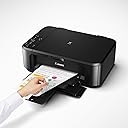


🖨️ Elevate your workspace with wireless printing that keeps you connected and productive.
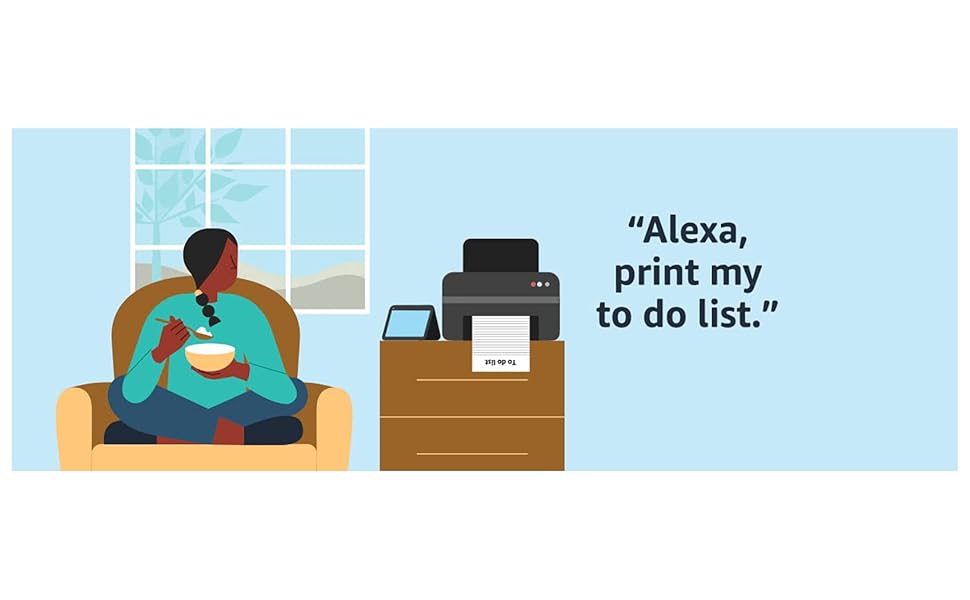
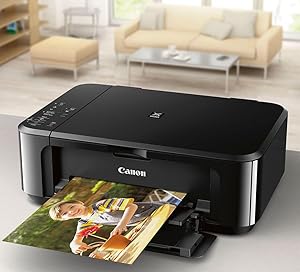
The Canon PIXMA MG3620 is a sleek, wireless all-in-one inkjet printer designed for seamless mobile and tablet printing. It supports multiple wireless protocols including AirPrint and Google Cloud Print, features automatic duplex printing, and delivers high-resolution color output up to 4800 x 1200 dpi. Compact and efficient, it’s ideal for professionals seeking reliable, space-saving printing solutions.




| ASIN | B010A7TZ76 |
| Additional Printer Functions | Copy, Scan |
| B&W Pages per Minute | 9.9 ppm |
| Best Sellers Rank | 151,280 in Computers & Accessories ( See Top 100 in Computers & Accessories ) 101 in Inkjet Printers |
| Box Contents | Pixma Mg3620 Photo Printer (black) |
| Brand Name | Canon |
| Color Depth | 24 bpp |
| Color Pages per Minute | 5.7 ppm |
| Colour | Black |
| Compatible Cartridge | PG-240XXL, PG-240XL, PG-240, CL-241XL, CL-241 |
| Compatible Devices | Smartphones, Tablets |
| Control Method | App |
| Controller Type | Android |
| Customer Reviews | 3.9 3.9 out of 5 stars (31,906) |
| Display Type | LCD |
| Dual-sided printing | Yes |
| Duplex | Automatic |
| Global Trade Identification Number | 00013803256192 |
| Hardware Interface | USB 2.0 |
| Ink Colour | Cyan, Magenta, Yellow, Black |
| Item Dimensions D x W x H | 30.5D x 45W x 15.2H centimetres |
| Item Weight | 5.4 kg |
| Manufacturer | Canon USA Inc. |
| Maximum Copy Resolution Black and White | 1200 dpi |
| Maximum Copy Resolution Color | 1200 x 2400 optische Farbpunkte pro Zoll |
| Maximum Copy Speed Black and White | 9.9 ppm |
| Maximum Print Resolution Black and White | 4800 x 1200 dpi |
| Maximum Sheet Capacity | 100 |
| Maximum Supported Paper Size | 8.5 x 11 Zoll |
| Maximum print Resolution Color | 4800 x 1200 dpi |
| Model Name | MG3620 |
| Model Number | 0515C002 |
| Model Series | PIXMA MG |
| Network Connectivity Technology | wireless |
| Number of Drivers | 2 |
| Number of Trays | 1 |
| Other Special Features of the Product | Wireless,Compact |
| Output sheet capacity | 100 |
| Paper Size | 8.5 inches |
| Power Consumption Size | 16 Watts |
| Print media | Envelopes, Paper (plain) |
| Printer Output Type | Colour |
| Printer Type | Inkjet |
| Processor Count | 1 |
| Resolution | 4800 x 1200 |
| Scanner Type | Flatbed |
| Series Number | 515 |
| Specific Uses For Product | General printing in various environments, such as home and office; printing documents and photos. |
| Total USB 2.0 Ports | 1 |
| Total USB Ports | 1 |
| UPC | 013803256192 |
| Unit Count | 1.0 count |
| Warranty Type | Limited Warranty |
J**Y
Not for use in the UK
The product is incompatible with the UK, the plug is not useable and the voltage is American, I asked for a return which you agreed . The problem with the return is that I have to pay the costs and the return postage ( to the USA) is over £80.00. So I am stuck with a useless printer which cost me £104 and I have now no idea how to contact Amazon for a simpler way to return this useless printer.
I**Y
I bought this as a replacement for the same model I had for 10 years before it failed after a trans Pacific move because the ink absorber pads got full after transporting it overseas. It is a basic all around sound printer with more reasonable ink cartridges than other models. It is also one of the few printers I could find that still cooperates with Windows 7.0. For me, it was a no brainer, an easy switch out from the old printer which is why I paid five times what I paid for it originally 10 years ago. After 2021, the price of everything soared so I guess it is to be expected although there are other Canon printers for a lot less with much more capacity. If my operating system was more up to date, I would likely have gone with one of those. I needed a Windows 7.0 compatible printer with no frills, other than the capacity to scan and copy with good print quality. I am pleased this printer was still available online although Canon discontinued it. The seller shipped it quickly which was a great bonus too and it seems to be working just fine, new out of the box. I have used HP, Sharp and Epson printers in the past; all required replacement less than a year after purchase. After going through two top of the line HP models and multiple Sharp and Epson printers, I was introduced to Canon printers. This is my third Canon printer; each one has lasted nearly a decade. With any good fortune, this one will also last a good long time.
J**A
Ótima, recomendo a comprarem.
C**️
Mi novia me pidió que le ayude a buscar una impresora multifuncional y terminé comprando esta. Imprime con facilidad documentos que tenga en su iPhone de manera inalámbrica así cmo archivos que tenga en su laptop. Configurarla no fue nada difícil ya que el software con el que viene se encarga de todo. Funciona con iPads y iPhones sin necesidad de hacerle ajustes extras pero con tabletas y celulares Android si será necesario descargar el app de Mopria Print pero no es algo complicado. Para uso doméstico funciona a la perfección y es muy práctica. En la cuestión de los cartuchos adquirí un kit de recarga y quedaron a la perfección. El único detalle que para recargar los cartuchos se tienen que seguir las indicaciones de recarga al pie de la letra para que te queden bien los cartuchos. Siendo que ya tengo algo de experiencia recargando mis propios cartuchos este proceso me toma 10 minutos y no he tenido problemas. Obvio esa es una alternativa a comprar cartuchos nuevos cada vez que se acabe la tinta de los cartuchos que estés utilizando. Dada la facilidad de uso de esta impresora, la calidad de impresión y su precio la recomiendo ampliamente.
A**N
This is a replacement purchase. I like the printer and the quality of the printing. Of course the cartridges are really the expensive part. I had difficulty with the bluetoothj setting so I use a cord.
K**U
I have had this printer for 8 years and it still functions as good as the day I got it, I cannot say much about it's wireless connectivity as I've never used it since I have a lot of things that might interfere with that signal so I usually keep it hooked up to my PC. It's easy to set up and the print quality is good as long as you adjust your settings and use good paper. It's pretty durable as it has survived several moves, there are plenty of videos on YouTube if you run into any issues with your printer. For printer jams specifically, there are two methods to remove the paper, one is opening the front tray and yanking it out that way but the easier method is opening the back which has an arrow that tells you how to open it. To clean the rollers you want to do sparingly, but if you're having issues with the paper feed (not picking up or picking up too much) it might be good to clean it. There is a YouTube video online by the username Helen spuddulike that you can look at for an easier method of cleaning the roller that helps a lot. It has saved my printer many times and most likely will continue to keep it running. Also do NOT keep it on all the time, only turn it on when you want to use it. This saves not only ink but might also solve some connectivity issues so you're only turning it on when your computer is on. The scanning function also works alright, I don't think it's the best for artwork but if you're on a budget and can't afford better then you can solve most of that by adjusting images in software editors. Again this printer has lasted me 8 years going on 9 and probably further. It's a GOOD printer, especially on a budget. Despite the negative reviews, if you don't have a lot of money and need a printer for stuff at home for work or school this is a pretty good choice. I have a picture of my printer and an example of print quality as I use it to print out images for journaling/scrapbooking. I don't have any examples of photos but I imagine it's pretty good as long as it's not plain paper and you print on photo paper with the right settings. Take care of your machines and it'll last quite a long time.
Trustpilot
3 weeks ago
1 week ago