Desertcart purchases this item on your behalf and handles shipping, customs, and support to Cyprus.
🚀 Compact power, limitless possibilities — your desktop’s sleek new best friend!
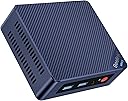
The Beelink Mini S12 is a compact desktop PC powered by Intel’s 12th Gen Alder Lake-N95 quad-core processor clocked up to 3.4GHz. It comes with 8GB DDR4 RAM and a 256GB M.2 SSD, both upgradeable to meet growing demands. Dual HDMI 2.0 ports support dual 4K displays, while Intel UHD Graphics deliver smooth video playback and light creative work. Featuring WiFi 6 and Bluetooth 5.2, it offers fast, reliable wireless connectivity. Its ultra-compact size and VESA mount compatibility make it ideal for home, office, or on-the-go setups, blending performance and portability at an exceptional value.


| ASIN | B0BVLPCDVW |
| Additional Features | Mini pc |
| Aspect Ratio | 1.77:1 |
| Best Sellers Rank | #6,427 in Computers & Accessories ( See Top 100 in Computers & Accessories ) #232 in Mini Computers |
| Brand | Beelink |
| Built-In Media | Power Cable |
| CPU Model | Intel N95 |
| CPU Model Number | N95 |
| CPU Model Speed Maximum | 3.4 GHz |
| CPU Speed | 1.7 GHz |
| Cache Memory Installed Size | 4 MB |
| Cache Size | 4 MB |
| Color | Blue |
| Connectivity Technology | Bluetooth, USB, Wi-Fi |
| Cooling Method | Air |
| Customer Reviews | 4.4 out of 5 stars 469 Reviews |
| Display Resolution Maximum | 3840 x 2160 pixels |
| Display Type | LCD or OLED |
| Graphics Card Description | Integrated |
| Graphics Card Interface | Integrated |
| Graphics Card Ram | 2 GB |
| Graphics Coprocessor | Intel UHD Graphics 630 |
| Graphics Description | Integrated |
| Graphics Ram Type | DDR4 SDRAM |
| Hard Disk Description | 256GB SSD |
| Hard Disk Interface | Ethernet 100Base-TX |
| Hardware Interface | Ethernet, HDMI, USB |
| Human-Interface Input | Keyboard |
| Item Dimensions | 4.53 x 4.02 x 1.61 inches |
| Keyboard Description | Standard QWERTY Keyboard |
| Keyboard Layout | QWERTY |
| Manufacturer | Shenzhen AZW Technology Co., Ltd. |
| Memory Clock Speed | 3200 MHz |
| Memory Slots Available | 2 |
| Memory Speed | 3200 MHz |
| Memory Storage Capacity | 256 GB |
| Model Name | Mini S12 |
| Model Number | MINIS |
| Native Resolution | 3840 x 2160 |
| Number of Component Outputs | 2 |
| Operating System | Windows |
| Personal Computer Design Type | Mini PC |
| Power Consumption | 15 watts |
| Processor Brand | Intel |
| Processor Count | 4 |
| Processor Series | Intel N95 |
| Processor Socket | Socket A |
| Processor Speed | 1.7 GHz |
| RAM Memory Installed | 8 GB |
| RAM Memory Technology | DDR4 |
| RAM Type | DDR4 SDRAM |
| Ram Memory Maximum Size | 16 GB |
| Resolution | 3840 x 2160 pixels |
| Security Features | Windows Defender, Secure Boot |
| Specific Uses For Product | Business, Education, Multimedia, Everyday Use |
| Total Expansion Slots Quantity | 2 |
| Total Number of HDMI Ports | 2 |
| Total Thunderbolt Ports | 2 |
| Total Usb Ports | 4 |
| UPC | 810056049799 |
| Video Output | HDMI |
| Video Output Interface | HDMI |
| Video Processor | Intel |
| Wireless Compability | 802.11ax |
| Wireless Network Technology | Wi-Fi |
G**E
It is great for what it is, low end mini PCs getting impressive
The Beelink Mini Pro 12, with some help from Intel, engineered maybe the perfect low cost, low spec but still good PC I have purchased. Only one memory channel, so performance left on the table. Only one pcie lane to the m.2 NVME slot? While most SSDs have four lanes? For maximum throughput, that leaves 75% of your expensive ssd's performance on the table, right? Well, yes, but this already hobbled, almost recycled CPU with one memory channel can't do too much more with many pcie lanes anyway. And, maximum throughput isn't really so useful as a spec for most people. This one lane of pcie will do single thread, queue depth 1 random operations pretty much the same as four lanes. You will not notice anything unless moving/copying large files. The n95 is basically silicon coming off the wafer that did not spec out as a n100. Or an i3 or i5, etc. I don't know this but I bet if you put it under a microscope there will be a lot of fused off e cores and p cores. That is how chips are made, they get binned based on what came out of the oven. It turns out that gracemont "efficiency cores" are still pretty impressive for desktop level browsing, productivity, and in particular, just me here, but for a low end box that will be doing things at the speed of home internet. (Networking at 1gbps or lower speed.) 1 Gbps lines up pretty nice with 1 pcie lane, a sata drive, one memory channel. Of course, the 16 overclocked GPU units on this are not for gaming. Probably the n95 are also chips that had fewer successfully baked stream processors, as the n100 has 24 clocked at a lower speed. So it looks like they overclocked the fewer surving cores to save these from ewaste. Again, silicon lottery. But they are both fine. Neither the n100 or n95 are going to game, but fine for what they are intended for, and largely equivalent chips. What are some good things? Gets more life out of an older sata SSD you have laying around, or you buy a sub $200 4tb data drive and keep all your movies on it. Very, very good media player. If you have an older, slower m.2 ssd like an Adata Swordfish or Intel 660P? Those are slow and a fair match for continued "value" use with one pcie lane. Or write papers, do spreadsheets, browse, light photo editing or even video editing (very light, but Intel Quick Sync is pretty impressive), stream Netflix, run BitTorrent or an IPFS node, put a security cam on your desk, all the things (except gaming) that play nice at typical home internet speeds. At the price of $150 to maybe $120, it is a bargain if you have an appropriate work load for it. And that is an amazing price when you consider that 10 years ago an equivalently performant i5 desktop was around 10 times more expensive than this. Moore's law (RIP Gordon) is still doing cool things at the low end of computing and Beelink nailed the compromises to deliver a great low price that makes good use of junk silicon. I laud this, it is actually very green. Although the n100 is 6 watts instead of 15 watts. Get the n100 version to cut power almost in half. But they are running at near double the price.
W**D
Amazing little PC
I'm running Channels DVR service as an over the air DVR for my whole house. I didn't want to run Channels off my desktop as I'd rather not leave my power hungry desktop running 24/7. I considered getting a Raspberry Pi, but this seemed cheaper and more powerful. This N95 based Beelink Mini PC perfectly fit the bill. Running at most 25 watts I'm not as concerned about it running 24/7 and the quad core processor has no problem handling the Channels DVR software and easily powers through commercial detection. It's also quiet, runs fairly cool, and came with Windows 11 pre-installed. I'm running this headless and just remote in when needed. For my use 8G of RAM and the 256GB SSD are good enough as I was able to easily add a 2.5" drive for video storage. This would also work well for a home theater setup as it can be mounted behind the TV and it's so small you could even take it with you when you travel. With dual 4K HDMI, four USB3.2 ports, gigabit Lan, WiFi, and Bluetooth, this is also attractive as a desktop replacement for light usage such as email, web browsing, and word processing. When it came to installing Windows updates, it really ground to a halt and took a long time to install, so I'm not sure how well it would work for more than basic tasks. --Update: After running this 24x7 for over 5 months I'm still happy with my purchase. It runs on average from 10-12 watts and has no problem recording multiple show simultaneously while watching another show. While I still would not recommend this as a desktop replacement, it has worked great as a DVR server and I'm even running a small home intranet site off of it as well.
M**L
I'm in the business, and I'm wildly impressed
VERY few products get a review from me, but I just had to for this machine. I'm in the computer business and I needed a small computer for the sole purpose of displaying a Chrome window on a touch screen for our customers. I figured, for the money, what could go wrong? I wasn't sure what to expect but expected almost nothing - and boy was I surprised. First impression was that it was very nicely packaged - almost as nicely as Apple products come. It came with the machine, TWO hdmi cords, the power adapter and a vesa mount adapter so you can mount it to the back of a vesa-compatible monitor. I had no idea what I'd get upon powering it up and was dumfounded to discover it was preloaded with Windows 11. Not just any edition either, but none other than Windows 11 Professional. I went ahead and got Windows updated so I could just use the machine. I'd say it runs roughly like a 12th gen i3 and for the size and cost, that's just unreal. Ultimately however, I'm not a fan of Windows, so I installed Debian 12(Linux) onto it and I have to say it performs as well as a $1000+ Windows machine - it's just incredible. This purchase was a trial run to see "what can I get if I buy a cheap mini from Amazon". Well, Beelink has my attention and business. I will be purchasing multiple new units for our workstations in the shop area. Now that I know the second-to-lowest spec'd model performs this way, I'm going to buy some of the higher spec'd models for the workstations. Blown away - worth every single cent.
A**R
Excellent quality and features
This computer is very small, lightweight, and for regular use the best of the best considering the price versus technical specifications.
J**G
Makes a good Linux/Ubuntu HTPC
This is for the N95 16G + 500G version. Only reason it's not 5 stars is the lack of documentation. My use case is a media player, streaming device for the TV. I've had a fire stick and nVidia Shield TV and in both cases, the heavy home screen bogs things down while trying to sell me services. That and I don't trust Android/Google to not invade my privacy and harvest my personal data for profit. I also quit using Windows many years ago, back when malware was a major issue. I installed Kubuntu 22.04 LTS replacing Win 11 that came on it. Tested Win 11 first and it's fast, especially fast booting up. I'm running Kodi, Streamio+Torrentio, PIA VPN set to auto start/connect on startup, Orion torrent/streaming, VLC, Spotify, Plex Media Server and I use ICE to create Site Specific Browser windows for streaming Tubi, Pluto and Roku free which gives more of an app experience. No menus, bookmarks, address bar etc. Just min/max/close icons when not in full screen mode. ICE also creates menu items for each and will use the favicon as an icon or you can choose your own icon. Kubuntu runs the Plasma desktop which has an alternate menu, a full screen application dashboard, which is keyboard friendly and easily visible at TV viewing distance aka 10-foot user interface. I'm using a Logitech K400 HTPC keyboard w/touchpad as a remote and since I run Kubuntu on my laptop, I can use KDE Connect to use the laptop as a remote control of sorts by sending keyboard strokes to the Mini S for volume up/down, turn on/off subs, pause/play etc. No problem with 1080p playback and some 4k but not 4k with major visual effects and CGI created action scenes. Only tried one movie streamed so it could have been the stream or my DSL causing pauses but I read a review that said the same but that it was only on Linux and not Windows so it could be that. Not much visible difference between 1080p and 4k on my 7 year old dumb TV anyway so I just run 1080p movies. Watched Guardians of the Galaxy Volume 3 in 1080p yesterday and it played flawlessly. Another reason for sticking with 1080p is because the text and icons are too small at 3840x2160 pixels aka 4k but since this is a desktop OS and not true TV OS, that's just the way it is. I might try tweaking the desktop or even using an html page as the desktop, use large icons in file manager and keep a keyboard shortcut cheat sheet handy and be able to swap to 4k. The streaming sites aren't keyboard or arrow key navigable. Gotta have a scroll wheel. Maybe I can find a wireless keyboard with webpage scroll capability.(or just use a cordless mouse as I'm doing now) For now, we just need a new sound bar or surround system now that we can actually watch TV again. I'm not an avid watcher of TV/Movies so this set up works fine for me. If I wanted something more robust, I'd get something with more cores and better GPU. I plan to buy more Beelink Mini PCs for other uses. Two as desktop PCs so we can replace our old laptops and one to run Home Assistant for home/garden automation and security. Might just get 3 more of this same model. The only issue I had running Kubuntu is that on restart, sound output wasn't set to HDMI. I could change it but it wasn't persistent and kept going back to Analog Stereo which gives you no sound when running HDMI TV/Monitor speakers. Finally found a fix on askubuntu stack. Just search askubuntu.com for 1038490 and scroll down to the answer by Steven Gillies. Other than that, it was a quick easy experience and fun to set up a Linux HTPC that is going to work just fine for my purposes. No antenna reception or cable here and I'm not paying for cable, satellite or streaming subscriptions. I'm not a coder or Linux guru but I have been using various flavors of Ubuntu for close to 20 years. When/if I get it to be more like a Roku/FireTV/AndroidTV experience, maybe I'll take a screen recording and post a video here.
T**.
Mini PC punches way above it's specs
I've worked with a wide array of devices over the years, but this one has surprised me more than most. If you're looking for a Windows PC on a budget you'd be hard pressed to skip this one. I purchased this device mainly to check out the new 12th gen Intel Celeron processor, N95. They don't call them Celeron any longer, but that's exactly what these are. However, what I've experienced is definitely not the typical performance from a Celeron. They've certainly found out how to pull more performance than their previous generations. I'm running Windows 11 Pro and my browser of choice is Chrome. Normally, on a Celeron device with 8GB of memory I'd be limited to 4 to 5 tabs and not much else. For the last week I've used this as my work PC and on average I'm running Chrome with 15 to 20 tabs including Outlook and Teams. I have Discord up at all times and I'm constantly pulling up Zoom for meetings. I've had to run Visual Studio, Insomnia, and Notepad++ as well, without closing any Chrome tabs. This would have been nearly impossible with 9th gen Celerons and below. 10th and 11th gen would have definitely struggled. I never experienced any studder or slowdown. In the last two days I did reduce the number of tabs to 5 or 6 as I've been testing some games. I'm able to run Minecraft Bedrock, Dead Cells (Steam), and TMNT Shredder's Revenge. All of them ran at least 60 fps at 1080p. I would definitely not call this a gaming machine, but anyone that likes playing older titles, retro games, or modern 2D games will not have any issues. Also, game streaming via GeforceNow has worked without error. I paid approximately $150 for this MiniPC and it's been totally worth it. I plan on some Linux testing as well.
D**Y
Item not as described.
I was very disappointed in this purchase. The item description clearly states that the PC has WiFi 6, however, when I received it, I checked in the settings, and it has WiFi 5. I will not be purchasing another Beelink PC
S**Y
Fast, no frills, add fans and linux and its a good 4k tv box
Plenty of USB and hdmi ports, very simple PC with instruction on the side how to boot to BIOS to get a USB stick to load. I dropped CachyOS on it, and it runs GFN incredibly fast. High end bluetooth and wifi. 8MB ram seems fine and I dropped a 512 faster Crucial NVME in it so it's got plenty of drive speed and space. It has 2 slots for nvmes, but one sits directly over the RAM so I can see that overheating easily. I bought 40mm fans to attach to the side get extra ventilation (the internal fans seems to work, and it has a heatsink that sits over the nvme slots) but gaming for an hour or two it's not especially hot. I would not recommend using both HD ports and let the RAM have its own airflow. For 150 bux this is cutting edge processor that ran 4k@60hz without a glitch. Thumbs up.
M**R
Muito bom
Atendeu às expectativas.
T**L
baby destop i like it
I received this product before 3 month this is best for me i like it 😘😘😘 good and smood runned।।।। thank for provide me।।
J**A
Mini PC Beelink.
Exatamente o que eu precisava. Pequeno, potente, fácil de configurar. Amei.
N**S
Quase 5 estrelas
Produto chegou conforme o comprado na loja bem embalado, só não ganhou 5 estrelas pois o produto chegou na cidade onde moro sábado 15:00 e foi entregue somente na segunda feira na parte da manhã.
Trustpilot
2 days ago
5 days ago