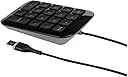
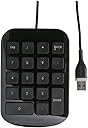
💼 Elevate your workspace with effortless precision!
The Targus USB Wire Portable Numeric Keypad (AKP10EU) is a compact and ergonomic solution for professionals who need to enhance their data entry efficiency. With full-sized concave keys for accuracy, plug-and-play compatibility with various operating systems, and a design that minimizes wrist strain, this keypad is perfect for anyone working with spreadsheets or financial documents.


| ASIN | B002Q4Y4WS |
| Antenna Location | Office |
| Best Sellers Rank | 49,144 in Computers & Accessories ( See Top 100 in Computers & Accessories ) 56 in Numeric Keypads |
| Box Contents | Numeric Keypad |
| Brand Name | Targus |
| Button Quantity | 18 |
| Colour | Black |
| Compatible Devices | Win XP, Vista, 7, 8. Mac OS x 10.2 or later |
| Connectivity Technology | usb |
| Customer Reviews | 4.6 4.6 out of 5 stars (537) |
| EU Spare Part Availability Duration | 2 Years |
| Enclosure Material | Plastic |
| Generation | 1 |
| Global Trade Identification Number | 05051794002799, 05051964704690 |
| Hand Orientation | Right |
| Item Dimensions L x W x H | 12.7L x 8.9W x 2.5H centimetres |
| Item Type Name | USB Wired Numeric Keypad |
| Item Weight | 0.13 Kilograms |
| Keyboard Description | Numeric |
| Keyboard Layout | QWERTY |
| Manufacturer | Targus |
| Mechanical Keyboard Switch Model | Dome |
| Model Name | AKP10EU |
| Model Number | AKP10EU |
| Number of Keys | 18 |
| Number of Sections | 3 |
| Power Source | USB power |
| Processor Count | 1 |
| Product Features | PC / Mac^Numeric Pad |
| Product Warranty | Numeric Keypad |
| Series Number | 10 |
| Style Name | USB Wire Numeric Keypad |
| Switch Type | dome |
| Theme | Office |
| Unit Count | 1.0 count |
| Water Resistance Level | Not Water Resistant |
N**N
A nice little numpad with the thoughtful addition of tab & backspace
Bought originally to go next to a TKL keyboard, to make up for the lack of numpad on that. Picked this one since I recognised Targus (albeit from laptop and camera bags), liked the look of it, and it had some interesting and useful looking button changes (adding both tab & backspace). That latter on might be the product'd biggest feature, and in the case of tab be wonderfully useful for something like spreadsheets. For me it's worked perfectly with both Windows 10 and Linux Mint, though neither of my Android devices liked it, though it isn't advertised as working with Android AFAIK. The product feels nicely made, the top part being glossy plastic (a fingerprint magnet), the bottom a light grey piece with rubber feets and a Mac to PC switch. I'm not sure what the switch technically does as in Windows it behaves the same regardless of position, and I don't have access to a Mac to test it. LAYOUT: It adds a tab key where numlock would normally be, and also adds a backspace key, nudging - down and shrinking +. The changes to + & - might take a little getting used to, but I think it's worth it. While they were doing this though I feel it would've maybe been a good idea to shrink 0 and add a comma key next to . Otherwise the layout is just a normal old numpad. Even if you have access to a numlock from a different keyboard on the same system you cannot access the navigation keys, as this numpad toggles numlock on then off during its own keypresses. Probably a good thing though given its own lack of numlock. GAMING: I wouldn't consider this a gaming peripheral but Amazon did ask about it, and I have been dabbling a bit with using it during games. Combining it with a TKL would be useful of course, as you get the narrow keyboard for gaming, but a numpad does still exist. I think another use though would be as a button box of sorts if you're using a flightstick or steering wheel. I've dabbled with this latter bit some, and it certainly works well for this, and could benifit compared to other numpads via the addition of the two extra keys
R**H
Works well
Great. Works well with keys that are easy to use.
S**4
Solid and functiona
This is a fairly heavy and functional unit, slightly inclined to the user. The keys feel a little imprecise and long travel, but after a bit of use it feels fine. It appears to be very robust. Not having arrow functions as well as numbers on the keys, it doesn't need a NumLock function, which is essential for me as some numeric keypads with this dual key function operate the laptop NumLock at the same time making typing and using the keypad a real nuisance. This one doesn't have that problem and works fine for me.
C**N
Great product, mac compatibility only for entering numbers
I am extremely happy with this product. I will say that first as it is well made for the price, easy to use (good keys, doesn't slide around) and the cable is more than long enough for my needs. I bought this product to use with my macbook pro for use with Pro Tools. As Pro Tools has many shortcuts which specifically require the numeric keypad to be used, I was in need of a keypad seen as the number pad function has been removed from all new apple portables (for some reason). I suspected it might not work fully as I know other people have had issues with music related software and number pads. The number pad does work with a mac. When connecting to a mac select the european keyboard option and you will immediately have data entry functionality. The issue arises with Pro Tools, as many number pad related shortcuts require a modifier key to be pressed in conjunction with a number key on the number pad. This is the aspect which unfortunately does not work. Single number pad key presses work fine (e.g. 7 to toggle click or 1/2 to move forward/back) however showing windows (e.g. Cmd+5n) will not work. A solution I have found is to use a program called keyboard maestro to remap the number pad shortcuts to the alphanumeric keyboard number keys (using Cmd+5, remapped to trigger Cmd+5n etc.) Although an additional cost, I am satisfied with the results and thought it not worth the risk to buy a more expensive keypad to see if it works. The cost is offset by the fact that keyboard maestro is a fantastic little app, whose uses far exceed the situation I am describing here. (I should also add that I am not affiliated with the software in any way, appart from being a satisfied customer!) Seen as there is no official apple offering, there is no way of knowing if mac compatibility with more expensive mac compatible number pads would extend to the usage I describe here, or whether they would only serve as a data entry device. A further shortcut to be remapped was Enter on the number pad, as this creates memory locations in Pro Tools and is very useful. Sadly the tagerus number pad "enter" key triggers return rather than enter and so cannot be used in the correct context. The number pad enter issue can also be solved with keyboard maestro (I mapped mine to Cmd+Enter). As for Sibelius users, although I am not hugely familiar with Sibelius shortcuts, as long as they don't require modifier keys along with the number pad numbers you should be fine (apart from the Enter issue I mention above!). Certainly selecting note values should work fine as I know they don't require modifier keys. I have tried this number pad with a Windows based version of Pro Tools and it worked to the full extent of a number pad - modifier key + number shortcuts all functioned correctly. On the whole, it is fantastic value and given the multitude of additional uses there are for keyboard maestro (google and have a look), I have no hesitation in recommending this product.
K**S
Fit lovely
Fit for purpose
S**E
Targus USB Number Pad - Black/Grey
Purchased for use with a laptop running Windows Vista that does not have a number pad. It was a case of 'plug-in-and-go' - it worked and continues to work without problem. The keys are well spaced and easy to use - with a 'pip' on the 5 . The little rubber feet stop the unit from sliding arround and the angle of the pad makes for easier keying. There is sufficient wire to allow access to any of the laptop usb ports. All in all a good solid product.
A**)
As seen
Works great, as described
T**J
Fabulous
Great edition to lap top does exactly what it’s designed to do. Recommend
P**.
Très pratique et de bonne qualité
M**Y
Highly recommend it
T**6
Ich habe die Tastatur als Erweiterung gekauft, da meine Notebook-Tastatur kein NumPad hat. Man muss zwar einerseits etwas Abstriche machen, da die Tastatur selbst etwas gewöhnungsbedürftig ist...aber bei dem Preis ist das kein Problem. Lieferung war ebenfalls in Ordnung.
C**O
Ho acquistato il tastierino numerico Targus AKP10EU per il mio portatile. Sono rimasto molto soddisfatto dell'acquisto, il prodotto è di ottima qualità e funziona perfettamente. La tastiera è realizzata in plastica resistente e ha un design ergonomico che la rende comoda da usare anche per periodi prolungati. I tasti hanno una corsa e un feedback tattile eccellenti, che rendono la digitazione fluida e precisa. Il cavo USB è lungo sufficiente per posizionare il tastierino numerico in modo comodo. Il tastierino è compatibile con Windows e Mac, e può essere utilizzato con qualsiasi programma che richiede l'utilizzo di numeri. In conclusione, il Targus AKP10EU è un ottimo tastierino numerico che offre un'ottima qualità a un prezzo competitivo. Lo consiglio a chiunque cerchi un prodotto affidabile e facile da usare. Valutazione: 5 stelle
M**L
Enxhufar y listo, va muy bien, para lo que es, un teclado numérico simple pero eficaz, calidad / precio buena. Contento con el
Trustpilot
2 weeks ago
2 months ago