


☁️ Your digital life, doubled and always within reach.
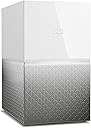
The WD 12TB My Cloud Home Duo is a dual-drive personal cloud storage device featuring RAID 1 mirror mode for automatic data duplication, ensuring robust backup and data security. It connects directly to your Wi-Fi router, enabling centralized storage and effortless wireless backup across multiple devices including smartphones, PCs, and Macs. With remote access via the My Cloud Home app or web browser, users can upload, organize, and share files anywhere without monthly fees. Enhanced with 256-bit AES encryption and password protection, it offers a secure, reliable, and user-friendly solution for managing large digital libraries.


| ASIN | B074DYDXSX |
| Best Sellers Rank | 66,732 in Computers & Accessories ( See Top 100 in Computers & Accessories ) 50 in Network Attached Storage (NAS) Devices |
| Box Contents | 2 |
| Brand | Western Digital |
| Brand Name | Western Digital |
| Cache Memory Installed Size | 12 |
| Color | White |
| Compatible Devices | Smartphone |
| Connectivity technology | USB |
| Customer Package Type | Standard packaging |
| Customer Reviews | 3.5 out of 5 stars 1,273 Reviews |
| Data Transfer Rate | 625 Gigabits Per Second |
| Digital Storage Capacity | 12000 GB |
| Digital storage capacity | 12000 GB |
| EU Spare Part Availability Duration | 2 Years |
| Enclosure Material | Aluminium |
| Form Factor | 2.5-inch |
| Global Trade Identification Number | 00718037848303 |
| Hard Disk Description | Mechanical Hard Disk |
| Hard Disk Form Factor | 2.5 Inches |
| Hard Disk Interface | USB 1.1 |
| Hard Disk Rotational Speed | 2 |
| Hard disk form factor | 2.5 Inches |
| Hard disk interface | USB 1.1 |
| Hard-Drive Size | 12 TB |
| Hardware Connectivity | USB 3.0 |
| Hardware Platform | ARM |
| Installation Type | Network Attached Storage |
| Item Dimensions L x W x Thickness | 40.6L x 25.9W x 45.5Th centimetres |
| Item Type Name | WD 12TB My Cloud Home Duo Personal Cloud Storage - Dual Drive - WDBMUT0120JWT-NESN |
| Item Weight | 2.4 Kilograms |
| Manufacturer | WD |
| Manufacturer Part Number | WDBMUT0120JWT-EESN |
| Media Speed | 78.125 Megabytes per second |
| Model Name | WDBMUT0120JWT |
| Model Number | WDBMUT0120JWT-EESN |
| Network Connectivity Technology | USB |
| Number of Items | 1 |
| Product Features | Portable |
| Product Warranty | 2 years |
| Read Speed | 625 Megabytes Per Second |
| Special feature | Portable |
| Specific Uses For Product | Personal |
| UPC | 718037848303 |
| Unit Count | 1.0 count |
C**2
8TB but you only get 4TB as the drives are mirrored.
It uses 2 drives that mirror each other , if on fails you don’t lose your date. The device is advertised as 8TB but is 2 4tb drive giving you only 4tb . The drive plugs into your router , and once the apps have been installed on your computer and mobile , you can share the files to the drive. The apps on the computer seam to lock up if you try to send a lot of files to the drive at once , I don’t know if this is the app, the drive or my routers problem . But hopefully can be fixed in a update. The drive cannot be used with out an internet connection else I would of given it 5 starts for ease of use.
L**S
Worst piece of technology I have ever bought - dangerous, stay away!
****************** Update: After 2 years of use drive failed without any warning taking all data with it. It started as WD update (WD don't even ask you for permission to update! They just do it!) - in the morning I noticed that dive is offline and it stated "updating, we keeping your data safe"... this went for few days until I started worrying and contacted WD support. WD support told me dozen of irrelevant and outright incorrect steps of what to do... until after 2 weeks updating one of WD support staff told me that he believes drive is "bricked". His only advise was to reset the drive to factory settings erasing all the data! Thanks... After further troubleshooting I did, it turned out that one of two drives inside have failed, losing all the data. Now whenever the drives was on the way out or if the update bricked the drive and then bricked the whole device, there is no way to know. Unbelievably, this drive has no self-diagnostics so as a user you can't have any way of knowing if it is going to die imminently. So much for "safe storage" WD... Overall, not only this drive was constant pain for over two years I had it, but as well it has lost me loads of data without any warning and without any way of recovering it (the way it is designed, the data is encrypted on the drives, so you can't take drives out and recover the data form them directly). If you own this thing - I would advise to move your data somewhere else ASAP and throw this device to the bin, it is just huge risk for your data and it is unbelievably poorly designed. I would go as far as calling WD negligent for selling it. ****************** I have bought WD 12TB My Cloud Home Duo thinking that this will be best of both worlds: *access your data anywhere like on cloud *store data locally, in fast drives not limited by obsolete UK internet infrastructure Primary issues with cloud service in UK is that cloud storage is rather expensive. If you have ~100GB of data that is fine, sometimes even free, but if you have much more - say in my case 8.6TB this would cost a lot for a year. Decondly, internet connection in UK is stuck in 90's - I am lucky to have 1Gbps, but that is not generally the case. Talking specifically about my example - uploading 8.6TB into the cloud would have taken weeks if not months and then it would take time every time you want to use data to download it again. So based on what WD has marketed My Cloud Home should be ideal! Right?! They offer 1Gbps data transfers via network ~which in theory translates to reasonable 125MB/s - which is far far higher than average spede one would get via internet. It offer ample of space - 12TB in my case (10.8 formatted). It could as well be configured to 6TB with mirroring (RAID 1) for redundancy if needed and yet one still has full access to files from anywhere in the world like real cloud - so if I have worked on something on my workstation, I can access the complete project on my laptop at work or abroad - sounds perfect! Reality is much more disappointing. First of all the speed makes this device literally useless - I guess it is less of an issue if you have 2TB option and maybe ~few 100's GB - still going to take a day, but that is something overall achievable, however for 12 TB drive is total disaster. I spent 3 month backing-up the data (and I though few weeks would be bad using real cloud!), during the time drive has corrupted itself several times, lost partitions, stopped working in the middle of file transfer etc. I had to reformat it countless times and even now (after 2 years owning it) is still have data to back-up. The only reason I have not finished backing-up the data is because drive is so slow and further it is so unreliable, that for any more important data I just don't want to risk it. I thought that in worst case scenario it is going to be just fancy external drive, but it is far far worse. I have never used mirroring, because frankly it is so unreliable I would not trust any copy of data to reside only on it. It is not compatible with windows back-up or restore, because unlike NAS it is not recognised as valid network drive. This is due to stupid WD Discovery application, which although well intended is useless and works as proprietary drivers and do not support back-up. Further, the drive is just so pathetically slow even if all functionality would work as intended it would take forever. So it cannot be used as NAS, just to drop the files, it cannot be used as backup drive for windows - what it is good for?! I have attached just basic example of moving mixed format files, pictures, audio files, video files, some image files - 68GB total - it took 4 hours!!! How is that acceptable?! Now you may wonder what is the set-up I use and could this be linked to incorrect network set-up. Well - yes I guess it could, but that is not the case here. My Motherboard has two gigabit internet adapters (ASUS Maximus IV Extreme), one of which I have dedicated to WD My Cloud Home Duo - this should not be necessary, but I can afford it for the sake of performance > then it goes directly to 10Gbps Ubiquiti switch > and directly into WD My Cloud Home Duo. Switch itself is connected 10Gbps Ubiquiti router where second port of my PC is directly connect to the internet. Either way what is important here is that connection goes directly from PC via overpowered switch to Cloud drive uninterrupted, entire network is set-up for 10Gbps, so there are now way this is network issue and it is more than capable of handling 1Gbps required for the drive. In fact my second workstation is setup exactly same way and I can transfer files between workstations and I get good 650+ MB/s speeds (limited by speed of SSDs rather than network). I even tried working backwards on assumption that perhaps WD drive is not compatible with Cat7 cables and 10Gbps networking (it is fully backwards compatible, so should not have negative effect) and just in case tried cat6 and cat5e cabling with different switch (Netgear 1Gbps) and still got the same results. If you copying single well compressed file ~ let's say HD video file - I can sometimes get 20-30MB/s which is comparable to cheap and slow USB stick, but if I ever need need to transfer mixed contents or multiple files the speed completely tanks all the the time - 2/3MB/s is best hope. I think it is related to inefficient indexing in the drive, slow buffer and slow processor (of the drive) which cannot sustain contact 1Gbps speed... it cannot sustain even constant 100Mbps speed. In summary, this is just fancy paperweight on your desk. It is a lot of good ideas executed unbelievably poorly. Further, WD support is non existent - I have e-mailed them several times, spent days on their forum and the only thing they can suggest - make sure there are no other processes running in background, make sure AV is not interrupting transfers, make sure you data structure is "efficient", that drive is connected to 1Gbps capable networking and that is it. They don't even bother to look in what is my set-up, just send me the link with all generic advice already listed. My conclusion is that they tech support knows that device hardware (the drive enclosure) is deficient and that it is pointless to issue any software or driver updates - it won't fix the issues. Actually, the drives themselves should be capable 2x6TB WD Red, so I was thinking maybe just to take them out and insert directly into workstation, at least that would be more useful. So.. do yourself a favour and stay clear of any such devices, unless you going for smallest size model and your data transfer requirements are like 100MB per day. The only thing I did wrong - I did not return it immediately, because I thought maybe I set it up wrong and once I have direct 1Gbps line to drive the speed will be better, or perhaps WD going to improve compatibility. Neither of those ever happened and by the time I realised it - I was stuck with this useless thing for good.
S**S
Easy, low technical knowledge required..
Product arrived quickly and well packaged. Unboxing is a little underwellming, after all, its just a power lead, network cable and a white box. Once account has been created and device attached to power and network, the software connects and its all done. So simple to setup, mobile and desktops connected and software installed. Easy, Fast, Working..!
C**R
Exactly what I needed
After reading a lot of reviews and watching a lot of youtube content I decided to purchase the 12T (6T+6T) My Cloud Home Duo Personal Cloud Storage Dual-Drives, RAID 0/1 To be honest, the reviews and especially the youtube videos weren't giving me the info that I was looking for or they were a bit on the negative side. Anyway, Initially I thought that I could use this device to back up stuff only over the internet, which is nice to mobile back-up, but if you have stuff on your pc or external drive it would be a nightmare. However, this is not the case, as I just transferred all my 2T of backup from my drive into the My Home Cloud just by connecting it to the USB port and then in the My Cloud dashboard you can choose what you want to do with the USB drive that you just connected...and the options are to Transfer from or To the device..fully or selecting the files. Amazing, and you even can track the transfer on the dashboard whenever you want. This definitely met all I needed, and it is extremely easy to use, like super user friendly. I highly recommend this over any other cloud system in house or rented.
M**C
The smoothest, no niggle experience with this was returning it.
I had a few basic requirements: a media server for my two smart TV running Plex; a backup drive for a small number of documents and photos; something quiet, reliable and with low power consumption. In I wanted a device that would give me little to no headaches or frustrations over just using my desktop as a media server. In this case, the WD MyCloud Home had too many negatives to make it worth keeping. The good: set up was easy and it was viewable on my phone, iPad and Windows PC in a few minutes. Plex was installed easily too, scanning my media and bringing in file info from the internet automatically. Folders were simple to sync to the drive with a right click of the mouse. The unit looks nice, clean looking with no visible buttons to clutter the front. The software is OK to use. WD Discovery loads up on system start to link up the drive and keep things synced and the iPhone app is OK too and it had the options I was interested in. The negatives: It’s very slow. Connected to my mesh network transfers were a bit disappointing. Performance is frustrating for serving media. Of the five movies we watched while the MyCloud Home was attached, four of them were interrupted midstream with ‘An unexpected Playback Error has been encountered’ message. Clicking back to the menu and it restarted without a further problem but not ideal for my use. The WD Discovery software crashes my Windows PC File Explorer. After installing, I suddenly started getting a blue screen crash . It seems to be the WD software and Windows File Explorer as when the Discovery software was not loaded, the PC worked fine. Couldn’t pinpoint what was causing the crash but it was another frustration. The box never stopped chittering away. The files were loaded in a day but the box never stopped sounding like hard drives under heavy load. It never seemed to stand down. Even setting Plex to only scan daily on folders that it found had changed didn’t make any difference.Also, asking Plex to do a full scan seemed to hog the home network bandwidth as my smart TV couldn’t get an internet connection until I shut down the NAS. This only happened once though so take that as you like. The Discovery Windows app and the iPhone app are just OK, not that intuitive to use or navigate. The box was noisy. Stood on my work desk it chattered and clattered all day while I was trying to work and gave me a headache at the end of the day. I moved it to another room where it’s noise was much less noticeable. None of these issues were deal breakers in themselves but there are just too many of them to make the WD MyCloud Home a pleasure to use. If you just want to back up data and sync files then this may be ideal but this is just too slow and with too many niggles to be a convenient media server over just installing Plex on my PC and turning that on and off when needed. If this thing can’t compete against a decade old desktop PC for simple media serving then it’s not for me, thanks.
I**E
Best for iMac do not read negative reviews.
I do not like to write reviews, here is a best product with a lot of bad reviews. I spent 1 years to find the best Cloud for my family. I was tried 3 another high level Nas, and all of them send back to Amazon. 1. Now 5 phones on my family all photos and videos are automatically synced to Cloud 2. Canceled iCloud from Apple, No more payment every month. 3. I connect Cloud to my Plex and I watch all the 4K downloaded movies on TV 4. My data now on all my devices, I can easy share by link There is a small minus, large files transfer take a long time if you use Wifi. I have 500Mb internet from Virgin, transfer time 1Gb take around 1mints. 5. I transferred all my data by 3.0 USB very fast Very Happy and highly recommend this Cloud
T**M
Not what it appears to be (I should have read the reviews)
I’m not the type of person who ordinarily leaves a review (in fact looking at my account history I’ve never left a review in my 20 years with Amazon). I have used WD products for years and I have always been impressed with their quality and reliability. Unfortunately, this positivity resulted in me blindly ordering this 20TB WD MyCloud Home to replace my current NAS, a 6TB WD MyCloud, which was nearing full capacity. WD has never let me down I thought to myself, no need to check the reviews. I was so wrong. Once I received the product, I immediately encountered problems. For some time now I have been without home internet and have been relying on tethering my mobile phone to my PC, this means my router and network has no direct internet access. I figured this wouldn’t be much of an issue as I didn’t really plan to access my data remotely as even when my home internet does work it wouldn’t be fast enough to be viably accessed. However, it soon became apparent that this device is not what I expected. To be set up, the device demanded an internet connection and seemed to be geared more towards remote mobile/table usage. When I tried to directly access the dashboard, using the IP address my router had assigned, I was met with an error message. After a frustrating online search, it became apparent why. This device has, by design, no interface accessible via IP. This device is not a NAS. I know I should have looked at the reviews (as many a disappointed person has encountered the same problems as I) and I should have read the product description more acutely. But I think it is reasonable to assume when WD launched its NAS range and named it MyCloud, that any preceding product bearing the same name, albeit with a slight vague addition, would be the same type of product. Also, the irony that the MyCloud “Home” is essentially an online only device that cannot function in my home is not lost on me. Would MyCloud Mobile have been a better title? Needless to say, I shall be returning it.
C**N
A great time machine alternative
I find this backs up the time machine images a lot faster than my old apple unit used to so there’s a plus already. I can back up my iPhone photo’s to this automatically- it doesn’t delete photos you delete off the backup and you can do this for a each user you give access to. What is clever is that each user can only see their own folders unless you choose to share them. The HDD’s are a little noisy; however, I stuck a towel under the unit to soften the chirps and it works well. It’s 4TB in total, I chose to keep the unit as a 2TB Raid 1 setup. Very happy with the purchase.
C**N
NAS con funzioni di base, se cercate la semplictà (con tutti i suoi limiti) è ok.
Se cercate un NAS facile da usare e configurare, con funzioni di base, il WD My Cloud Home Duo è una scelta valida. Tuttavia, per chi desidera un dispositivo più avanzato o vuole sfruttare appieno le potenzialità di un NAS, i suoi limiti diventano molto evidenti. Questo modello è perfetto per l'uso domestico e per esigenze lavorative di base, consentendo di eseguire backup da qualsiasi dispositivo. In rete locale, è possibile accedervi tramite Esplora File, come se fosse un disco collegato direttamente al PC, mentre da remoto si può utilizzare un'app dedicata per smartphone e tablet o accedere via browser dal computer. Inoltre, l'app permette ad esempio di salvare automaticamente tutte le foto scattate con qualunque dispositivo mobile ovunque vi troviate nel mondo direttamente su questo NAS a casa, liberando spazio sui dispositivi e garantendo la sicurezza dei file. Nonostante i suoi punti di forza, il dispositivo mostra limiti significativi rispetto ad altri NAS, anche della stess fascia di prezzo. Ad esempio, una delle cose più NEGATIVE IN ASSOLTO è che la porta USB posteriore (due nel modello a doppio disco) non consente di espandere la capacità del NAS, ma serve solo per trasferire dati da o verso un dispositivo esterno. Un'altra limitazione è l'impossibilità di installare un software torrent sul NAS, il che impedisce di avviare download senza dover tenere acceso il computer. Questa funzione sarebbe particolarmente utile, considerando che il NAS è operativo 24 ore su 24 e potrebbe gestire in autonomia i download. Un altro aspetto da considerare è la funzione di server Plex. Sebbene trasformi il NAS in un media server personale, permettendo di archiviare e accedere a film, serie TV, musica e foto da vari dispositivi, il processore limitato crea problemi di transcodifica in tempo reale, rendendo difficoltosa la visione dei video, anche in rete locale. Fortunatamente, abilitando Plex, si può utilizzare anche il protocollo DLNA, che permette ai dispositivi di rete domestica di accedere ai file multimediali senza transcodifica, sebbene questa opzione non supporti l’accesso remoto. In questo modo, è possibile vedere i file su smart TV senza dover aprire l'app Plex, superando queste limitazioni. In sintesi, il WD My Cloud Home Duo ha pro e contro da considerare: Pro: Configurazione semplice e intuitiva, adatta anche ai meno esperti Backup automatico per foto e file da dispositivi mobili ovunque vi troviate Accesso ai file da remoto tramite app dedicata da smartphone e tablet o via browser dal computer. Media server DLNA Contro: Porte USB non adatte a espandere la capacità del NAS Processore poco potente per lo streaming di file multimediali tramite Plex, anche in rete locale Impossibilità di installare software torrent Limiti rispetto a modelli più avanzati, disponibili a prezzi leggermente superiori IN DEFINITIVA, se state cercando un NAS esclusivamente per eseguire il backup dei vostri file personali, il WD My Cloud Home può essere una buona scelta e, in questo caso se intendete utilizzarlo per archiviare file di lavoro o importanti, vi consiglio di optare per la versione Dual-Drive, che offre una maggiore sicurezza grazie alla configurazione RAID: in caso di guasto di un disco, i dati saranno comunque salvati sull'altro. Detto ciò, vi consiglio di acquistare questo modello solo quando è in offerta su Amazon, poiché a prezzo pieno non offre un rapporto qualità-prezzo particolarmente interessante. Tenete d'occhio le promozioni, perché alcune versioni con determinate capacità di archiviazione possono diventare molto convenienti. Ad esempio, io ho acquistato la versione Dual-Drive da 6 TB (che utilizzo in modalità RAID, avendo così a disposizione solo 3 TB) in offerta a circa 280 euro, un prezzo ragionevole nonostante i limiti già menzionati.
K**D
Lost all cloud functionality without notice
Worked well for a while with plex access on my local network, which was the reason I bought it. Since march 26th 2023 all support for local network access and plex use has been lost, making this item useless for the purpose I bought it for. I cannot even access my own files on my own network… Yes, they restored local access 7 april but if that was why I needed this drive I would have bought a simple local access hard drive.
A**.
opgepast WD heeft alles gewijzigd je kan er nog amper op komen
is puur oplichterij vorig najaar gekocht, veranderen ze simpel de hele software, dus kijk uit waar je aan begint je komt er niet meet op. en ik zie nu maar.
B**R
Did not worked properly.
Not liked
T**M
Does what it says
Decent home backup/storage solution for multiple users. Was seeking a drop-in replacement for the discontinued Apple Time Capsule and while not as ‘Mac’ as that product, once you get over the slight annoyance of needing to go online with a WD account to set up, it does what it says on the box. Of course it’s not a full NAS solution and for sophisticated use cases you’ll want to go elsewhere, but good and easy for home applications.
Trustpilot
1 month ago
3 weeks ago