We remain fully operational. Our teams are working around the clock to ensure your deliveries continue safely.

DOWNLOAD THE APP


Copyright © 2025 Desertcart Holdings Limited
DOWNLOAD THE APP



Buy anything from 5,000+ international stores. One checkout price. No surprise fees. Join 2M+ shoppers on Desertcart.
Desertcart purchases this item on your behalf and handles shipping, customs, and support to Cyprus.
🌡️ The thermostat that thinks ahead, so you don’t have to.
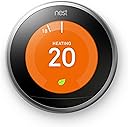
The Google Nest Learning Thermostat 3rd Gen is a sleek stainless steel smart thermostat that intelligently learns your temperature preferences to optimize energy use, controlling up to 60% of your home’s energy bill. Featuring Auto-Schedule, remote control via mobile devices, and Farsight display, it integrates with OpenTherm boilers and Nest Protect for enhanced safety and efficiency. Designed for professional installation, it’s the ultimate upgrade for energy-conscious, tech-savvy homes.


| ASIN | B016PW3JSG |
| Backlight | Yes |
| Best Sellers Rank | 45,066 in DIY & Tools ( See Top 100 in DIY & Tools ) 41 in Home Programmable Thermostats |
| Brand | |
| Brand Name | |
| Colour | Stainless Steel |
| Connectivity Protocol | Wi-Fi |
| Connectivity Technology | Wi-Fi |
| Control Method | App |
| Control Type | Remote Control |
| Controller Type | Google Assistant |
| Controller type | Google Assistant |
| Customer Reviews | 4.3 out of 5 stars 7,385 Reviews |
| Display Type | LCD or LED |
| Finish Type | Shiny |
| Global Trade Identification Number | 00813917021170 |
| Included Components | Nest Thermostat |
| Item Dimensions D x W x H | 3.2D x 8.4W x 8.4H centimetres |
| Item Shape | Round |
| Item Type Name | Google Nest Learning Thermostat |
| Item Weight | 0.22 Kilograms |
| Manufacturer | |
| Manufacturer Warranty Description | 2 year manufacturer. |
| Material Type | Stainless Steel |
| Model Name | Google Nest |
| Model Number | T3028GB |
| Model name | Google Nest |
| Mounting Type | Wall Mount |
| Number of Batteries | 1 Lithium Polymer batteries required. (included) |
| Power Source | Battery Powered |
| Product Style | Thermostat |
| Product dimensions | 3.2D x 8.4W x 8.4H centimetres |
| Special Features | Auto-Away Mode |
| Special feature | Auto-Away Mode |
| Specific Uses For Product | Boiler |
| Specification Met | certified frustration-free |
| Temperature Control Type | Smart/Remote |
| UPC | 813917021170 |
| Unit Count | 1.0 Count |
| Voltage | 24 Volts |
M**O
Great but a little in your face chrome surround.
Product received next day in good packaging giving a good feel of quality at the start. we had an old Honeywell Y plan gravity fed system with a twenty year old Worcester boiler. The boiler is going well and works at about 90% according to the service engineer. I know modern boilers are better, but allowing for the claims on the thermostat, which essentially helps you to not heat an empty house, I can easily see how the money will be clawed back in a year. The thermostat is easy to use and understand and features a fail safe minimum temperature to avoid freezing when off, as well as a minimum temperature setting, which we set at 9 degrees to keep our dogs warmer in case we turn the thermostat right down. The third generation links to the hot water system. There are really only two benefits for this compared with the old set up, that is the ability to set it remotely from a phone or tablet, and the fact that one unit now controls all. For us no more fiddling around in a dark airing cupboard messing with the timer. By the way the Nest timing is far easier to use and see than our old 7 day programmer. I installed the heat link myself. I'm not an electrician or plumber but as someone who runs a building firm has a reasonable knowledge of heating systems and electrical systems. Our wiring centre was a mesh of wires linking to two sets of four connecting blocks. I did take the time to log things as I disconnected and was a little unsure of what supplied what on the cables which went into the wall, but after a little research found out which was the thermostat and which was the power back to the boiler. The nest wiring diagram I used was pretty good once you understood the rudiments and the only problem I had was that there was no indication of how the pump should be wired. Having found a Y plan on Google it all became clear and then relatively easy. I did have an issue with the tank stat as the wires were labelled 1, 2 and C which didn't easily correspond with the Nest wiring diagram which did cause a problem at first in that it worked but I couldn't turn it off.. But thanks to Google it too became clear and after swapping too wires all sorted. My advice, is that if you can identify the various heating parts of your system and are happy with a bit of DIY electricals (safely though) then as long as you have a wiring diagram of what you've got, most people should be able to install the heat link without the need of a "professional" so save yourself a little cash. But do your research first and don't get to a point where you can't revert to the old system. I'm really pleased and the stat is working nicely, just as the weather warms up! However, my wife has an issue. The stat is a large round lit up screen with a shiny chrome surround so in fairness, does stand out in crowd so to speak and she isn't too happy with having a modern piece of equipment on show in our stone built traditional style house with natural wood furniture and apart from the stat, not a piece of shiny chrome in sight, apart from the kitchen, which is a bad room to fit a learning thermostat. The screen times out to blank but the chrome is a bit obvious. Suggestion would be that the unit is offered with a wood effect dial which I am sure would have kept the good lady happy. That aside, I would recommend the product.
D**Z
Well worth the investment - the only "smart home" device you really need
A great device, one of the few who deserve the lable "smart home". You can set it up yourself if you're an above average DIYer, it took me a couple of hours with some extra cabling needed from the distribution board for the hot water + concealing the cable the thermostat itself to the Smart Hive in the wall. A word of caution: DO NOT try to set it up yourself unless you're not absolutely sure of what you're doing: there's a risk of fatal electrical hazard -or, less dangerous but still costly, of damaging the thermostat. Do not play around with electricity :( Once the cabling and mounting is complete, setting up your Nest and pairing it with the app itself is a breeze: after connecting to your wifi network, a few questions about your household, the location of the thermostat, geographical location of your home, etc..., it's ready: just set up your ideal temperature and forget about it! After a week-10 days, the "learning" process will be complete and the thermostat will adjust the temperature automatically if you have set it up yourself a couple of times (e.g. lowering temperature at night and raising it again when you wake up). The "Away" feature is also excellent: when you leave on holidays for example, the Nest will automatically sense the home is empty (+based on your mobile phone's location), and set its function to "eco" an energy-saving temperature + turn off the hot water schedule. Just brilliant! Finally, the hot water schedule is also very easy to set up, bar a minor glitch in the app (Android version, at least), in which you have to set up each day separately for the scheduling to function properly instead of setting up several days at once. I would also have liked a little more flexibility in the duration of the boiler activation (it only accepts 30mins increments), I hope Nest will fix this in a future update. But these are minor comments in the overall experience. Conclusion: this thermostat can be a little pricey but it's arguably best in class, very efficient, and a beautiful object in itself. Highly recommended!
O**0
Danfoss UK Flats / Apartments Heating Controller to Nest - INVEST WHILE PRICES ARE LOW !!
The Built-in Battery is pretty useless, the 4th generation might want to address that, it only keeps power for time/date/wifi settings and thats it, it wont allow you to use the display controller at all until you plug it into a 5v wall adapter OR a USB Cable with the equally useless Micro-B worst connector in the history of USB ! Come on, this is "GOOGLE" made ! All in all, im damn glad i did it, wiring is exactly the same as my pre-installed heating controller by Danfoss, being in the UK and in a block of flats, so the flat already had a standard non-wifi controller that meant one has to get out of bed, crawl on the floor to the livingroom to switch on the heating then crawl back to bed. (cannot walk, flat is not big enough to wheel a wheelchair inside...) Now i can properly take full advantage of a 7-day schedule in the nest setup menu's that cater for the whole flats heating, only 5 wires, but please, TURN OFF THE MAINS AT THE BREAKER BOX BEFORE ATTEMPTING TO DO THIS YOURSELVES ! RTFM ! The usual suspects: Live, Neutral & Earth (3) COMMON & NO (Normally Open) (2) So its just checking which cables that you already have existing to wire to the nest link that goes on the wall replacing the standard crapola, after 3 years of begging HomeGroup to install a wifi version fell on deaf ears as usual, so if you are severely disabled too, this would be a very welcome purchase basically giving you full control over wifi whether you are indoors or outdoors !!! Apart from the internal battery of this nest display (the big round glass-screen display unit) being completely useless to the user, the device works after giving it a decent power source, 5v @1.5A was all i had and it did NOT come with a USB cable to provide power to it via a USB port - as the display is meant to be, well, placed anywhere in your home, so again, pretty useless having to buy another separate 5v phone power supply or just hunt your old micro-b cables from the past now that type-C has taken over (finally lol) Except a big and Heavy block of round glass that makes the display feel very heavy, also makes it fragile, a drop on solid flooring is risky. So ive placed mine on a table for now, as im mostly ever going to be using the app, but its nice to look at, lol Satisfying that there is finally a well known brand making these things for the home and with really simple instructions, well done, but the Google Nest has a lot of room for improvement. Maybe a battery base will be made too, but this is the 3rd gen, so maybe not. Something we can DIY with an old micro-b USB cable, spare lithium cells & some nice Aliexpress modules lol was a direct swap from old to new, have fun :))
B**N
Brilliantly simple system both the install and to use
I have been using Nest Thermostats now for two years, retrofitted into the house as room thermostats to control and existing ground floor under-floor heating system and as thermostats to control radiators and hot water elsewhere in the house. They have worked brilliantly with just one problem, below. Pros: relative to the cost of new boilers and the function offered etc the cost is really low. The interface to the boiler controls is excellent and although our boiler installer had never used them before they had no problems. The thermostats themselves look good and are simple to install and the functions are easy to use, both at home and remotely via my iPhone and iPad. The apps are excellent and the function has been enhanced during the time we have had the system. When we go away we simply tell the system to switch to "Away" mode and before we return we switch a day before to "Home" mode and the thermostats are all adjusted automatically. Con: just one and it will probably not be a problem for most people. Retrofitting in an existing house was made so much easier by being able to link the room thermostats wirelessly to the boiler controls. But we discovered that the wireless signal did not reach from the boiler to all the rooms in the house. Nest have their own wireless link and there is no signal extender as there is for wifi. (With the Nest Protect smoke alarms each alarm "boosts" the signal so there is no apparent distance limitation, but this is not the case with the thermostats.) We happen to have a long narrow house. But this will not the a problem for most people. Otherwise the Nest system is brilliantly simple to install and use.
A**D
Excellent product, apps need some work
We have recently refurbed a house and I wanted to kit it out with automation tech... we couldn't really afford it with all the other work going on but I found one on Amazon Warehouse Deals - not a huge discount but enough to tempt me. Despite being a previously returned unit the product that arrived looked brand new, there was absolutely no sign that someone had previously had it which was brilliant. The product itself looks great. It's so much better looking than a traditional thermostat and in my opinion looks sleeker than other equivilants (Hive etc.). The thermostat unit can be as simple or complex to use as you wish - twist the dial to adjust heat or enter the myriad of menus. Being impatient I decided to install the unit myself. You'll need a bit of electrical knowledge for this as the installation instructions for the Heat Link (the bit that connects to the boiler) are not brilliant - you get some diagrams and that's about it. After a bit of time studying the nest wiring diagram and comparing it to the boiler I managed to get the thing hooked up. From that point on it took about 10minutes to be fully functional and controlling the heating from my iPad. I love the ability to control heating remotely but the service is a little let down by the apps. The Windows Phone app does not work - it's a common problem with Windows Phone apps. The iPhone/iPad app does work but little bits of it feel a bit clunky - scheduling, for example, is more intuitive in the web app than it is on the iPad. In any event, I'm saving money. Instead of a traditional fixed schedule, Nest is using the heating as often as we need but as little as possible. The integelligence features do clever things like turn the heating off if it's sunny outside, or on if it's snowy. After a week of using it Nest has learned that we like the heating a little hotter first thing to warm up the towels, then to cool down whilst we get ready, then in the evenings it knows to turn the heating down an hour or so before we head to bed. Would highly recommend to anyone.
R**O
Looks Good But not Worth the Money Because of Very Limited Functionality
I have just installed this in a UK home using it to control a Keston C40 boiler which supplies a hot water cylinder and two heating circuits - one to the room radiators and the other to the towel rail in the bathroom. This is a pretty standard set-up in the UK so that towels can be dried throughout the year without the need to have the room radiators on. It's a shame that the NEST designers are unfamiliar with this type of set-up. I did the installation myself as I'm an Electrical Engineer and it all works fine. The wiring diagrams are helpful. However the terminals in the Heat Link are very small, crammed together and if using stranded wires almost impossible to use. I'm not sure why the heat link has been designed to be so small when generally it will be fitted next to the boiler and out of sight. Also connecting multiple wires to the same terminal was really frustrating so for any S-plan system you really need a separate wiring centre. So the first limitation is that this NEST only controls one heating zone and the hot water. You need a second NEST for two zones etc. For the UK market it really should control two heating zones and the hot water. The US market is different. Setting up the thermostat and connecting to wifi and Alexa Echo was straightforward once one mastered some of the mystifying routines and ambiguous prompts. But more limitations like the minimum hot water on period is 30 minutes. You cannot control the hot water on/off using Alexa voice control. This only works for the room heating. You can do both from the App though. I haven't tested the learning capability, but as we are retired and free agents we really don't have a routine so I think it will struggle to do anything meaningful. So I regret buying it and fell for the hype. All I have is a smart thermostat of which only part of it can be controlled using the voice App. One can buy a smart thermostat which does the same functionality I use from Amazon for one-sixth of the price which is what I'm using for my second heating circuit. Yes it looks good in our hall but that's about it.
C**N
Quite simply incredible.
For the 3-4 years since I had it installed, I struggled with a really rubbish Thermostat that came with my new combi boiler. For all intents and purposes it looked pretty good on paper; it connected wirelessly, was battery powered so could be placed pretty much anywhere in my house and allowed me to control and schedule the heating. What was there not to like? Well, its battery life was awful for starters - it was beginning to hammer through a set of two AA batteries to the point where a fresh set were lasting less than a month. After replacing its batteries, the process of getting the thermostat to 'talk' to the receiver next to the boiler was repetitive and tedious and often didn't work. The worst issue was simply when trying to set the temperature; I'd turn the dial, push it to select the temperature and it would often just sit blinking at me and do nothing at all, which was really frustrating! In the end, enough was enough and I decided to look at getting a better thermostat to replace that clunky piece of trash and, being a bit of a gadget nut, I started looking at the new wave of apparently 'smart' thermostats that had recently appeared on the market. It ultimately come down to the Nest and British Gas's own 'Hive' as they both received very favourable reviews - but my mind was more or less made up for me when, during the last Amazon 'Prime Day' event, they'd slashed a massive amount from the cost of the 'Nest', so I took the plunge and bought one! >>>>>>WHAT'S IN THE BOX? In the very smart packaging for the Nest, you'll find the main gadget itself nestled at the top, and beneath that you'll find a set of instructions, a power adapter & cable, a controller ring, the 'heat link' receiver, wall-mounting plate and four screws. >>>>>>STAND AND DELIVER! One thing that wasn't made clear with the Nest when I bought it, is that if you want it to be 'portable' throughout your house, you'll need to get the stand for it. Of course, you can opt to have it wall-mounted if you desire, but I much preferred the thought of being able to put it on a shelf or a cable or something along those lines. The stand, of course, does add a bit more to the cost - and I'll do a separate review of it after I've finished this one. >>>>>>FIRST IMPRESSIONS? Once I'd received the stand for my Nest, I followed the instructions on how to attach it to the stand and by the time it was all connected together, I couldn't help but marvel at its awesomeness. The actual gadget is GORGEOUS - it's all brushed aluminium and thick glass and just exudes quality, as you might expect. It's pretty heavy too, which again (for me, at least) is a good gauge on the quality of it. Despite the fact that the 'heat link' wasn't connected to my boiler at this point., I decided to power up the Nest and have a play with it - and it was a good thing I did because, as is usual with new internet-connected devices, it required some registration and setting up. I registered it with my email account, set a password, entered my location details, set a location where the actual device was going to sit in my house and several other things and eventually came to the point where it started looking for the heat link - which it obviously wasn't going to find. >>>>>>CHECK YOUR BOILER! Not long after I ordered it from Amazon, one of the first things I did was that I got in touch with Vokera, the manufacturer of my combi-boiler to check that it was compatible with the Nest. Thankfully, they came back quickly with an email telling me that it should work fine, so I set about searching the web for hints and tips on how to connect the Nest to it. >>>>>>IF YOU'RE UNSURE, GET IT INSTALLED BY A PRO Now's a good time to say that I'm not en electrician, so while I'm happy with wiring plugs and mending wires, I'm not super-confident at doing more complex things - and doubly so when it came to the prospect of opening my combi-boiler and tinkering about with its innards. I procrastinated for a while but eventually decided that I should leave it to a professional, so set about the usual task of getting quotes from tradesmen. I'll save you the story of woe that invariably involved me being let down by the first company I chose (directly from the Nest website's list of recommended installers, no less) but I did strike gold on the second one and finally got it installed last week. If you're in or around West Lothian, I can highly recommend Edwards Electricals - they're a Nest Pro-Certified installer and did a grand job for a good price. The rule of thumb I would use here is that if you have any doubt in your abilities to install the Nest, get someone who knows what they're doing to install it. I'm glad I did! >>>>>>HOW EASY IS IT TO USE? Once your Nest Pro Installer has set your Nest and the heat link up, this thing is ridiculously simple to use. In basic terms, all you need to do is set the temperature and it will do the rest - the outer rim of the Nest acts as a big dial and you push it in to select things, but most of the time you simply need to rotate it left or right to select your desired temperature and leave it to it. >>>>>>A RIGHT SMARTY-PANTS Of course, with the Nest being a 'Smart' device it is able to detect when you're in the house or out of it by using a combination of the infra-red beam on the front of it to detect when you (or your house's other inhabitants) walk past it and, once you have set up the Nest app on your Smartphone(s), it will be able to also detect when it/they are close-by, so over the course of time it will be able to build a pattern of when people are in the house or not. The beauty of this is that when it thinks nobody's in, it will go into 'eco' mode and keep the house at a user-definable low threshold temperature, which should end up saving you money over the long term. Very smart indeed! And of course, once it detects movement or the proximity of your phone, it will switch to normal heating mode and warm the house up. You can of course set it to keep the house at a steady temperature or set it to turn on and off at scheduled times of the day and night - it's totally up to you. Another cool 'learning' feature it has is that it will learn how quickly your radiators are able to heat your house up and will then be able to tell you how long it is going to take until your house reaches a selected temperature. It's all very clever. Since it is an internet-connected device, it can also be controlled by smartphone apps and even from the Nest website, so it's possible to monitor what temperature you house is when you're out of it and even turn it on if you think it's too cold. This opens up the possibility of you being able to turn the heating on while you're on the way home from work, so you arrive to a nice, cosy house. In addition to that, the Nest can also be controlled by other home automation devices - I bought an Amazon Echo Dot and once I'd added the Nest 'Skill' to it, I'm able to instruct Alexa to turn the heating to a desired temperature by saying 'Alexa, set the heating to twenty four degrees'. Cool, huh? >>>>>>THE GOLDILOCKS EFFECT With that clunky old thermostat, the temperature in the house fluctuated too much into the 'too warm' territory and, once it hard instructed the heating to turn off, it strayed too far into the 'too cold' one before telling it to turn on again. Since the Nest has been installed, we've noticed that the house is staying at a much, much more consistent temperature as it is much more intelligent in the way that it controls the heating. >>>>>>SUMMING UP Wow, I am super impressed with this thing. Not only is it a beautifully tactile piece of kit, it's also brilliantly clever and simple to use. There are no doubt other features that I've not covered in this review (heck, I've only been using it for a week) but for all intents and purposes, it's so smart that you only need to tell it what to do and it really does the rest for you. The fact that it can be controlled by smartphones, computers and even Alexa as well as the device itself makes it incredibly convenient, too.
A**N
Game changer
Bought on prime day. Easy installed and a great product. Would 💯 recommend this
Trustpilot
1 month ago
3 days ago