🚀 Elevate your home network with speed and coverage that keeps you connected and ahead!
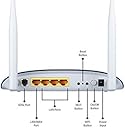
The TP-LINK TD-W8960N is a versatile all-in-one ADSL2+ modem router delivering up to 300 Mbps wireless N speed, dual 5dBi antennas for broad coverage, and four Ethernet ports for wired connections. Ideal for BT broadband users, it supports guest networks and multiple broadband options via Ethernet WAN. Designed for easy setup and reliable performance, it’s perfect for millennial professionals seeking fast, secure, and hassle-free home or small office networking.
| ASIN | B0031SUB4S |
| Antenna Location | Gaming |
| Antenna Type | Fixed |
| Best Sellers Rank | 178,363 in Computers & Accessories ( See Top 100 in Computers & Accessories ) 66 in Modems |
| Box Contents | TD-W8960N, External Splitter, RJ-11 Telephone Cable, RJ-45 Ethernet Cable, Quick Installation Guide, Resource CD, Power Adapter |
| Brand | TP-Link |
| Brand Name | TP-Link |
| Colour | White |
| Compatible Devices | Personal Computer |
| Compatible devices | Personal Computer |
| Connectivity Protocol | Wi-Fi |
| Connectivity Technology | Ethernet |
| Control Method | Touch |
| Controller Type | Switch |
| Coverage | Omni-directional wireless coverage |
| Customer Reviews | 3.8 out of 5 stars 2,826 Reviews |
| Data Transfer Rate | 300 Megabytes Per Second |
| Frequency | 2.4 GHz |
| Frequency Band Class | Dual-Band |
| Frequency band class | Dual-Band |
| Global Trade Identification Number | 06935364060343, 06935364091835 |
| Has Internet Connectivity | Yes |
| Is Modem Compatible | Yes |
| Item Part Number | TD-W8960N, TDW8960N |
| Item Weight | 0.19 Kilograms |
| LAN Port Bandwidth | 10/100 megabits_per_second |
| Manufacturer | TP-Link |
| Manufacturer Part Number | TD-W8960N |
| Model Name | TD-W8960N |
| Model Number | TD-W8960N |
| Model name | TD-W8960N |
| Number of Items | 1 |
| Number of Packs | 1 |
| Number of Ports | 4 |
| Operating System | Yes |
| Other Special Features of the Product | IPSec VPN, QoS, Guest Mode |
| Router Network Type | hybrid |
| Security Protocol | WEP, WPA, WPA2 |
| Special feature | IPSec VPN, QoS , Guest Mode |
| UPC | 720656518284 803982808189 777785895830 845973060343 |
| Unit Count | 1.0 count |
| Voltage | 240 Volts |
| Wi-Fi Generation | Wi-Fi 4 |
| Wireless Compability | 802.11n |
| Wireless communication standard | 802.11n |
E**W
Brilliant router, once you get the settings correct.
Before I start, I'll just say that I'm going to make this review as detailed as possible so if you don't want to read it all I'll put a 'Too long; didn't read' at the bottom to sum it up. So after a few days of waiting, the router arrived and as always with Amazon the package was in a great condition with plenty of protection. I'd rang up my service provider a few days earlier so had all the details I needed to get the router connected to my internet straight away. The setup couldn't have been easier, and I had the router sorted within 5/10 minutes of plugging it in. So of course I proceeded to connect all devices (Laptops/iPods/iPhone/Xbox) to the router, however after just a few hours (while I was on my Xbox) I disconnected from Xbox Live. I looked across to my laptop and saw that it had also been disconnected from the internet. I found the the same result with my iPod so went to my router (on the other side of the house, which shows how good a range this thing has, I get 2 or 3 bars signal on my Xbox) to see whether the internet had just simply dropped out, but to my surprise all lights were green. The router appeared back on the wireless networks list of each device after a few minutes and I simply reconnected to it. Thinking nothing of it I continued to game. Then the same thing happened about 4/5 hours later, but with only 1 or 2 devices connected. This time I got a bit annoyed, and decided to consult Google for some advice. Most of the answers were telling me to get the latest firmware update, except THE ROUTER CAME WITH THE LATEST FIRMWARE. So of course, I had no idea what was wrong with it. All of this continued for a few days, with me having no idea how to sort it out; I'd even changed the channel from 'Auto' to '11' but this did little to help. So one morning after the 6th or 7th disconnect in just 4 days, I powered up my laptop and went to work on the router settings (put [...] into the URL bar of your browser) and saw a setting under 'Wireless' > 'Advanced' that was labelled 'Bandwidth'. It's default setting is 20/40MHz, so I changed it to 20MHz, hoping it would minimise interference etc. And it worked! To my immense surprise, it stopped the router randomly dropping out. It's been nearly two months now and the only drop outs I've had have been caused by my service provider. The router is absolutely superb, and after "fixing" it I have no complaints whatsoever. Plus it's a complete bargain; you'd be hard pushed to find a better router than this for the price. Tl;dr: The router/wireless signal was continuously dropping out when I got it, but after altering the channel (on channel 11 now) and bandwidth setting (selecting just 20MHz instead of 20/40Mhz) it now works great and has a brilliant range and good speed. If you're looking for a high quality ADSL router at a low price, this is the one to get.
C**9
Good product great value let down by poor customer support
I bought this router to replace my old "g" D-Link router so that all my network devices would be "n". First of all the good stuff: price was good and delivery swift. Easy set up and thanks to Ed Clarke for his very helpful review and tips on the BT ISP passwords. My wired broadband speed increased from 6mb on the old router to about 16mb on this one, which I am very pleased with. However, I have found the range of the TP-Link router quite poor: I live in a flat on a high floor and the signal does not reach to the other side of my flat. There is a wall in the way, but it is only plasterboard which not be a major obstacle. The old D-Link had better range. Also, I had to spend a lot of time setting the router up to see and print to my Epson Aculaser CX21N. The TP-Link phone line support was terrible: someone who could barely speak English, who clearly did not want to deal with my problem and obviously wanted to get me off the line as quickly as possible. Ditto the email support service who said go away and figure it out with Epson. Many thanks to the Epson online chat service who patiently helped me sort the problem and now it seems to work. I know networks are a nightmare and I am very much an amateur but I would have thought the router would have been plug and play for such a common printer. The old D-Link just saw the printer and set it up. Overall I would have given this four stars were it not for the poor customer service and the printer problems.
M**_
===> The *BEST* Entry Level WiFi RouterModem
You will spend ages looking at all the various component bits (I did) and features you need for your home network (maybe also small business). You will probably buy a few bits only later to realise they are wrong. This is the one you want to buy. It's got all the features and it's the cheapest. AND it seems to work for me. 1. It's 2011 so you need 300MBPS wireless N - this unit has it. this is the fastest furthest reaching signal. 2. You might have a fast ADSL2 broadband connections - this baby can handle that. 3. Has the holes you need for a wired network the old technology is wireless B and G. That's slower and does not go as far. If any of your PCs still have these components then your connection will not be improved in terms of speed or distance probably. That is why some reviewers do not notice an improvement. So if you buy this then also buy wireless N adapters for your PCs. If you have a mostly wired network like me) then you might wonder why I say you should buy this as it only does a WIRED network at 10/100 speed ie NOT gigabit. Well when you have to reboot your modem all your open files will be lost...that is the problem with relying on a bit such as this as the central 'hub' of your network So you want to buy this unit AND a gigabit switch. Link all your wired connections into the switch and the switch into this modem router. The speed of your broadband connection is less than the 10/100 speed so that is why you only need 10/100 speed to go from this unit to your switch. If you really want only one network hub device (all-in-one) AND you have wired gigabit connections then you DO NOT want this device. Go for the next one up with faster gigabit lan ports. This unit easily connects my blackberries and my sons WII and the kid's XP and my windows 7 computers. They all work. -ve points other than above none. The configuration software is easy enough. The only thing i couldn't configure was the MRU the maximum recieve packet size...not a key feature!! don't worry. The config software seemed tolose my previous config if ever i tried to redo any of it so i had to re-enter all the info...a bit annoying. Have updated to the latest firmware but not yet tested if that makes any difference. UPDATE: July 2011 All is mostly good. Works for weeks without needing restarting. On the downside I did have to re-enter all the settings (ie effectively re-install it) as the wifi connection to my son's zen touch 2 would just not work. Rebuilding/re-starting did work. This time i remembered to save the configuration settings afterwards to make it easier next time i might have to do this. I do have some issues with "internet pausing" thos this could be my pc or the ISP or this unit....I don't know and will probably never find out! Never last for more than a minute or so though. A negative point i have just discovered. I had this great super secure home network for my kids. Controlling their internet access via microsoft family safety (which is free and nice). However as soon as you let them access the net from their Wii or their ipad or their zen touch or whatever you lose all that control and they have free access to everything!!! THE ONLY SOLUTION to that will rely on a router (ie the unit in this review) having control features. Now this unit does have features you COULD use but it would be impractical to do so in reality. All you can sensibly do is stop internet access for a certain device at a certain time and that involves using MAC addresses and I have to say is not straightforward and I'm technical. However I would not place this as a bad point against this product as Iwould imagine all the competitors are the same!
B**Y
This is an excellent Wireless N ADSL router overall, but with some reservations
Not all ADSL routers are the same and in the efforts to drive down consumer price there have I fear been too many cut corners by the leading brand names so that although features have been added the quality and useful life has often been reduced. Having previously purchased low cost Wireless N PCI network cards from T-Link I decided to go to them to replace my router when my D-Link apparently failed to power up. The TP-Link router was easy to set up although I did have to recourse to contacting TP-Link help line to ask about the correct MTU setting and how to change it directly to optomise the web browsing as my IPS (TalkTalk) specifify a different setting to both the router default and Windows 7. Getting the MTU value miss-matched can have a very detremental effect on the ADSL speed cutting the effective speed by as much as 50%. Once the MTU was tuned (note this is long winded because you can't apparently set it alone and have to go through the full set up wizards each time unlike Netgear, D-Link Belkin etc) the ADSL speed was acceptible and as good my D-Link had been although latency on PING to bbc.co.uk or ms.com were typicall slower i.e. to BBC.co.uk on D-Link and Belkin before it would be 20ms to 22ms and with TL-Link 28ms to 35ms. TP-Link support could offer no explaination. So why di I keep it? Well:- 1, The upgrade from Wireless G to Wireless N increased connection speed from 54MB to 130 MB to my PC in same room and increased speed from 36MB to 130MB and signal strength from 1 to 3 bars to my daughters PC in an ajoining room 2, The signal at the extreme corner of the house is a useable 64MB on a low signal where there was no signal with D-Link 3, The reliability of the ADSL connection is excellent with only one dropped line in 2 months and that during a time of a noisy line fault So taken together a worth while purchase. A warning to all On a post script I discovered on the Forums(as per my original point on cut corners) that D-Link routers often suffer from this no Power Up problem. Strangely when returned to D-Link they test OK, but those who have sent router and power supply back to D-Link have often had the powerpack replaced. Someone suggested that using an old style heavy transformer type power pack is better. Sure enough I retrived the D-Link from the bin and powered it with an old transformer type power pack at same 12v and 1A and the thing powered up perfectly and is now my back up suold I need it. It is probably true that light wieght transformerless switched power supplies are slightly more efficient and cheaper to produce, but I wonder how many modern appiences have found their way into land fill because of the underperforming PSU?
D**Y
Appallingly bad.
I bought this as a replacement for my old BT hub that was beginning to struggle. Until recently I never had a problem with my BT hub in regards to reception and performance. However, after looking at the reviews of the BT hub I had I thought I could do better with the TP-Link. I have to say, I have built computers from scratch, setup servers and even done some Java programming. But none has caused me as many problems as this piece of cheap rubbish. First, setting up. Unlike all the routers I have had recently where I just had to plug in and run, this thing demanded to know everything about my broadband connection. Secondly, setting up a secure wi-fi connection was a complete nightmare and I ended up giving up because no matter what I did my computer refused to recognize it, so I ended up using an unsecured connection. Finally, the reception from 10feet away was 1 measly little bar. Compare this to my old router that swung from 4 - 3 bars. I would also add that the wires that are provided from the plug to the telephone cables are far too short and if your telephone plug isn't within a meter of a mains socket it won't be long enough. This is a terrible Router, you may think it's may be good for it's price. It's not. It's made from cheap stuff plastic, it's hot, the wires provided are cheap, it's absurdly complicated to set-up and it's wi-fi is the worse I've ever encountered. Do yourself a favor and stay away.
S**T
Great piece of kit and amazing value for money!
I have bought this ADSL modem router to replace my old D-Link that started to drop connection through WiFi. I spent few days looking at modern routers, wanting to buy something that will last me for another few years. I started with Belkin (serious problems with quality control), Netgear (too expensive) and Linksys (just right for my needs). I was just about to buy WAG120N (really good router) when I found out about TP-Link. Relatively new company with great products that are getting more and more popular in EU in Asia. TD-W8960N is one of the most advanced models produced by TP-Link. It offers everything I was looking for: fast N standard, compatibility with G standard up to 300Mbps MIMO 4 x LAN newest security protocols for WIFI It comes with everything you need for setting up your network. The admin interface is really easy. You have pre-sets that you can use for most of the UK broadband providers. All you need it login and password that you have received from your provider. You can also use Easy Start-up CD. From admin side - there is plenty of settings that you can tweak and change to make your network fast and secure. Pro users will be happy with advanced statistics (SRN etc) - I didn't get it with my old router. I had it connected for 2 days now. It works with 2 Asus laptops (1 x N, 1 x G), 2 HTC phones and Playstation 3. I had no problems setting it up and it worked flawlessly from the moment I connected it to the internet. For less than £40, you will get a really decent router. Not a toy with useless apps (Belkin) or new Christmas tree lights (Netgear). Save yourself some money and go for it - it's worth it! UPDATE: I am living in quite spacious 1 bedroom and I am getting good coverage on just 20% transmitting power. Impressive! Still no problems with connections. My Rapidshare download speeds went up from 800kbps to 1.3Mbps!
P**S
Has a few bugs
Initially I was very impressed. A hugely configurable router with many more options than others in its price range. Setting it up for basic settings was very easy, and the wireless has paired with my TP-Link range extender so I now have great wifi coverage throughout the house. However, the ADSL part has been a let down. I live 2 miles from the exchange and only normally get 2-2mbps and a connection which can drop out a few times a day. My previous router, when it dropped out, it would immediately retrain the ADSL line and reconnect. This TP Link router drops out (and reports a SNR of -2dB) and does not re-connect, continually reporting a negative SNR. If I reboot the router it immediately reconnected with a SNR of 6dB (so I know that it was not really a low SNR preventing a reconnection). I have not been able to stop this happeneing so have had to stop using it as an ADSL router. rather than return it, I have now configured it just as a wifi access point, as for the price, it is still a good Wifi access point. I have now tried plugging in my original orange livebox for my router/modem part - and the ADSL line has not dropped out since. Hopefully TP-LInk will identify this bug and update the firmware so I can use this as a router again.
S**E
Best router I've had
I've had many routers over the years from the likes of Belkin, D-Link, Netgear, Linksys/Cisco and the dreaded BT home hub (which is now scheduled to become a target practice: I suspect shooting it repeatedly with heavy magnum airgun pellets will be highly satisfying). Some have been good (Linksys, Netgear), some have been indifferent (D-Link) and some have been so awful I'd happily throw some more petrol on if I saw their makers on fire (Belkin). But TP-Link are new to me. I bought this in conjunction with a TP-Link TL-WA901ND advanced wireless access point so I could take advantage of MIMO technology to get thought the crazy thick walls of our cottage and into my office at the back (the BT home hub v2 is a hateful and useless piece of crippled technology which could barely throw a signal across one room). The setup program supplied worked perfectly and in no time at all I was connected to BT broadband and the home hub's doom was sealed. The signal is fantastic and my Windows 7 laptop and PS3 had no problems connecting. The only thing that caused me a little grief was my girlfriends aging Vista laptop which knew there was a wireless signal there but it could not get an IP address from the DHCP server in the router via the wireless, but would happily do so and connect to the internet using an ethernet cable. There are lots of suggestions for DHCP problems in Vista if you Google for it, some from Microsoft themselves, but before you try any of these (some of them require you to edit the registry amongst other things which is not something you want to do if you're not confident), check your wireless receiver's drivers. In the case of my girlfriends laptop they were 4 years out of date. It was an Intel device so I got the model number and Googled it and sure enough there were updated drivers which I downloaded. I unistalled the previous drivers completely, installed the updated ones and sure enough I was then able to get an IP address on the wireless adapter and connect to the internet that way. So, all in all I can't fault the router. It was much easier to set up than the access point (I've reviewed that as well) and has been rock solid ever since. And for the money, it's a steal.
K**T
Buena Calidad.
Este Modem es muy eficiente y fácil de instalar. Mejora por mucho a los modem de Telmex, haciendo la señal un poco más potente y más rápida la conexión del mismo dispositivo. En mi caso solo sustituí el modem de Telmex y coloque este modem y en automático tuve la señal en mis de más dispositivos. La configuración del modem se lleva acabo siempre y cuando se quiera cambiar la contraseña del modem por una contraseña personalizada. La calidad del modem es buena, trae consigo un CD de instalación, un cable UTP y un instructivo. La velocidad de internet se vio un poco más fluida, pero es algo marginal. Se pueden conectar 5 dispositivos a la vez y no presenta problemas de alentamiento. Lo recomiendo 100%.
S**M
Good BSNL home modem - value for money
TP-LINK TD-W8960N Wireless N300 ADSL2+ Modem Router Good item (TP-LINK TD-W8960N) - value for money Cons: 1. Modem initially kept on disconnecting every 10 minutes. After complaining to BSNL this was fixed by them by identifying a faulty wiring at some point between my house and the junction box. This modem wont work if telephone line has heavy noise. Lots of bad reviews on this modem for bsnl may be because of this. 2. TpLink is only a medium quality company. My previous tplink modem stopped working after 4 years. Cannot be compared to an old seimens wifi modem that's still in working condition after 10 years. Pros: 1. Latest version as per tplink website (v8) 2. Setup is easy as BSNL config can be selected from a list. 3. Decent features like guest network etc available. IPTV, QoS, parental control etc (I've not used these.) 4. Wifi Range is sufficient for my medium size 2 story house. 3 mobiles, 2 laptops, 1 desktop, smart tv and a fire tv stick work seamlessly. 5. Box has all required stuff like adsl splitter, rj 11, lan cable etc 6. works well in router only mode for bsnl FTTH.
Z**G
perfekt für Österreich
Ich habe das Gerät als Ersatz für das A1 TG585 gekauft. Hauptgründe waren 300Mb WLan un der wesentlich geringere Leistungsverbrauch. Positiv ergeben hat sich auch noch ein größere Reichweite. Die Installation über den Browser ist eine Sache für 10 Minuten ( inclusive auspacken). Österreich im 1. Menü einstellen, dann komm gleich A1 und alle Parameter stimmen. Jetzt, was am längsten dauert, Benutzername und Kennwort eingeben und schon ist man Online. Für WLan noch die SSID etc. ( vom alten Modem vorher gespeichert ) und alles erledigt. Ich habe die Installations CD nicht ein mal ausgepackt . Leichter geht es nicht. Läuft seit einer Woche ohne Verbindungsunterbrechung und Absturz.
Y**O
Trés bon modem, rapport qualité prix imbatable
J'ai choisi ce modem pour le fait qu'il intègre un chipset ADSL Broadcom, considéré comme un des plus performants, meilleur que la plupart des box de FAI sur des lignes très longues. La configuration est relativement classique et peut se faire via un utilitaire dédié ou via une interface web. L'interface web propose de très nombreuses options avancées: En particulier, ce modem est parmi les rares à permettre d'ajuster le SNR, ce qui permet d'augmenter légèrement son débit ADSL, ou de le réduire en cas de soucis. La connexion ADSL est effectivement très stable, le wifi offre des débits très bons, même à travers des murs épais . A ce jour aucun plantage ou déconnexion intempestive à signaler. Le modem et son alimentation chauffent trés peu et semblent trés solides En bref un très bon produit, à ce prix la il n'y a pas mieux Le seuls défauts à signaler sont: L'interface web et quasiment toute la documentation sont en anglais. Cela ne posera toutefois pas de souci insurmontable à un utilisateur confirmé. Le câble d’alimentation est vraiment très court (1,20m). A noter également que le produit reçu contenait un filtre ADSL en RJ11 et un second filtre aux normes italiennes au lieu d'une prise en T française.
M**0
Qualità/prezzo imbattibile
Ho comprato il modem-router dopo aver letto alcuni forum che ne parlavano bene, ho sostituito il modem alice che iniziava a perdere colpi (perdeva la connessione, wi-fi spesso non veniva riconosciuto dallo smartphone), la confezione è ultra completa, ha 2 cavi telefonici, un filtro, un adattatore per la presa telefonica vecchio tipo, cavo ethernet, cd, alimentatore e modem. L'installazione è stata facile, ha settato tutto il wizard, dopo 3 passaggi il modem era configurato, va che è una bellezza, wi-fi potente e riconosciuto al volo, la connessione non è mai saltata (mi sembra anche che la navigazione si sia velocizzata) e si naviga subito dopo l'accensione (circa 1 minuto) a differenza del vecchio che ci metteva 2-3 minuti per fare tutti i test. Per chi non ha esigenze particolari è perfetto!
Trustpilot
2 days ago
1 week ago