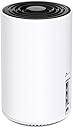
Desertcart purchases this item on your behalf and handles shipping, customs, and support to Cyprus.
๐ Elevate your home WiFi game with the future-proof Deco XE75!
The TP-Link Deco XE75 is a cutting-edge WiFi 6E tri-band mesh system that covers up to 2900 sq.ft., delivering ultra-fast speeds up to 5400 Mbps. Featuring a brand-new 6 GHz band for interference-free connectivity and AI-driven mesh technology, it ensures seamless, reliable WiFi for over 200 devices. Easy to set up and manage via the Deco app with Alexa support, it also includes advanced security through TP-Link HomeShield, making it ideal for modern smart homes and demanding professional environments.


| ASIN | B0B3YZ5DQB |
| Antenna Location | Home |
| Antenna Type | Internal |
| Best Sellers Rank | #15 in Computers & Accessories ( See Top 100 in Computers & Accessories ) #4 in Whole Home & Mesh Wi-Fi Systems |
| Brand | TP-Link |
| Built-In Media | 1 x Deco XE75, 1 x Power adapter, 1 x Quick Installation Guide, 1 x RJ45 Ethernet cable |
| Color | Black, White |
| Compatible Devices | router |
| Connectivity Protocol | Wi-Fi |
| Connectivity Range | 2900 square_feet |
| Connectivity Technology | Ethernet, Wi-Fi |
| Control Method | App |
| Controller Type | App Control |
| Coverage | broad |
| Customer Reviews | 4.4 out of 5 stars 656 Reviews |
| Data Transfer Rate | 5400 megabits_per_second |
| Frequency | 6 GHz |
| Frequency Band Class | Tri-Band |
| Global Trade Identification Number | 00840030707124 |
| Item Dimensions L x W x H | 4.1"L x 4.1"W x 6.7"H |
| Item Type Name | Mesh WiFi |
| Item Weight | 0.53 kg |
| LAN Port Bandwidth | 10/100/1000 Mbps |
| Manufacturer | TP-Link |
| Maximum Upstream Data Transfer Rate | 2402 megabits_per_second |
| Mfr Part Number | Deco XE75(1-pack) |
| Model Name | Deco XE75(1-pack) |
| Model Number | Deco XE75(1-pack) |
| Number of Antennas | 4 |
| Number of Items | 1 |
| Number of Packs | 1 |
| Number of Ports | 3 |
| Operating System | TP-Link Router OS |
| Other Special Features of the Product | WPS |
| Router Network Type | hybrid |
| Security Protocol | WPA, WPA2, WPA3 |
| Special Feature | WPS |
| UPC | 840030707124 |
| Unit Count | 1 Count |
| Warranty Description | 2 year manufacturer |
| Wi-Fi Generation | Wi-Fi 6 |
| Wireless Communication Standard | 802.11ac, 802.11ax, 802.11b, 802.11g, 802.11n |
| Wireless Compability | 802.11ac, 802.11ax, 802.11b, 802.11g, 802.11n |
G**R
Excellent System, well worth it!
Weโve had this system, a set of 3, for a couple of years now so I think I can offer a decent opinion. This system is great. It was easy to set up, tho as one of the last of the Boomer generation, I had a little difficulty with the App, but thatโs on me. Once I got it, the app helps guide you through everything. Our house is a ranch style 3200 sq ft home with lot of walls that might normally hinder signals a bit. Placement is intuitive as they all provide a circular signal, so we just set them up thinking of a general plan to have the signals overlap slightly, which is no problem give the range. It covers everything really well. We get strong signals everywhere in the house and we rarely get low signals, and I think thatโs more with the internet service vs the mesh system. We placed each unit near an outside wall so we also get really good signals outside. We have 5 acres but the main outside living/working space is maybe 2 acres. We used to have a lot of problems with signals when outside working or just hanging out. But with this we can be pretty far from the house and still have full strength. Each unit is small and has a very clean look so they are really very unobtrusive. As mentioned, weโve had it in place for a couple of years now it so consistent that we donโt even think about it. We moved it one when we rearranged, so we took the opportunity to reboot everything. My daughter gets the app, and it took her maybe 10 minutes to reset the entire thing. We recently saw a slight dip in one room so she just went on the app, rebooted the nearest unit (you can do this separately vs having to reboot the entire system) which took about 2 minutes, and the signal is back to normal. I guess like many things, my phone is a classic example, sometimes you just need to turn it off and restart. I highly recommend this to anyone who has a space thatโs just a little to big for your normal internet router. This system does not disappoint.
K**A
Great system
I absolutely love this Deco mesh system. Installation was a breeze. When I changed internet service providers, I just kept the network name and password the same and every Deco unit and wi-fi items in my house were instantly recognized. I liked it so much I purchased two additional units to make sure outside wireless cameras had good signals.
G**N
Excelent Mesh WiFi Outdoors
Iโm really impressed with the TP-Link Deco X50-Outdoor. Right off the bat, the speed and Wi-Fi 6 performance are excellent โ whether Iโm indoors or out in the backyard, the connection stays solid and responsive. The outdoor build is top notch: the IP65 rating gives peace of mind, it resists rain and dust, and mounting it was easy (wall or pole works well). What I loved most is how well it integrates into mesh with my other Deco units. No dead zones anymore. The dual-Gigabit Ethernet ports + PoE option are great for flexibility. And the app set up was a breeze. If you want reliable, high-speed WiFi that works great outdoors as well as indoors, this Deco X50-Outdoor is a standout. Highly recommend!
D**N
Solid Mesh Wi-Fi with Excellent Features & Easy Setup, but Pricey
Iโve been using the Deco system for a while now, and overall, Iโve had a mostly positive experience with it. Setting it up was remarkably straightforward thanks to the intuitive mobile app, which guided me step by step through the process. Even if youโre not particularly tech-savvy, youโll probably find installation to be quick and hassle-free. That said, I do feel that the Deco is a bit overpriced, especially considering that there are additional features and add-ons you have to pay for on top of the initial cost of the product itself. While the device does provide strong and reliable Wi-Fi coverage throughout my home, itโs worth noting that the actual performance still depends quite a bit on the quality and speed of your internet service provider. One of the aspects I appreciate most is how simple it is to adjust Wi-Fi settings and keep track of my network activity right from the app. I love how easily you can change the Wi-Fi frequencies, switching between 2.4GHz, 5GHz, and even 6GHz bands depending on your needs. This flexibility is fantastic for optimizing speed and compatibility across different devices. I also find it very convenient to receive notifications whenever a new device connectsโthis makes it much easier to monitor whoโs using the network and keep everything secure. Another feature I really like is the ability to set up a dedicated guest Wi-Fi network. That way, visitors can get online without me having to share my main network credentials, which adds an extra layer of privacy and peace of mind. Additionally, I think the option to prioritize certain devices for better bandwidth allocation is incredibly useful. For instance, if Iโm gaming and streaming content simultaneously, I can make sure my console or PC gets priority so performance doesnโt suffer. Moving between access points within the mesh network has also been seamless. As I walk from one end of the house to the other, my devices stay connected without any noticeable drops in speed or interruptions, which really demonstrates the strength of the mesh system. I also appreciate the WPS function within the app. Rather than having to walk over to the Deco unit itself, I can initiate WPS pairing right from my phone while standing next to the device I want to connect, which is a huge convenience. All in all, while I do have some reservations about the pricing model, the Deco offers a combination of powerful performance, user-friendly controls, and thoughtful features that make managing a home Wi-Fi network much easier and more reliable.
F**O
Good Buy
I have 6 of these throughout my house and garage/crab house. Very dependable and good coverage. Far better than my last mesh network.
B**A
Significant Improvement
Had an older linksys router and my signal was terrible outside the main floor. My IT coworker helped me pick (I am a simple person when it comes to tech) and this is what I decided on. FANTASTIC! Easy set up, far reaching, covered my 2 story 1200 sq foot home with no problem, and had a significant increase in my dl speeds. Worth every penny. My other coworker tried to convince me to get WiFi 7 but I couldn't justify the cost difference for what I needed. The photo attached shows two "befores" at the bottom and the "afters" throughout my house. Fun y - the farther away I was the better the signal. Goodbye dark spots!
K**W
Fast when it works, disconnected 90% of the time...
UPDATE: IT NOW REFUSES TO CONNECT TO THE INTERNET NO MATTER WHAT. I have literally reset and re-setup this POS no less than 23 times and it does not work. Absolutely infuriating product. I'll summarise this into pros and cons. Previously had Orbi and thought to give TP-Link a try while overhauling our mesh to triband 6E. PROS - WiFi 6E is super fast - Setup is relatively straightforward CONS - Range is incredibly disappointing on 5GHz (one room over, approximately 6 metres from the router with only one drywall in between the signal strength is already 30% and speeds cap out at 100Mb/s... I've had to move this right against the wall to see full signal strength, meaning it's only 3m away. Ridiculous honestly, the Orbi I had would give a solid 10 metres of range at full strength. - The firmware is TERRIBLE. If you ever experience a power cut, unplug the power cable or ethernet cable to route it slightly differently, basically upset the internet connection even in the slightest, the Deco will COMPLETELY lose internet connection and never restore it. You have to perform a hard reset on it, manually remove the network you just setup from the app and REINSTALL the entire @##%$#% Deco from scratch... Looking into the problem on Google people have been having this issue for the last 3 years and TP-Link still hasn't addressed it. Their support has been the typical script of "have you tried turning it off and back on again? Are all your cables plugged in correctly?"... - This drops the internet on a regular basis, once a day approximately. Thankfully it doesn't require a full reset from scratch like if a cable is ever physically disconnected, but you will have no internet for a good half hour, it fixes itself eventually and I don't want to mess around with rebooting it lest it make me have to install it from scratch again. To get around this I've taken the modem out of bridge mode so that I have two WiFi networks and can manually switch over to a working network when the Deco drops out. This is embarassing for a mesh network... On occassion it will also completely lose the network and then expect you to reset and start from scratch again Currently this is the second time in 3 weeks for that, and literally daily on the random disconnections. - The app is very very slow even on a flagship device and there's no web interface. This can mean the Deco's actual status isn't reflected on the app for up to a minute at a time. Most of the time it doesn't even know it's status even if you previously opened the app a few minutes ago so you sit there waiting for 20 seconds for it to do its thing until it finally loads the status of your networkwhenever you open it. - The only status light is a tiny LED on the bottom of the device at the very front. You can barely see it during the day, but at night it's super bright. There's an option to schedule on/off times for the light, but not to change the brightness. Personally I prefer how Orbi does it with no lights until it detects a fault and shows a softly glowing ring across the whole top of the device. - This isn't compatible with their Archer modems mesh system, which is very annoying as it means you need to switch your expensive Archer modem into bridge mode, basically making it a cable modem for passthrough, and then plugging in a Deco to sit right next to it... I expected that with other brands' routers and is how I ran the Orbi, but not with TP-Link's own modems... - Minor consideration, but the build quality is surprisingly lightweight and flimsy. A stiff LAN cable can upset how it stands up... If this falls off the stand you put it on, there's a good chance it will crack the housing if it lands on hardwood floors. The Orbi system I last had was significantly sturdier. OVERALL SUMMARY - This is cheap for a 6E mesh router, but has flaws that make it seem like very poor value for money - Buy an Netgear Orbi mesh system and don't cheap out.
A**L
WiFi v.s AP (Access Point)
I would highly recommend this; however, I wish I had done more research on this and got the WiFi 7 model instead. Hands down this for a WiFi 6E delivers. I have ATT fiber and set this up then got errors after a few days. Doing some research and reading other tech reviews I realized that I was using this as a WiFi router which caused an issue with my ATT router. The default setup for this is WiFi Router which means it has it own DHCP, DNS, NAT, QoS setting that interfered with the ATT WiFi settings. I then change the Deco to an AP (Access Point) this solved the issue but now I have 2 SSID. I went and disabled the ATT WiFi and went back to activate the Deco to WiFi instead of AP. This gave me better range and my wireless camera outdoor remained on the same network as all the other cameras. Overall, now I am extremely happy with my setup.
F**D
ู ู ุชุงุฒู
ุฃุถูุชูุง ุงูู ูุธุงู ุฏููู ูุชุนุฑู ุนูููุง ุจุณุฑุนู
A**F
Worth the money
So far so good. Helped a lot with Network Quality and speed
A**N
Good coverage but drops the internet speed feature on deco apps. I returned it back.
I have bought this router for my summer house to make the main router. My setup has 3 Deco M9 plus and 2 Deco P7. When I finished the setup I have noticed that it did not support internet speed feature on the router. Both M9plus and P7 were supporting this feature. It was essential for me to see the reliability of the internet provider. So I returned it back. Except from this problem its coverage area and the speed were perfect.
Trustpilot
1 week ago
1 month ago