
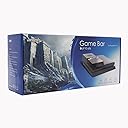
DongCoh Game Bar hard drive Cover Shell Replacement Faceplate for PS4 Console(Black)
Product ID: 44440423
desertcart.com: DongCoh Game Bar hard drive Cover Shell Replacement Faceplate for PS4 Console(Black) : Video Games Review: Easily extend your PS4 storage while maintaining a clean looking console. - This adapter allows you to attach any standard desktop sized hard drive to the PS4 and still maintain a clean looking console. You could very easily attach a hard drive with a SATA extension cable and tie in an external power supply for less money than this unit costs, but it will not be as clean looking. A few helpful tips. Backup your existing PS4 data BEFORE attempting to install this unit. Your backup storage can be a Flash Drive/Thumb Drive or an External Hard Drive. Either way you need to properly format and prepare your external storage for the PS4 to copy a backup to it. BACKUP STORAGE NOTES Depending on the size of the backup storage you will use MBR (Master Boot Record) or GPT (GUID Partition Table) and I recommend the ExFat(Fat64) File System. External Storage of 2TB or less = MBR and ExFat External Storage greater than 2TB = GPT and ExFat Your new blank Hard Drive doesn't really need any special attention to use with your PS4 because when you reinstall a fresh copy of the PS4 Software it handles preparing the hard drive for you. Adapter installation is very straight forward. Anyone with common sense that can turn a screw driver can easily install this unit. Just follow the directions that come with the unit. I do recommend a well lit area so you can see and ensure a good solid connection of the SATA Adapter when you slide it into the hard drive bay. Also note that the power connector may seem loose or to be the wrong size when you try to connect it. I had to push a bit harder than I expected to when inserting the power adapter. However once it was in place it is a nice and tight fit. I have had no issues at all with power to the hard drive. I left my PS4 on over night while it restored from my backup to the new hard drive and when I checked it the next morning it automatically went to sleep mode after completing the restore and I was able to wake the playstation up without any hard drive issues. So far this adapter and new hard drive have worked great. I highly recommend this adapter to keep a clean looking console while allowing you to easily expand your storage space. Review: Great product, easy to install, works flawlessly - I got this along with a Western Digital Red 6 TB, and everything works like a charm. Installation was easy. I had replaced my PS4 hard drive before, so I was familiar with the procedure. It took about 15 minutes total. Everything is pretty intuitive, so if you have done this before with another hard drive, you probably won't even need the instruction booklet (which is very detailed btw). One note is that the cables come inside the plastic dummy hard drive for the newer models of PS4; if you have the older model, like I did, you need to snap open the dummy hard drive cases and swap the cable to the appropriate case. Restoring my data was easy. I had 1.19 Tb of data that I backed up to an external USB drive prior to installing the new DongCoh. It took about 18 hours to backup my old hard drive, and about 10 hours to restore it to the new drive. Keep in mind that I was using a USB 2.0 external drive; if you have a 3.0 USB drive then those times should be much faster. Once everything was fully restored, I turned on the PS4. The initial boot time seemed about normal. I then played a couple of games. Load times seemed a bit faster than with the old drive, even though both the old drive and the new drive were both 5400 rpm. Finally, I put the PS4 in sleep mode. This had been a big issue for older PS4's and drives greater than 2 TB; the rest mode simply wouldn't work. The console light blinked a couple of times, and then it went into rest mode. I turned on and rested it several more times with absolutely no problem. Be sure you have version 3.50 of the PS4 software to make this work. Overall I couldn't be more pleased with my purchase. It works great and now I have over 4 TB's of free space.
J**G
Easily extend your PS4 storage while maintaining a clean looking console.
This adapter allows you to attach any standard desktop sized hard drive to the PS4 and still maintain a clean looking console. You could very easily attach a hard drive with a SATA extension cable and tie in an external power supply for less money than this unit costs, but it will not be as clean looking. A few helpful tips. Backup your existing PS4 data BEFORE attempting to install this unit. Your backup storage can be a Flash Drive/Thumb Drive or an External Hard Drive. Either way you need to properly format and prepare your external storage for the PS4 to copy a backup to it. BACKUP STORAGE NOTES Depending on the size of the backup storage you will use MBR (Master Boot Record) or GPT (GUID Partition Table) and I recommend the ExFat(Fat64) File System. External Storage of 2TB or less = MBR and ExFat External Storage greater than 2TB = GPT and ExFat Your new blank Hard Drive doesn't really need any special attention to use with your PS4 because when you reinstall a fresh copy of the PS4 Software it handles preparing the hard drive for you. Adapter installation is very straight forward. Anyone with common sense that can turn a screw driver can easily install this unit. Just follow the directions that come with the unit. I do recommend a well lit area so you can see and ensure a good solid connection of the SATA Adapter when you slide it into the hard drive bay. Also note that the power connector may seem loose or to be the wrong size when you try to connect it. I had to push a bit harder than I expected to when inserting the power adapter. However once it was in place it is a nice and tight fit. I have had no issues at all with power to the hard drive. I left my PS4 on over night while it restored from my backup to the new hard drive and when I checked it the next morning it automatically went to sleep mode after completing the restore and I was able to wake the playstation up without any hard drive issues. So far this adapter and new hard drive have worked great. I highly recommend this adapter to keep a clean looking console while allowing you to easily expand your storage space.
R**B
Great product, easy to install, works flawlessly
I got this along with a Western Digital Red 6 TB, and everything works like a charm. Installation was easy. I had replaced my PS4 hard drive before, so I was familiar with the procedure. It took about 15 minutes total. Everything is pretty intuitive, so if you have done this before with another hard drive, you probably won't even need the instruction booklet (which is very detailed btw). One note is that the cables come inside the plastic dummy hard drive for the newer models of PS4; if you have the older model, like I did, you need to snap open the dummy hard drive cases and swap the cable to the appropriate case. Restoring my data was easy. I had 1.19 Tb of data that I backed up to an external USB drive prior to installing the new DongCoh. It took about 18 hours to backup my old hard drive, and about 10 hours to restore it to the new drive. Keep in mind that I was using a USB 2.0 external drive; if you have a 3.0 USB drive then those times should be much faster. Once everything was fully restored, I turned on the PS4. The initial boot time seemed about normal. I then played a couple of games. Load times seemed a bit faster than with the old drive, even though both the old drive and the new drive were both 5400 rpm. Finally, I put the PS4 in sleep mode. This had been a big issue for older PS4's and drives greater than 2 TB; the rest mode simply wouldn't work. The console light blinked a couple of times, and then it went into rest mode. I turned on and rested it several more times with absolutely no problem. Be sure you have version 3.50 of the PS4 software to make this work. Overall I couldn't be more pleased with my purchase. It works great and now I have over 4 TB's of free space.
F**K
Works great!
Received it today and the upgrade (4tb Seagate SSD Hybrid) could not have been easier, especially considering I am a technical moron. I did a full backup yesterday of all my data onto a 500gb portable drive (over USB 3 it only took a few hours). You can of course backup to the cloud --if you're a PS Plus member your game saves are there) but you'd have to redownload or reinstall from disc your games so I took the full backup to a drive option and I recommend it if you have a drive (you must format it it FAT/exFAT first--look on line for more detailed directions). ANYWAY, ON TO THIS PRODUCT. It arrives professionally packaged with everything you need and very clear instructions. It has two parts that fit the various PS4 releases so you're covered whatever model you have. Popped the cover on the PS4, removed one screw, slid out the hard drive, replaced it with the DongCoh adapter/connectors, attached that to the new drive, put everything in place, powered up, reinstalled the 3.5 firmware (directions are in the manual, or look online)j, then "restored" my ps4 from the portable 500 gb drive. Everything is working flawlessly. I chose this over the Nyko as it has a vent, although heat isn't really an issue so far, and I like the responsiveness of the seller/developer in the comments. Anyway I can highly recommend this. If you're at all skittish about installation, there are a couple of YouTube videos (search DongCoh and Tech-Know Scope for one of them) that show how easy it is. There are other, less artful ways to skin this same cat but DongCoh has done all the work in a very reasonably priced package that fits in well with the original unit (uh, except for that logo, but I get the need to advertise :-).) Anyway, very happy so far.
S**E
Easy Install, Tons of Space
Bought for use with a Seagate 4TB upgrade; even a previous 2TB drive swap is just not enough. The Game Bar Assembly was super easy, with reasonably clear instructions. Biggest PITA was swapping the style of dummy housing to replace the old drive. I had the unit installed, the hard drive running and PS4 OS installed in less than 30min. Downloading the full games took the better part of a few days with holiday PS Store traffic. The Game Bar blends in with the style of the PS4, though it can't really be hidden in any way. I like that power piggybacks off the PS4 adapter. Sweet. So far no problems with this combo. I've been running for around 2 weeks, several hours a day, and I haven't noticed any excessive heat or noise. However, my PS4 is in a cool room to begin with, so I wouldn't anticipate any problems. Definitely worth the investment to keep all your games at your fingertips. Thanks to previous reviewers!
M**7
great device, but be sure to download the correct Sony update file
Item works as expected & is great. I now I have TON more storage with a 2TB drive I used. Was easy to install and instructions were clear for the most part. One note about installing though. Be sure to download the proper Sony file for reinstalling software to new bare drive. I mistakenly downloaded the 286MB update file (PS4UPDATE.PUP) fromn the Sony website. It wouldn't work, but after online chatting with Sony, I realized I should have downloaded the larger update file under the area titled "fresh install of the full system software". It was about a 900MB. Once I used this on my flash drive, all worked great. yellow standby mode seems to work and I was able to download all my games again overnight. I was gonna just get a 2TB Samsung drive & simply replace my current 2.5" 500GB drive, but this unit apparently allows me to add up to 6TB if I need to (unlike the capacities of 2.5" drives right now). While I am not 100% sure about this, I was gonna get a vertical cooling stand to use with my PS4, but I don't think I can with this. It might work as most I have seen require resting the PS4 on its right side and this basically installs on the left side. It could result in a bit of top heavy stability. Therefore, I am looking at a cooling device that simply fits underneath instead. All in all, a good purchase.
H**O
Problem with power adapter (updated)
been using it for very long, and there is not heat. Happy that I can finally have more than 1.5TB SSHD on my PS4 Update: I had to drop two stars. I seem to be having a problem with my PS4 now after installing this. The power wont turn on, I have to keep on trying by unplugging and plugging it back the power cord, but when I have this uninstalled, I have no problems powering my PS4 on Update 2: had to drop another 2 stars, my game just powered down by itself, and it appears to be a problem with the power adapter of the game bar, its too loose. It does not stay on firmly on and wiggles around too much.
D**C
Awesome Product great expansion at a good price!
So at first i was a little upset because it was not installing the update and the PS4 was out of service, kids were a hot mess! So i contacted DongCoh and they replied in one day due to the time difference, yes they are in china. BUT! they were very attentive and helpful. Solved my problems and were able to get it up and running smooth! I would never have thought that the usb flash drive would be the problem. I have 2 PNY thumb drives one 8gb and the other 32gb, neither of them would work. The PS4 recognized it however a pop up would say unable to perform the update need latest software. I found a toshiba thumb drive following all the same steps and BOOM! it worked and now the kids have 3tb of memory on their ps4! So far everything is great and I will keep this post updated. At this time i recommend the DC Game Bar to anyone who is trying to expand their memory easy to install and fun to do with the kids. Thank you!
A**J
Good, if the Sata cable was functional
Received the item and was impressed with the materials. The illustrated instructions were good, the finish of the case was decent, and it definitely gave room to add up to a full "desktop" 3.5" hard drive. The problem is the sata cable. It includes an extension running off of it (presumably for power of an enclosed fan). After hours of messing with my hard drives and worrying about my PS4 having issues, I troubleshooted the problem down to the cable. Nothing I attach to it on my PC works (with a sata to USB adapter). I removed the cable from the equation and all hard drives I attached work just fine. Only issue is finding a replacement for that type of cable. You're basically without the fan unless you create one. Even without the fan, as of now my PS4 is dead with it attached so I'm stuck ordering a quality replacement for just the sata extension if I want my new hard drive to function. I rarely have or take the time to write reviews on purchases but this was a very frustrating project all so my PS4 won't work unless I go back to the original hard drive for now. That's the opposite of the point of this item. The reason it get three stars, instead of one, is due to everything else being okay with shipping, item appearance and such.
A**N
Auf einfachem Weg mehr Speicher!
Vor einigen Tagen habe ich mir aufgrund ständigen Platzmangels die Expansion Bar von DongCoh Electronics hier bei Amazon geordert. Lieferung wie gewohnt schnell und zuverlässig. Die Verpackung des Umbaukits ist sehr gut, was bei Chinaware sonst nicht unbedingt die Regel ist. Die gelieferten Teile waren durchweg von guter Qualität und Passgenauigkeit. Zusammenbau und Inbetriebnahme benötigen nur wenige Minuten. Man kann dabei eigentlich nicht wirklich was falsch machen. Die kurze, aber bebilderte Anleitung ist mehr als ausreichend. Ich hatte noch eine ungenutzte 2 TB HD von WD in der Schublade, diese habe ich verbaut. Die aktuelle Software habe ich mir von der Sony-Website gezogen. Hier ist zu beachten, dass das tatsächliche Installationsfile und NICHT nur das Updatefile gezogen werden! Die aktuelle Adresse (Stand 04.07.2016) lautet: [...] File auf einen USB-Stick ziehen, in die PS 4 stecken, Einschaltknopf drücken und gedrückt halten bis ein zweites "Piep" kommt. Im Menü dann den untersten Punkt wählen. Ich selbst habe kein Sicherheitsupdate gemacht, da ich schlichtweg zu faul war. Der Großteil meiner Spiele ist aber eh aus dem PSN-Store, daher ist deren Installation kein Ding. Speicherstände liegen ebenfalls immer in der Cloud. Somit war es für mich absolut O.K., dass alle Games neu aufgespielt werden müssen. Meine Inet-Leitung ist mit 25 MB/Sek im DL recht zügig, wer sich mit einer langsameren Leitung rumplagen muss, sieht das verständlicherweise aber sicher etwas anders. Bisher bin ich jedenfalls absolut zufrieden mit der Game Bar und würde sie sofort wieder ordern. Für mich gibt es eine klare Kaufempfehlung. Sollte das gute Stück irgendwann den Geist aufgeben, werde ich dies hier ergänzen.
A**A
Buon prodotto
Il prodotto è facile da installare e non richiede competenze particolari. Si aggancia perfettamente alla PS4. Il materiale è un po' plasticoso ma comunque dall'aria robusta. Ottimo il foro per lasciar uscire il calore generato dal nuovo disco. Io l'ho usato con un vecchio disco da 1,5Tb che avevo già e non ho avuto alcun problema. Sarebbe comodo aver il manuale tradotto in italiano anche se le operazioni sono veramente banali e le foto sono utilissime. In caso su YouTube si trovano molti video che documentano l'intero processo di sostituzione.
P**Y
Great bit of kit
Having struggle with space on my ps4 I found this and thought I'd give it ago, for £30 it's a bargain, easy to use and install, I went and bought a toshiba 3.5inch 3tb 7200 6-gig speed for £50 from my local computer specialist shop. And now have more storage than I may possibly need. I thought about a 6tb but for £50 3tb a steal. Anyway straight in, straight on and done, piece of cake. A SSD would be better but to be honest why pay all that for one when this is just has fast as you need it. Good bit of kit in my opinion, would recommend I didn't buy it with one of there HDD as I felt Id prefer one where if anything goes wrong it's a drive down road and behild replaced and fixed.
A**A
普通に起動できない。
利用したHDDはWD6001FZWX です。 まず、普通に起動するとPS4のファームウェア更新の画面となり、 更新してもしなくてもその画面からは逃れられず正常に起動できません。 但し、何とか起動方法は見つけました。 セーフモードで再起動を選択するか、スタンバイからの復帰であれば 正常に起動できます。 また、小一時間使っていると、いきなり落ちました。 これも試行錯誤しましたが、何故かコントローラをリセットしたところ、 それ以後落ちなくなりました。 Data Bankと違って、HDD用の熱逃がしと思われるスロットが上部にあるので この商品を選択しましたが、ちょっと難あり商品でした。
M**.
Overall a very good product
The instructions guide has 5 easy steps to do. Anybody with basic computers knowledge and USB key can do the process themselves. Installation on new hard drive (of choice) is simple too. 3 wires to plug in total. Really easy installation and download of the PS4 SYSTEM, does what it advertises and just overall a very good product. 5 stars
Trustpilot
3 weeks ago
1 week ago