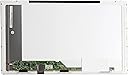
💻 Upgrade your view, upgrade your vibe!
The AU Optronics B156XW02 V.2 & V.6 is a 15.6-inch WXGA HD LED laptop screen featuring a glossy finish and bottom-left connector. It delivers sharp 1366x768 resolution with energy-efficient LED backlighting, compatible with many laptop models. Lightweight and easy to install, it offers a budget-friendly alternative to costly repairs or new devices.
| ASIN | B003TP2PU6 |
| Additional Features | LED Backlighting, Glossy Screen |
| Aspect Ratio | 16:9 |
| Best Sellers Rank | #124,750 in Computers & Accessories ( See Top 100 in Computers & Accessories ) #8,253 in Laptop Replacement Screens #8,584 in Computer Monitors |
| Brand | AU Optronics |
| Color | Glossy |
| Connectivity Technology | USB |
| Contrast Ratio | 2000:1 |
| Customer Reviews | 4.5 out of 5 stars 389 Reviews |
| Display Resolution Maximum | 1366 x 768 |
| Display Technology | LED |
| Display Type | LCD |
| Hardware Connectivity | USB |
| Has Color Screen | Yes |
| Image Contrast Ratio | 2000:1 |
| Item Weight | 0.5 Pounds |
| Manufacturer | AU Optronics |
| Model Name | LED-1366-768-G-40-15.6-1 |
| Model Number | LED-1366-768-G-40-15.6-1 |
| Mounting Type | Wall Mount |
| Native Resolution | 1366x768 |
| Number of Component Outputs | 1 |
| Resolution | WXGA HD |
| Screen Finish | Glossy |
| Screen Size | 15.6 Inches |
| Screen Surface Description | Glossy |
| Specific Uses For Product | personal |
| Total Usb Ports | 1 |
| UPC | 654367710708 |
C**N
New Life for an Older Laptop Computer...
The screen on my Gateway laptop slowly stopped working, doing some weird things and pressing on the screen was the only way to make it work! Grrrrrrrrrr. I did a search and found a video on how to take the screen assembly apart, did that, put it back together and it still wasn't working. I made sure the video card was working properly by plugging the VGA port into another monitor and everything was fine. Must be something with the delicate circuit board on the back of the screen, I thought. So, I searched for the screen model number on Amazon and here it was. Received it much faster than promised. Within 10 minutes I had the new screen installed and was ready for the moment of truth: Power Up! It came right up, bright, bold and beautiful! Worked like a charm. A much cheaper alternative to buying a new laptop or taking it to the nerd squad and be charged $75 for them to tell me I needed a new screen. Quick fix and it worked like a charm.
[**C
Great screen; no problems here!
If you have half a clue what you are doing it is GREAT! Very easy to change out, but if you are not used to working with fragile electronic parts I would think of looking at a shop to fix it. This is a great screen but you do have to be careful as with most all electronics and if you are not you could tear a ribbon cable. If you tear a ribbon cable (or connector for that matter) you may be looking at replacing the laptop anyway. If you are up to it, it is WELL WORTH the cost!
E**C
Best customer service I've ever experienced
I recently broke the screen on my Dell laptop and starting shopping around to have it repaired. After several quotes in the $400 to $600 range I decided to look into replacing the screen myself. I am the least mechanical person I know but I was not willing to pay more for a screen replacement than the original cost of the laptop. I searched online and emailed several merchants that carried the product I was looking for. The email responses from ViewOne were prompt, professional and very helpful. They verified that they had the screen that I needed in stock and I placed the order on Tuesday afternoon...The screen arrived the NEXT DAY! I live in a remote area and nothing ever gets here in one day...EVER! It was very well packaged and was an exact match for my old screen. I replaced the screen and put the laptop back together and it works perfect. I won't get into how to replace a laptop screen because there are a lot of tutorials online. I will say that it was not very difficult even for a tech idiot like me. Be patient, use a small screwdriver and do it yourself.
N**N
Great upgaded for the V.2
My Toshiba laptop originally had the V.2, and this seems to be an overall improvement. The color appears to be more vivid, and the circuit board on the back is batter protected. It installed with no issues and is working great. Some folks have complained that the viewing angle isn't wide enough on this monitor, and while that is true I don't remember the original being particularly great in that respect, so at least it does not seem to be a downgrade from the original. Packaging was great as well and there is no way that this thing would have been damaged by the shipping. Overall I'm quite happy with the purchase, and would buy it again if I needed to replace another monitor (hopefully I won't!)
K**A
Exactly What I Wanted
AU OPTRONICS B156XW02 V.2 & V.6 with BOTTOM LEFT CONNECTOR LAPTOP LCD SCREEN 15.6" WXGA HD LED backlight (or compatible SUBSTITUTE LCD SCREEN) After accidentally impacting my husband's Dell laptop screen, I hurried online to replace it before it was missed. Google the product number, come on Amazon and presto! A replacement screen for a fraction of the cost! To be honest, I was a little hesitant at first, considering the low price, however not only did it arrive weeks ahead of the estimated delivery but was in perfect condition. The company had packed the screen in Styrofoam and so much tape, it took me longer to unwrap it than it did to install it! The screen installed easily (4 screws, 3 minutes) and works beautifully- clear pictures, no scratches or uneven colors. I prefer the replacement screen's matte finish to the factory gloss; it'll be so much easier to clean! All in all, a VERY satisfied customer =)
N**C
Perfect fit...
I ordered this screen to replaced a cracked one in a Gatetway laptop. First things first, take the time to remove the old screen and get the numbers off the back so that you can make sure the one you order is the exact match, as there can be multiple screen types for the same model of laptop. Secondly, these screens are delicate until they are mounted in the support frame, so be careful, I can see how it would be very easy to damage a new screen. Thirdly, be careful when removing the sticky tape that covers the connector, it's so sticky it's almost like clear duct tape, and it would be very easy to damage the connector beyond repair, so gently peel it back around the edges as you will be reusing it. And the last warning, when you power the unit up it very normal for the bios screens to look ok but the opening windows screen to look completely messed up, but don't panic! Just restart the laptop in "vga" mode, windows will detect the new screen, and all will be good. All in all, highly recommended.
J**H
Just Like My Laptop's Original Screen, Great Price!!
This product is a virtual replica of my laptop's original screen! There are no 'dead' pixels or other problems. The screen arrived in great condition, sealed and protected. All I did was plug in the connector and it worked! The only small 'defect' I noticed is that the screen itself is tilted ever-so-slightly to the right. This is barely noticable, and can probably be fixed by adjusting the metal holders on the laptop itself. Overall I am still very satisfied! To all of those afraid to D.I.Y.: I highly recommend replacing a screen like this yourself! Despite what others may say it takes 10-15 minutes max from start to finish. You can save $100 or more by not paying somebody else to install it! You don't need to know anything technical; just have a phillips-head screwdriver and a flathead screwdriver or small razor. A video of this process can be seen here: [...] Put simply: 1) Remove the small rubber or plastic coverings around the edge of the screen. 2) Unscrew the screws below those coverings. 3) Gently pry apart the panel in front of the screen from the rear laptop lid. 4) Remove the screws holding the screen in place. 5) Remove the broken screen and disconnect the wire plugged into the screen. 6) Plug the new screen into that wire. Do the opposite of Steps 4 to 1 and you're done! Hope this helps! (My laptop is a Gateway NV57)
S**E
Be Careful who you buy from
Mine was NOT an OEM match for the original made by AU Optronics. I had no issue with this as long as it fit and works. The replacement I received fit very well and brightness is the same as the original. It was manufactured by LG. This was NOT my first purchase of a replacement screen. The other I purchased from another vendor fit and worked but brightness, gamma and clarity of picture were all so poor I returned it as electronically damaged. So although many laptops are difficult to replace the screen in, DON'T ACCEPT POOR QUALITY. Maybe I was a bit hasty in my praise. It is now 6/2022. Suddenly and without cause my screen completely scrambled with pastel colored hash marks. Until today had NO issues with it at all. Long and short of it discovered pressing on the super micro thin PC board fixes the issue. Looks like it may have cracked or one or more components not properly soldered. This seller offers NO extended warranty of any kind on AU Optics displays. Looks like I'll be trying yet another brand.
Trustpilot
2 weeks ago
4 days ago