Desertcart purchases this item on your behalf and handles shipping, customs, and support to Cyprus.
🎨 Unlock your creative genius with precision and color that pops!
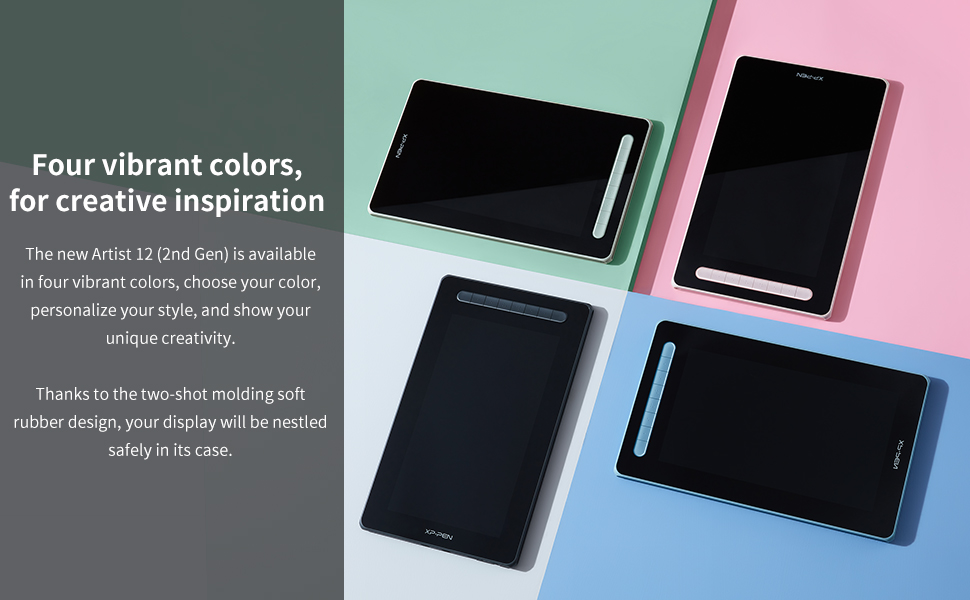
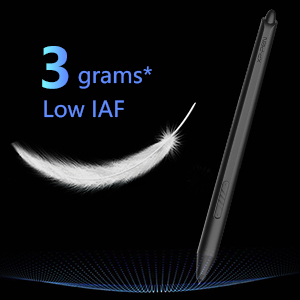
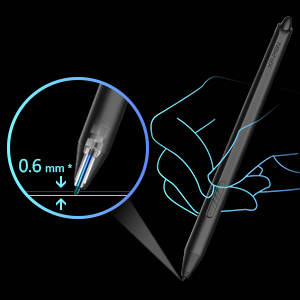
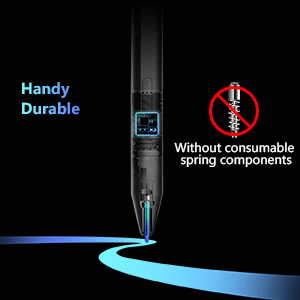
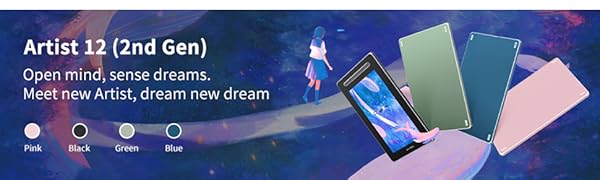
The XP-PEN Artist12 2nd Gen is a 12-inch full HD drawing tablet featuring an advanced X3 Smart Chip stylus with 8192 pressure sensitivity levels and 60-degree tilt support. It delivers vibrant visuals with 127% sRGB wide color gamut and full lamination to reduce parallax. Compatible with Windows, Mac, Android, Linux, and Chromebook, it offers versatile connectivity via a 3-in-1 USB-C cable and optional USB-C port. Customizable shortcut keys and a durable, battery-free stylus make it ideal for professional and aspiring digital artists seeking precision and workflow efficiency.


| ASIN | B09H738G1D |
| Active Surface Area | ERROR:#N/A |
| Best Sellers Rank | #163,364 in Computers & Accessories ( See Top 100 in Computers & Accessories ) #678 in Graphic Tablets |
| Box Contents | 1 x Pen Display,1 x X3 Elite Stylus,1 x 3-in-1 USB Cable,1 x Extension Cord,10 x Pen Nibs,1 x Nib Extractor,1 x Cleaning Cloth,1 x Black Drawing Glove,1 x Quick Guide |
| Brand | XPPen |
| Brand Name | XPPen |
| Colour | Black |
| Compatible Devices | Windows, Android, Linux, Chrome OS, Mac |
| Connectivity Technology | USB |
| Country of Origin | China |
| Customer Reviews | 4.4 out of 5 stars 525 Reviews |
| Display Type | LED |
| External Testing Certification | Não aplicável |
| Item Dimensions L x W | 20.8L x 34.5W Centimeters |
| Item Weight Unit of Measure | 1.94 Pounds |
| Manufacturer | XP-PEN |
| Manufacturer Part Number | Artist12-2nd |
| Model Name | Artist |
| Model Number | Artist12-2nd |
| Native Resolution | 1920x1080 |
| Network Connectivity Technology | USB |
| Number of Items | 1 |
| Operating System | Android,Chromebook,Linux,Mac,Windows |
| Pressure Sensitivity | 8192 Levels |
| Product Features | Battery-free Stylus |
| Screen Size Unit of Measure | 12 Inches |
| Special Feature | Battery-free Stylus |
| Specific Uses For Product | Drawing |
| Target Audience | Student, Teacher |
| Unit Count | 1 Count |
F**D
Pretty good.
After several months of usage. 3-in-1 cable does the job as long as you don't mind the baggage. Full featured USB-C isn't available but you can just get any Type-C 3.1 Gen 1 and above (I haven't tried it, but get 10Gbps and above just to be on the safer side). Though finding devices with compatible ports is another essay. The display looks great with 90% NTSC & 94% Adobe RGB but also has 127% sRGB which I don't think is actually a good thing... I dropped my stylus nib first on a wooden floor. It survived and works normal. Note taking or drawing for hours or using tablet mode on Windows or as a second monitor is a breeze. The app gives customisation over the shortcut buttons, the two buttons on the stylus, orientation, hardness, work space, etc. The back panel gets warm after a while. Great for beginner artists. Calibration in the app gives a seamless experience no matter what posture you're drawing in so parallax is not an issue. About the pen; the actuation is on point but lines are wobbly when drawing a line slowly and latency is low enough for writing moderately fast. Considering the flexibility of the tablet and how it performs, I'd say it's definitely worth the buy.
S**A
Doesn't have everything
There is space for plugs as given in instructions but it's not present here. Quality 4.5/5 Connectivity 5/5 Easy to use 4/5 Value for money 4/5 Portability 2/5 Color: black Total score 8/10 (works really nice but is very expensive)
M**I
Works with my Samsung s23u
This did not come with a USBc 4k cord to hook it up to my s23u, an additional cord is needed to hook it up to your Android device. I ended up buying a few trying to find one that would fit the very narrow plug in to go from it my phone. Eventually I ended up carefully resizing an end to fit the xppen artist 10 tablet. It was only after this that Amazon gave me an ad for an adapter USBC 4k to USB 4k that come in slimer configuration as well as so e that are 90' angles. When I'm not drawing on it I also use this for a second screen for my win 11 laptop that has a thunderbolt 3 port. Which is able to power the tablet as well as provide an image with only the usbc4k cord. This way I can leave my laptop on the table or nightstand and have the tablet on one long cord. The best of two worlds. The convenience of a tablet computer with the power of a high end laptop. I use it in conjunction with a cordless mouse and keyboard. I'm very pleased with it as a drawing tablet. When using it with my android I use a program called ArtFlow. It works well with the tablet. The shortcut button default are not all correct. And I have to use my phone as a touch device in Dex to move the image and zoom in and out. A happy accident because now I can draw with my right hand and control the image with my left. Which is a very comfortable productive setup for me. When being used in Windows I use open canvas and the tablet has a downloadable app to set the shortcut buttons. Love it! I would buy this product again and I'm very happy with it.
S**.
Tela muito boa
Excelente, funciona bem, tem uma tela ótima.
P**E
Happy customer
Bought as a gift for my daughter for Christmas. She loved it.
C**E
Muy buena
Vale completamente la pena, es comoda, bonita, tiene una gran pantalla y gran resolución y los collres son muy bonitos y vibrantes, y la sensación al dibujar sobre la superficie tipo papel que recubre la pantalla es muy placentera, y los y los atajos de teclado son super utiles, es mi primera tableta con pantalla pero en definitiva es una gran marca, solo compra un soporte para laptop y lo tiene todo, ademss de muy buenos niveles de presión y gran soporte con su software
K**N
Works wonderfully!
This drawing tablet is great! The screen is fairly crisp even with having a slightly textured screen. It’s very responsive and easy to use. The amount of cables is a little annoying but it’s a necessary evil. A lot of the bad reviews here are due to misunderstandings of what this is and how it works. Basically, this is a touchscreen monitor. You supply the computer and software. If you’re even slightly tech-savvy, it’s super easy to use. Install the drivers, connect the cables (power cable last, which will solve any “no signal” issues - and the power cable is best plugged into a brick in an outlet), set up your second monitor settings to your liking, and you’re good to go! I’ve been using it with Krita for both drawing and coloring, and it’s been absolutely fantastic. I used to use an iPad but the slippery screen bothered me, and any screen protectors to combat that interfered with the usage of the Apple Pencil and ground down the tip (which are expensive to replace!!). This came with a handful of nibs and the nibs are made of very hard plastic so I’m not worried at all about the nibs grinding down. All in all, this is a great little device and works wonderfully as long as you know what you’re doing.
Trustpilot
2 months ago
2 weeks ago