Buy anything from 5,000+ international stores. One checkout price. No surprise fees. Join 2M+ shoppers on Desertcart.
Desertcart purchases this item on your behalf and handles shipping, customs, and support to Cyprus.
🚗 Diagnose smarter, not harder — your garage’s new MVP!
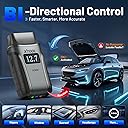
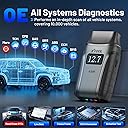
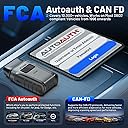
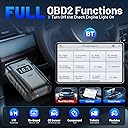
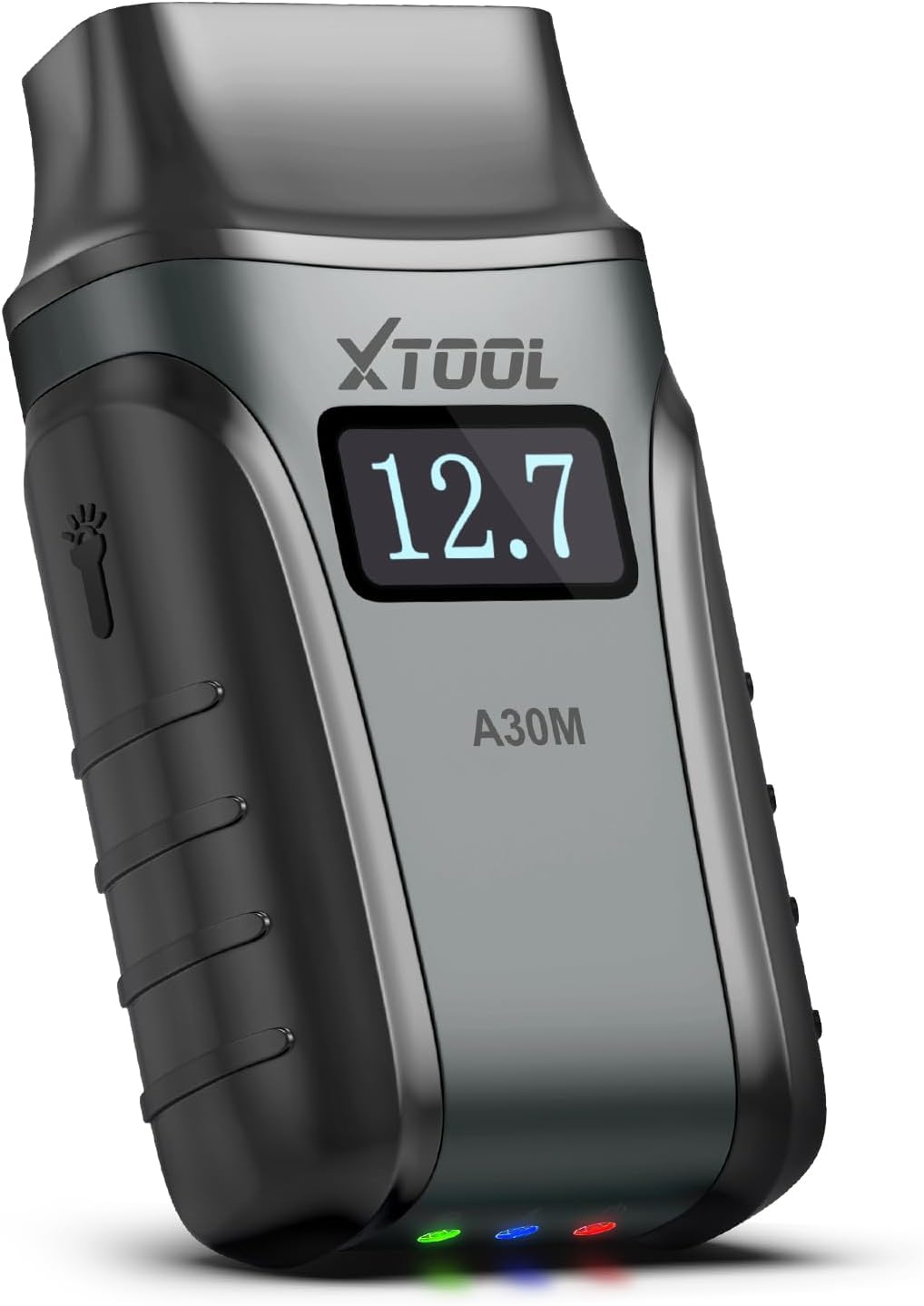
The XTOOL A30M V2.0 is a professional-grade wireless OBD2 scanner offering full system diagnostics and 26 specialized reset functions. Compatible with over 85 car brands and supporting the latest protocols like FCA AutoAuth and CAN FD, it delivers real-time data streaming and bidirectional control via Bluetooth up to 33 feet. With lifetime free updates and multi-language support, it empowers DIYers and weekend mechanics to perform advanced vehicle maintenance and troubleshooting effortlessly.


| ASIN | B09KT9XNML |
| Automotive Fit Type | Universal Fit |
| Best Sellers Rank | #2,095 in Automotive ( See Top 100 in Automotive ) #18 in Code Readers & Scan Tools |
| Brand | XTOOL |
| Brand Name | XTOOL |
| Customer Reviews | 4.3 out of 5 stars 1,492 Reviews |
| Included Components | XTOOL A30M Wireless OBD2 Scanner |
| Manufacturer | XTOOL |
| Manufacturer Part Number | XTOOL Anyscan A30M |
| Manufacturer Warranty Description | 2 Year Manufacturer |
| Model Number | XTOOL A30M |
| Number of Items | 1 |
| Operating System | IOS, Android |
| Power Source | OBD II Port |
| UPC | 789605297366 |
D**D
The Best Budget, Bi-directional Scan Tool
I've been using scan tools for over 15 years, but until now, I could only justify using a standard OBD2 reader that provided ECU codes. While those are useful for troubleshooting, modern vehicles have many different modules that can't be scanned by a standard OBD2 reader. Not only can the XTool A30M scan those modules, it can also interact with them through it's bi-directional capability, allowing you to run tests and even actuate controls manually. So far, I have scanned these cars: 2007 Chevy Malibu 2008 Lexus RX350 2009 Nissan Versa 2013 Ford Focus 2016 Kia Cadenza 2020 Toyota Tundra I've included several screenshots that demonstrate some of the codes I've encountered. I downloaded the Anyscan app from the Google Play Store onto an inexpensive ONN Android tablet from Wal-Mart. It functions at what I would consider a normal speed when connecting to the vehicle computer. While some reviewers have complained about connection speed, I suspect that is related to the age of the phone or tablet they were using to run the app. The only issue I had was not being able to connect to the car immediately after installing the app. This was solved by rebooting the tablet and I have had no more problems since. Bluetooth range from the device to my tablet is around twenty feet, but is likely going to depend on your equipment's capabilities. In most cases, I'm sitting in the car or standing next to it, so range is not an issue for me. XTool customer service has been excellent, both before and after my purchase. They usually respond to emails within 24 hours and are courteous and helpful. This is a company based in China, and they have better customer service than many American companies. One of the main selling points for me was the free updates. The other two tools that I was considering provide one free year of updates and then you have to pay $60 to $100 per year after that if you want to keep your software current. That's not a big deal for a professional mechanic, but for someone who just wants to work on their own car, it seems like a lot. Also, there are some scan tools that only allow you to download updates for one or two vehicles, but XTool allows you to download all of the makes that you want to. I went ahead and downloaded all of the common makes in the US and it used about 10 gigs of storage on my tablet. About half of that space was from the files for VW, BMW, and Mercedes. I've had this tool for several months and there have been many updates available during that time for the makes I have installed. Overall, the A30M and the Anyscan app are easy to use. The tool itself feels well-built and solid. The voltage display does not reflect actual battery voltage, but that's not a problem for me as I will have already checked it with a multimeter. This is an impressive tool and I have recommended it to several friends.
B**2
Works great, very fast, super responsive customer service
I had a problem with my Infiniti QX80 rear air suspension that was sagging. I realized this when I kept hitting my head on the rear hatch and wondering why it was not raising as high as it used to. After reading similar issues, I replaced the air compressor which did not fix the problem. At this point, I was pretty sure it was the height sensor but that required a bidirectional scanning tool to diagnosis and install. I looked at numerous scanners. I have three vehicles and wanted something that could work with all of them at a reasonable cost. To say it was difficult to compare scanners would be an understatement. I needed something that could work with a 2006 Saab, 2013 Jeep and 2017 Infiniti. I spent hours researching. For anyone else, here is how I broke it down: - Bidirectional? Decide on whether you just want to know what the issue is and have a chance of fixing a simpler problem or whether you want all the information, testing abilities and best chances of fixing the problem. - How many vehicles? Many scanners will only work with one make. Some will allow you to add another for a cost but many had a two vehicle limit. - How many systems? Many of the scanners were limited in the number of systems on your vehicle that they would work with. Some will only look at brakes and airbags. Some will add additional systems such as steering, tires, etc. Oftentimes, the only way to know what systems are supported is to go directly to the website and enter your vehicle information and the scanner information. This was a royal PITA. - Updates? Many scanners would only give updates for a limited time and then charge you for additional updates. Overall, this was a mess. I finally decided on the XTool A30M. It worked with my phone so I could use it while walking around the vehicle, under the vehicle, or sitting comfortably in the vehicle. It has an active support with numerous updates. Updates are free for life. I can use it on multiple vehicles and have tested it on my Jeep, Saab and Infiniti. I used it to diagnose my rear suspension and determined it was the height sensor. I ordered a new one and installed it. The A30M did not have the system tool to calibrate the height sensor so I emailed their support. I received a reply within 24 hours over the weekend. I sent them a copy of the shop manual with the functions required to calibrate the height sensor. They promised an update within a week. In a few days, I received the update and was able to successfully calibrate the height sensor as described in the shop manual. Absolutely superior customer service. Overall, I cannot recommend this scanner enough. It supports multiple vehicles including a 2006 Saab, 2013 Jeep and 2017 Infiniti. It supports all of the diagnostic systems on the vehicles with the ability to view live data, read codes, actuate devices, and calibrate devices. Customer service was phenomenal with rapid response, super fast updates, and awesome follow up. It was just a pleasure to work with.
H**H
Snap On who???
I’ve been running a large automotive shop for years, so I’ve used a lot of different scan tools — from basic code readers to much more expensive professional diagnostic scanners. I can honestly say the XTOOL A30M is one of the better tools I’ve used for the money. What impressed me most is how much capability it has in such a simple, compact setup. The wireless connection is convenient, the app is easy to navigate, and it works well for quick diagnostics without having to drag out a large scanner every time. We use scan tools daily in the shop, and this one has been very useful for reading and clearing codes, checking live data, running system scans, and performing service functions depending on the vehicle. The bi-directional controls are a big plus. Being able to command certain components on and off helps a lot when trying to confirm a problem instead of just guessing and throwing parts at a car. That is something I really value in a shop environment because it saves time and helps us diagnose more accurately. For the price, this tool offers a lot. It is not just a cheap code reader — it feels like a real diagnostic tool that can actually help in a professional setting. Of course, vehicle coverage and certain functions can vary depending on the year, make, and model, but overall I’ve been very impressed with it. XTOOL did a great job with the A30M. I would definitely recommend it to shop owners, technicians, mobile mechanics, and serious DIY users. I’ve had a very good experience with it, and based on how it has performed in our shop, I would absolutely be interested in trying and reviewing more XTOOL products in the future.
E**K
It was great when it was working but after the update it will not connect with any of my Ipads.
I've owned the Anyscan A30M for over a year and thought it was great for the money. I used it with my IPad. I used it to help fix a couple of my cars and some friend's cars. The bi-directional and live data features made this a very useful tool and much better than most other scanners in the price range. The updates were free, without needing a subscription, which made this a very cost effective scanner. Then it just stopped working when I really needed it. It would not communicate with my Ipad. I went to the Xtool website but there was no mention of any problems so I thought it was a problem with my A30M. Since I liked the device so much and had a car with some issues, I immediately bought a new one but this new one had the same problem so I wrote to Xtool to tell them there may be a problem with their device. I learned the problem was caused by a software update. They emailed me that the experts were working on a fix and it will be working again in a couple of days. That was over two weeks ago and my new A30M is still not working with my Ipads. There was an update for the app (6.2.1) on the Apple store. I deleted my old version of the App and got the latest version but now It has a new problem. It gives a bluetooth failure error during startup. It still will not communicate with my Ipads. I have three Ipads and none of them can communicate with the A30M. I tried an old Samsung tablet that I had and I was able to get the A30M working. I still have a few issues even with the Samsung, but at least it works. It has been very frustrating trying for a couple of weeks to get it to work with my Ipads. If you have a Android tablet you may be in luck but if you want to use it with an Ipad you may have some problems. Xtool emailed me that everyone else have gotten their A30M working again (but not me). Such a shame for what was a once a fantastic tool. If they come up with a fix that actually works with an Ipad, I'll update my review. Update**** It works with my Ipad again. This after I bought a new Samsung tablet for the device. I couldn't wait any longer so I ended up buying the Samsung Tablet to get the A30M to work. I had not been able to use the device for about three weeks and I had a Jeep in need of repair so I bought an Android tablet. Xtool kept in touch and kept helping with my old Ipad and yesterday, after deleting the APP for the third time, rebooting my Ipad and reloading the App onto the Ipad, they finally connected. I was happy because I really like my Ipad Pro but after using both the Android and the Ipad, I think I'm going to keep using the Samsung because it seems to work a little better with the A30m. I also like the interface between the A30M and the Android (Samsung) better. I was very happy with the Xtool support. I think I emailed them just about everyday and they always answered back quickly. They never gave up trying to help. I'll rate the A30M 5 stars in the future if it keeps working. ***Update*** the A30M is still working great and Xtool keeps allowing me to update the software so I'm very happy and raised my rating to 5 stars.
B**O
XTOOL A30M V2 Perfect Budget Tool
I’m very happy with the XTOOL A30M V2.0. It was easy to set up and simple to use, even without being a professional mechanic. The app is clear, the connection is smooth, and the scanner gives helpful information quickly. One of my favorite features is the live data. It is very useful because it lets me see what is happening with the vehicle in real time, which makes troubleshooting much easier. I also like that it does more than just read basic codes. It gives deeper information that helps me understand the problem better before deciding what to do next. Overall, this is a very useful and reliable scan tool for the price. It feels well made, works as expected, and is a great option for anyone who wants an easy and helpful diagnostic tool. Great purchase!
K**I
I like the device and its functionality, but the app and web site have MAJOR flaws.
First off, the device seems to work well and does allow me to enable/disable the parking brake, retract calipers when applicable, and manipulate servos such as intake runner valves and purge the ABS pump. However there are MASSIVE flaws (I WAS WRONG; see update. I am leaving the incorrect info to help others who will have the same concerns about the activation code): 1. You'd think the "activate" feature registers the device to your account when you set up anyscan, so it's activate once and forget. If you remove/reinstall the Anyscan app, or add it to a tablet as well as your phone, you have to "activate" the device EVERY SINGLE TIME you install/reinstall the app or change phones, so DO NOT LOSE YOUR ACTIVATION CODE! Photograph it and keep that electronic copy. It does NOT actually create a back end account for you. The username/password data pair in the Anyscan app mean NOTHING. 2. You'd think the "username/password" pair creates an account on the back end and the web site is tied to it. Not so! Subsequent devices nor the web site will recognize your username and password, so you will need to re-activate, since that activation is stored in /dev/null (not stored anywhere except IN THAT ONE APP INSTANCE) 3. You'd think the product manual is available under support resources on their web site. Not so! Find it via the product listing link on this product page. UPDATE 2026-06-07: Xtool reached out to me on May 25, within 5 days of my review, and explained the rationale of their activation process. It is for theft prevention, and if you DO lose your activation code, you can reach out to xtool with the order # and verify you are the actual purchaser, and they will provide you with the required activation code. It is entered on a per-device basis rather than per-account, to protect your xtool account's being compromised by a stolen phone/tablet. While their activation model's practicality is debatable, what is NOT debatable are: 1. Their concern of protecting their customers, many of whom are techs in smaller service stations 2. Their proactive customer service 3. Their concern for review accuracy Thanks to them my misconception of their activation model and the risk to me, the device purchaser, losing functionality due to phone and tablet replacements or resets, is now cleared up and resolved. As such I am returning the deducted stars. As the core functionality of this scanner is outstanding and it does most of what I've been needing for maintaining both our Subie and our Stinger, including ABS pump bleeding, emergency brake retraction, servo tests, TCU resets (a must for the Stinger in particular!), and data logging (good for tuning!) and it has delayed my need for a dedicated Icon or Autel dignostic tablet. There is ONE flaw remaining: The A30M manual still does not appear to be available for download through their web site, which is a shame because I wanted to read through it BEFORE ordering. Having the manual for the device available before purchase is an important sales feature but to work around that I was counting on the return policy. Thankfully, the device does in fact support the bidirectional features I need in the short to mid term, so I did not have to exercise the return policy. As such I am not deducting a star for the product manual availability issue.
A**N
Great scan tool, could use minor improvements
I have wanted to put a full bi-directional scan tool on my phone for years now and the A30M does the job. I like how the menus are similar to other Autel and Topdon scan tools I've used. It reads the VIN, connects to vehicles and runs Auto Scan a little faster too. I regularly reset service and inspection intervals on German cars with the OIL RESET function; it has worked on all but 1 car so far. As long as I don't break or lose it, the lifetime free updates make this a better deal than other subscription based bluetooth scanners. It doesn't replace a top end scanner, but it handles the majority of what I need. I hardly have to use the shop Autel or Snap On scan tools anymore. Things that can be improved: 1.) A quick start guide in the box. I had trouble connecting to my phone. Bluetooth showed paired, but not connected. Took me a minute to figure it out. When you go to "Bluetooth" in the app's settings menu, MAKE SURE YOU PRESS THE A30M DEVICE IN THE LIST (see picture). Seems obvious, but the list didn't look like the devices were selectable and there's a big "Open Bluetooth setting" button under it that I kept hitting instead. 2.) Voltage meter on the VCI is a waste of money. Half the time the screen is not facing out when it's plugged in, or you have to squat down to see it. It would make a lot more sense to just add a few lines of code and display the vehicle voltage in the app. (Always visible at the top right of the screen, would be perfect.) Instead of a voltmeter, add a speaker and program it to beep when it loses bluetooth connection with the phone. That way, you can't accidentally leave it plugged in the car. I've almost forgotten it a couple times now. 3.) Put live data pids in alphabetical order. Looks like the pids are just listed randomly. For example, I needed to look at all 14 HV battery blocks on a Prius. They should have been in order from 1-14, but they were in groups of 3 or 4 scattered around the page. 4.) Put Special Functions menus in the control module menus Unlike most scan tools, the Special Functions can only be accessed from the main menu on the A30. Say you're looking at live data in the PCM and see the conditions are right to do a throttle relearn. There is no Special Functions menu under PCM. You have to back out of the vehicle to the main menu, select Special Functions, select throttle relearn, reconnect to the vehicle, then relearn.
R**N
Don’t hesitate, this is the real deal!
Fantastic scanner, well worth the small investment. Reliable, dependable and super easy to install and operate. Gives you a massive amount of information on all the important automotive processes. Easy to understand interface and easy to export reports. Build quality is exceptional. Along with this the customer service team is outstanding, before and after the sale. If you have questions prior to purchase, they are glad to help you make a decision or consider another product. I wish all customer service efforts were as good as these folks are, major props to Cynthia! It’s been awhile since I’ve had such a positive and conformational experience! Plus, both products I purchased were on sale!
H**N
26 special functions , super accurate fast & very easy to use
One of the best smart phone O.B.D scaner ever!!
C**O
Es muy bueno el equipo,e podrían enviar el manual en inglés y español
Está muy bien pero el manual en español está incompleto contrario al manual en inglés, podrian enviarme los dos a mi correo electrónico ñ, se los agradecere
A**1
قطع جدا ممتازة
قطعه جدا ممتازة تغنيك عن محلات الفحص وفيها بعض البرمجات الأساسية تغنيك عن اماكن البرمجة مثل برمجة نظام ABS وبرمجة بوابة الثروتل وبرمجة الكفرات والخ تنفع للورش الصغيرة او الاشخاص في بداياتهم
J**S
Best tools
I try my own awesome tools and I'm never regret
E**N
Best customer suppert
Very quick and helpful customer support. As my habit immediately after unpacking I through package to trash. Later when try to use device it was asking for activation code. In same time I ask xtools amazon support, contact emails from xtools website and provided model + serial number of device. In a few hour they all replied with activation code. And even after a month they checking if I have any issue or need help in use of device. Device it self is the best.
Trustpilot
2 weeks ago
1 day ago