⌨️ Elevate your workspace with silent power and seamless control
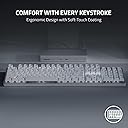
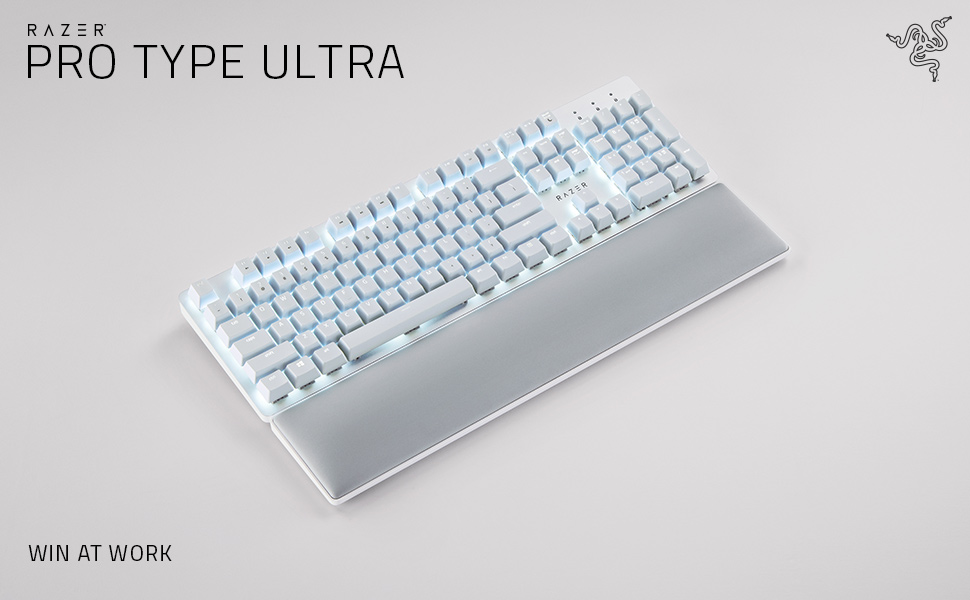
The Razer Pro Type Ultra is a premium wireless mechanical keyboard designed for professionals seeking quiet, ergonomic comfort and unmatched productivity. Featuring silent linear switches rated for 80 million clicks, HyperSpeed wireless technology, and the ability to connect up to 4 devices, it offers a customizable, clutter-free typing experience with soft-touch keycaps and wrist support for all-day comfort.


| ASIN | B09J72K6SM |
| Additional Features | Backlit, Wrist Rest |
| Antenna Location | Office |
| Best Sellers Rank | #466 in Computer Keyboards |
| Brand | Razer |
| Built-In Media | Keyboard |
| Button Quantity | 78 |
| Color | White |
| Compatible Devices | Laptop, PC, Tablet |
| Connectivity Technology | USB-C, Wireless |
| Customer Reviews | 3.9 out of 5 stars 455 Reviews |
| Enclosure Material | Acrylonitrile Butadiene Styrene |
| Hand Orientation | Ambidextrous |
| Is Electric | Yes |
| Item Dimensions L x W x H | 17.28"L x 5.16"W |
| Item Height | 40 millimeters |
| Item Type Name | PC Gaming Keyboard |
| Keyboard Backlighting Color Support | Single Color |
| Keyboard Description | Wireless |
| Keyboard Layout | QWERTY |
| Manufacturer | Razer |
| Mechanical Keyboard Switch Model | Razer Yellow Mechanical Switch |
| Model Name | Pro Type Ultra |
| Model Number | RZ03-04110200-R3U1 |
| Number of Keys | 104 |
| Number of Sections | 4 |
| Power Source | Battery Powered |
| Recommended Uses For Product | Office |
| Series Number | 304110200 |
| Special Feature | Backlit, Wrist Rest |
| Style Name | Modern |
| Switch Type | Linear |
| Theme | Productivity |
| UPC | 810056145170 |
| Unit Count | 1.0 Count |
| Warranty Description | 2 year manufacturer |
L**Y
Best dang keyboard and I've tried a lot of them.
Broke my Logitech G513 keyboard which was previously the best dang keyboard. I liked it because it had black keys that were backlit in white. Logitech, in their infinite wisdom apparently discontinued it because this Razer is now the BDK keyboard you can get if you're not a gamer. It's pricey to be sure. But it feels great and the key action has just the right feel without being too clicky. Wireless means that your desktop is just a bit cleaner. It remains to be seen how these white keys look after a couple of months worth of use (hey Razer why not offer a version with black backlit keys?) but they're removable and washable. The backlighting is lovely and you can turn it down/off. As others have said, if you're going to use it for business, do update the firmware and take the time to load teh Razer Synapse software so that you can customize the keys. I did not like that the function keys didn't work like function keys. With that software, now they do. Get a Razer. You deserve it.
A**W
The backlight is... frustrating, not great for gaming
This is a really excellent keyboard for typing. The best I've ever used. Buttery smooth in a way I didn't realize a keyboard could be. A joy. Noticeably better than any other keyboard I've used. And it looks absolutely gorgeous. I just look at it on my desk from time to time. Just really well done. I added some fancy keycaps and occasionally swap them out for different designs, but mostly I leave the white keycaps in place because it just looks so good. For gaming, the keys are a little TOO responsive. By that I mean I will rest my fingers on WASD and spacebar, and accidentally push them just because the weight of my fingers can push the keys and trigger the switches. Like the slightest pressure activates the key. For typing text, AMAZING. For resting my hands on the keys to play games, not the best. If you're primarily gaming with your keyboard, choose another. If you're primarily typing text, this is the one. My biggest problem is the LED backlighting. The photos usually make it look like they are neutral white; neither warm white nor cool white. But the LEDs are cool white with that slight blue tint to them. This wouldn't be such a problem, but you'd think since they are white LEDs and not RGB, they would use neutral white. This problem is compounded by the yellow switches. The cool-white LED light reflects off the yellow switches. So now you have a mix of blue and yellow shining out from under every key and it just looks a bit muddy and ugly. I know they want to be able to say "our yellow switches" to keep in the parlance of the mechanical keyboard world, but they should have been white or clear. And the LEDs should have been neutral white. Update: I can now push Fn + Esc to swap Function keys/Media keys. So they are now, once again, swappable. The function keys can be edited now in the synapse software; the media keys still cannot be edited and will say as much in synapse if you don't switch them to Function keys first.
T**S
Poor quality control, clumsy backlighting, defaults to media rather than function keys
This is the first Razer keyboard I have bought. It will be the last. I bought the Razer Pro Type Ultra keyboard to use with a Razer Pro Click Mini mouse. A key selling point was the ability to use a single RF transmitter for both devices, as I have done in the past with Logitech devices. Unfortunately, while the mouse worked on its own, as soon as I connected the keyboard to the transmitter, the problems started. The keyboard randomly lost the connection multiple times per hour, making it impossible to type. I contacted Razer support, and after spending time going through all sorts of troubleshooting steps, I was informed that I had received a defective device. Another problem with the keyboard is the necessity of installing Razer Synapse, the current version of which is only available for PCs. If you use both PCs and Macs, and I do, you have to suffer through a degraded experience on Macs, because only an outdated version of the software is available. Beyond software problems, the keyboard defaults to media keys rather than function keys, which is inconvenient for its stated purpose as a productivity device. Do the designers at Razer think that only gamers use function keys? Even using Razer Synapse to switch the default to function keys doesn't entirely solve the problem, because function key labels are not backlit, only the media key labels. Overall, the design flaws and quality control problems make this keyboard completely unusable. Lucky buyers who manage to get a keyboard that actually works will still have to suffer through the design flaws, the lack of software for macOS, etc. Anyone who wants a reliable keyboard with multi-platform support should stay away from this product.
D**O
Read the Reviews... LOUD and Intermittent
I Love the weight and feel of this keyboard, and it's lights are cool! But....it's claims to be "Minimum Sound" are absurd .....This thing is NOISY. Even worse, it is always sleeping when I start to type, thus my first few keystrokes are not registered. It requires software and custom programming for the function keys to work like a normal keyboard. It is billed as wireless but it requires recharging to be wireless and who wants to wait for their keyboard to charge so they can use it? I gave it a fair trial and while I like it's ergonomics, it's flaws overwhelm it's assets. Returning it after a week. I liked my Logitech MK710 but had to replace it before it's 3rd birthday because the letters rubbed off so many of it's keys that using it is difficult. Back to searching for a comfortable, quiet keyboard and disappointed that the false advertising for this one tricked me into trying it!
E**K
Works well but maybe not for its premium price tag
Update: August 13, 2022 They finally setup a toggle (FN + ESC)!! My main qualm resolved. Glad they finally fixed that up. ---- I work from home and have been looking for a wireless mechanical keyboard that is ideally an all-rounder -- one that works well between work and gaming usage. I was previously using the Logitech G613, which was starting to die on me. This keyboard is minimal and aesthetic. I like the wrist rest and how I can decide to put aside or not. Connectivity overall solid. Sometimes when gaming there seems to be a weird lag but I can live with it. I'm not picky about switch feel/sound. The keyboard seems to be marketed as more of a functional productivity keyboard as opposed to a gaming keyboard. Unfortunately, it has some serious flaws that results in it not meeting the mark of its "productivity" marketing. For the price tag, this may be a deal breaker for some, even for me... (1) The main source of frustration is, as others have also pointed out, the function key setup. The keyboard is setup for anti-productivity... For work, I typically use the function keys as is, but this keyboard has pre-mapped them to be multimedia keys. There is no function lock toggle available. Having to hit fn every time to access the original f2, for example, is the antithesis of productivity. Because of this, I used their synapse system to set the function keys back to their original functionality instead of the razer multimedia functions. Unfortunately, I can't seem to doubly set the function keys to allow me to switch to the razer preset multimedia functions when I hit fn + f2 for example. (Am I missing something here??) For gaming or more multimedia usage, again, antithesis of productivity. (2) Not "silent." I'm okay with it since I'm using it at home.
C**G
Went downhill quickly
After less than two months of use, the T sticks by double entering or not registering the keystroke. Sometimes the keyboard will become unresponsive while I am typing, so I retype the letter, then the keyboard will respond and type all of the initially typed and retyped letters. Also, it is temperamental about showing up in the razor synapse module. Also I can’t get it to connect on Bluetooth, so I have to plug it in or use the dongle. This thing has so much going on, and bless its heart it’s just not up to the tall list of demands that were engineered into it. Either that or the manufacturing is shoddy. Maybe wireless just isn’t the way to go.
C**M
Amazing product
I never write reviews but this is a fantastic product. I saw a lot of people saying this is a loud keyboard and it absolutely is not. My previous keyboard was very clicky and I'm quite impressed how quiet and satisfying it is to use. It's beautiful and has a good battery life. Impressed with the bluetooth, i'm able to connect to both my work and home pc seamlessly. A bit pricy but well worth it imo
A**N
You need this to gaming
Magnific Keyboard!
Trustpilot
1 month ago
5 days ago